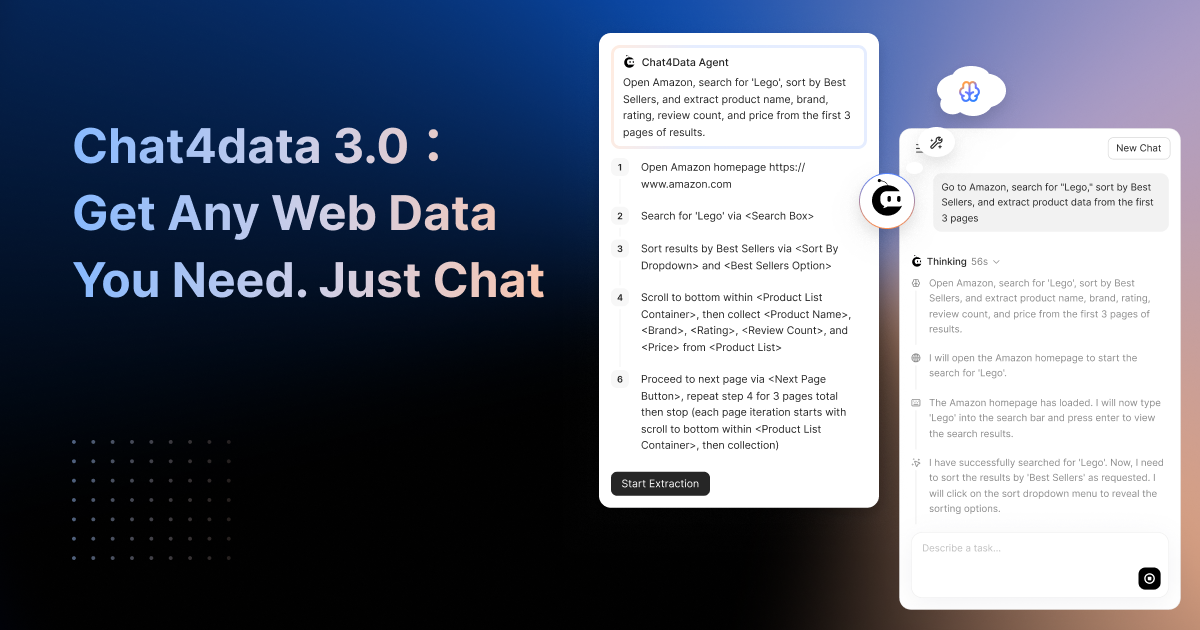

As the first chat-based AI web scraper, Chat4Data took the pain out of web scraping: no more learning XPath, pointing and clicking through selectors, or praying your workflow survives the next site update. With version 3.0, released on April 21, 2026, the gap between what you can ask and what Chat4Data can deliver just got a whole lot smaller.
Version 3.0 rewrites how Chat4Data understands, navigates, and extracts data from the web. Here is what’s new and why it matters.
What’s New in Chat4Data 3.0
Here’s what changed under the hood.
1. Agentic Page Exploration: One Prompt Does It All
Previous versions of Chat4Data needed you to be on the right page before you could start extracting. If your data required searching, filtering, or navigating through a site first, you had to do that yourself before opening Chat4Data.
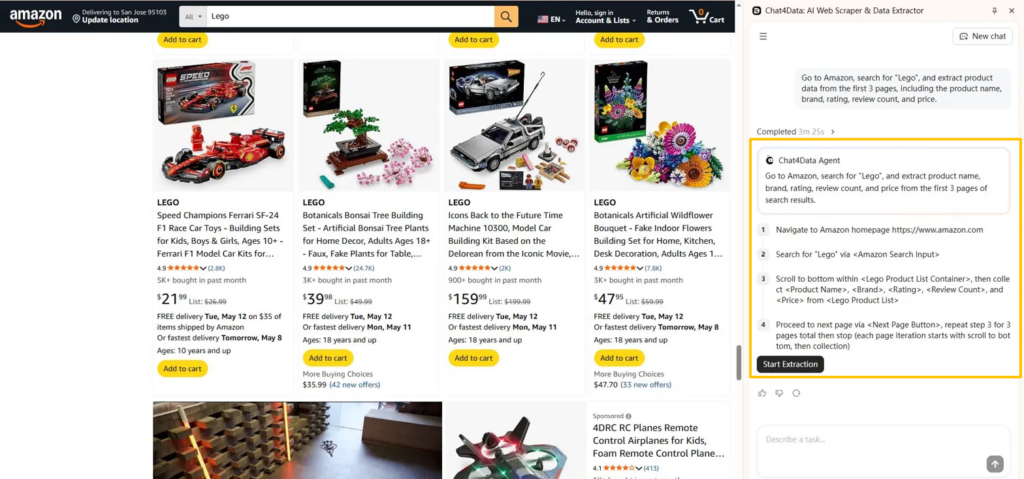
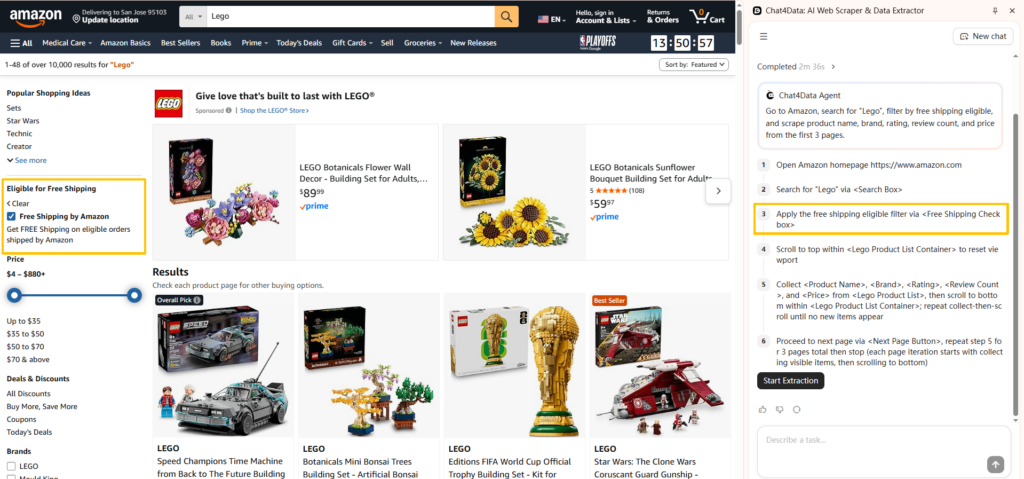
That’s no longer the case. In Chat4Data 3.0, you describe the full task in one sentence — like “Open Amazon, search for ‘Lego’, sort by best sellers, and scrape product name, brand, rating, number of ratings, and price from the first 3 pages.” Chat4Data takes it from there: navigating to the site, finding the right fields, working through pagination, and exporting clean results as Excel, CSV, or JSON. You just review the plan, confirm it, and hit start. One sentence in, structured spreadsheet out.
2. Multi-Region Extraction: One Task Scrapes Multiple Data Types
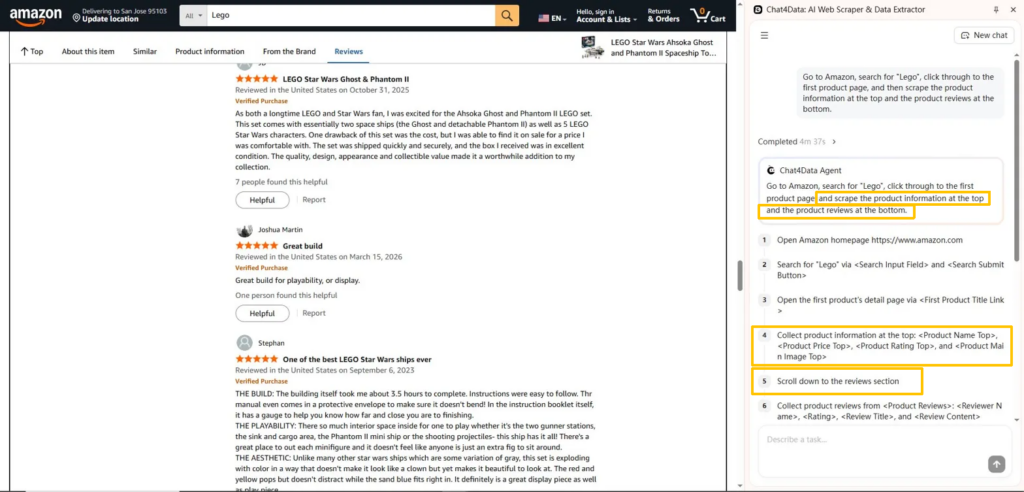
Say you’re on a product page that has a specs table at the top and a reviews section below. Before 3.0, that was two separate runs and a manual CSV merge.
Now you just say what you need, like ”get me the specs and the first 50 reviews” . And Chat4Data pulls both sections in a single run.
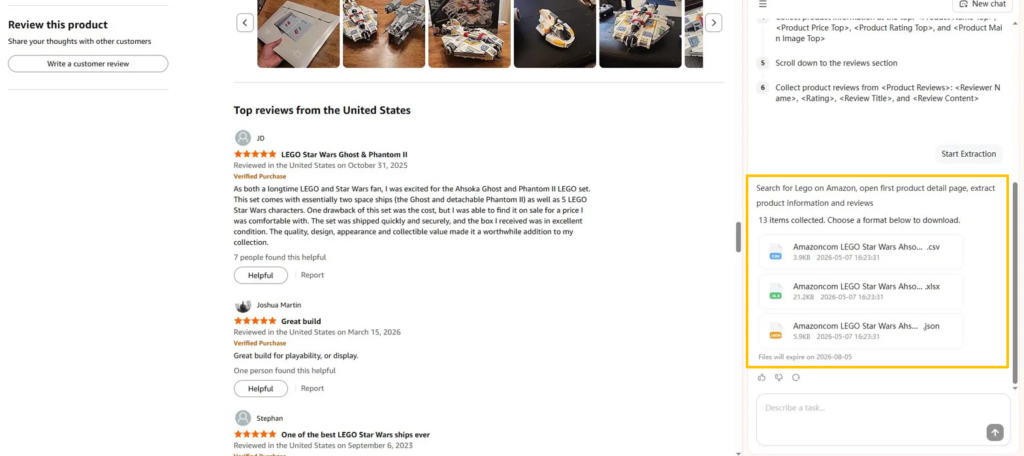
3. Dynamic Interaction Support: Reach Data Hidden Behind Clicks
A lot of the most useful data on the web doesn’t just sit there waiting. It’s behind a dropdown, a filter, a “Load More” button, or a tab you need to click first. Before 3.0, you had to do all of that yourself. Filter the results, click through the options, get to the right page, and only then could Chat4Data start extracting.
Now the agent handles it for you. Tell it “find apartments in San Francisco under $3,000,” and it will set the filters, sort the results, and scrape the listings. You describe what you want, Chat4Data handles that interaction for you.
4. Human-in-the-Loop Collaboration: Work Together in Real Time
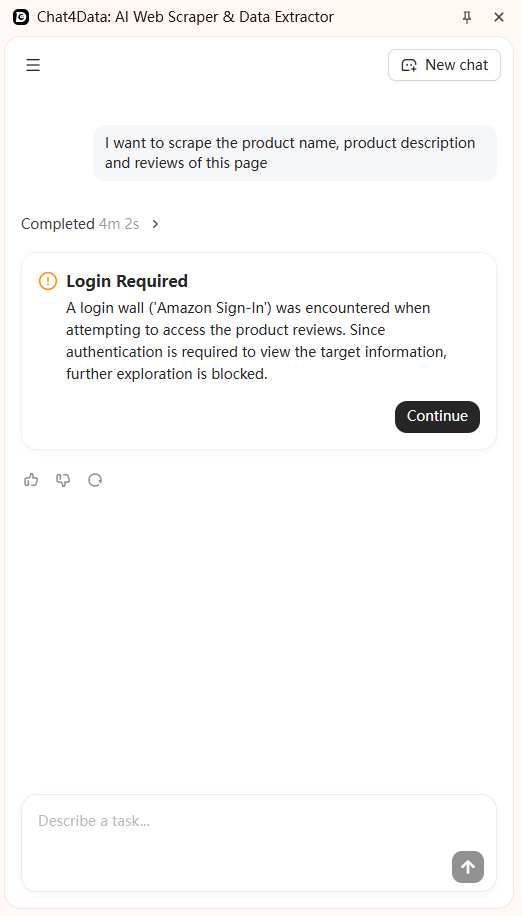
This one’s entirely new. In older versions, if the scraper hit a login wall or CAPTCHA mid-run, the whole thing failed. You’d lose your progress and have to start over.
Chat4Data 3.0 handles this gracefully. When Chat4Data encounters a login screen, CAPTCHA, or verification step, it pauses and lets you take over. You log in, solve the challenge, and Chat4Data picks up exactly where it left off.
It goes further than that. You can also adjust instructions while the scraper is running. Notice it’s grabbing the wrong column? Tell it mid-run. It adapts without restarting. This makes Chat4Data less of a tool you configure, more of a colleague you work with in real time.
5. Improved XPath Stability: Sites Change, Your Scrapers Don’t Break
Anyone who’s built a scraper knows the feeling: it works perfectly on Monday, and by Wednesday the website’s changed a class name and everything falls apart.
Chat4Data 3.0 tackles this with dual-path XPath generation, semantic validation and auto-repair mechanism. It reads every page two ways: what it looks like visually and how it’s structured in code. If one path breaks, the other holds. If both need fixing, the auto-repair mechanism kicks in. Your saved scrapers keep working even when sites update their layouts.
From AI Web Scraper to Web Scraping Agent: What Changed in 3.0
Each of these features solves a specific problem that limited what no-code scrapers could handle:
| Feature | Before 3.0 | With 3.0 |
| Agentic page exploration | You had to find the right page yourself before scraping could start | Just tell Chat4Data what you need. It finds the page and gets the data |
| Multi-region extraction | Want both product details and reviews? That was two separate tasks | One task grabs everything from the same page at once |
| Dynamic interaction | Had to manually click filters, dropdowns, and “Load More” buttons before scraping | Chat4Data handles all the clicking and filtering for you |
| Human-in-the-loop | Hit a login page or CAPTCHA? The whole task failed | Chat4Data pauses, you log in, and it picks up right where it left off |
| XPath stability | A small site update could break your entire scraper | Dual-path detection and auto-repair keep your scrapers running |
Taken together, these changes make Chat4Data not just a smart AI web scraper, but a genuine web scraping agent. The difference is significant: an AI web scraper processes pages you give it, while a web scraping agent completes tasks you describe, figuring out the navigation and interaction on its own.
How to Get Started with Chat4Data 3.0
If you are already a Chat4Data user, the update is automatic. Your Chrome extension will update to version 3.0 through the Chrome Web Store. All your saved scrapers and chat history carry over.
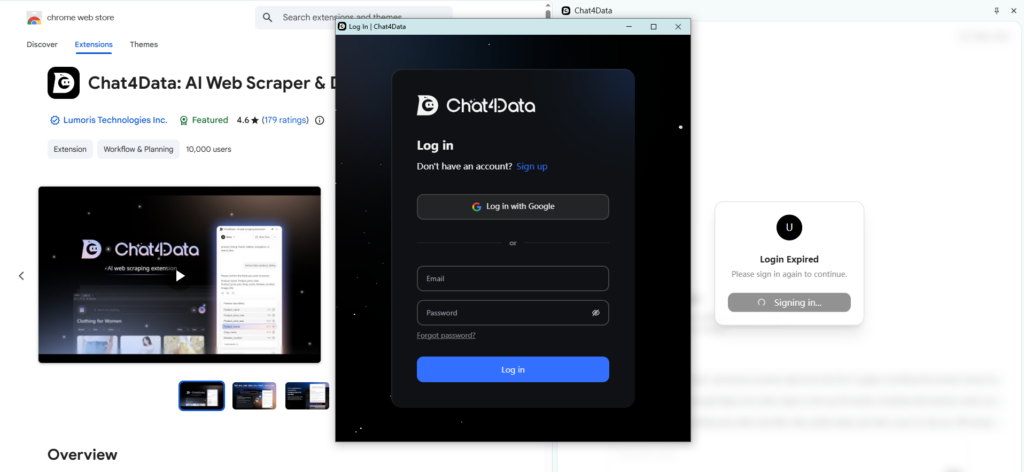
1. Install the Chat4Data extension from the Chrome Web Store
If you are new to Chat4Data, getting started takes about two minutes:
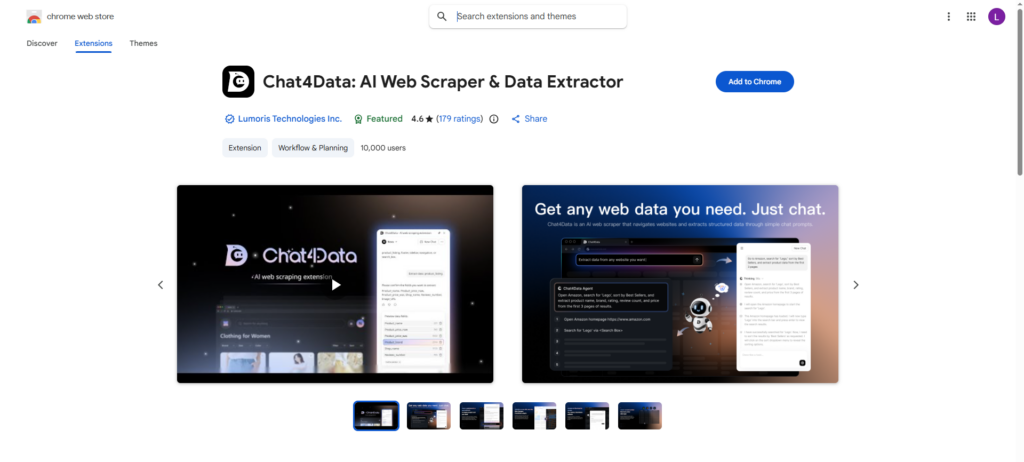
2. Sign up for a free account
3. Type your first scraping task in plain language and watch the agent work
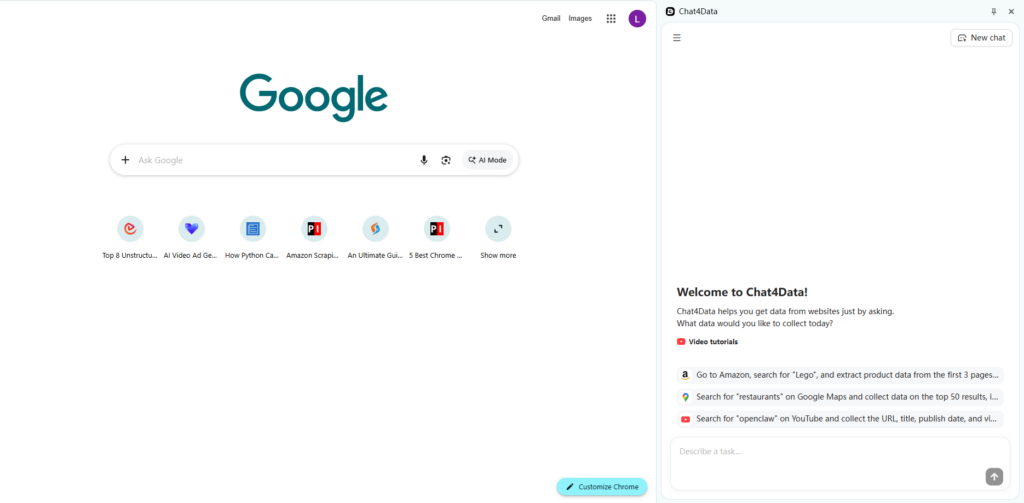
No software to download, no servers to configure, no coding to learn. Just describe the data you need, review the plan, and hit start.



What Chat4Data 3.0 Can Do at a Glance
Here’s everything this AI web scraper can do, all in one view:
| Capability | What it means for you |
| Agentic page exploration | Just describe the task, and Chat4Data finds the page for you |
| Multi-region extraction | Grab multiple types of data in one run |
| Dynamic interaction | Leave the clicking and filtering to Chat4Data |
| Human-in-the-loop | Log in or solve CAPTCHAs without losing progress |
| XPath auto-repair | Saved scrapers keep working even when sites change |
| 100% local scraping | Your data never leaves your browser |
| Reusable tasks | Save a scraper and re-run it anytime with one click |
| Conversational interface | Describe what you need in plain English, no code |
What Is Coming Next
The roadmap doesn’t stop at 3.0. Here’s what we’re working on:
- Conversation sharing — share a proven scraping setup with teammates or the community in one click, no re-configuration needed
- Built-in data cleaning — automatic deduplication, formatting fixes, and field normalization applied before you ever open the export file
- Scheduled scraping — set a task to run daily, weekly, or at any interval that fits your workflow, no manual re-runs required
Want to shape what comes next? Join Chat4data community and let us know what you’d like to see.
Frequently Asked Questions
Is Chat4Data 3.0 free?
Yes. The free plan includes full scraping functionality. Paid plans unlock more credits and features.
How does pricing work?
Three plans available:
- Free: $0, free for everyone
- Pro: $10/month ($7/month billed yearly)
- Max: $35/month ($24/month billed yearly)
Yearly plans save 30%. Credits are consumed only during AI analysis and configuration, not during extraction. See full details on the pricing page.
Do I need to update manually?
No. If you already have the Chat4Data Chrome extension installed, version 3.0 updates automatically through the Chrome Web Store. Your saved scrapers, chat history, and account settings all carry over with no action needed on your end.
Does Chat4Data collect my data?
No. All scraping runs 100% locally in your Chrome browser. Nothing is sent to Chat4Data’s servers. Your login sessions, cookies, credentials, and extracted data stay entirely on your device. This applies to all plans, including Free.
What websites does Chat4Data work on?
Any public website you can open in Chrome. That includes e-commerce sites like Amazon, real estate platforms like Zillow, job boards, review sites, directories, and more. If you can see it in your browser, Chat4Data can scrape it.
What if a website requires login?
Chat4Data 3.0 pauses automatically when it encounters a login wall, CAPTCHA, or verification step. You log in manually, and the agent picks up right where it left off. Your credentials stay in your browser and are never shared with Chat4Data.
Do my old saved scrapers still work after the update?
Yes. All your saved scrapers, templates, and chat history carry over to 3.0. Previously configured tasks will continue to run as before, and the new XPath auto-repair feature makes them even more resilient to site changes.
Do you offer a referral program?
Yes. You can earn credits by referring Chat4Data to your friends. When a friend signs up through your referral link, both of you earn bonus credits. There’s no limit on how many people you can refer. Log in to your account dashboard to grab your personal referral link and start sharing.
Can your team handle scraping projects for us?
Yes. For teams with complex, large-scale, or one-off scraping needs, we offer a fully managed service covering scoping, scraper configuration, quality assurance, and final data delivery. Talk to us about your project!