
If you’ve been searching for a Google review scraper, you’ve probably encountered a common problem: most articles highlight tools that all claim to be the best, but none explain when to choose one over the other.
We’ve compared seven tools designed to scrape Google reviews, from Chrome extensions to no-code platforms and developer APIs. The comparison is based on public pricing, export formats, and the specific use cases each tool excels in.
If you’re short on time, skip ahead to the decision tree.
Quick Comparison:
- Chat4Data: A conversational AI agent for data collection, the easiest tool for no-code users to export reviews directly into a spreadsheet.
- Octoparse: A leading no-code platform, offering a Google Maps Reviews template for easy setup.
- Apify Compass: Transparent per-review pricing ($0.30 per 1,000 reviews), ideal for developers.
- Bright Data: The enterprise solution for high-volume, geo-targeted review extraction.
- DataForSEO: Best for SEO agencies with a focus on large-scale review data ($75 per million reviews).
- ScrapingBee & ScrapeHero: Each tool has its own unique niche, which we’ll explore.
Are You Exporting Your Own Reviews or Scraping Competitors’ Reviews?
Many people searching for a “Google review scraper” actually want to export reviews from their own Google Business Profile (GBP) for record-keeping, sentiment reports, or CRM migration. If that’s your case, no scraper is needed. Here’s how you can do it for free:
- Google Takeout: Download all reviews from your GBP as a JSON file (free and official).
- Google Business Profile API: Developers can fetch reviews programmatically via the API (free, OAuth required).
If you’re looking to scrape reviews from other businesses for competitor analysis, market research, or monitoring sentiment across multiple companies, this guide will walk you through the best tools and strategies.
What to Look for in a Good Google Review Scraper
Google reviews present unique challenges for scrapers. They load dynamically via JavaScript, use relative timestamps (like “2 weeks ago”), and have strong anti-bot measures. While many scrapers can handle basic tasks, the best tools stand out in these key areas:
- Owner Response Capture: Reputation management relies on owner replies. Ensure the scraper captures both the review and the response (text + timestamp).
- Date Normalization: Google’s relative date format (e.g., “2 weeks ago”) is unusable for analysis. A good scraper converts this to ISO timestamps.
- Lazy Load Handling: Reviews load in batches as you scroll. The scraper can scroll and fetch reviews continuously without timing out or missing data.
- Pause-and-Resume: Scrapers should pause and resume when interrupted by CAPTCHA or rate limits, instead of failing mid-run.
- Per-Review Pricing Transparency: Clear pricing (e.g., per 1,000 reviews) helps you budget and plan, unlike opaque “page credits” or token-based billing.
- Output Formats and Integrations: Look for CSV, Excel, or JSON outputs, and integrations with tools like Google Sheets, Airtable, or webhooks.
- Geo-Targeting: If you’re scraping reviews across different countries, choose a scraper that supports geo-targeted results using residential proxies.
If you’re also looking at Amazon reviews, our Amazon review scraper guide covers a different set of evaluation criteria specific to that platform.
Key Changes in Google Review Scrapers in 2026: What You Need to Know
There are some key changes in 2026 for Google review scraping, influencing how you choose the right scraper:
- Temporary Sign-In Restrictions
In February 2026, Google briefly tested locking reviews behind sign-ins for non-logged-in users. Although it was rolled back, this signals Google’s willingness to restrict review data. Tools that operate within your authenticated browser session (extensions) or use mature residential proxy infrastructure (cloud APIs) are now more resilient than those relying solely on anonymous public URLs.
- Anonymous Reviews
Google introduced support for anonymous reviews in late 2025/2026, meaning reviewer identity fields (like name or Local Guide level) may no longer be reliable indicators for new reviews. Focus your analysis on reviewing text and ratings instead of reviewer-specific data.
- Standardized Per-Review Pricing
Most credible tools now publish per-review or per-1,000-review rates, offering better cost predictability. Tools without transparent pricing make it harder to forecast expenses, leaving buyers in the dark.
The key question now is not “Which tool is the cheapest?” but rather, “Which tool fits the specific review task I need to accomplish?”
The 7 Best Google Review Scrapers in 2026
Chat4Data: Best for Non-Technical Users
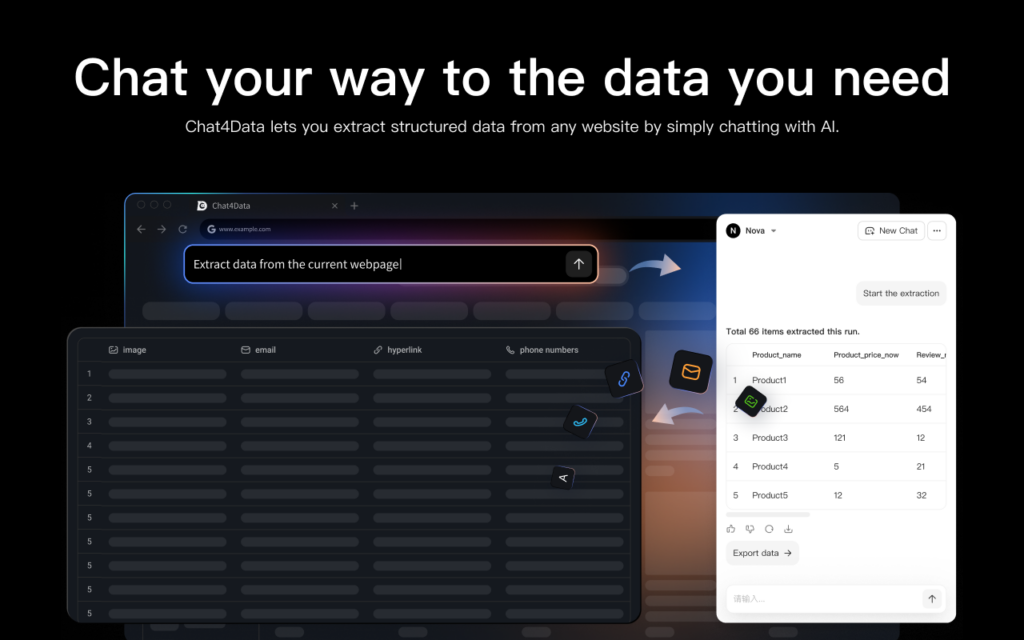
Chat4Data is a conversational AI agent for data collection. As a lightweight Chrome extension, it requires no setup, no downloads, and no third-party cloud storage. Just open the extension and type what you want, e.g., “get every review with reviewer name, rating, text, date, and owner’s response”, and it automatically navigates to your target site, identifies your targeted fields, handles pagination, and delivers clean structured output as Excel, CSV, or JSON.
Key Features for Google Reviews:
- One-Pass Extraction: Extracts the rating breakdown, review list, and photos all at once, so you don’t have to merge multiple exports.
- Dynamic Interaction: Unlike anonymous API scrapers, Chat4Data interacts with the page to sort reviews by newest, apply filters, and expand truncated review text.
- Survives Interruptions: If Google detects unusual traffic or a verification challenge, Chat4Data pauses, notifies you, and resumes once cleared, ensuring your scrape isn’t interrupted. It also automatically repairs field selectors when Google updates the review panel’s structure.
- Reusable: Once you configure a scraper, you can re-run it in the future without redoing the setup. Perfect for recurring review pulls.
- Free: $0 (sign-up credits, 15-day retention)
- Pro: $10/month (2,000 credits, 90-day retention)
- Max: $35/month (8,000 credits, 3 concurrent subpage scrapers)
Note: Credits are consumed when configuring the scraper, not during the run. This makes it more cost-stable for recurring tasks like competitive reviews.
Pros:
- Covesational interaction: No learning curve at all, the quickest way for no-code users.
- All data processed locally: Nothing is sent to external servers, so your data privacy and security are fully protected.
- Handles complex pages: Pagination, infinite scroll, detail pages, and one-level-deeper extraction.
- Adapts to dynamic pages: keeps extracting accurately even when layouts change
Limitations:
- Browser-based, so your computer needs to be on while it runs.
- Not ideal for large-scale or scheduled monitoring across many businesses
Best For:
- Local business owners and small agencies who need to run occasional review pulls on a few competitors without dealing with APIs.



Octoparse: Best Visual No-Code Builder
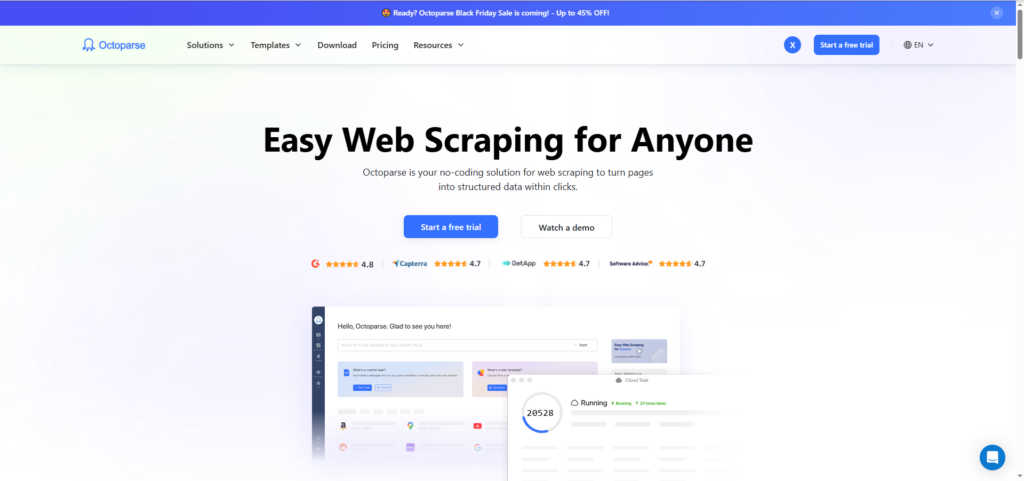
Octoparse is one of the most recognized names in no-code web scraping. For Google reviews, it offers a variety of templates, including a Lite template, a cloud-based version, country-specific variants (e.g., Japan), and a unique “by reviewer” template. The latter is particularly useful for extracting a single reviewer’s full review history across multiple businesses, which can help identify suspicious patterns or fake-review networks.
Key Features for Google Reviews:
- Visual No-Code Workflow: Choose a template, paste the Google Maps Place URL, and click Run. Octoparse handles scrolling, pagination, and rate-limit retries server-side, so the scraper continues to run even when your laptop is off.
- Standard Fields: Includes reviewer name, rating, text, date, likes, and owner replies—exportable to CSV, Excel, or JSON.
- Multiple Templates: The platform offers several templates tailored to different needs, such as scraping reviews by a specific reviewer or targeting reviews in different countries.
Pricing:
- Free Trial: 14 days of full access with $2 in credits—enough to test reviews for 2–3 small businesses.
- Paid Plans: Scale by feature tier (cloud extraction, IP rotation, scheduling), not per-review volume, making it a flexible choice for teams.
Limitations:
- The functionality is split between a desktop app and a cloud platform, and the same template can behave slightly differently in each environment.
- The pricing structure makes per-review cost forecasting harder compared to tools with a flat-rate pricing model like Apify.
Best For:
- Teams looking for a visual no-code builder with a large library of templates, ideal for businesses that need more than just Google reviews.
Apify: Best for Developer Pipelines
The Apify Compass actor is widely recognized in the developer community for scraping Google reviews. As of April 2026, it has 34K total users, 3.2K monthly active users, and a 4.7-star rating from 140 reviews.
Pricing:
- Free Plan: $5/month credit ≈ 16,000 reviews
- Starter Plan ($29/month): ~58,000 reviews/month. Ideal for agencies managing monthly sweeps across hundreds of locations
- Higher Tiers: Linear scaling at $0.30 per 1,000 reviews
Apify’s pricing is the clearest in this guide, with no surprise add-ons or hidden fees, offering predictable per-review costs.
Key Features:
- Comprehensive Data Output: Full JSON output (also supports XML, CSV, Excel, HTML) with key fields such as:
- Owner response (text + timestamp) for tracking response rates, a crucial ranking factor
- Translated text for multi-language brands
- Reviewer ID, Local Guide status, sub-ratings, and place metadata
These fields are essential for in-depth analysis but are often missing in lower-cost tools.
Configuration Tips:
- Reviews Origin Filter: The default filter is “All Reviews” (Google + TripAdvisor for hotels). However, recent updates to Google reduced TripAdvisor coverage on hotel pages. Set the filter to “Google” for full coverage.
- Date Filtering: Date filters only work when reviews are sorted by “Newest”. Other date filters may cause the scrape to break. If you need date-bounded data, sort by newest and post-filter manually.
Limitations:
- Apify Compass is an actor on a developer platform, meaning it requires some technical know-how. You’ll need familiarity with API keys, webhooks, and JSON to integrate it into tools like Make, Zapier, or n8n. There’s no GUI for non-technical users.
Best For:
- Teams with a developer who need scheduled, high-volume scrapes. Ideal for SaaS products integrating reviews as a feature, agencies pushing review data into client CRMs, or in-house teams that require predictable, low-cost scraping at $0.30 per 1,000 reviews.
Bright Data: Best for Enterprise-Grade, Geo-Targeted Extraction
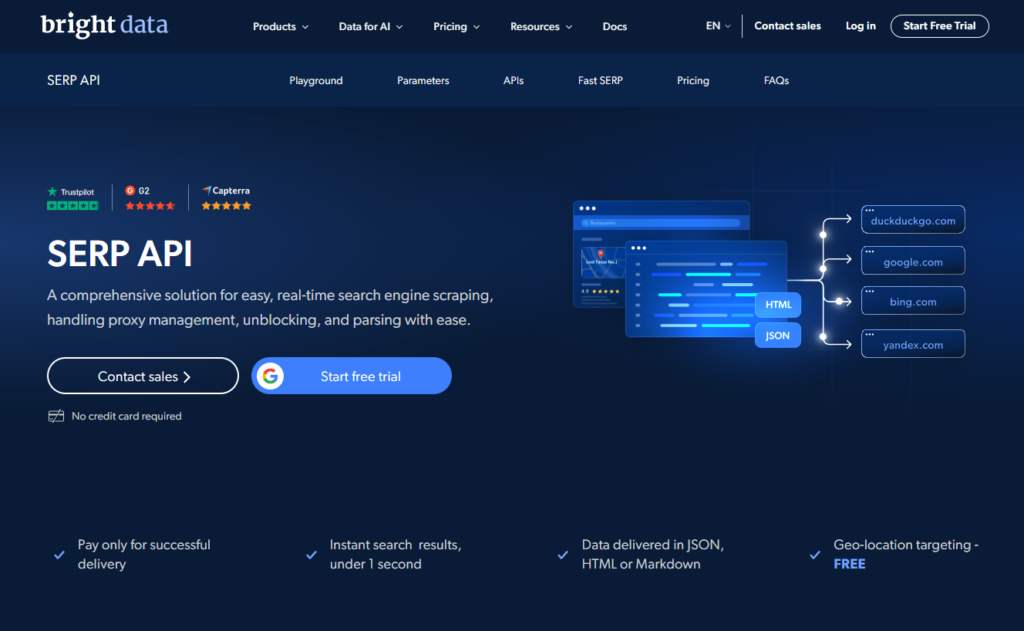
Bright Data’s Google Reviews API is the enterprise standard for high-accuracy, geo-targeted review scraping. Two key features set it apart from Google reviews:
Key Features:
- Geo-Accuracy: Bright Data’s residential proxy network spans 195 countries. This ensures that when a Tokyo-based hotel brand needs reviews as a Tokyo customer would see them—sorted, ranked, and localized by Google’s regional algorithms—the requests originate from real Japanese residential IPs. This is crucial because datacenter IP scrapers are detected by Google and often return a US-default view.
- Pay-Per-Success Billing: Bright Data only charges for successful requests. In large-scale projects (e.g., scraping 100K reviews), this can save 10-15% compared to tools that bill for every request, making it more cost-efficient at scale.
Pricing:
- Starter Credit: $2 credit for testing the scraping flow before committing.
- Enterprise Pricing: High-volume pricing isn’t published directly; custom pricing requires talking to the sales team.
Technical Flexibility:
Bright Data covers the full technical spectrum:
- SERP-API Endpoint for engineering teams requiring API integrations.
- No-Code Dashboard for analysts who prefer a point-and-click interface.
Output Formats: JSON, NDJSON, CSV, with delivery via webhook or API.
Limitations:
- The Bright Data dashboard provides access to the full platform (including proxies, datasets, and scraper APIs), which can be overwhelming if you only need the Google Reviews scraper.
- High-Volume Pricing: Not publicly available; requires consultation with the sales team.
Best For:
- Enterprise teams and international brands where geo-accuracy, compliance, audit logs, and uptime SLAs are critical. This tool is best suited for high-demand, large-scale operations, where cost is secondary to reliability and region-specific accuracy.
DataForSEO: Best for SEO Agencies Already in the DataForSEO Ecosystem
DataForSEO’s Google Reviews API is tailored for SEO agencies and rank-tracking platforms that use reviews as part of a broader SEO strategy. The unique pricing model sets it apart:
Pricing:
- One-Time Deposit: $50 to get started (no monthly fees)
- Standard Queue (up to 45-minute turnaround): $75 per 1 million reviews
- Priority Queue (up to 1-minute turnaround): $150 per 1 million reviews
At scale, this is about 4x cheaper than Apify per review, but it’s only cost-effective for high-volume scraping.
Why Choose DataForSEO?
The key advantage isn’t the per-review cost—it’s vendor consolidation. If you’re already using DataForSEO’s SERP API, Business Data API, or Local Pack API, integrating reviews becomes seamless. It shares the same authentication, billing, and JSON schema, so you won’t need a new contract, API key, or invoice to start pulling reviews.
Limitations:
- API-Only: No user interface, so you’ll need a developer on your team.
- Best for High Volume: The per-review cost is only justified at large scale or as part of a broader SEO data pipeline. If reviews are your sole focus, Apify offers a simpler and cheaper solution for low-volume needs.
Best For:
- SEO agencies or teams already leveraging DataForSEO’s ecosystem who want to add Google Reviews to their data stack without onboarding a new vendor.
ScrapingBee: Best General-Purpose API
ScrapingBee is a versatile, general-purpose scraping API. While there isn’t a dedicated Google Reviews endpoint, you can create your own extract_rules to pull the necessary fields from Google Maps. This gives you flexibility, but it requires more effort compared to tools like Apify, which offer pre-parsed JSON for Google reviews.
Pricing:
- JS Rendering (required for Google Maps scraping): 5 credits per request.
- Freelance Plan ($49/month): Includes 250,000 credits, roughly equivalent to 50,000 review-page requests per month.
- Free Tier: 1,000 credits (no card required), enough to test your extract rules before committing.
Why Choose ScrapingBee?
ScrapingBee is ideal if you’re already using it for other scraping tasks and want to add Google Reviews to your existing stack. If you’re not new to scraping and need the flexibility to customize your extraction, ScrapingBee is a powerful choice.
Best For:
- Developers who are already using ScrapingBee for other web scraping tasks and want to incorporate Google Reviews into their workflow without onboarding a new vendor.
ScrapeHero: Best for Hands-Off Managed Cloud Extraction
ScrapeHero is the most hands-off option for Google review scraping. Simply provide a Google review URL or Place ID, specify the number of records, and ScrapeHero’s team manages the entire extraction process server-side. The structured data is then delivered directly to Dropbox, Google Drive, S3, or your own endpoint via API in CSV, JSON, or Excel format. No template selection or actor configuration required.
Pricing:
- Page Credits: Pricing is based on page credits, not per-review costs. For example, scraping 100 reviews from one listing requires 11 page credits (1 listing page + 10 review pages, ~10 reviews each).
- Cloud Intro Tier: Starts at $5/month.
- Paid Tiers: Scale above $5/month.
- Managed Services Tier: Custom enterprise work starts around $550/month.
Why Choose ScrapeHero?
If you want zero configuration and automated data delivery into your existing storage stack (e.g., S3, Drive, Dropbox), ScrapeHero is the best option. It’s ideal for teams that need data delivered directly without any developer involvement.
Limitations:
- Credits Don’t Roll Over: You pay for your capacity each month, even if you don’t use it in a slow month.
- Per-Review Cost Forecasting: The page-credit model can make it difficult to predict per-review costs, unlike tools with flat rates (e.g., Apify at $0.30 per 1,000 reviews).
Best For:
- Teams looking for a fully managed service with direct delivery into their storage stack, requiring no developer setup or involvement.
Decision Tree: Which Google Review Scraper Fits Your Job?
Most “best of” articles rank tools for the generic task of “scraping Google reviews.” However, the right tool depends on your specific use case. Here are five common scenarios to help guide your decision:
| Tool | Best for | Pricing model | Free to test | Output | Dev needed? |
| Chat4Data | One-off pulls, no API | $10–$35/mo (credits at config, not run) | Yes — free plan, signup credits | CSV, Excel | No |
| Octoparse | Visual no-code on multiple sites | Plan-based, ~$99/mo Standard | Yes — 14-day trial + $2 credit | CSV, Excel, JSON | No |
| Apify Compass | Predictable per-review at volume | $0.30 / 1,000 reviews | Yes — $5/mo platform credit | JSON, CSV, Excel, XML, HTML | Yes (light) |
| Bright Data | Geo-accurate, enterprise scale | Pay-per-success, custom (SERP API ~$1.5/1k) | Yes — $2 starter credit | JSON, NDJSON, CSV | Optional (dashboard or API) |
| DataForSEO | Combined SEO + reviews stack | $75 / 1M reviews (standard queue) | $50 min deposit | JSON only | Yes |
| ScrapingBee | Already on ScrapingBee for other targets | $49/mo entry, 5 credits per JS request | Yes — 1,000 credits, no card | Raw HTML / JSON via extract_rules | Yes |
| ScrapeHero | Hands-off delivery to S3/Drive | From $5/mo (page-credit model) |
Three Key Judgment Calls:
- Scenarios B, C, and E require a developer: Chat4Data is the only no-developer option for recurring reviews. ScrapeHero also doesn’t need a developer but lacks predictable per-review pricing.
- Scenario C vs. B: If you’re pulling SERP and GBP data alongside reviews, DataForSEO is the better pick. If reviews are 80%+ of your needs, Apify is simpler and more cost-effective.
- Scenario D’s geo-accuracy premium: Bright Data is ideal for multi-country monitoring. For a single-country or US-based brand, Apify provides the same review data at a fraction of the price.
What to Do With Scraped Google Review Data
Scraping Google reviews is only half the battle. To extract value, use the data for one of these key purposes:
1. Mine Review Text for Language Patterns
Run 1,000 reviews through ChatGPT, Claude, or Gemini to identify recurring themes. This uncovers 3–5 complaint clusters and positive phrases that might go unnoticed by human reviewers. Use negative feedback to improve operations, and positive phrases (e.g., “staff was friendly,” “on-time appointments”) for ad headlines and landing page copy.
2. Track Competitors’ Owner-Response Rates
Measure how often competitors respond to reviews and their average response time—both key local SEO ranking factors. Scrapers that capture the responseFromOwner field can reveal valuable insights. For example, if a competitor responds to 5% of reviews, but you respond to 80%, that’s a strong selling point for your team or clients.
3. Chart Review Velocity and Sentiment Over Time
Plot the number of new reviews per month and average rating per month. This data is crucial for quarterly client reports. Set up an alert for a significant rating drop or a slowdown in review velocity—these changes often indicate operational issues that need immediate attention.
4. Correlate Competitor Review Moves with Local-Pack Rankings
Combine scraped review data with local-pack ranking data and Google Business Profile (GBP) metrics. Track review velocity, sentiment, and owner-response rate shifts—often these are leading indicators of a competitor’s local-pack ranking changes.
Is Scraping Google Reviews Legal?
Scraping publicly visible Google reviews generally falls within the same legal framework as other public-data scraping, permitted under the hiQ Labs v. LinkedIn precedent for the CFAA, but still subject to Google’s Terms of Service and data privacy laws.
A few practical guardrails specific to Google reviews:
- Stick to Publicly Visible Data: Only scrape reviews that are publicly accessible. Avoid trying to access reviews from profiles that are hidden or behind sign-in gates.
- Avoid Republishing Reviews Verbatim: Aggregated analysis, such as sentiment analysis or theme extraction, is acceptable. However, directly copying and pasting reviews to your own website (e.g., “What customers say about competitors”) may lead to cease-and-desist orders.
- Respect Google’s Terms of Service: Technically, scraping violates Google’s ToS. Google has historically enforced this with technical measures (rate-limiting, CAPTCHAs, IP blocking), but more aggressive legal actions are possible, especially after the February 2026 limited-view test.
- Data Privacy Laws (GDPR, CCPA): If you are scraping reviews from users in the EU or California at scale or associating reviews with identifiable individuals, privacy laws such as GDPR or CCPA may apply. Legal advice is crucial here, as non-compliance can lead to significant fines.
Note: This is not legal advice. Consult with legal counsel before undertaking any large-scale commercial scraping projects.
Conclusion
Choosing a Google review scraper isn’t about finding “the best one” — it’s about matching the tool to your specific needs. The decision tree above helps guide you to the right choice, while the 7-tool comparison gives you additional options.
Two Key Pieces of Advice:
- Test on the Free Tier First: Every tool in this guide has a free tier. Run the same business through your top 2–3 picks, then compare the output. Check for key features like owner responses, date normalization, and translation. Marketing pages won’t tell you which tool works best for your specific business.
- Prepare for Google’s Changes: The February 2026 limited-view test wasn’t a one-off. Tools that adapt quickly, typically extensions running in your authenticated session or cloud APIs with mature residential proxy networks, will last long-term. Rigid, anonymous scraping tools will experience more frequent breakdowns.
Keep learning
A few related guides if you’re scraping other parts of Google:
- For full business listings beyond reviews — phone numbers, addresses, hours, and more — see the best Google Maps scraper tools.
- To track where you rank against competitors, here are the best Google SERP scrapers.
- Working with product images? Check out the best Google image scrapers.
FAQs
1. Will scraping Google reviews get my Google account banned?
No, scraping Google reviews won’t get your account banned:
- Cloud-based scrapers (Apify, Bright Data, DataForSEO, ScrapeHero) run on their own infrastructure, so they don’t require signing into your Google account
- Browser extensions like Chat4Data work within your session at human-paced speeds, avoiding account enforcement
BUt Aggressive scraping from a single IP can trigger CAPTCHAs, which is why cloud tools rotate proxies
2. Can I scrape Google reviews for free?
Yes, you can scrape small amounts of data for free:
- Chat4Data — free plan with signup credits
- Octoparse — 14-day trial with $2 in credits
- Apify — $5/month platform credit (roughly 16,000 reviews at $0.30 per 1,000)
For a one-off review pull from a few businesses, you won’t need to pay.
3. How do I scrape Google reviews without coding?
You can scrape Google reviews without coding using these tools:
- Chat4Data — Chrome extension with minimal setup
- Octoparse — visual builder with a large template library
- ScrapeHero — fully managed cloud solution, just provide the URL and record count
4. How many Google reviews can I scrape at once?
There’s no hard cap, but a few practical limits apply:
- Google loads reviews in batches, so your scraper needs to handle lazy loading
- For businesses with 5,000+ reviews, cloud-based tools like Apify or Bright Data are more reliable than browser extensions
- For 10,000+ reviews, split into multiple runs filtered by date range
5. Can I export reviews directly from Google?
You can export reviews from your own Google Business Profile using:
- Google Takeout (JSON format)
- Google Business Profile API (OAuth-based, free)
There is no official way to bulk-export reviews from businesses you don’t own, which is why third-party scrapers are used.
Google Review Scraper vs Google Places API — which should I use?
- Review text — Scrapers return full review content. The API only returns aggregate ratings
- Volume — Scrapers have no hard cap. The API tops out at 60 results per query
- Cost — Scrapers run on a flat subscription. The API is free up to $200/month, then per-call
- Setup — Scrapers need no code. The API requires an API key and code integration
Use the API for programmatic app integrations. Use a scraper for competitor analysis, sentiment research, or any task where full review text matters.
6. Can I get email addresses from Google reviews?
No. Neither Google reviews nor Google business listings include email addresses. If you need emails, you can:
- Scrape business website URLs from Google Maps with Chat4Data
- Use Octoparse to batch-crawl those websites and extract contact emails at scale
7. Can a scraper handle a business with 5,000+ reviews?
Yes:
- Tools like Chat4Data and Octoparse handle large volumes in chunked sessions
- For continuous, high-volume runs, Apify or Bright Data are better suited
- For over 10,000 reviews on a single business, cloud-based extraction with proxy rotation is recommended
8. What about Google Play, Google Shopping, or other Google review sources?
This guide focuses on Google Maps and Business Profile reviews. For other sources:
- Google Play app reviews — DataForSEO offers a dedicated endpoint; Bright Data provides a Google Play scraper
The data structure is similar across these sources.
9. How does Google’s “limited view” change affect scraping?
In February 2026, Google briefly hid reviews from signed-out users but rolled it back. If Google reintroduces restrictions:
- Tools like Chat4Data (extension in your authenticated session) and cloud APIs with residential proxy infrastructure (Apify, Bright Data) are likely to keep working
- Pure anonymous scrapers will be more vulnerable