
Installing bulky software or having a computer science degree should not be a prerequisite for using an online web scraper. If you are looking for any data, you should get it immediately. And that is the solution online web scrapers bring to users in seconds. All data analysts, marketers, and researchers can use online web scrapers directly in their browser without the need to install additional tools.
Similar to a traditional web scraper, an online web scraper is designed to make all the possible data on complex websites available to the user in seconds. Ultimately, this process saves a significant amount of time in manual work and configuration for different users.
There are significant differences compared to traditional scrapers, starting with browser access, anti-bot detection algorithms, and AI features, among others. Online web scrapers are the future, and we will explore how and why.
In this guide, I aim to compare the best no-install online web scraper tools currently available for various needs and declare the overall winner. A comprehensive guide to make your own scraper will follow as well!
By the end of the article, you will get an extensive grasp of:
- Benefits of using an online web scraper
- Comparison of the five best online web scrapers in today’s market
- How to create your own online web scraper using different methods
What Makes a Great Online Web Scraper?
The primary goal of an online web scraper is to collect data. However, instead of manually copying and pasting information yourself, it all does that for you and more. Online web scrapers are equipped with various features, including anti-bot detection evasion, AI algorithms for field detection, and pagination handling.
Key benefits to keep in mind:
- Direct browser access enables online web scrapers to have direct access to the data visible on the website you are scraping.
- Authentication and logging in are made easy because there is no requirement to provide any credentials to online web scrapers.
- Natural language prompting is on the rise amongst online web scrapers as it makes it straightforward to ask for the data you need in natural language.
- Privacy-friendly processing is crucial, especially for companies that seek to collect data. Online web scrapers process all the data locally and do not save it on servers.
- No-code approach makes online web scraper tools accessible to any professional looking to scrape data.
- AI-enhanced features simplify the detection of HTML fields, making data parsing straightforward and efficient.
- Ease of use: Ultimately, it comes down to how simple the setup is, as well as ease of use throughout all usage. The online web scrapers excel in this category, surpassing any other type of scraper I have used.
Keep these features in mind, as they will be crucial assessment factors when comparing different tools in the current online web scraper market.
Top 5 Online Web Scrapers Comparison
After spending a considerable amount of time with various tools, I present to you this comprehensive comparison, focusing on key features, pros, cons, pricing, and ease of use.
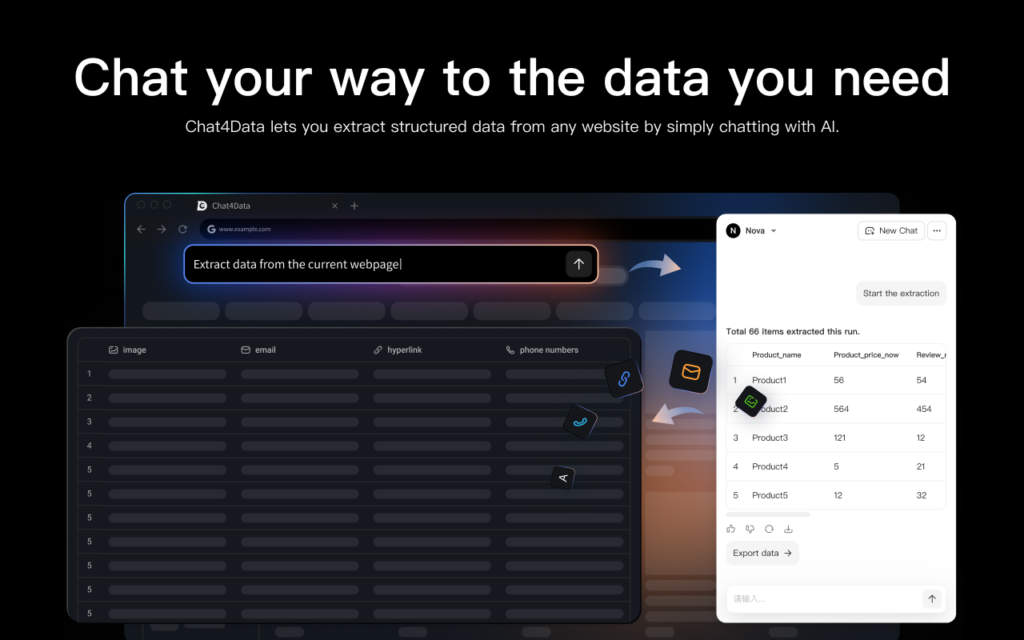
Chat4Data
We begin our exploration with Chat4Data, a Chrome extension that meets our needs as a data scraper. Its distinctive use of natural language prompting and AI-enhanced capabilities for data extraction makes it a standout choice.
Key Features:
- With natural language prompting, you simply describe the data you require in everyday language, and the tool will retrieve it for you.
Pros:
- Privacy is Key: The tool prioritizes user privacy by processing all data locally, which also allows it to scrape information from websites that require a user login.
- Advanced Scraping Capabilities: Unlike many basic data scraper extensions, this tool has the crucial ability to scrape data from lists and their corresponding subpages.
- Cost-Effective Operation: The tool’s efficient credit usage makes it a practical solution for a wide range of data scraping requirements
Cons: Missing templates saving. Especially for large jobs, repeating them would be crucial for large-scale data scraping.
Pricing: Freemium – depending on your scraping demands (very efficient token usage). Pro plans from $7 (2k credits) to $24 (8k credits) per month.
Ease of use: High – Chat4Data is highly effective, even when the scraping goal is initially unclear. It offers auto-suggested prompts to guide the process, followed by precise and rapid data fetching.
Instant Data Scraper
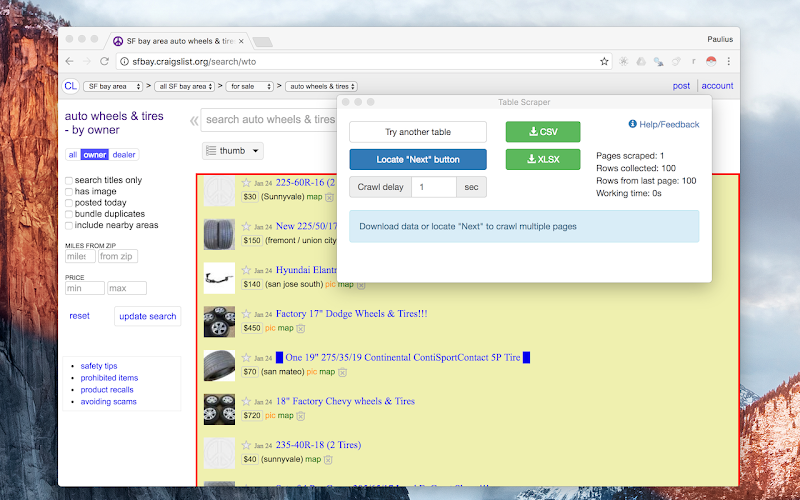
This tool, as its name implies, offers instant data retrieval with granular control over the scraping process. While extensions in this space are rarely completely free, this one is an exception.
Key Features:
- AI-powered field detection and no-code extraction capabilities.
- Adjustable, customized crawling speed to mimic human browsing behavior.
Pros:
- Instant setup and completely free.
- Ideal for straightforward, simple scraping tasks.
Cons:
- It can be more challenging when dealing with complex data.
- Requires individual, timely setup for each scraping task.
Pricing: Free
Ease of use: Medium to High. It is generally easy to use, though complex tasks require additional setup time.
Thunderbit
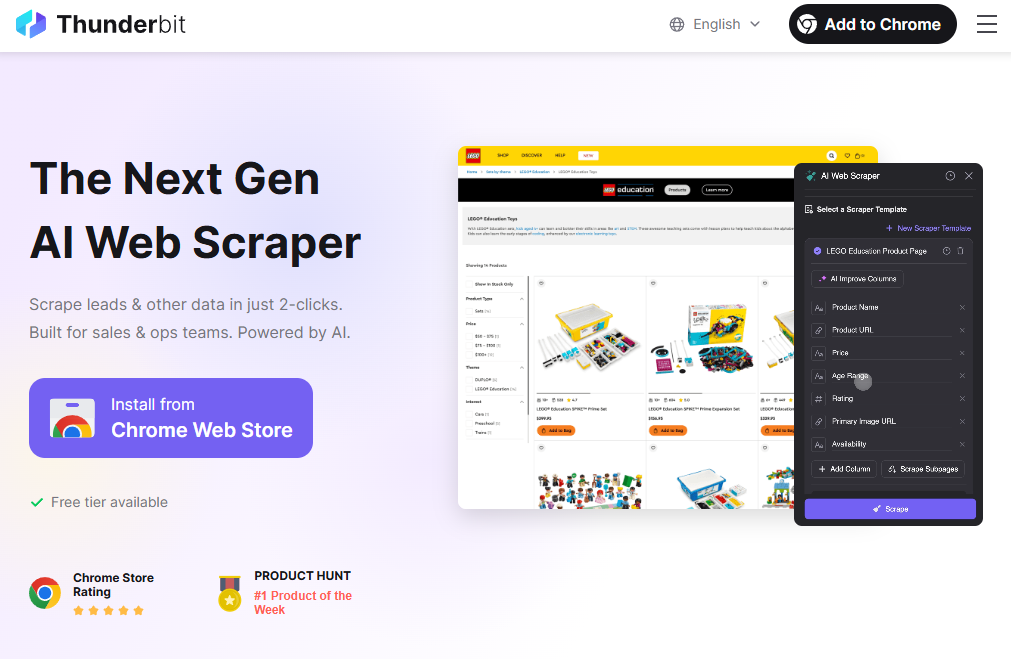
Thunderbit is tailored for business users needing fast, routine data extractions, offering a sophisticated interface and AI-driven suggestions.
Key Features:
- Prebuilt templates
- Natural language scraping
Pros: Excellent user interface, intelligent field detection, and features designed for business use.
Cons: Larger-scale projects can result in increased operational costs.
Pricing: Freemium model. Starts free with a limited six-page plan. Pro plans range from $15 (500 credits) to $38 (3,000 credits) per month.
Ease of use: High, with no complicated setup required.
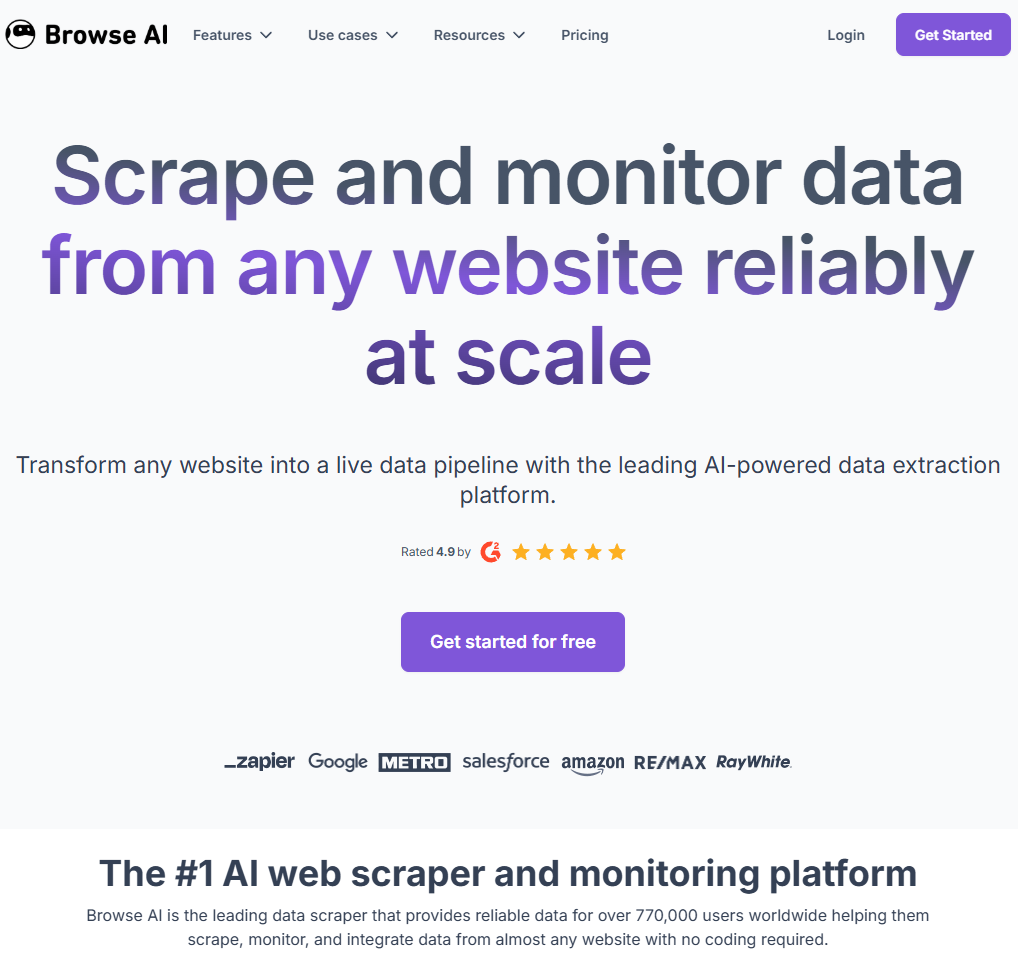
BrowseAI
BrowseAI is primarily designed for professionals needing large-scale data scraping, distinguishing itself from other extension scrapers through its advanced features, notably including monitoring.
Key Features:
- High Accuracy: Utilizes AI-based scraping technology.
- Automation: Offers monitoring and scheduled cloud processing.
- Integration: Connects with various tools like Zapier, Airtable, Pabbly, or via Webhooks.
Pros: Setup is simple for supported websites; monitoring is reliable.
Cons: While the cost may be high, the extensive benefits often justify the investment for many businesses.
Ease of Use: High, performing well on both straightforward and complex projects.
Pricing: Freemium model. The free plan includes 50 credits (2 websites). Paid plans start at $19 for 12,000 credits, going up to $500 for 600,000 credits, based on usage.
WebScraper
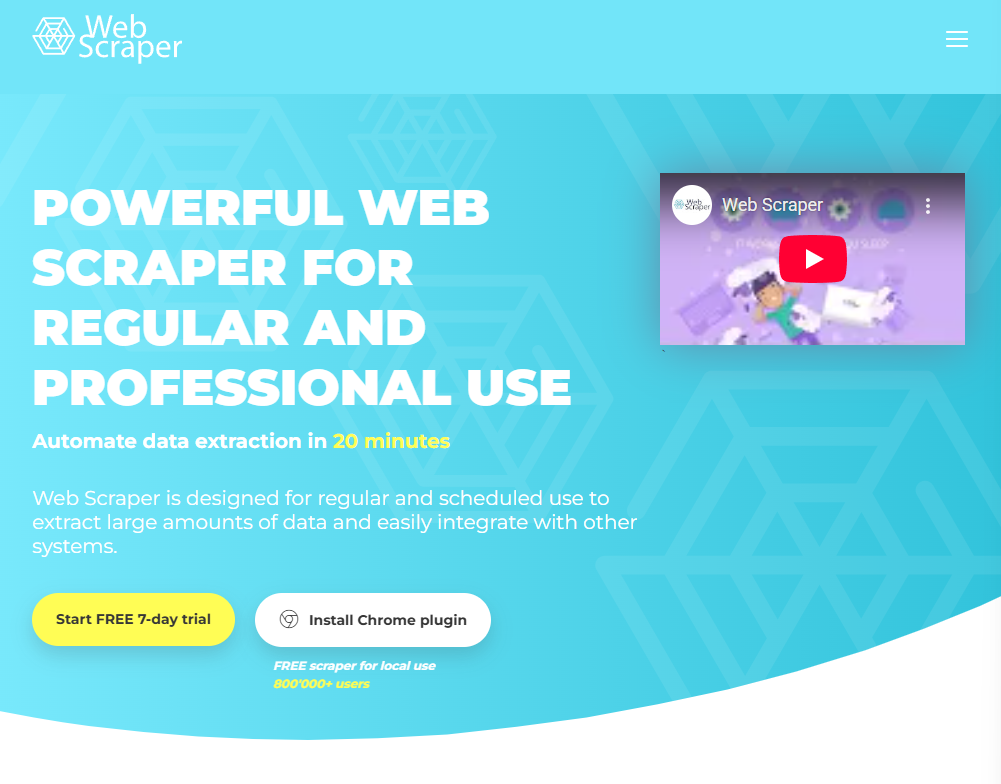
Webscraper elevates data scraping extensions by enabling the automation of scraping jobs.
Key Features:
- Visual point-and-click interface.
- Scheduler-based scraping for recurring tasks.
- IP rotation to bypass anti-bot algorithms.
Pros & Cons:
- Pros: Highly scalable for projects ranging from simple to complex, offering reliable performance.
- Cons: Users may face a significant learning curve when building complex sitemaps.
Pricing & Ease of Use:
- Pricing: Freemium model. While the basic extension is free for local use, its limited features often necessitate an upgrade. Premium plans cost between $50 and $200 per month.
- Ease of Use: Medium. It can be time-consuming to master.
Now that we have investigated the current market, let’s see how difficult it is to build and use your own online web scraper.
How to Build an Online Web Scraper (Step-by-Step Guide)
In the web scraper industry, there are two main paths we can take. The first approach involves using an online web scraper, while the second is a complete programmatic approach that requires setting up the entire script and additional tools yourself. The second one requires significantly more time and demands technical knowledge, making it much more challenging, but it gives you full ownership and insight into what is happening.
Method 1: Using an AI Online Web Scraper (No Code)
This method is more accessible and faster for most users. Throughout this example, I will utilize Chat4Data, a free online web scraper equipped with the latest AI features. It simplifies this process with its natural language prompting feature and easy setup.
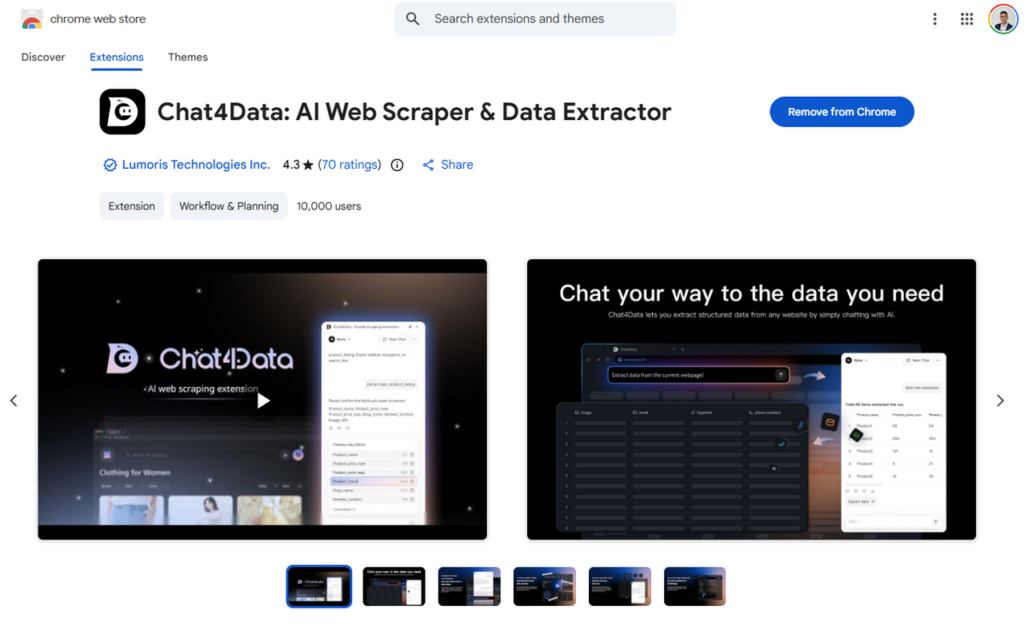
Step 1: Install browser extension
Once downloaded and installed, this extension will be available for any website you are visiting. This process takes only a few seconds, and once it’s done, you need to create an account.
Step 2: Prompt for data
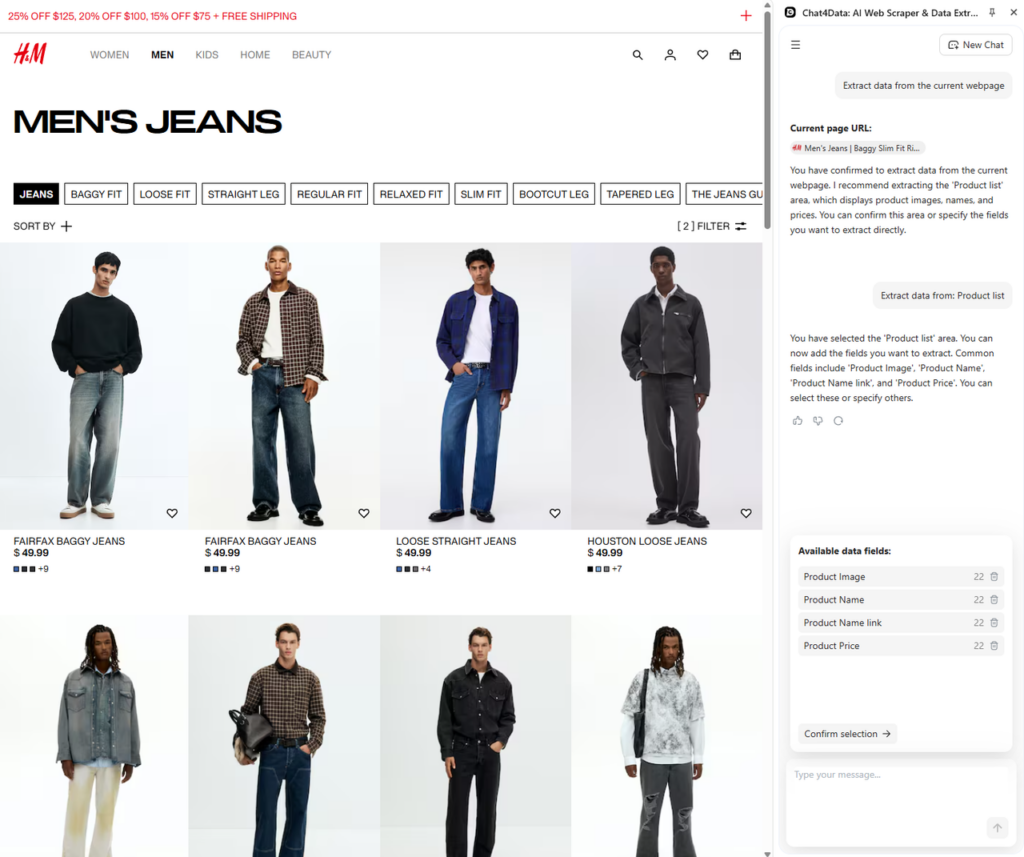
It is as simple as describing what data you want to extract from the website. After starting the extension, a side window will appear, offering an auto-suggested prompt to scan the current webpage and view the available data fields for scraping. Chat4Data will handle the HTML structure fetching, parsing, and dynamic adaptiveness in the background. Let’s say I want to find all jeans that fit me on H&M’s website (with the filter turned on) and follow this example.
Step 3: Get the exact data you want
After finding the products, Chat4Data will provide you with the option to select the data you want to scrape. It requires a confirmation so that it can proceed with the final strategy building.
We can see here that it found Product Image, name, Link, and Price, which is a great start, but it does not stop there. Chat4Data discovered that each product has a link, and subpage data is behind it. This discovery feature makes it easy for users to get a full extent of data without worrying about structures.
Chat4Data opened a subpage, which is a product page, and discovered more data about each product.
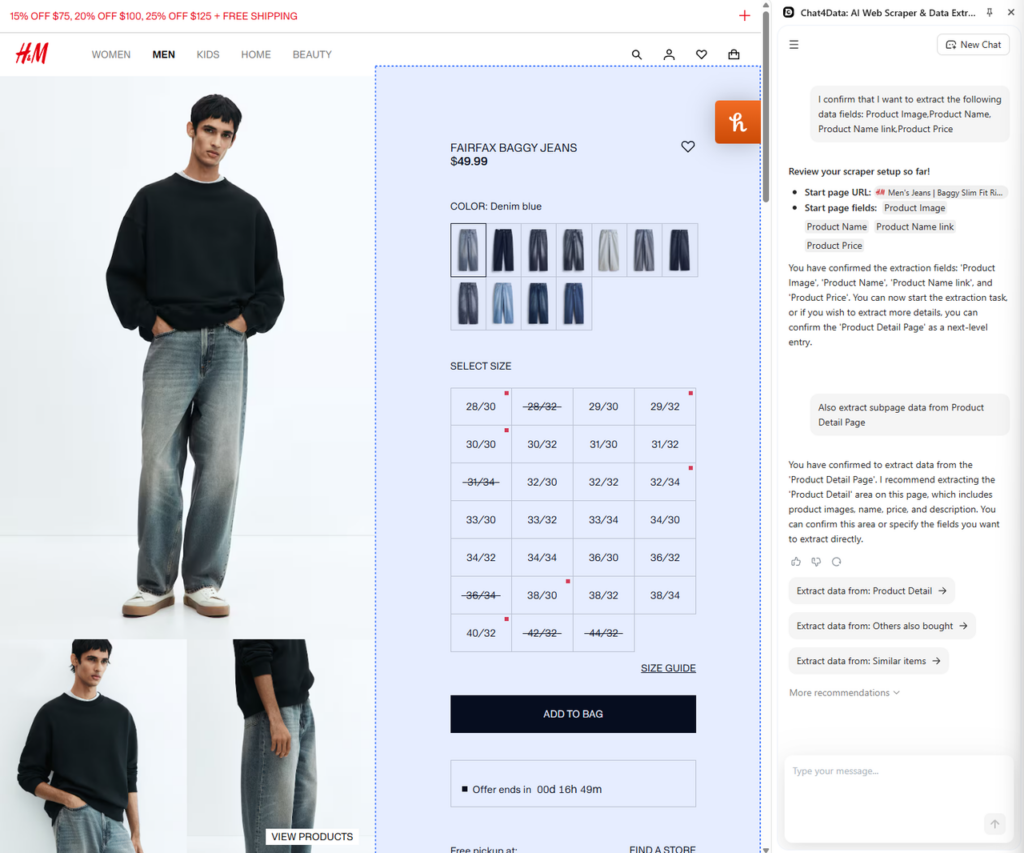
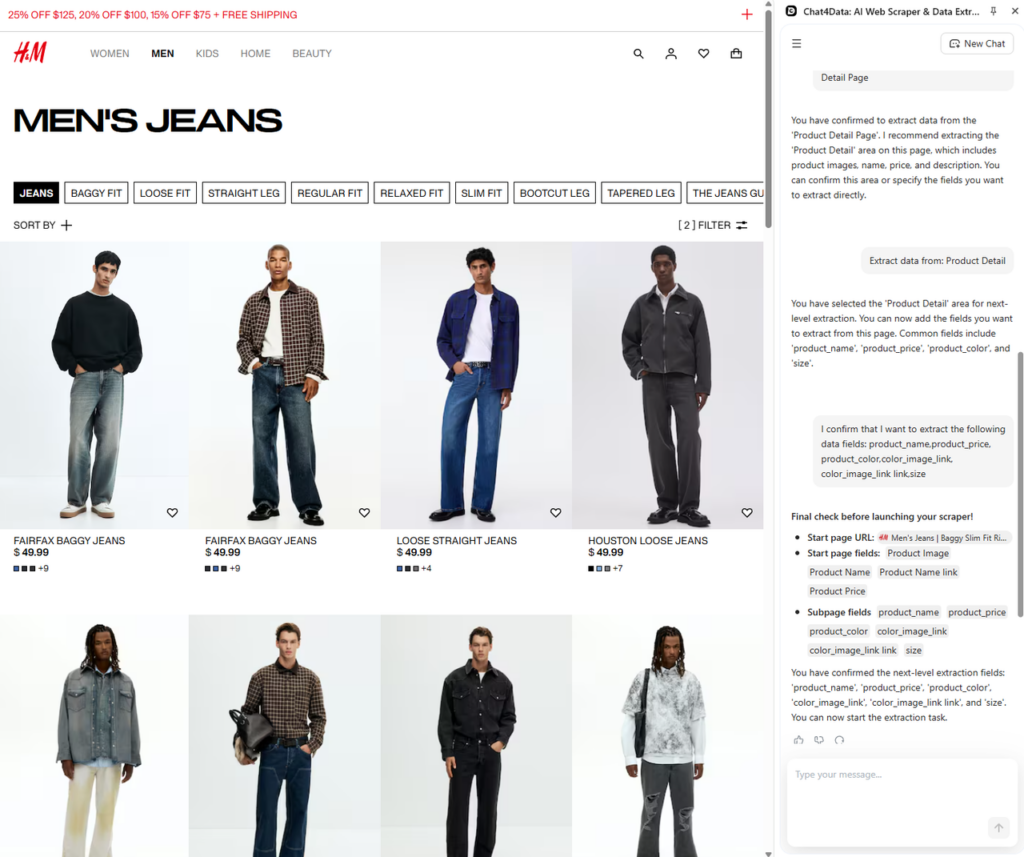
Step 4: Scrape subpage data
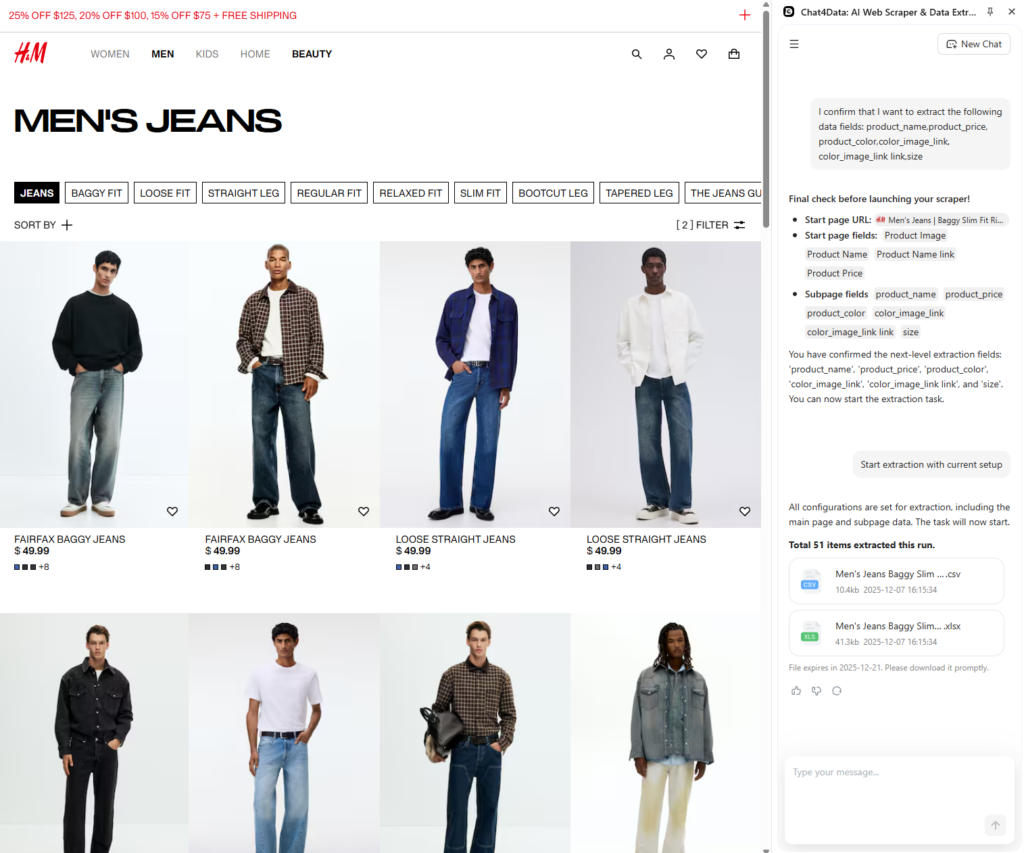
Chat4Data will then ask you to confirm the final plan and initiate scraping as agreed upon during the discovery process. Scraping starts, and you will see Chat4Data blazingly fast go through all the pages and fetch the data.
Step 5: Export the data for product detail
The data has been scraped and is ready for export. The standard formats are JSON and CSV, which are also available for Chat4Data. This allows you to use it for analysis and further processing.
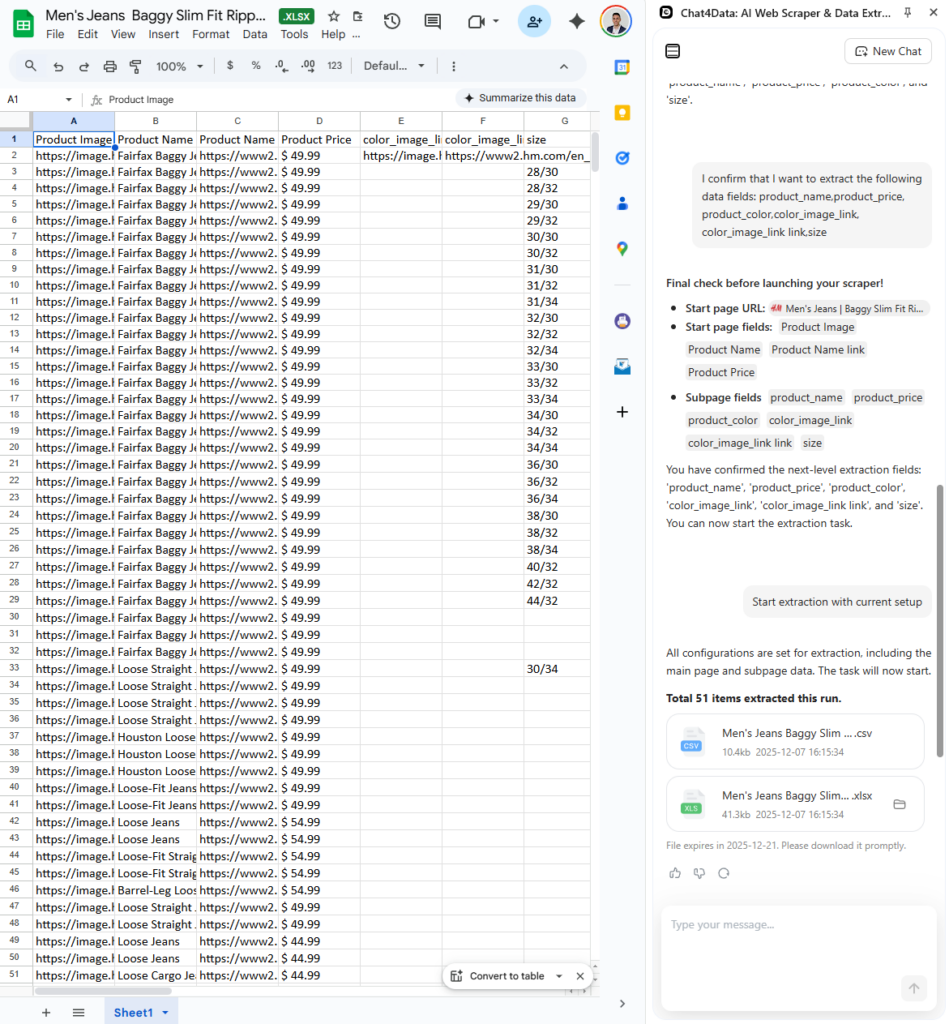
In less than 5 minutes, though this whole process, here is how that data looks:
Now that we saw how this process works with Chat4Data, let’s take a look at the approach with programming and setting up your own scraper from scratch.
Method 2: Building a Scraper with Code
This method requires a technology background and a machine on which the code will run. In case you are starting but would still like to learn, you can utilize ChatGPT for web scraping as an agent for helping along the way. To ensure fairness, I will use the same website for both examples. Let’s get started!
Step 1: Development environment setup
For this method, you need a software development environment, such as Visual Studio Code. I will be using Python as the programming language. Selenium is a Python library that provides a built-in browser for automated testing. To install all these tools, download VS Code and Python, and follow the provided instructions.
Once Python is available on your machine, we will start by installing Selenium using Python Package Installer (PIP). Along with selenium, we require a webdriver to interact with the browser. Execute the following command in the terminal (Linux/macOS) or PowerShell (Windows):
Step 2: Develop and test code
In the following segment, the code contains several components, including setting up Selenium, adapting to the HTML structure, and saving the data.
Selenium provides functions for an undetected Chrome driver, so I utilize this to avoid being detected.
Several blockages must be addressed for this to work, including cookie interference, anti-bot detection, and pagination handling. These features are challenging to build, and even then, they are not always reliable.
An alternative method to this one would be BeautifulSoup if the website you are scraping does not block it. This might be even simpler, as BeautifulSoup fetches the HTML structure using an HTTP request and parses it directly.
Conclusion
Since most users seek a fast and accessible way to scrape data, Chat4Data is a clear winner in this regard. Not only is it simple to use, but it also offers features that are challenging to build even with ample time and resources.
Developing your own scrapers requires time and knowledge, and the scraping industry is so far ahead that it is not feasible to catch up in a reasonable amount of time. The only case where it makes sense is if you’re dealing with exceptional cases of scraping or sensitive data.
FAQs about Online Web Scrapers
- Why does my online web page scraper not see the same data as my browser?
As the website begins to load, it features a specific structure that organizes the text and other elements. This structure is typically dynamically loaded with JavaScript, which executes the loading scripts and displays the data. Online web scrapers with AI capabilities can adapt to this dynamic structure and find the exact data you are looking for.
- How do I avoid being blocked by an online web scraper?
Modern online web scrapers mimic human behavior, incorporating natural delays and browsing patterns. They are equipped with AI features, such as anti-bot detection and CAPTCHA solvers, to prevent detection and blocking.
- What are common use cases for online scrapers?
In many industries, professionals handle a significant amount of data. Here are a few examples:
- Financial analysis: Stock market monitoring or real estate listings.
- E-commerce platforms: Competitor price tracking, product offerings, customer reviews.
- Job boards: Collect existing jobs based on search criteria or keep up with new jobs from different companies.
- Academic research: Follow the latest trends or deep research topics.
- Is web scraping legal?
Yes, but with caution. Always be cautious with personal data and keep two additional things in mind. First, always look out for the robots.txt file for each website you are scraping, and second, respect their overall terms and services. There are research papers published on this topic that can provide further information if you have any concerns about legality and ethics.
- Can I republish scraped data?
Most of the time, no. This would break most websites’ copyright laws. The scraped data is intended for further processing, such as Business Intelligence, monitoring, and machine learning. If the scraped data has been significantly processed, it may be publishable, but it must provide new context and ideas that emerge from it. If you still wish to republish the data directly, please ensure you have obtained permission from the original owner.
 Try AI Web Scraper