
Let’s be honest, everyone wants data.
Be it for competitor pricing, leads, job listings, product catalogs, market research, content ideas, or even to train an LLM model.
But getting that data is still annoying, and complicated.
You either do it manually, learn scraping libraries, or try Chrome extensions that promise “one click scraping” and then completely fall apart when you actually use them.
And the moment you search for “best web scrapers Chrome extensions” or “best data mining Chrome extension”, you fall into the same trap I did:
- 20 listicles repeating the same tools
- Extensions that look great in reviews but break instantly
- “Free tools” that block exports after 10 rows
- Scrapers that crash the moment JavaScript shows up
So instead of trusting another recycled blog post, I did the boring part myself.
Over the last few months, I tested 30+ data mining Chrome extensions on real tasks to find the absolute best.
Sure, most of them failed, but a few actually earned a permanent place in my workflow, and that’s exactly what I’m going to share in this post.
With that said, let’s get started.
The Problem With Most Data Mining Chrome Extensions
You know, after testing more than 30 data mining Chrome extensions, one thing became very clear to me.
Most of them don’t work as expected because they are not built for real, modern websites.
Here’s what usually goes wrong:
- They only work on static pages and don’t understand dynamic content
- They break the moment pagination starts
- They extract messy, unusable data most of the time
- Or they ask for money before proving anything
In short, they look good when you read the reviews but fail when you try them in real workflows.
So while testing, I focused on tools that:
- Let me scrape usable data without learning selectors or something else
- Are easy to use and provide a real free plan
- Work on JavaScript heavy site, provide proxy servers and captcha handling
- Handle pagination or infinite scroll
- Allow exports without jumping through their pricing plan to upgrade
With that in mind, these are the ones I would actually recommend using in 2026.
1. Chat4Data
This one actually feels more powerful and simpler than most data mining Chrome extensions right now.
Instead of configuring rules or selectors, you just tell it what you want to scrape in plain English, and it gets the work done.
For example, you can ask, “Extract product name, price, rating, and number of reviews”, and it does exactly that.
I’m talking about Chat4Data, which was ranked the #1 product of the day and week on Product Hunt.
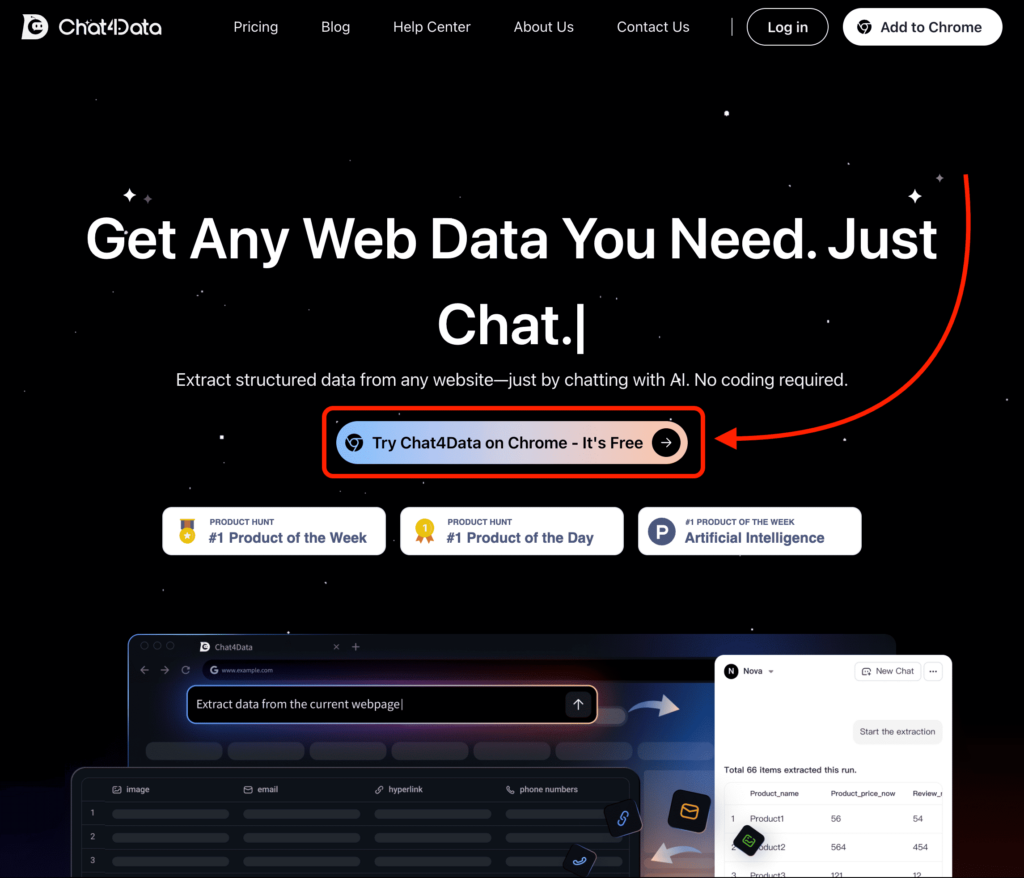
And to get started, simply visit their website and click the “Try Chat4Data on Chrome” button to install the Chrome extension.
After that, you just need to visit the website you want to scrape and write, in simple English, what you want to extract.
To give you an example, I tried scraping some data from my newsletter, and it gave me the data in CSV and XLSX files as you can see below.
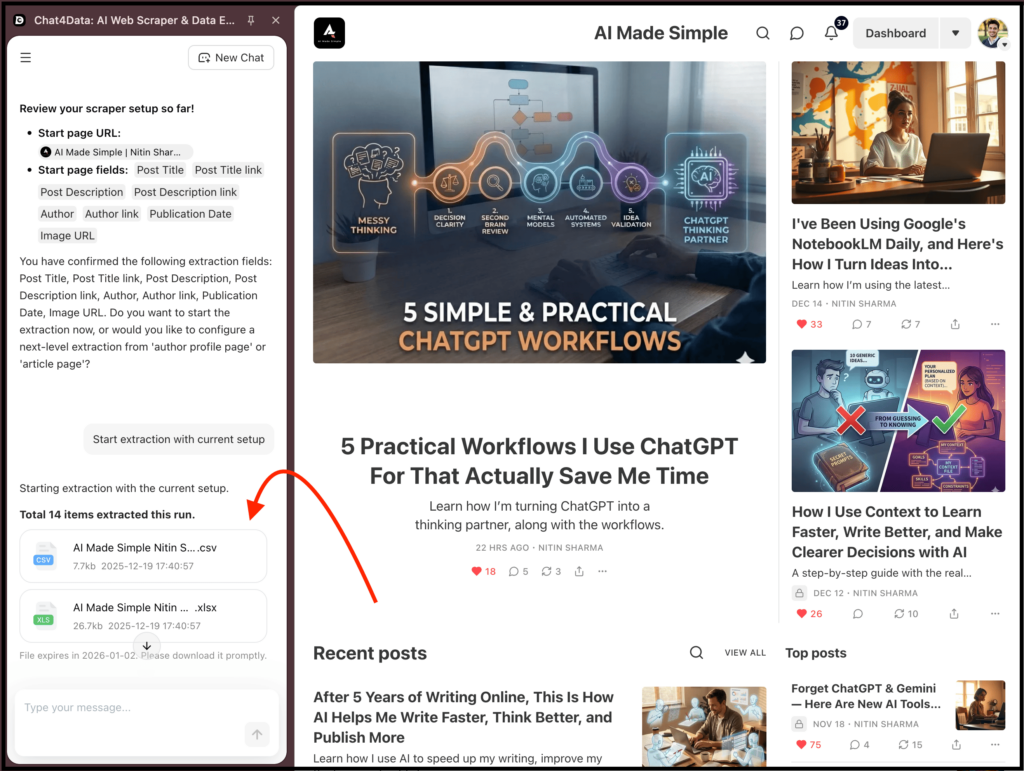
Yes, I got structured data that I could actually export and use, thanks to their free plan.
The best part is that you don’t need to install multiple Python packages, and there are no guessing fields or inspecting the DOM.
It also works surprisingly well on dynamic websites and pages that usually break traditional scrapers.
I’ve mainly used it for:
- Competitor product research
- Extracting listings from messy pages
- Quick data pulls where speed matters
2. Browse AI
If you are in the web scraping space, you may have heard about this one a lot.
I’m talking about Browse AI, and they claim to be the #1 AI web scraper and monitoring platform available online.
What I like is that it has some great features like you can train a robot to scrape data, monitor a website to track changes, and even create workflows to scrape data automatically.
And yes, they have their own Chrome extension that you can download for free.
The process of scraping data after that is pretty smooth.
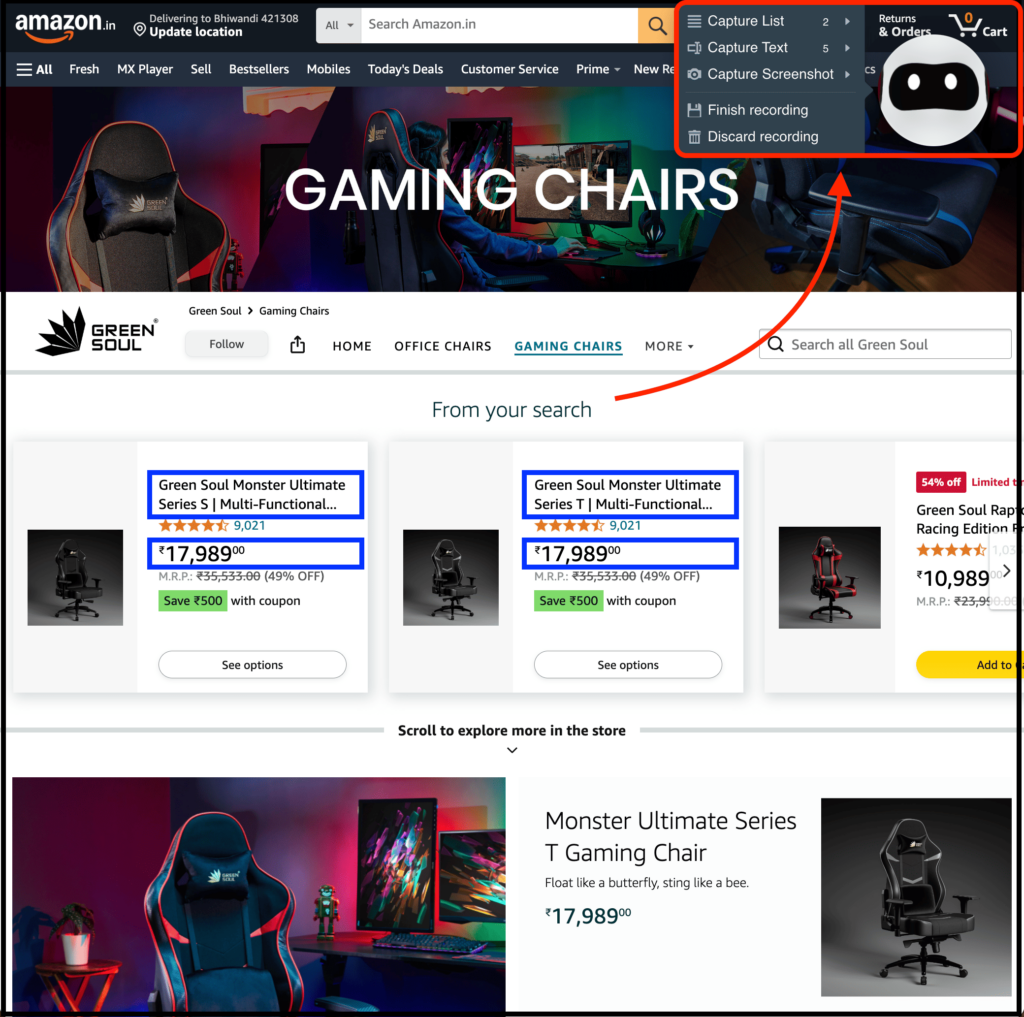
You just need to open their Chrome extension on a website, and you will see a robot icon at the top right. You can click on it to scrape what you want, select data using a point and click interface, and then integrate it with 7,000+ tools.
Along with that, it also offers one click extractions thanks to the templates or recipes it provides for popular websites, which makes the process easier.
I mostly use it for:
- Popular marketplaces
- Quick one off scraping tasks
- Or to scrape data automatically
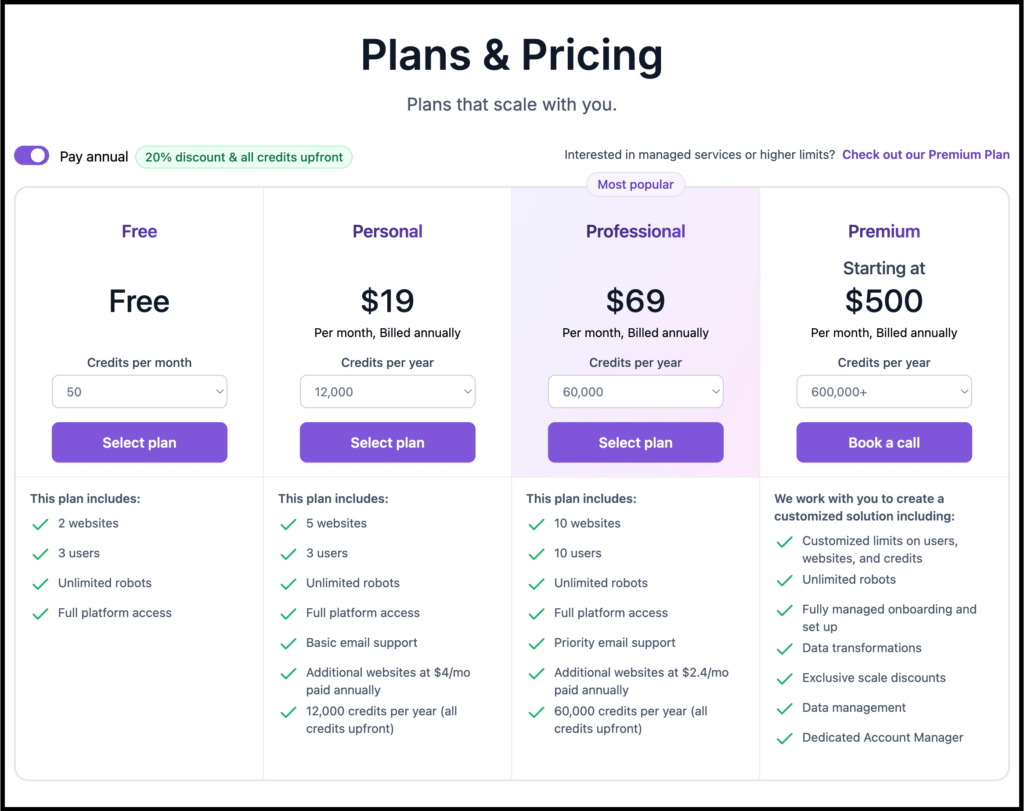
As for pricing, they offer a free plan with 50 credits per month, which is limited, so you will need to upgrade to scrape more data.
3. Web Scraper
This is probably the most well known scraper Chrome extension, and for good reason.
I’m talking about Web Scraper, and with it, you can scrape data directly using a simple point and click interface on website elements.
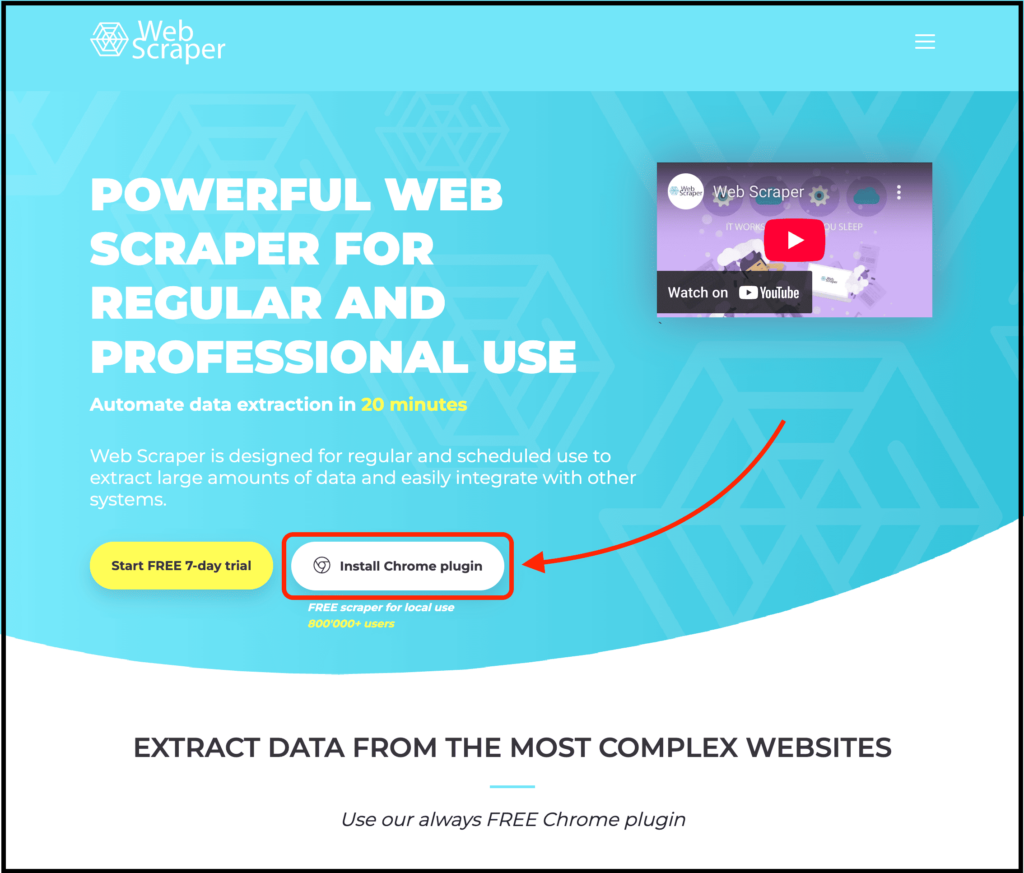
To get started, simply visit their website and click the “Install Chrome plugin” button, which is completely free for local use.
And the best part is that Web Scraper gives you full control. You need to define exactly what you want to scrape, how pagination works, and how deep the crawl goes.
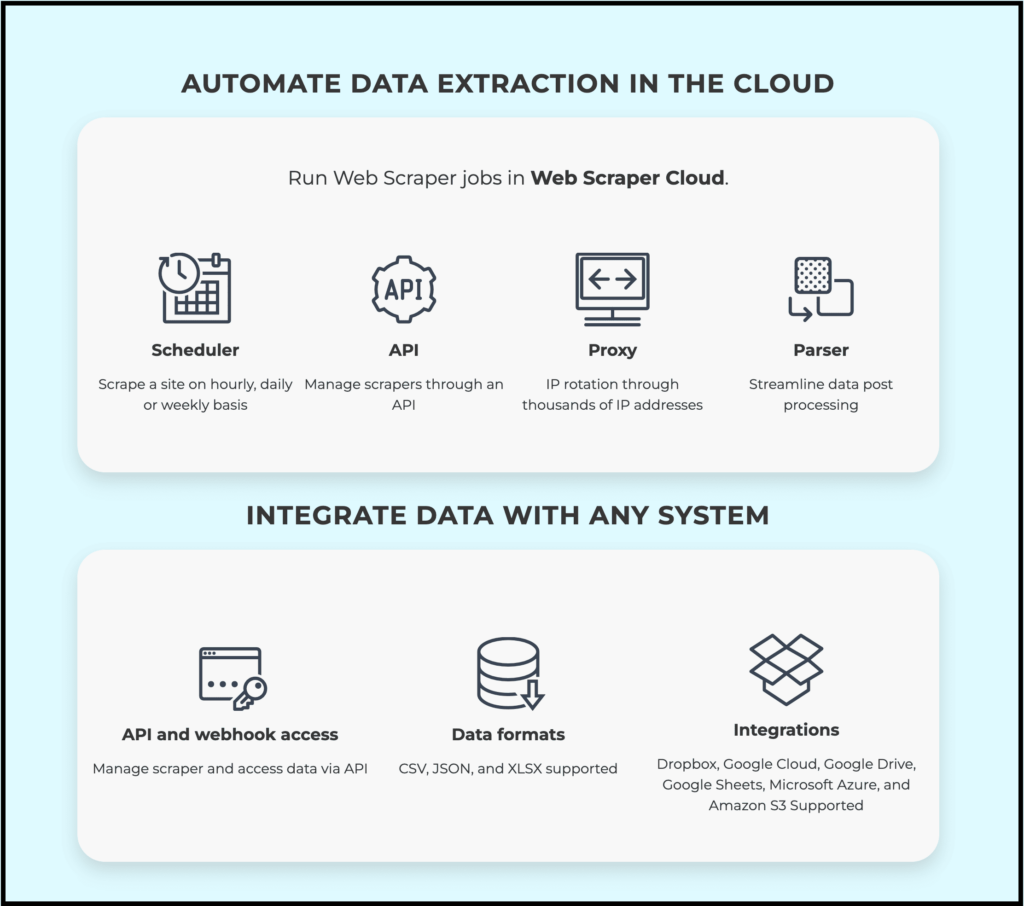
It also lets you automate the data extraction process in the cloud, integrate data with any system, and claims a 99.9% success rate.
You do need to understand what you’re scraping and spend some time setting things up. Once you do that, it handles complex websites very well.
I usually use it when:
- The site structure is complex
- I need precise control over fields
- I’m scraping multiple pages at scale
It’s not the fastest to start compared to Chat4Data, but it’s reliable once configured.
4. Data Miner
Well, this one is specifically for professional data miners, and it provides one of the most powerful data mining Chrome extensions with pre-built templates.
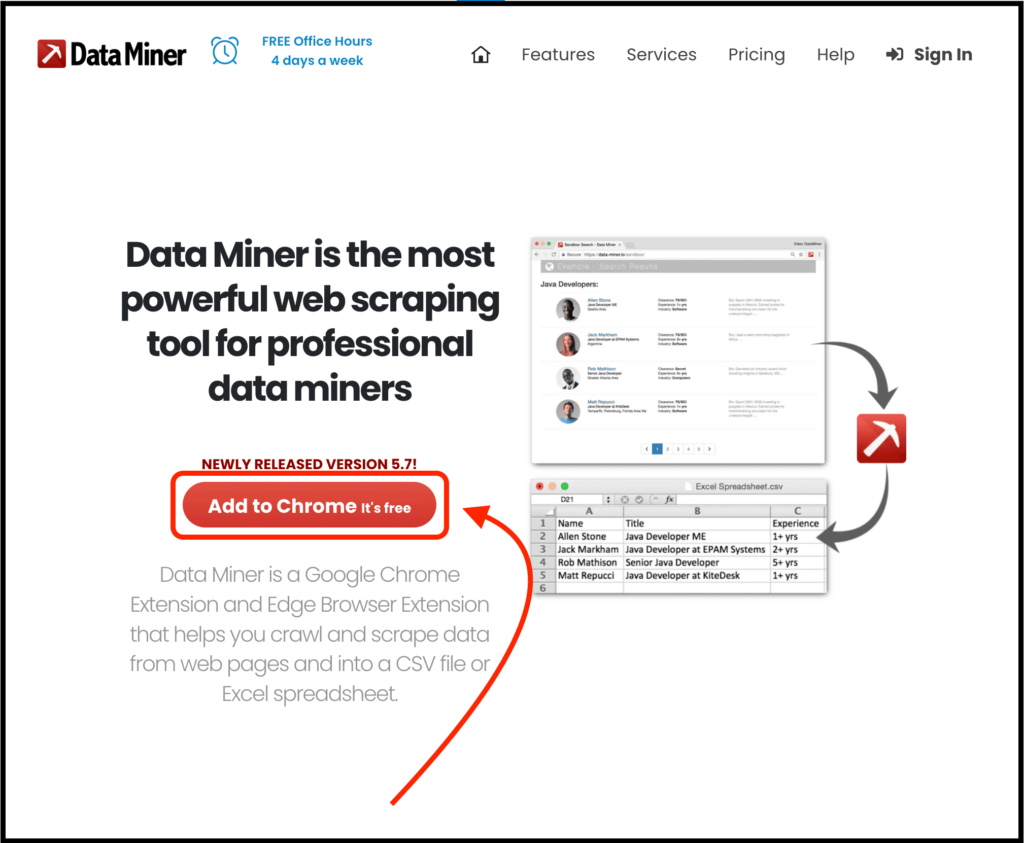
I’m talking about Data Miner, and the process of getting started and using their Chrome extension is similar to the ones above.
The best part is that it offers tons of pre-built templates made for 15,000+ popular websites, from which you can scrape data with just one click.
In short, if the site you are targeting already has a recipe, scraping becomes very fast, and you can also create your own custom recipes.
Now, let me talk about some features that I love.
First of all, it lets you easily scrape multiple pages from a list of URLs, and it can automatically fill out a website search box again and again using data from a file, submit it, and then collect the results.
You see, one feature allows you to automatically fetch provided URLs, and another helps automate the process of manually typing data into a search form, clicking submit, copying data, and repeating this hundreds of times into a simple automation.
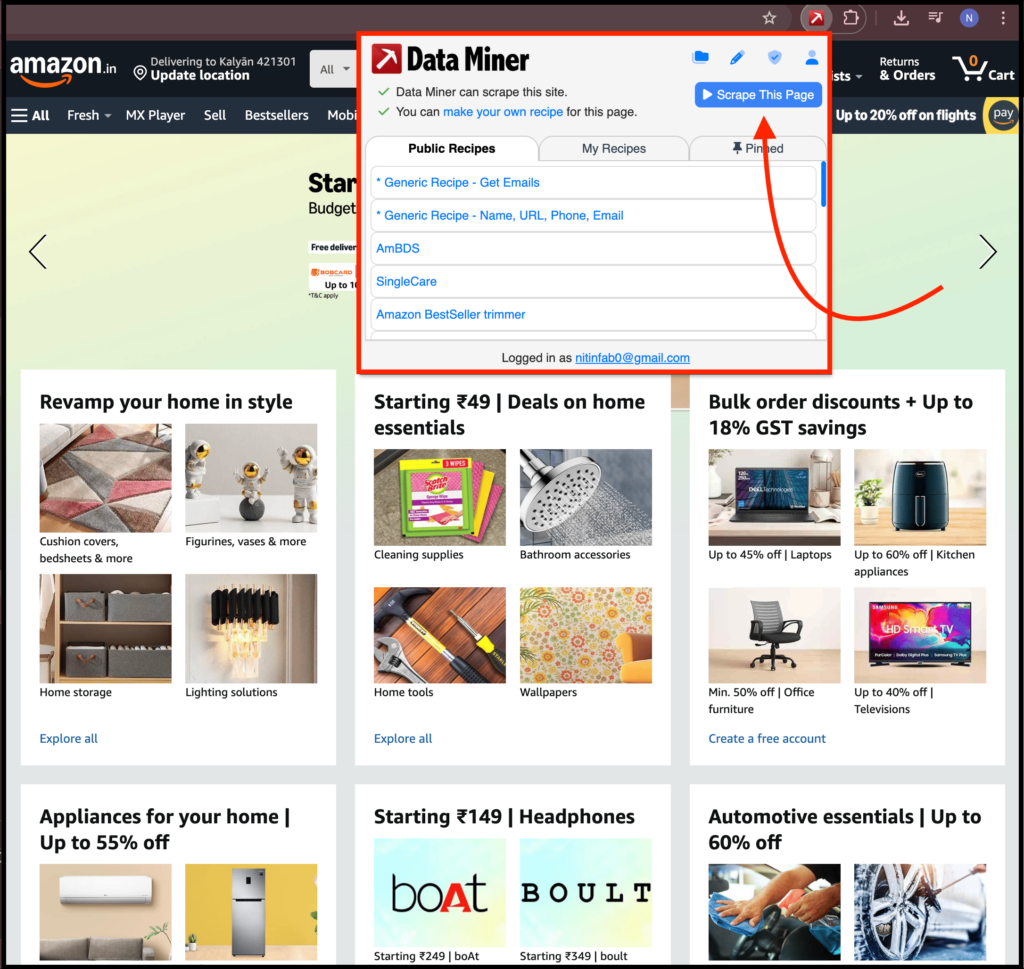
Because of this, I mostly use it for:
- Popular marketplaces
- Job boards
- Directory style websites
If a recipe exists, it saves a lot of time. If not, it is still usable thanks to the powerful features it offers.
5. Instant Data Scraper
To be honest, when I was looking for the best data mining Chrome extensions, I didn’t like this one at first.
It has no dedicated website, and there is just a dull webpage by their company, Web Robots, which made it hard for me to believe it was good.
But when I tried it and started reading reviews, I found out that it is insanely powerful, got featured on the Chrome Web Store, has over 1 million users, and is completely free.
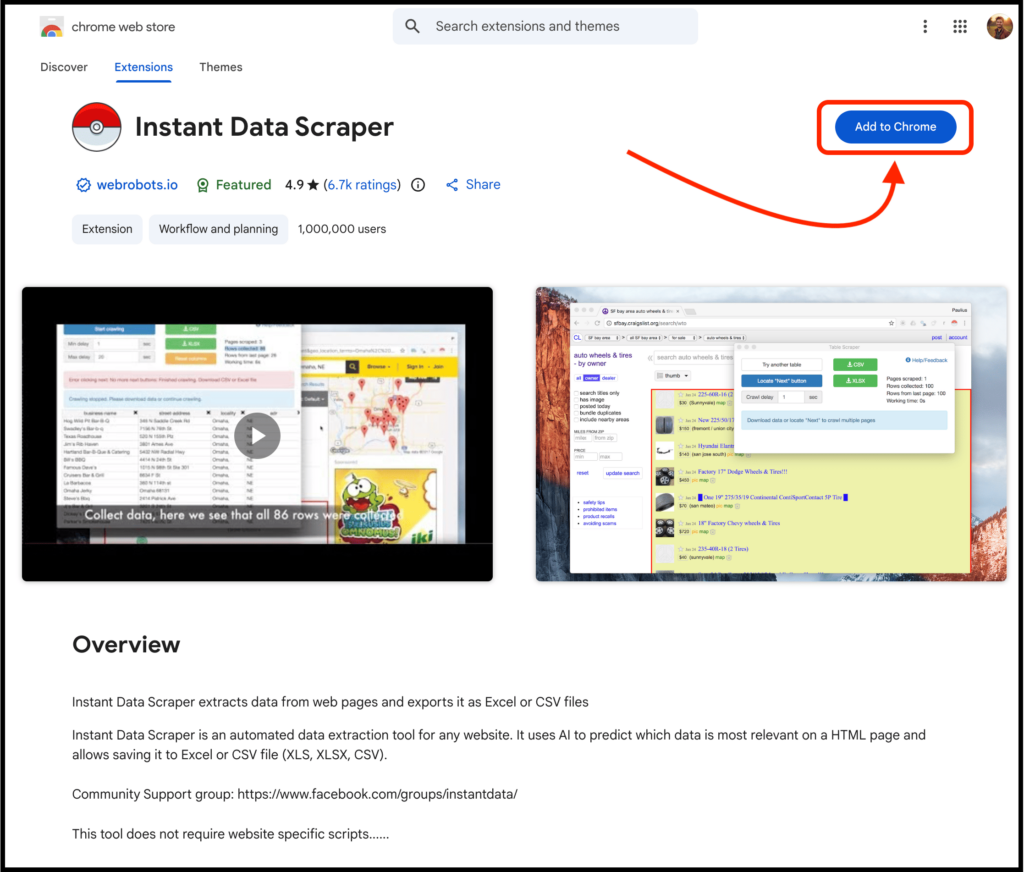
I’m talking about Instant Data Scraper, and to download it, you need to visit its official Chrome Web Store page.
According to their page, it uses heuristic AI analysis of HTML structure to detect data for extraction.
The process is simple enough. It uses AI to predict what to scrape, which you can further modify, and then export the data in XLS, CSV, or XLSX format.
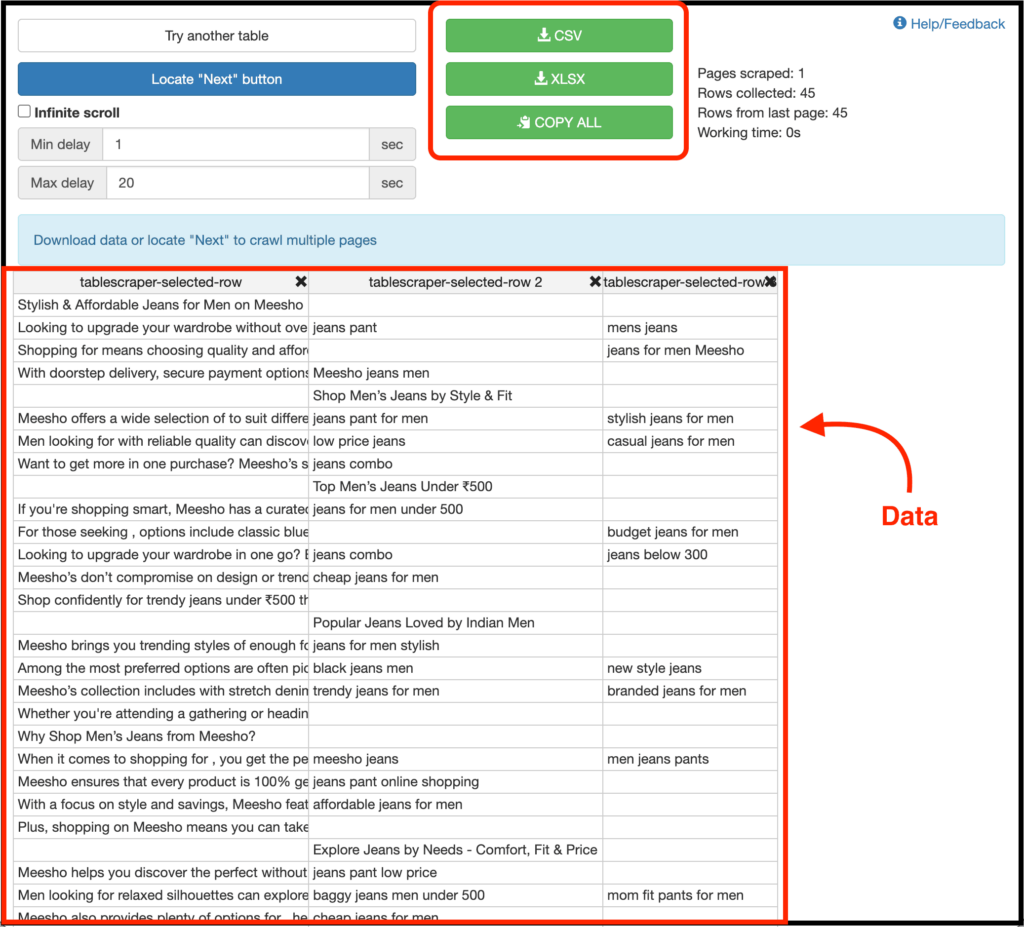
It also supports pagination and infinite scroll surprisingly well, and even lets you export data automatically.
I mostly use it for:
- Quick one off scraping tasks
- Tables and simple listings
- Situations where I don’t want to sign up or configure anything
For a free tool, it’s surprisingly capable and powerful.
6. Listly
Listly is one of those data mining Chrome extensions that most people don’t talk about, but it is more powerful than it looks.
But Nitin, what does it do? Well, it lets you scrape specific parts of a page or the entire page, automate scrolling, use proxies, and even schedule scraping jobs.
The process of getting started is simple enough.
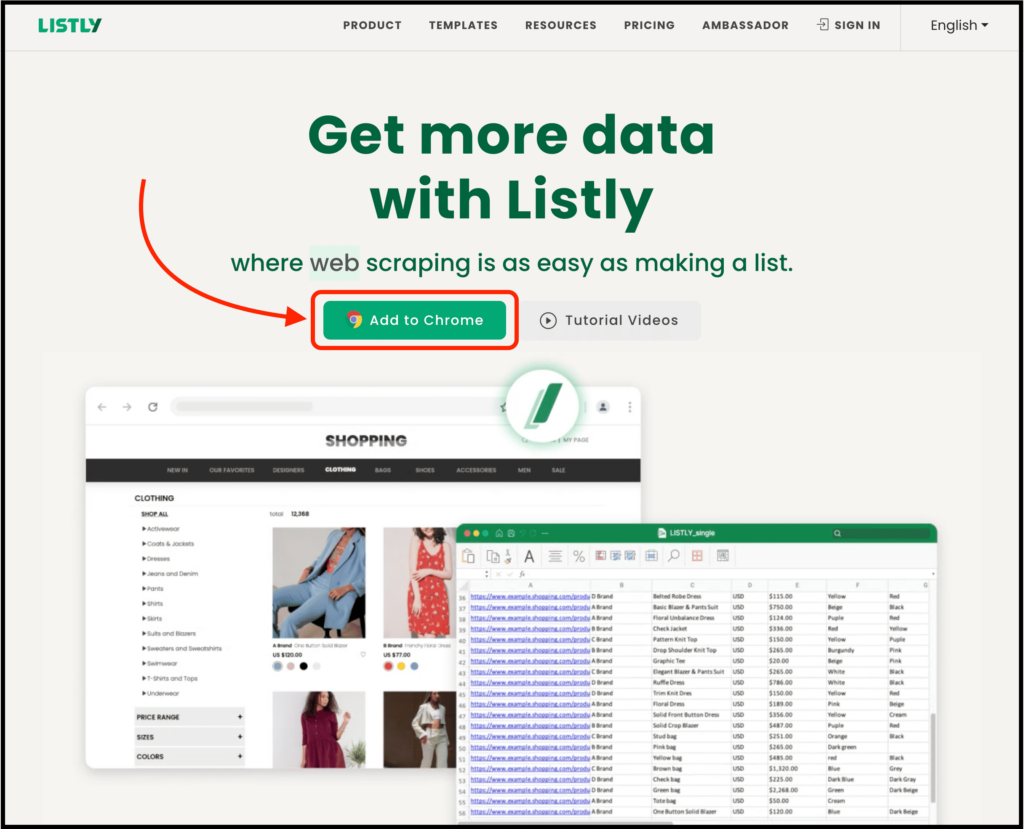
Just visit their website, click the “Add to Chrome” button, and then open the Listly extension to scrape data either in parts or from the whole page.
It also has features where you can add URLs from multiple web pages to scrape all at once, and even use a pagination template to handle next page navigation automatically.
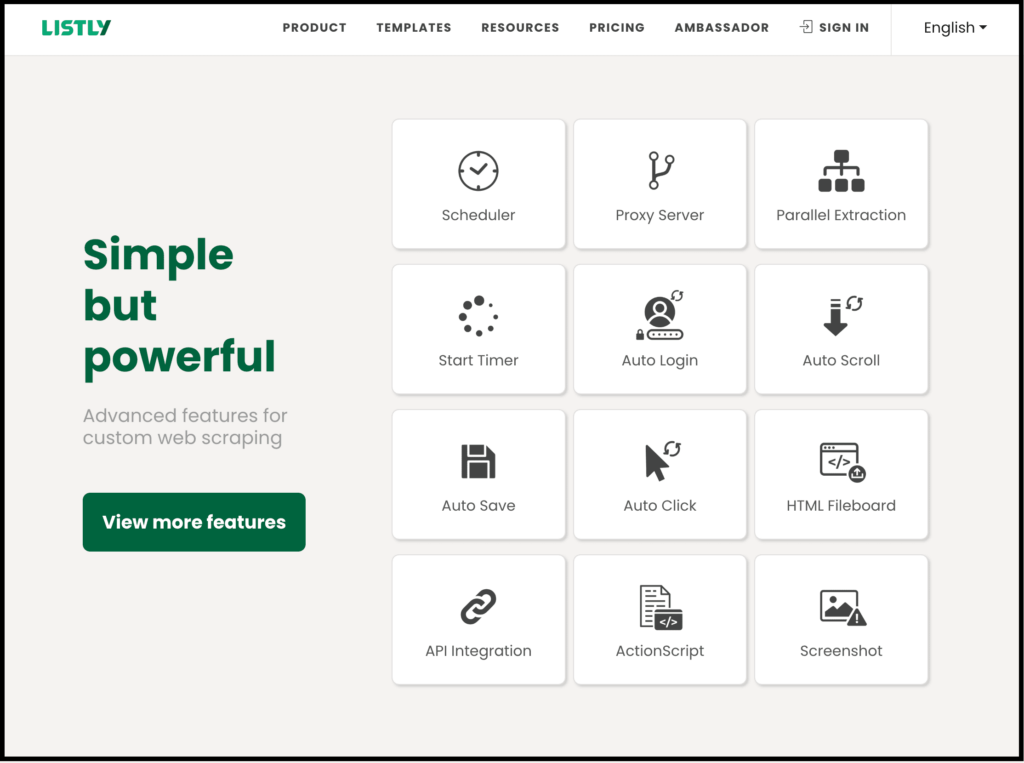
Talking about some other things you can do, you can schedule your data extraction process, automate or combine repetitive actions, and more.
I’ve mostly used it when:
- I needed automation
- I wanted to avoid blocks
- I was scraping repetitive pages
So if you’re scraping regularly, Listly is worth trying thanks to the automations it offers.
7. Thunderbit
Here the AI guesses what you need. You can then modify the product fields you want to go with and scrape to get structured data.
And that’s how you can scrape data in just two clicks.
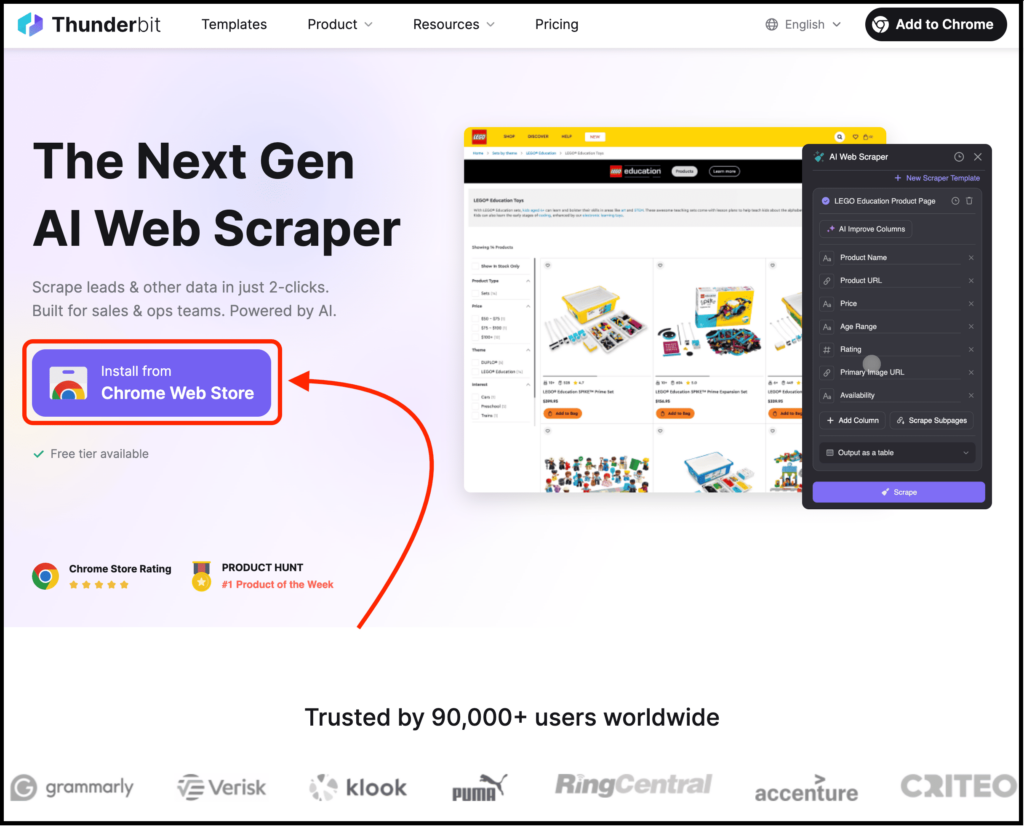
I’m talking about Thunderbit, and it’s specifically useful for sales and operations teams who want data in no time.
It has all the general features you’d expect, like pre-built templates for popular websites, multiple export options, and a few other similar capabilities. It also works well with modern websites.
The only downside is that it doesn’t offer some of the more advanced, power-user features.
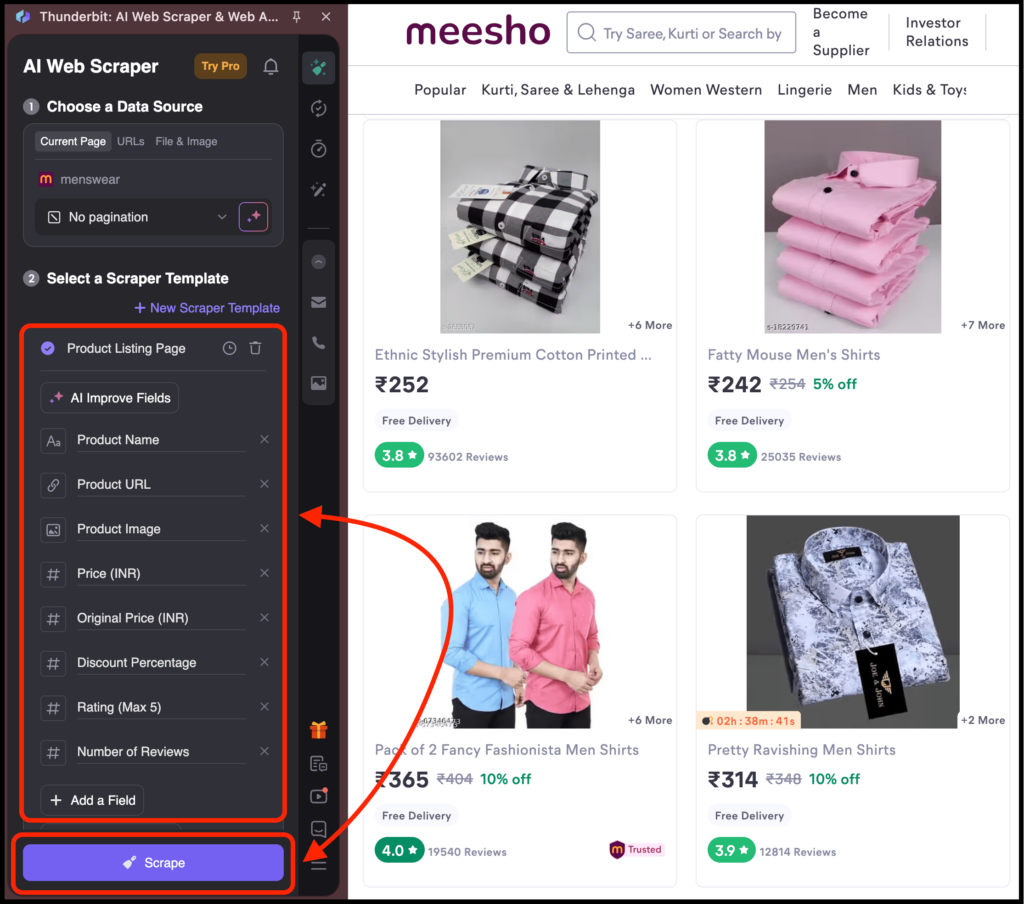
That’s why it’s especially useful if you want to send some marketplace data directly to tools like Google Sheets, Notion, or Airtable without extra steps.
I mostly use it for:
- Structured scraping workflows
- Clean exports
- Quick setup with some flexibility
8. Simplescraper
Well, this one is mostly similar to other data mining Chrome extensions we talked about earlier.
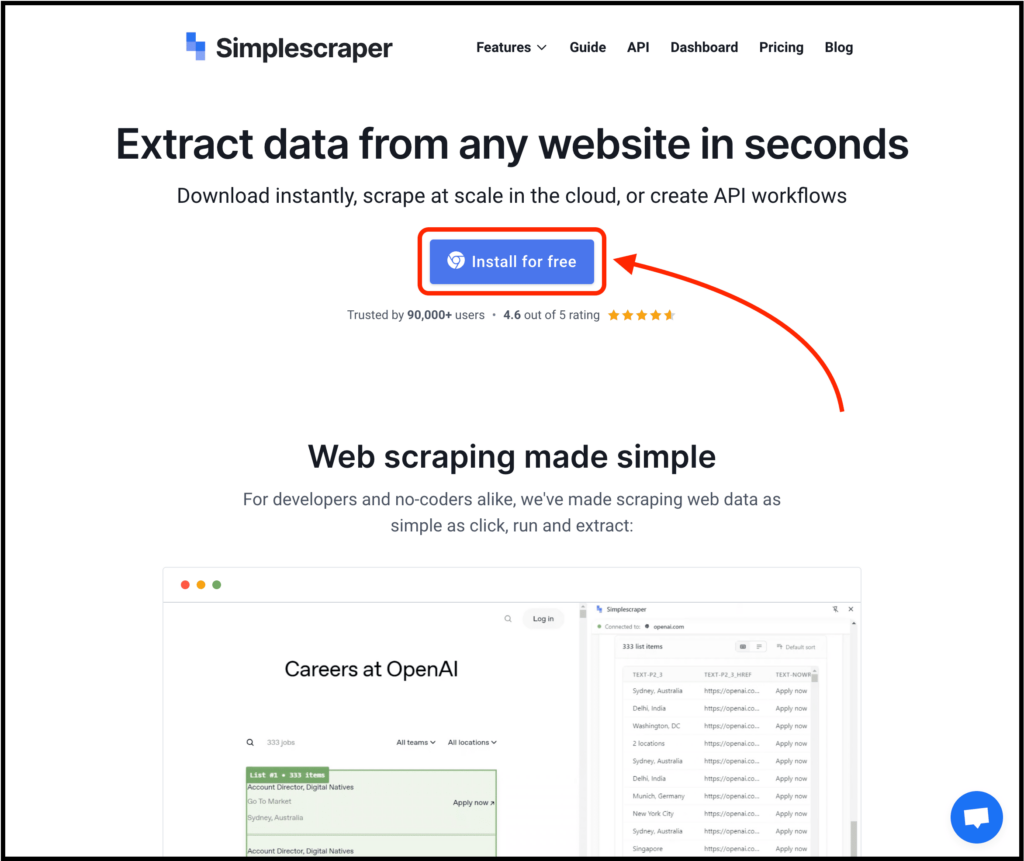
I’m talking about Simplescraper, which lets you scrape data directly in the browser, automate scraping through their dashboard, or even use an API if you want to build something on top of it.
It also supports natural language extraction using simple prompts, similar to Chat4Data.
And like Thunderbit, it detects lists from which you can scrape data and also lets you manually choose what you want to extract.
The best part? You can automate the data extraction process or push data directly to your favorite apps like Zapier, Airtable, and others to work instantly.
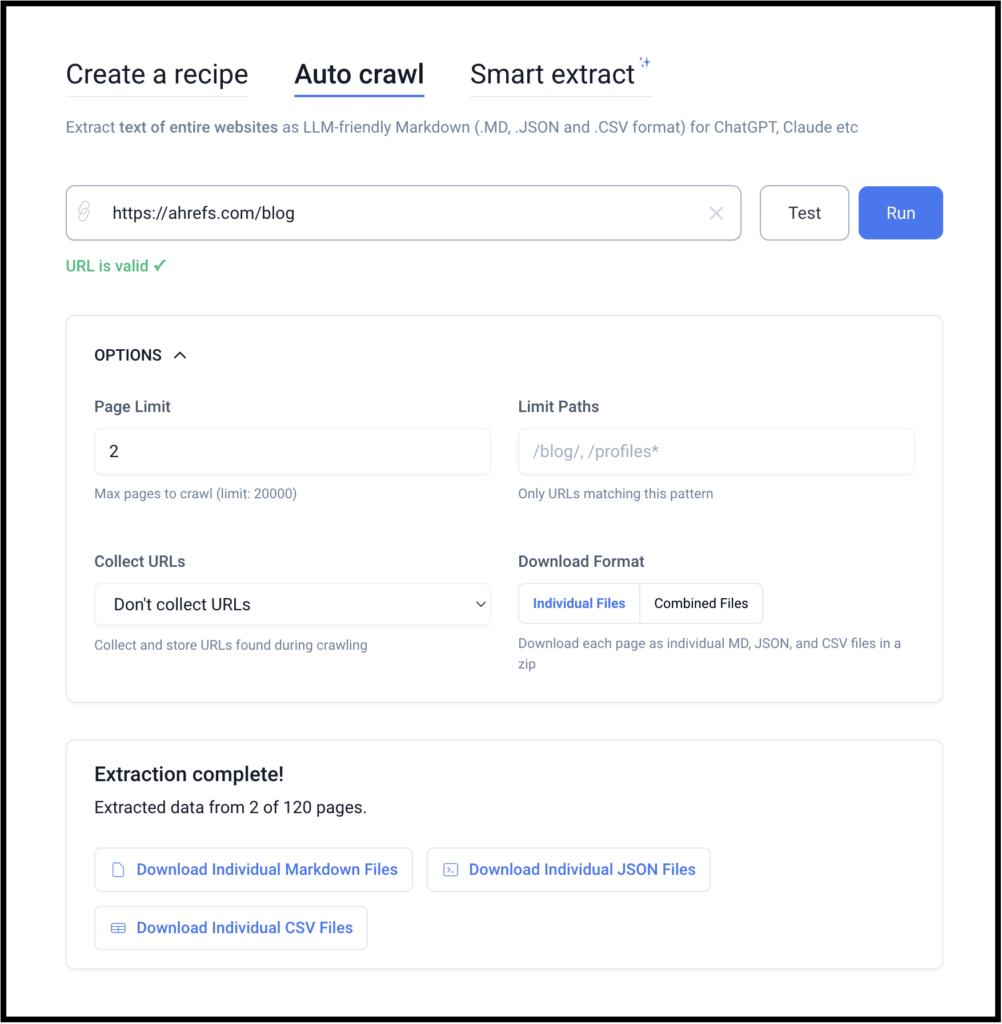
It also has features similar to Data Miner, where you can create your own recipe or start with a template. You can even auto crawl by just adding a website URL and customizing it to get what you want. Lastly, there is a feature called Smart Extract, which lets you scrape specific elements from a website.
Thanks to these features, I mainly use it when:
- I want recurring data
- I need scheduling
- I want to push data into other tools automatically
How I Actually Choose Between These Tools
So far, we’ve learned about some of the best data mining Chrome extensions, how each one works, the features they offer, and more.
Now, I want to make this post super valuable for you so that you can actually find the best data mining Chrome extensions based on your needs. I don’t want to recommend just one tool, because there is no single best tool for every use case.
It really depends on what you want to do or what you want to scrape.
So think about what you want to scrape. Is the data simple or complex? Do you need a basic scraper or a more powerful one? Do you want results quickly, or do you need to build a specific template? And so on.
Once you understand what kind of data you need and how complex the website is, the right choice becomes obvious.
Talking about me, here’s how I choose the best data mining tool based on my needs:
- If I want fast results with minimal effort → Chat4Data, Browse AI, or Thunderbit
- If I want full control → Web Scraper
- If the site is powerful → Data Miner
- If I want something free and quick → Instant Data Scraper
- If I need automation → Simplescraper or Listly
Once you start thinking this way, choosing a scraper becomes much easier, and you’ll actually know which data mining Chrome extensions to go with.
FAQs about Data Mining Extensions for Chrome
1. Do I need coding or scraping knowledge to use these data mining Chrome extensions?
→ No, and that’s exactly why most of these tools exist. Almost every extension I listed works with point-and-click actions, templates, or plain English prompts.
2. Which data mining Chrome extension should I start with if I’m completely new?
→ If you’re new, start with Chat4Data since it gives you results quickly and helps you understand what clean, structured data actually looks like. Once you know what kind of data you need, you can choose the other ones.
3. Can these extensions handle JavaScript-heavy or dynamic websites?
→ Yes, most of these extensions can handle JavaScript-heavy or dynamic websites. They also work well with pagination, infinite scroll, and even automation.
4. Are free plans actually usable, or are they just demos?
→ Most of these data mining Chrome extensions do have free plans, but some come with limitations. And as I mentioned earlier, Instant Data Scraper is completely free to use.
5. What’s the biggest mistake people make when choosing a data mining tool?
→ They search for “the best scraper” instead of asking, “What do I actually need?” Because of this, many people overpay for powerful tools when their use case is simple, or they choose simple tools for complex websites and then blame the tool.
So first decide whether you want speed, control, automation, or scale, and then pick the right one from the list above.
6. Can I use these tools for things like lead generation, market research, AI training data, and even automation?
→ Yes, and that’s exactly how I use them.
I’ve used these tools across many use cases, from competitor research and scraping directories to collecting product data, monitoring changes, and even automation. Just make sure you respect website terms and local laws.
 Try AI Web Scraper