
I’ve tested a lot of Facebook scrapers. Most break within a week due to Facebook’s anti-bot measures.
Facebook actively fights automated collection. Login walls appear mid-session. The DOM shifts every few weeks. Infinite scroll hides content until JavaScript finishes executing. Any tool relying on hardcoded selectors will fail.
On top of that, Meta’s official API gives you almost nothing useful: limited endpoints, strict rate limits, and an app review process that can take weeks. So teams end up doing one of two things: building fragile custom scripts in Python, or paying for a tool that actually handles the infrastructure.
This guide covers what data you can realistically collect in 2026, which tools hold up under real conditions, and which ones aren’t worth your money.
Quick Answer
The best Facebook scraper depends on your technical level and use case. For most users, Chat4Data offers the fastest path to clean, structured data — no coding or proxy setup required. Developers needing custom pipelines should look at Apify; enterprise teams at scale should consider Bright Data.
What Is a Facebook Scraper?
A Facebook scraper automatically extracts publicly available data from Facebook: posts, profiles, groups, marketplace listings, comments, and saves it in structured formats like CSV, Excel, or JSON. “Public” means data visible to anyone, logged in or not. Private messages, closed groups, and restricted profile fields are off-limits regardless of which tool you use.
Teams scrape Facebook because Facebook’s Graph API is too locked down for most practical use. Limited endpoints, strict rate limits, and an app review process that gatekeeps access mean the official route rarely gets you what you need. A scraper gets around this by rendering pages exactly as a real browser would, pulling whatever is visible on the page.
What Data Can You Actually Scrape from Facebook?
Before choosing a Facebook scraper, it’s important to understand what’s accessible. Facebook offers rich consumer sentiment, business intelligence, and market data, but only the public layer is available. Private messages, closed group content, and non-public profile fields are off-limits, no matter which tool you use.
Here’s what a Facebook scraper can reliably extract:
- Public page posts & metadata: Post text, timestamps, share counts, view counts, and media links from brand pages or influencer pages.
- Group posts: Discussion threads, member questions, and engagement metrics.
- Marketplace listings: The platform displays live pricing information, seller details, complete product descriptions, and their respective geographical distribution.
- Profile information: The public can access visible information, including bios, work history, education details, and specific profile URLs.
- Event details: The information includes start dates, physical locations, attendee counts, and complete descriptions of the event.
- Comments & reactions: How people are emotionally responding to specific content or ad campaigns.
- Business page contacts: Publicly listed emails, phone numbers, and website links from local businesses.
The tool you choose depends on what you need to extract. A small lead-gen project pulling 50 business emails has different requirements than a competitive-monitoring pipeline scraping 100,000 marketplace listings a day.
The Best Facebook Scraper Tools Compared (2026)
You know what you want. Now you need the right tool to get it. There are many options out there that claim to be the best Facebook web scraper, but most fail as soon as Facebook sends them a CAPTCHA or a soft block. You do not have to waste your money on the heavy hitters because I have already tested them. Here is a list of the best tools right now.
Chat4Data: Best Overall No-Code Facebook Scraper
For the perfect balance of ease of use, reliability against IP bans, and clean, structured output, Chat4Data remains the smartest starting point for most data projects.
Best for: No-code teams that need reliable extraction without managing proxies or selectors.
Starting price: $10/month.
Free trial: Yes, 5 pages for free scraping.
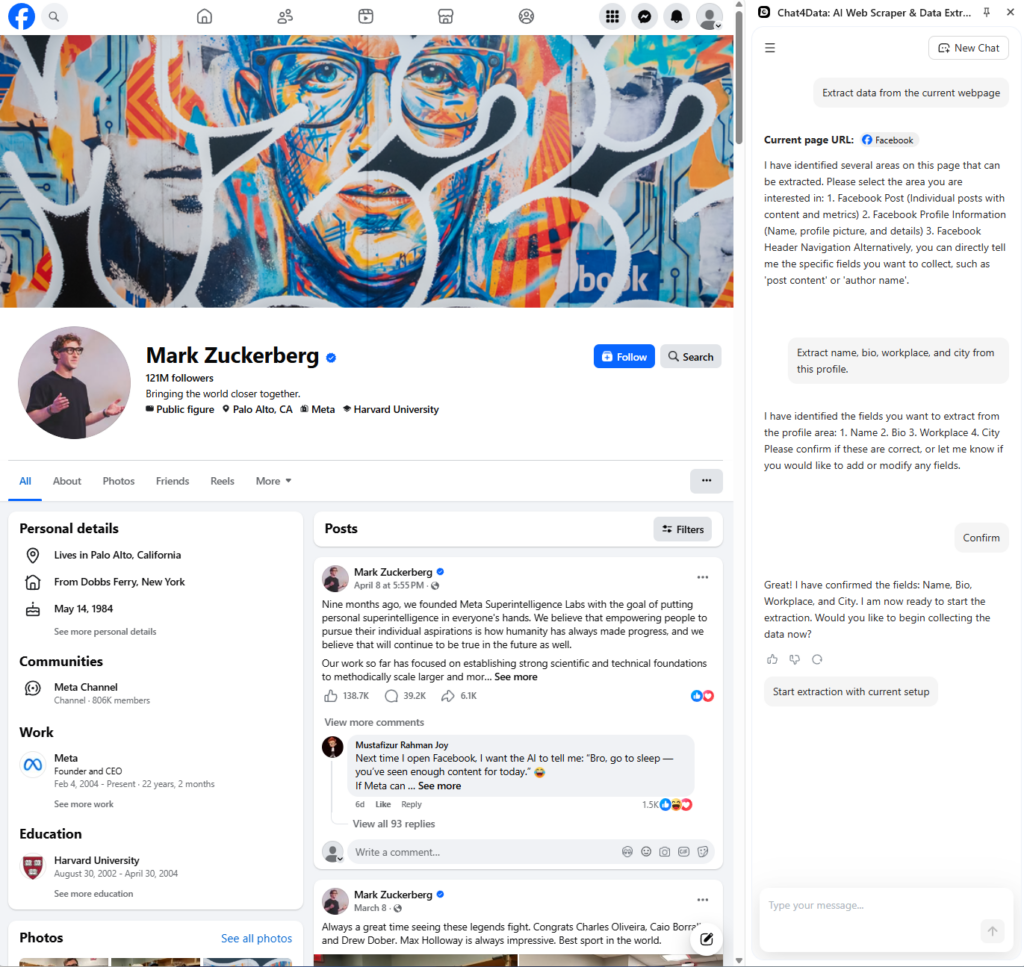
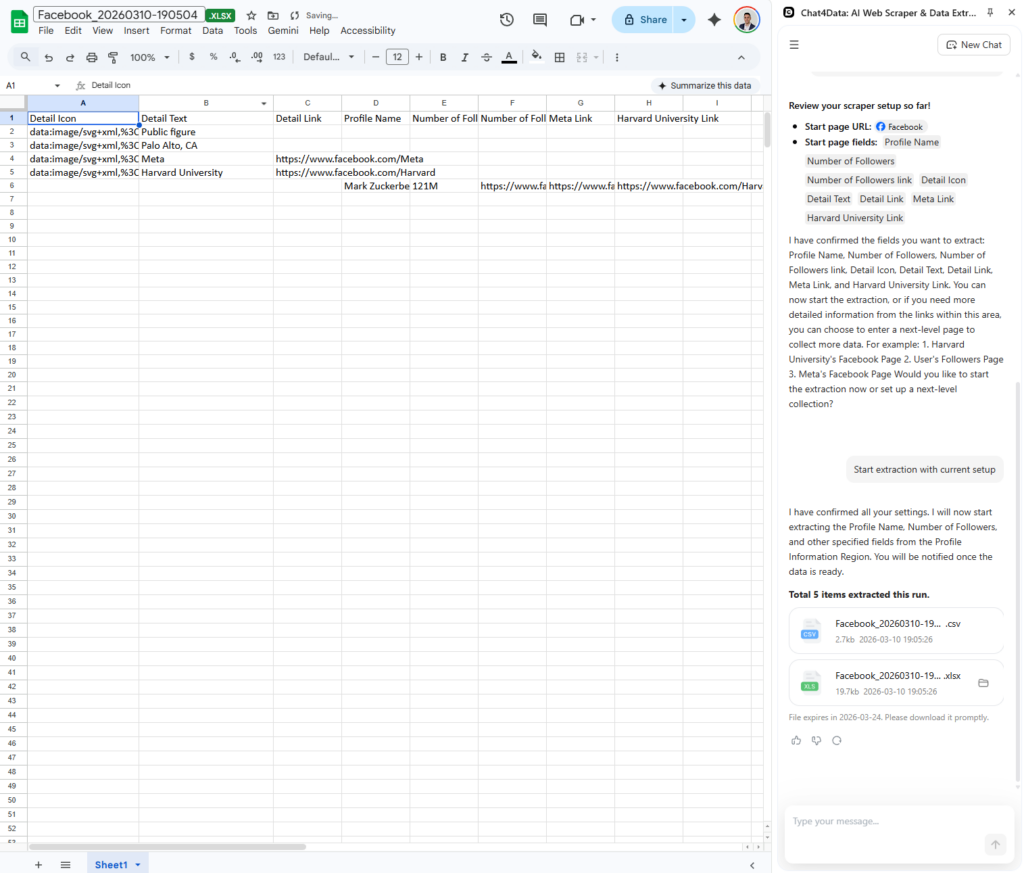
Chat4Data is purpose-built for social data extraction. Instead of making you write CSS selectors or configure proxy rotation, it parses Facebook pages visually using AI and adapts when the UI changes. In our marketplace test, it pulled 500 listings in under 4 minutes with no CAPTCHA failures.
The biggest practical advantage: when Facebook updates its DOM (roughly every 2–4 weeks), Chat4Data continues to work without manual intervention. Tools that rely on hardcoded selectors break.
Pros:
- Zero coding required: browser-based extension setup in under 2 minutes
- Built-in handling of login walls, infinite scroll, and lazy-loaded content
- Automatic proxy rotation and session management
- Clean, structured output that works directly with Excel and Google Sheets
Cons:
- Less customization than developer tools like Apify
- Not ideal for non-social websites with very unusual structures
Key features: AI-based visual parsing, automatic bot evasion, structured export, and no-code plan builder.
Who should use it: Anyone who needs Facebook data reliably and repeatedly without building infrastructure. It’s the default unless you have a specific reason to choose custom scraping.
Apify: Best for Developer-Controlled Workflows
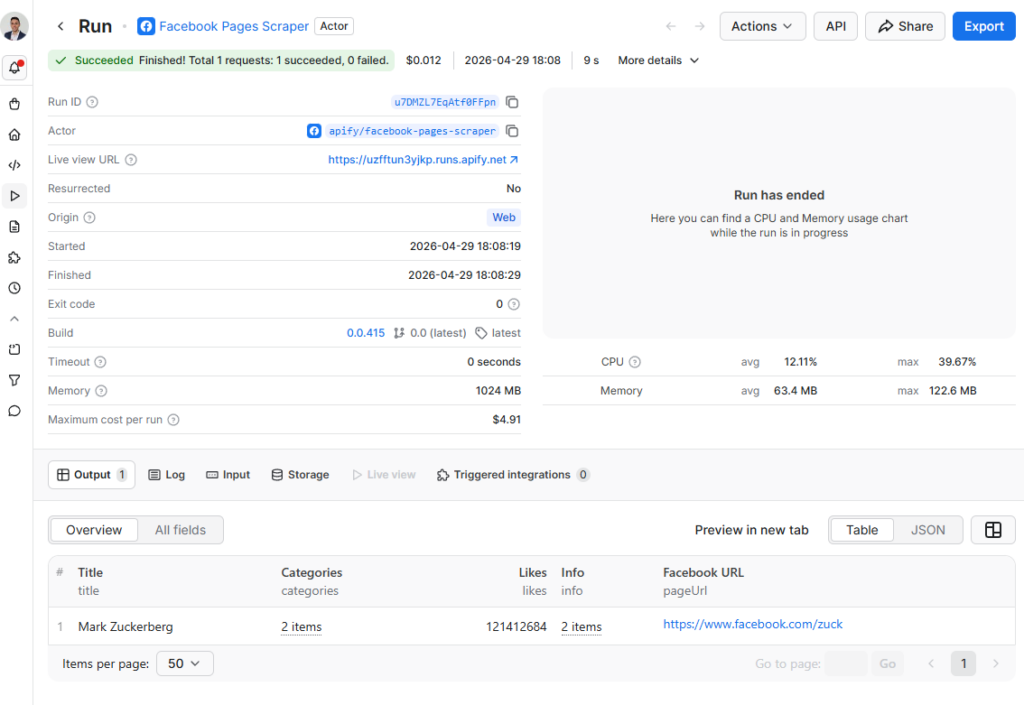
Extremely powerful and flexible, but you are effectively managing a developer tool that happens to have a marketplace of pre-built scrapers.
Best for: Engineers and technical teams who want full control over extraction logic, scheduling, and pipeline integration.
Starting price: Free plan includes $5 in monthly platform credit. Pay-as-you-go after that; costs scale with compute and proxy usage.
Free trial: Yes, through the free plan.
Pros:
- Massive library of pre-built “actors” (community-contributed scraping scripts)
- Supports custom JavaScript/TypeScript for bespoke workflows
- Strong API and webhook support for integrating with existing pipelines
- Good documentation and an active developer community
Cons:
- Steeper learning curve than any no-code option
- Pre-built actors are maintained by third-party developers — if one breaks after a Facebook UI update, you wait for that developer to fix it
- Costs can climb fast at high volumes without careful resource management
Key features: Actor marketplace, Playwright/Puppeteer support, proxy integration, REST API, and scheduled runs.
Who should use it: Developers building custom pipelines or teams that need scraping logic tightly coupled to an existing application.
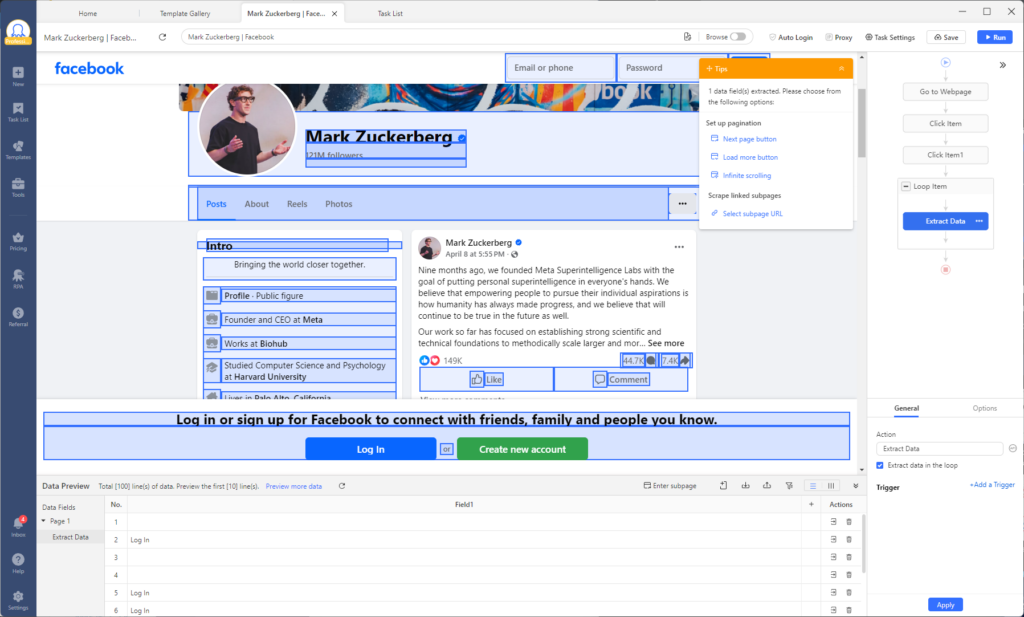
Octoparse: Best Visual Workflow Builder
Solid for non-coders who need to build custom extraction logic through a point-and-click interface, but Facebook’s infinite scroll can make setup frustrating.
Best for: Non-technical users who need more workflow control than a single-click tool offers, but aren’t comfortable writing code.
Starting price: Paid plans start around $69/month.
Free trial: Free plan available with limited concurrent runs.
Pros:
- Visual workflow builder: point at the element you want, build the rule
- Handles pagination on many standard sites well
- Cloud and local run options
- Reasonable output format support
Cons:
- Facebook’s infinite scroll and dynamic content loading make workflow setup noticeably clunky
- Workflows require manual updating when Facebook changes its layout
- Interface has a learning curve despite being “no-code.”
Key features: Visual point-and-click workflow editor, cloud scheduling, pagination handling, export to CSV/Excel/JSON/APIs.
Who should use it: Users who want control over what gets scraped and are willing to invest time in building and maintaining the workflow.
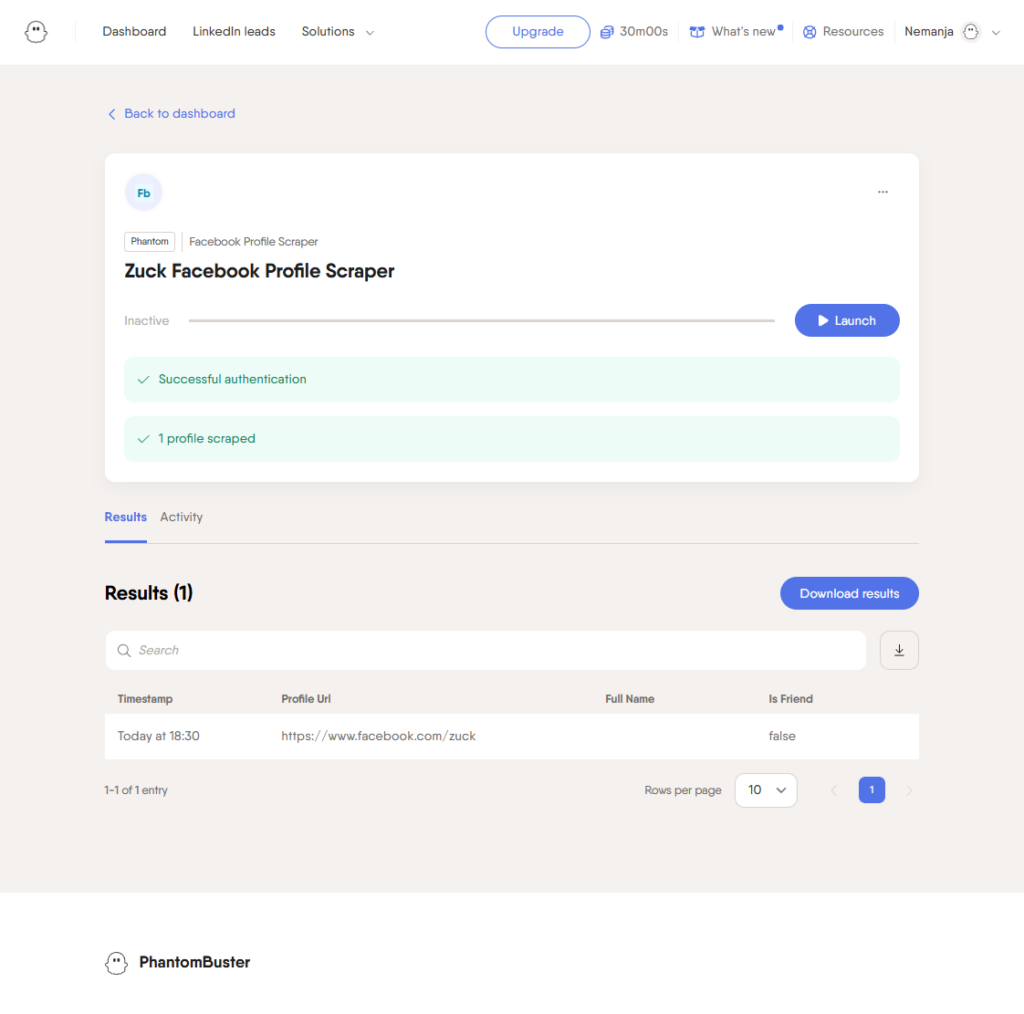
PhantomBuster: Best for Lead Generation Automation
The right tool if your goal is chaining actions together. Scrape a list, then auto-send a connection request or message. The wrong tool if you need bulk data extraction.
Best for: Sales and growth teams running outreach automation on LinkedIn and Facebook — profile scraping into a sequence of follow-up actions.
Starting price: Plans start around $69/month.
Free trial: 30 minutes of processing per month for free.
Pros
- Strong automation chain capability: scrape, then act (connect, message, follow)
- Purpose-built for lead generation workflows
- Pre-built “phantoms” for common Facebook and LinkedIn tasks
- No coding required for standard flows
Cons
- Not built for high-volume bulk data extraction
- Relatively expensive per phantom slot at scale
- Facebook-specific phantoms carry a higher ban risk due to the action-taking element
Key features: Automation chains, profile scraping, lead export to CRM, LinkedIn, and Facebook phantoms.
Who should use it: Sales teams who need enriched lead lists with automated follow-up, not researchers or analysts who need raw data at scale.
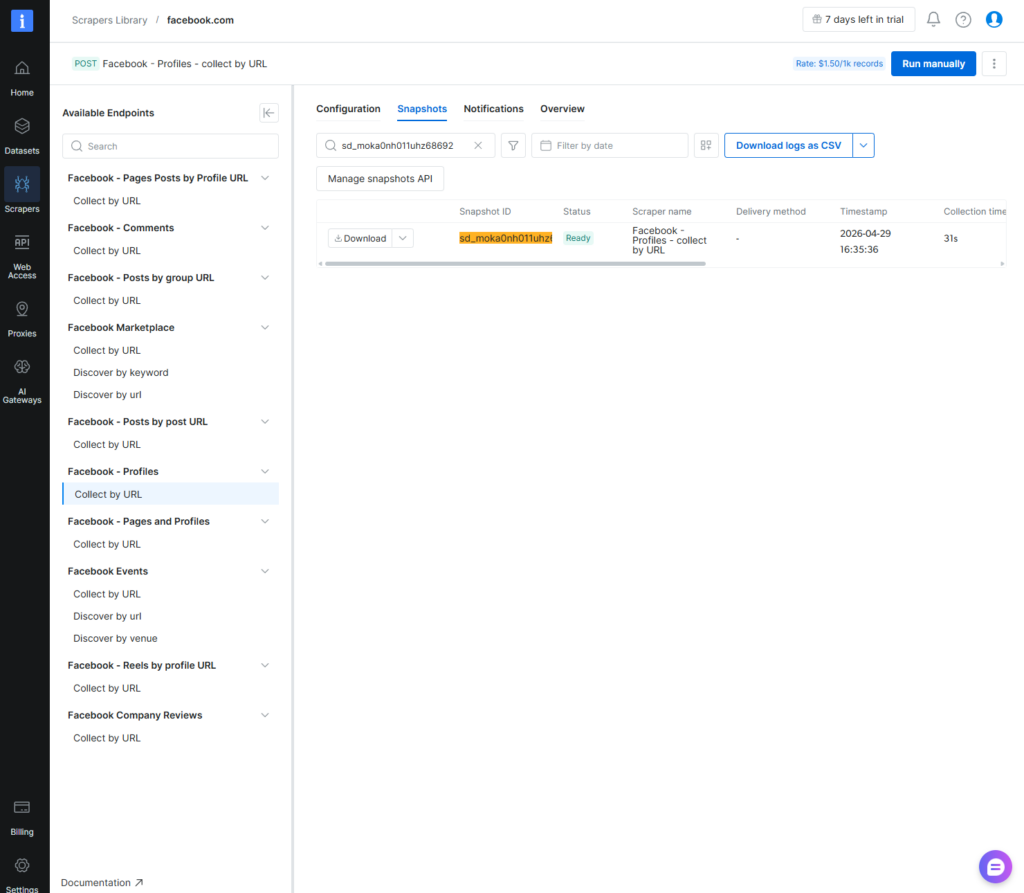
Bright Data: Best for Enterprise-Scale Infrastructure
The most powerful option on this list and, for most people reading this, total overkill. It is meant for enterprise users.
Best for: Large organizations with dedicated engineering teams running millions of daily requests across multiple platforms.
Pricing: Enterprise pricing: contact sales. Proxy network costs alone typically run into hundreds of dollars per month at meaningful scale.
Pros
- Industry-leading proxy network (residential, ISP, datacenter, mobile)
- Scraping Browser product handles complex bot detection at scale
- Highly reliable for mission-critical, high-volume pipelines
- Extensive compliance and legal documentation for enterprise procurement
Cons
- Expensive: genuinely not cost-effective for teams running under ~50,000 requests/day
- Requires engineering resources to implement and maintain
- Overkill for any social data project that doesn’t require millions of rows
Key features: Residential proxy network, Scraping Browser, Data Collector, web unlocker, SOCKS5 proxies.
Who should use it: Enterprise data teams with an existing engineering pipeline that needs reliable, large-scale proxy infrastructure. Not for individuals or small teams.
| Tool | Best For | Coding Required | Price Tier |
| Chat4Data | Reliable, no-code social extraction | None | Accessible / Value |
| Apify | Developer-friendly flexibility | Low to High | Pay-as-you-go |
| Octoparse | Visual scraping workflows | None | Mid-range |
| PhantomBuster | Lead generation automation | None | Premium |
| Bright Data | Enterprise proxy infrastructure | High | Enterprise |
Facebook Scraping by Use Case
The right scraper depends on what you’re collecting. Here are the most common use cases and what to keep in mind for each.
Marketplace Listings
Resellers, real estate investors, and market researchers use Marketplace data to track price drops and new inventory across regions. Prioritize a tool that handles infinite scroll and geo-filtering. → Best Facebook Marketplace scraper tools
Post Search and Tracking
Monitor competitors or track keywords over time to spot trending topics and measure engagement shifts. A scraper with historical data access works better here than one built only for real-time pulls. → How to build a Facebook post search engine
Group Posts and Members
Groups surface unfiltered conversations about niche topics — useful for customer research and pain point analysis. Nested comments and aggressive anti-bot measures make this technically harder than page scraping; plan for authenticated sessions.
Email and Contact Data
The most common lead-gen use case. Only publicly listed contact information is accessible — a scraper won’t find hidden emails. Focus on business pages, where contact details are more consistently public.
Profile Data
Useful for building audience personas in recruiting and B2B sales. Public fields like job title, location, and bio are accessible; anything behind a login wall requires careful session management to avoid triggering flags.
Facebook Scraper in Python: Is Coding Worth It?
Building a custom Facebook scraper in Python is straightforward at first. The standard stack includes Playwright or Selenium for browser automation, along with a proxy service for IP rotation. A basic version might look like this:
The script usually works on day one, but by week two, Facebook updates a class name or adds new bot detection, and it breaks.
The hidden cost of a custom Python scraper is maintenance:
- Selector drift: Facebook updates its DOM every 2–4 weeks, breaking hardcoded selectors.
- Proxy management: Datacenter IPs are quickly blocked; residential proxies cost $5–$15 per GB.
- Session handling: Login cookies expire, CAPTCHA triggers, and headless browsers can leak fingerprints.
- Engineering time: Teams often spend 5–10 hours per week keeping a Facebook scraper alive.
For most teams, these maintenance costs outweigh the price of a no-code tool like Chat4Data, which automatically handles infrastructure changes.
If you need full custom control, such as integration with an internal pipeline or custom data enrichment, check out our technical walkthrough on building a Facebook scraper in Python.
How to Scrape Facebook Without Getting Blocked
Getting an IP ban five minutes into a perfectly set-up workflow is the most annoying thing that can happen when you scrape Facebook. Facebook’s defenses against scraping are smart, aggressive, and always changing.
- Respect rate limits. Your bot should not ask for 500 posts per second if a person can not read them. Add random delays between page requests that mimic how real people browse the web.
- Change your proxies. When you use high-quality residential proxies, your requests appear to come from real devices on home Wi-Fi networks rather than from IP ranges that can be easily identified as originating from a datacenter. This is a must for any serious Facebook scrape at scale.
- Handle sessions correctly. When scraping content that requires a login, make sure to save and inject browser cookies correctly so the script does not trigger suspicious login alerts every time it runs. In this case, browser-based scrapers are better than raw HTTP requests because they run JavaScript and display pages like a real Chrome browser, making them blend in with regular traffic.
Managing all of this by hand is a big engineering job, which is why platforms like Chat4Data that automatically handle proxy rotation, session management, and anti-bot evasion are so helpful. They save teams from having to build and maintain this infrastructure themselves.
Is Scraping Facebook Legal?
In the United States, it is usually legal to scrape publicly available Facebook data, but there are important limits.
The hiQ Labs v. LinkedIn case showed that scraping publicly available data does not usually violate the Computer Fraud and Abuse Act (CFAA). But Facebook’s Terms of Service clearly say that automated data collection is not allowed. Breaking the ToS can result in your IP address being blocked or your account being banned, but it is not a crime.
The real legal lines depend on what information you gather and how you use it. Getting into private data without permission is a big red flag. Privacy laws like GDPR (Europe) and CCPA (California) apply to you if you collect any personal information.
Disclaimer: This section is intended only for general advice and is not legal advice. Before using any Facebook scraping pipeline, talk to a lawyer who knows what they are doing.
Conclusion
Facebook’s defenses aren’t getting weaker — and neither is the data behind them. The right scraper doesn’t just get you data today; it keeps getting you data when Facebook updates its DOM next month.
If you’re not sure where to start, start with Chat4Data. It handles the infrastructure so you don’t have to. If your needs outgrow it, you’ll know exactly what to look for next.
→ Try Chat4Data today and automate your Facebook data collection
FAQs about Facebook Scrapers
What is the best Facebook scraper for non-technical users?
Chat4Data requires no coding, no proxy configuration, and no knowledge of CSS selectors. It uses AI to parse Facebook’s dynamic pages visually and automatically adapts when the UI changes. For non-technical teams that need reliable Facebook scraping without engineering support, it’s the strongest option.
Can I scrape Facebook without getting banned?
Yes, if you follow best practices such as rotating residential proxies, adding random delays between requests, handling session cookies correctly, and using only publicly available data. No-code tools like Chat4Data take care of these variables on their own, which makes it much less likely that your account will be banned than if you use raw scripts.
Is web scraping Facebook legal?
According to U.S. law (hiQ Labs v. LinkedIn), it is usually legal to scrape publicly available data. Facebook’s Terms of Service say that automated collection is not allowed. If you break this rule, your account could be banned, but it is not a crime. When you collect personal data, you must comply with privacy laws such as GDPR and CCPA. Ask a lawyer about your specific situation.
Should I build a Facebook scraper in Python or use a no-code tool?
A no-code tool saves time and money in most cases. When Facebook changes its DOM structure, custom Python scripts often break, and maintaining proxy rotation and anti-bot evasion requires significant engineering effort. Only build in Python if you need to tightly integrate it with an existing app or a very specific extraction pipeline.
Is there a free Facebook scraper?
Some tools offer free tiers with limits. Chat4Data provides a free trial for up to 5 pages, Apify offers a free plan with $5 in platform credit per month, and Octoparse has a free plan with limited concurrent runs. Fully free options, like the open-source facebook-scraper Python library, exist but tend to break frequently and require manual maintenance. For most production use cases, a paid no-code tool is more cost-effective than maintaining a free scraper.
What’s the difference between using Facebook’s API and a web scraper?
Facebook’s Graph API imposes many restrictions on collecting public data, including limited endpoints, strict rate limits, and app review requirements. A Facebook web scraper gets around these rules by acting like a real browser and getting data straight from the rendered page. Scrapers let you access more data, but they need to handle bots, which the API doesn’t.
 Try AI Web Scraper