

Let’s be honest, every one of us wants to scrape useful data from the internet, but we don’t always know the best and easiest way to get the work done.
And there is nothing wrong with scraping data, since even big companies like OpenAI, Google, and Anthropic scrape the internet to make their LLM models better.
Meanwhile, businesses or individuals like us need data such as competitor prices, customer leads, product listings, job postings, research info, or something similar.
But scraping data is not so easy. You either scrape manually, learn to code, or use web scraping tools that make the process even more difficult.
So, like a sane person, I decided to find a better way to scrape data.
And in the past three months, I tested more than 30 scraper Chrome extensions, from the hyped ones everyone on Reddit recommends to lesser-known tools that nobody talks about.
Now, in this post, I’m going to share the best scraper Chrome extensions that actually get the work done.
The Problem With Most Scraper Chrome Extensions
After trying more than 30 scraper Chrome extensions, I need to be honest, 90 percent of them suck.
- Some crash the moment you run them on a big page.
- Some extract random garbage and call it “data”.
- Some want your money before showing a single row.
- And others straight-up lie. In short, they’re not scrapers, they’re glorified copy-paste buttons wrapped in a fancy UI.
But a handful stood out after I actually used them to scrape real data.
These extensions didn’t just scrape data, they scraped clean, structured, and usable data without forcing me to learn Python, XPath, CSS selectors, or sell my kidney for a subscription.
Not only that, but to find the best scraper Chrome extensions, I’ve focused on these parameters:
- Are genuinely easy to use and require little to no learning curve to get started
- Let you scrape data for free up to a reasonable limit before asking for your credit card
- Handle dynamic and JavaScript-heavy websites and support pagination so you don’t end up scraping only single page
- Provide AI-powered assistance or smart field detection so you don’t have to guess CSS selectors
- Allow automation or scheduling and offer pre-built templates or recipes for popular websites to save hours of configuration
- Have anti-blocking features like proxies, scroll automation, and rate handling. So websites don’t hit you with “Access Denied” mid-scrape
- Offer export options like CSV, XLSX, JSON, Google Sheets, Notion, or Airtable. So you can actually use the data
With these parameters in mind, here are the ones I recommend if you want to scrape data without following a complex process.
1. Chat4Data
You know, this one was released just a couple of months ago, and it feels like ChatGPT.
And thanks to its insane capability of letting you talk to it like a human to scrape data, it went viral across the internet and was ranked as the #1 Product Hunt product of the day and the week.
I’m talking about Chat4Data, and it’s one of the best AI-based scraper Chrome extensions that lets you extract web data with natural language on any webpage you want.
Yes, you just need to write what you want to extract based on the page, and it will scrape that specific data for you.
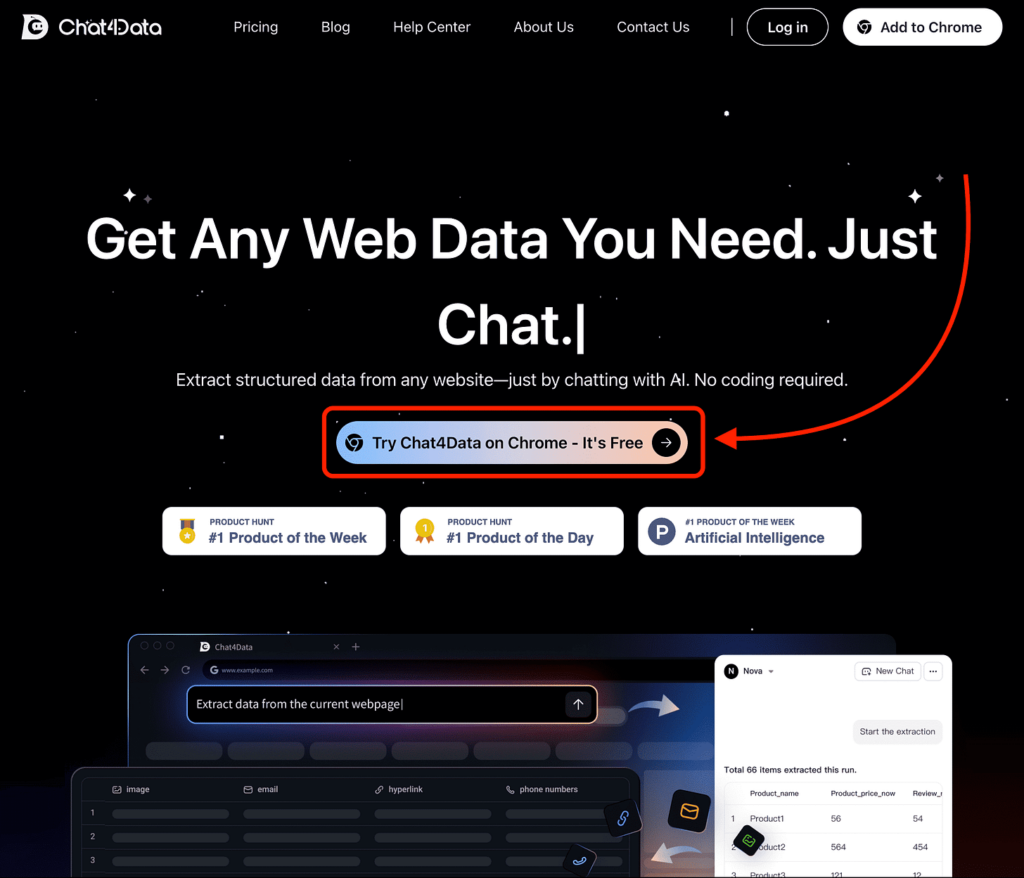
To get started, you simply visit their website, click the “Try Chat4Data on Chrome” button,
Then it will redirect you to their Chrome extension page, where you just need to click “Add to Chrome” and create your account.
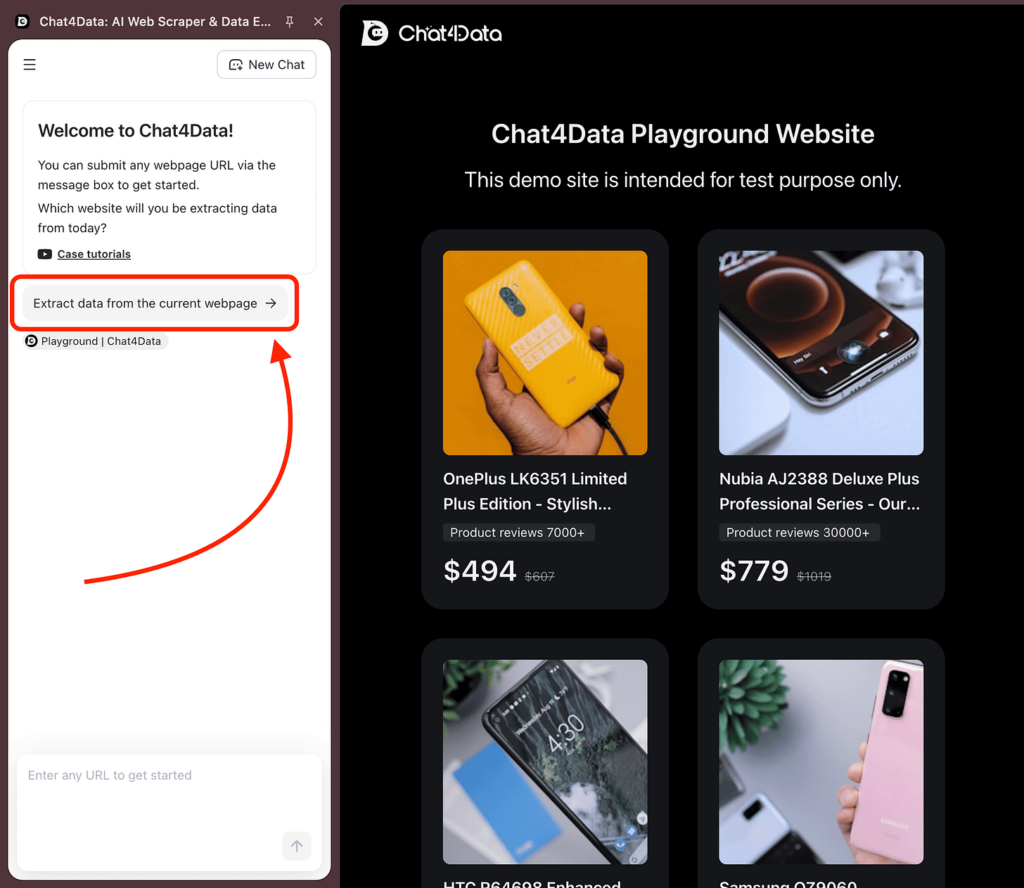
After that, you can use Chat4Data on any website, click the “Extract data from the current webpage” button, and then select the data you want to work with.
You can even type what you want to generate, and it will get the job done.
Talking about pricing, it provides 100 credits for free as new user bonus to get started, which lets you scrape multiple websites easily.
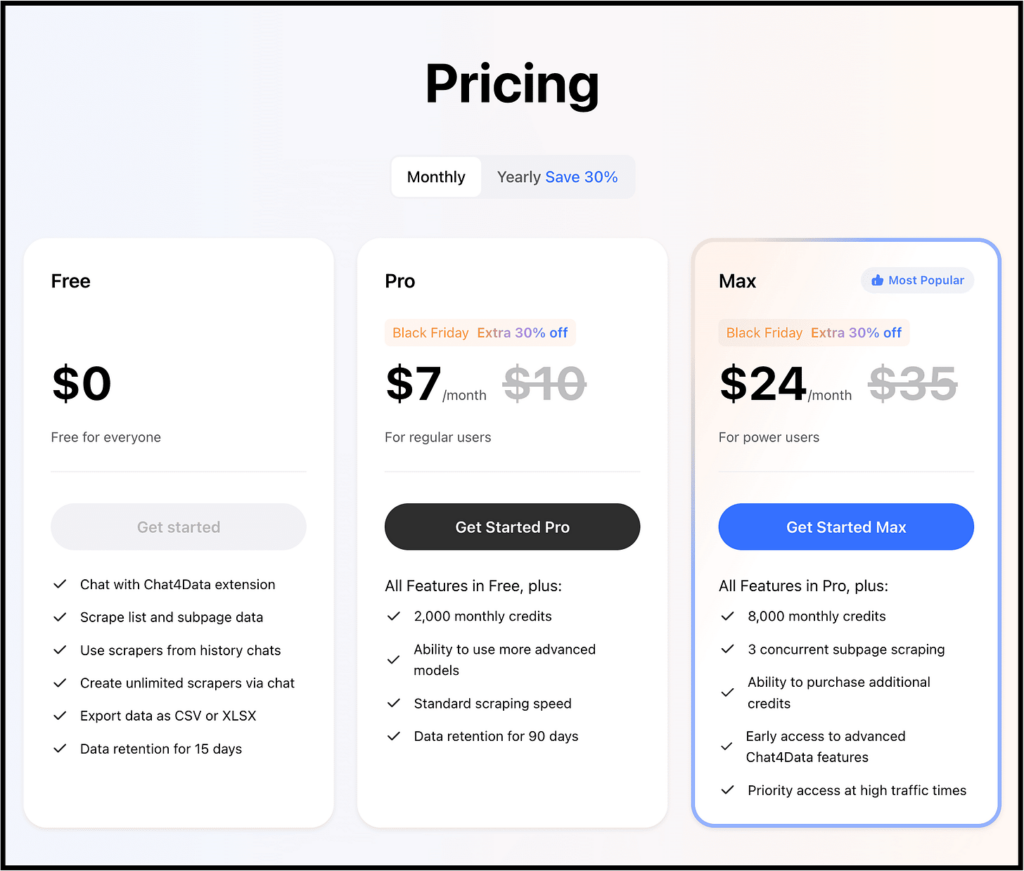
And if you want to scrape more data, you will need to upgrade to one of their paid plans as shown below.
To get started fast, here is a video providing us with complete step-by-step guide:
2. Web Scraper
When I was searching for the best scraper Chrome extension, this was the one recommended in almost every post.
Their website even claims to be the “#1 web scraping extension”.
I’m talking about Web Scraper, which lets you automate data extraction in just 20 minutes.
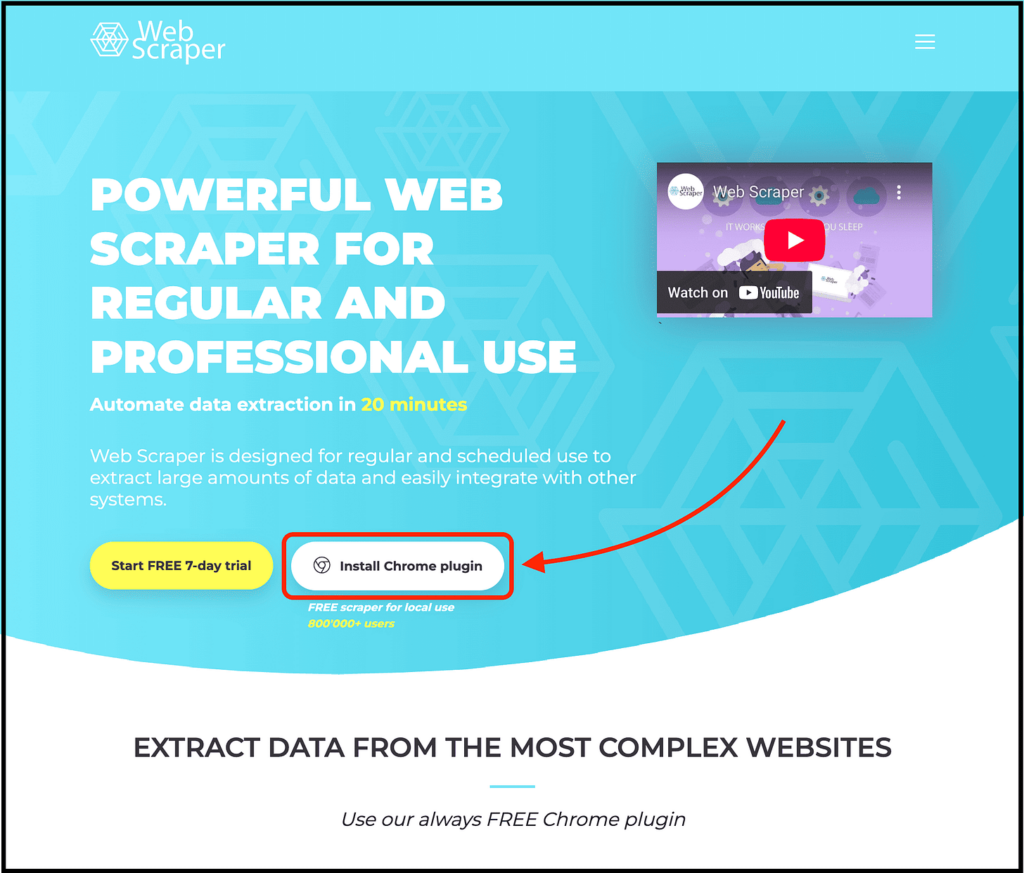
To get started, you simply visit their website and click the “Install Chrome Plugin” button.
Then you can visit websites like Amazon, open the Web Scraper Chrome extension, and scrape data by just pointing and clicking on the elements.
The best part is that Web Scraper is powerful enough to scrape complex, JavaScript-heavy sites. It also lets you build a sitemap, run crawlers, handle infinite scroll, and export everything into CSV, XLSX, or JSON.
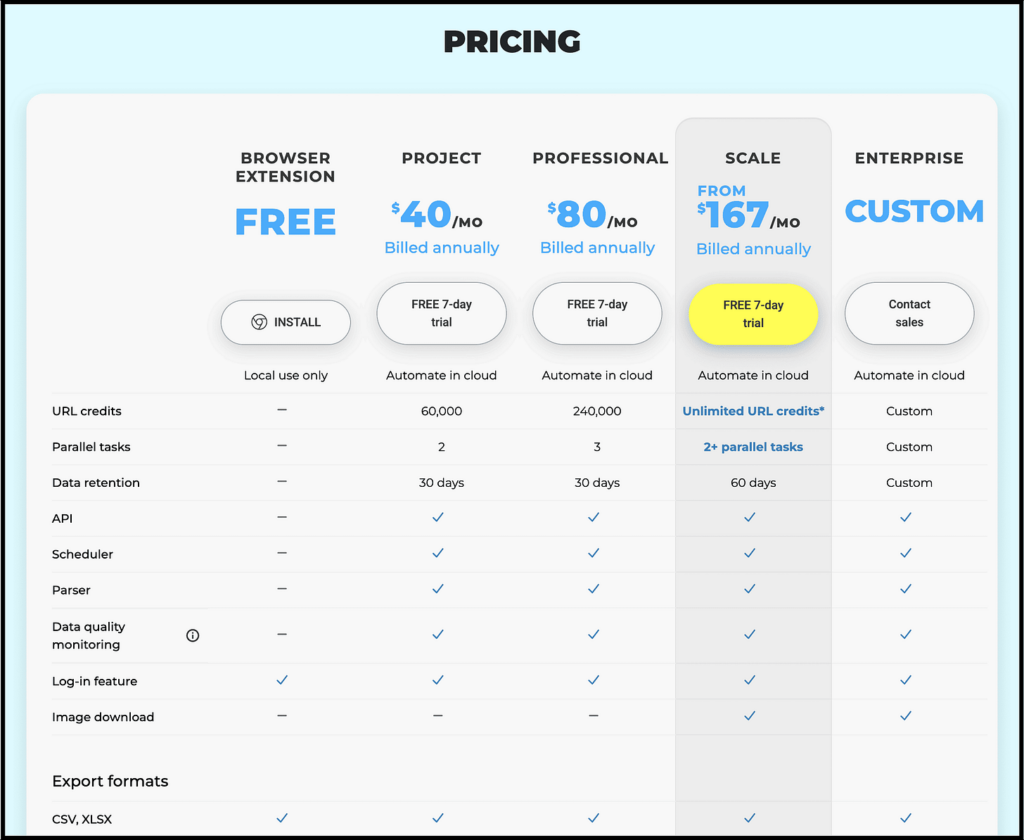
As for pricing, you can use the Chrome extension for free, and they also offer a 7-day free trial for the other plans.
3. Data Miner
Apart from the tool above, this is another one recommended by almost every blog post.
In short, if Web Scraper is an F1 car, you can think of Data Miner as Tesla.
Their website claims that it’s the most powerful web scraping tool for professional miners, and that you can scrape data with just one click.
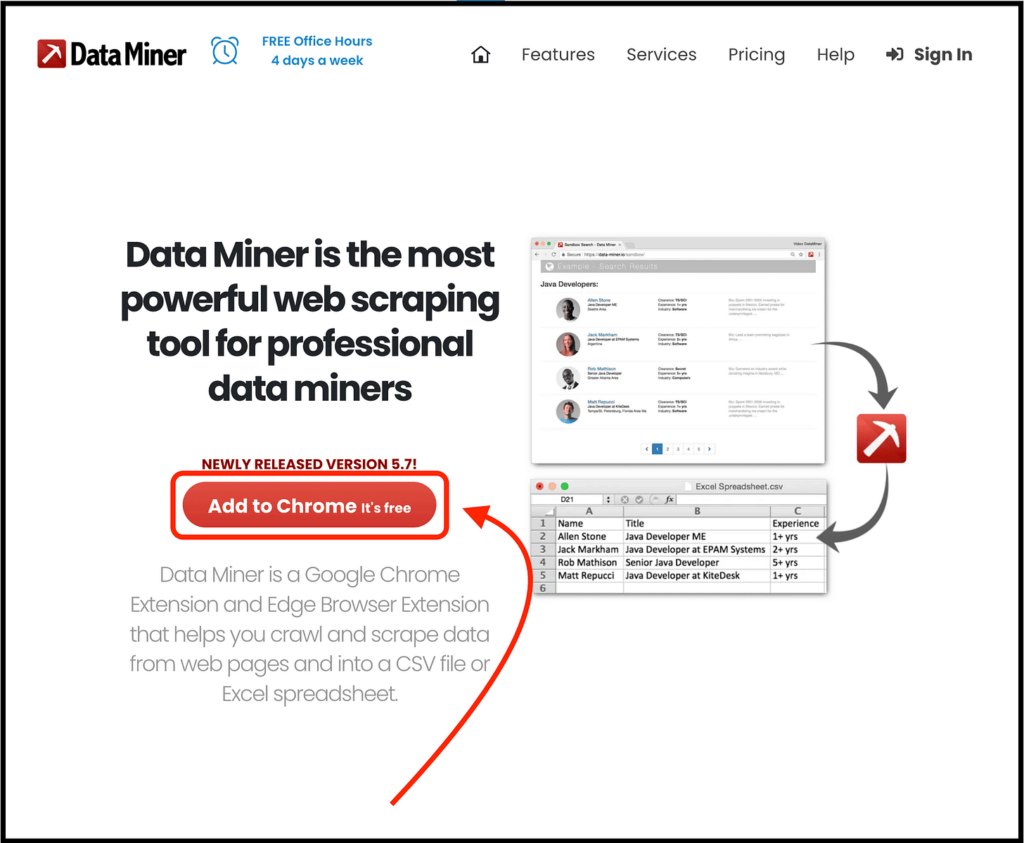
To get started, just visit the Data Miner website and click the “Add to Chrome” button.
Then install the Chrome extension, create your account, and open the website you want to scrape.
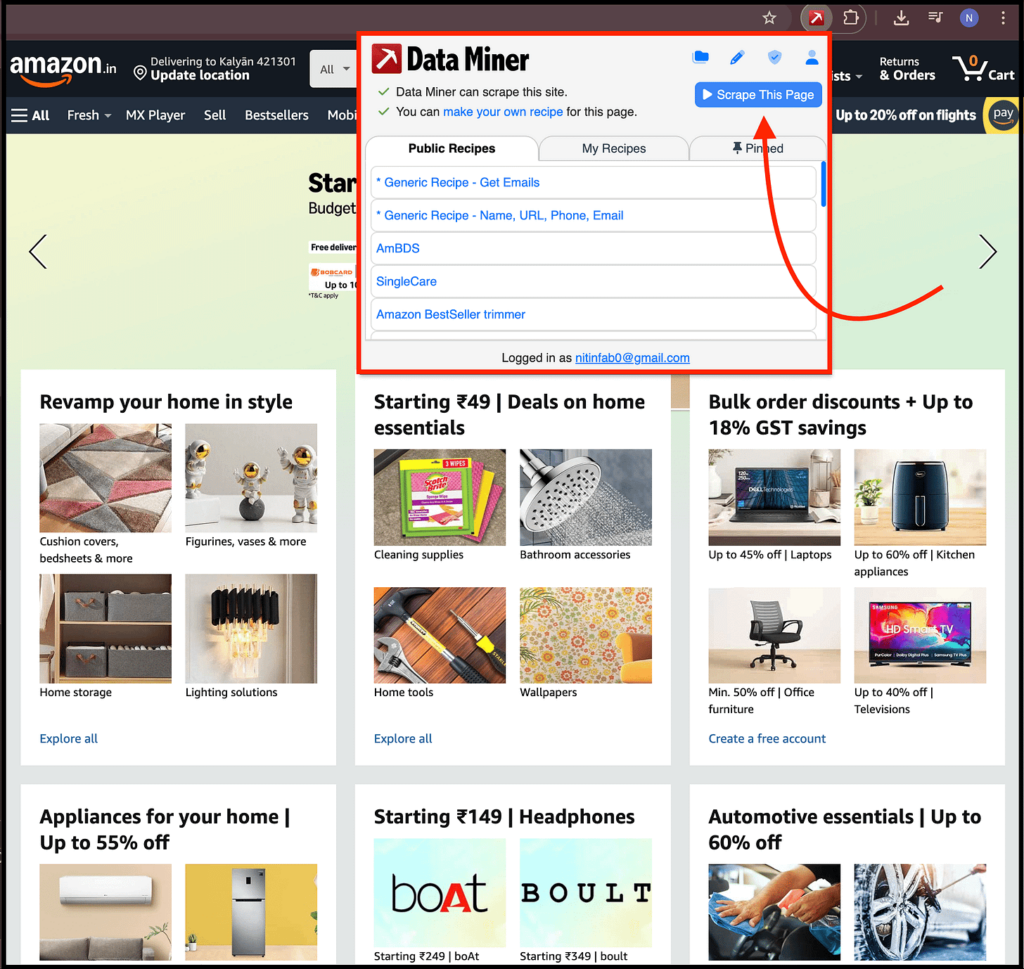
I visited the Amazon website and then opened the Data Miner Chrome extension to scrape the data.
As you can see, I can click the “Scrape This Page” button or select one of the public recipes to scrape the data, and more.
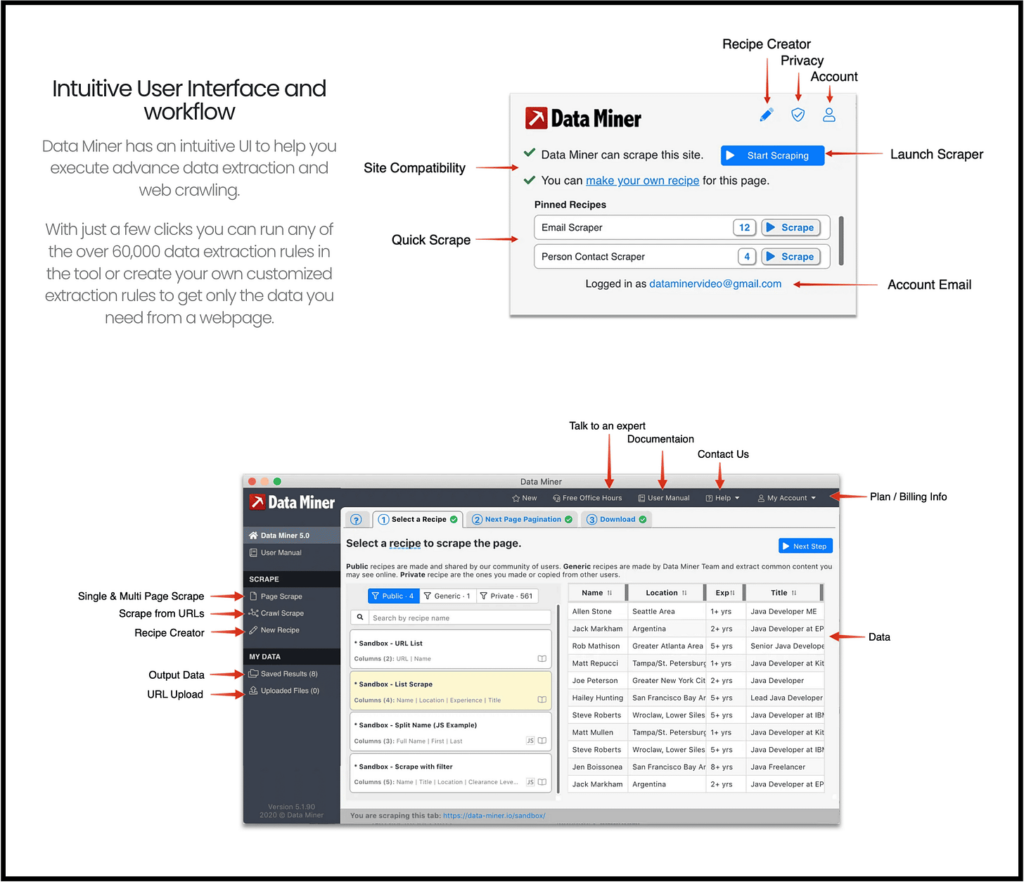
But Nitin, what about scraping data with a single click? Well, it provides more than 50,000 free pre-made queries built for over 15,000 popular websites, which lets you scrape data in one click.
As for pricing, it offers a starter plan for free, which lets you scrape 500 pages per month along with a number of features.
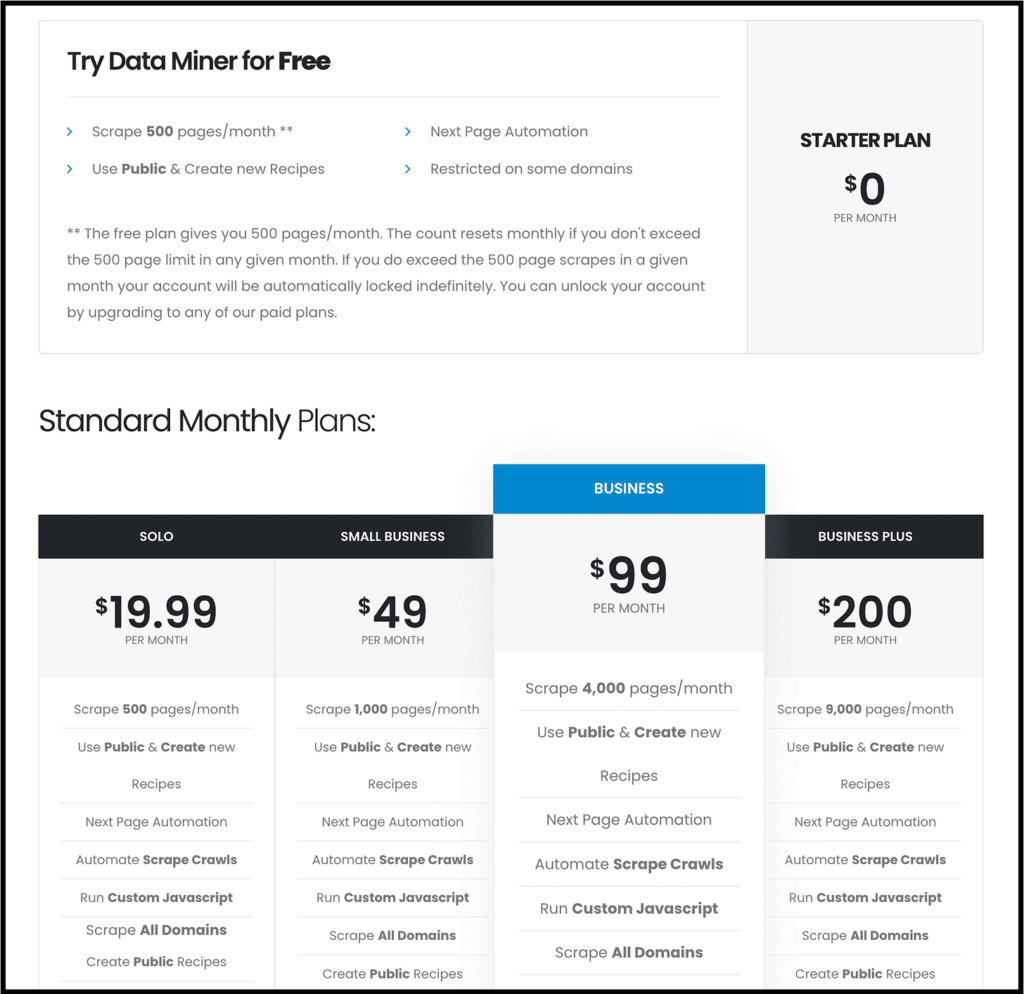
And if you want to scrape more or use additional features, you can upgrade to one of their paid plans.
4. Instant Data Scraper
This one is a little different from most of the scraper Chrome extensions we talked about in this post.
It doesn’t have a dedicated website for the Chrome extension, and it is built by the Web Robots team, but even then it is featured on the Chrome Web Store and used by more than one million users, which makes it worth including in this post.
I’m talking about Instant Data Scraper, and to download it you just need to visit its Chrome extension page and click the “Add to Chrome” button.
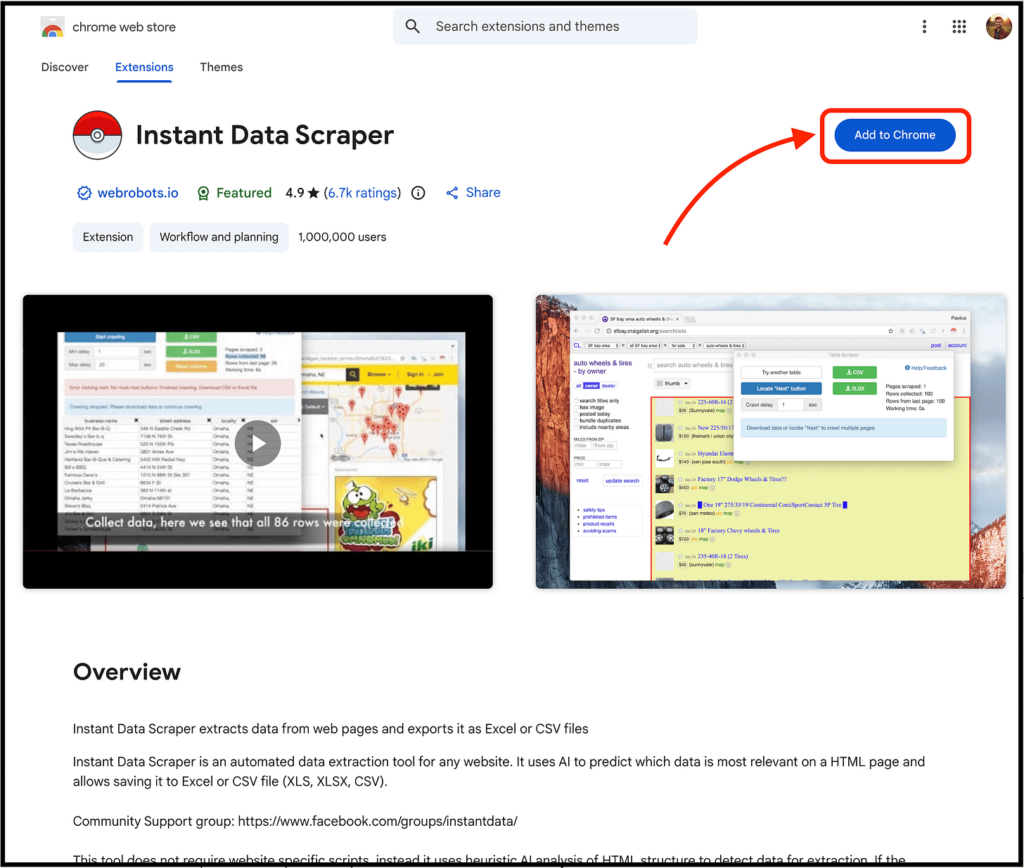
Then you can visit any website you want to scrape and simply open the Instant Data Scraper Chrome extension.
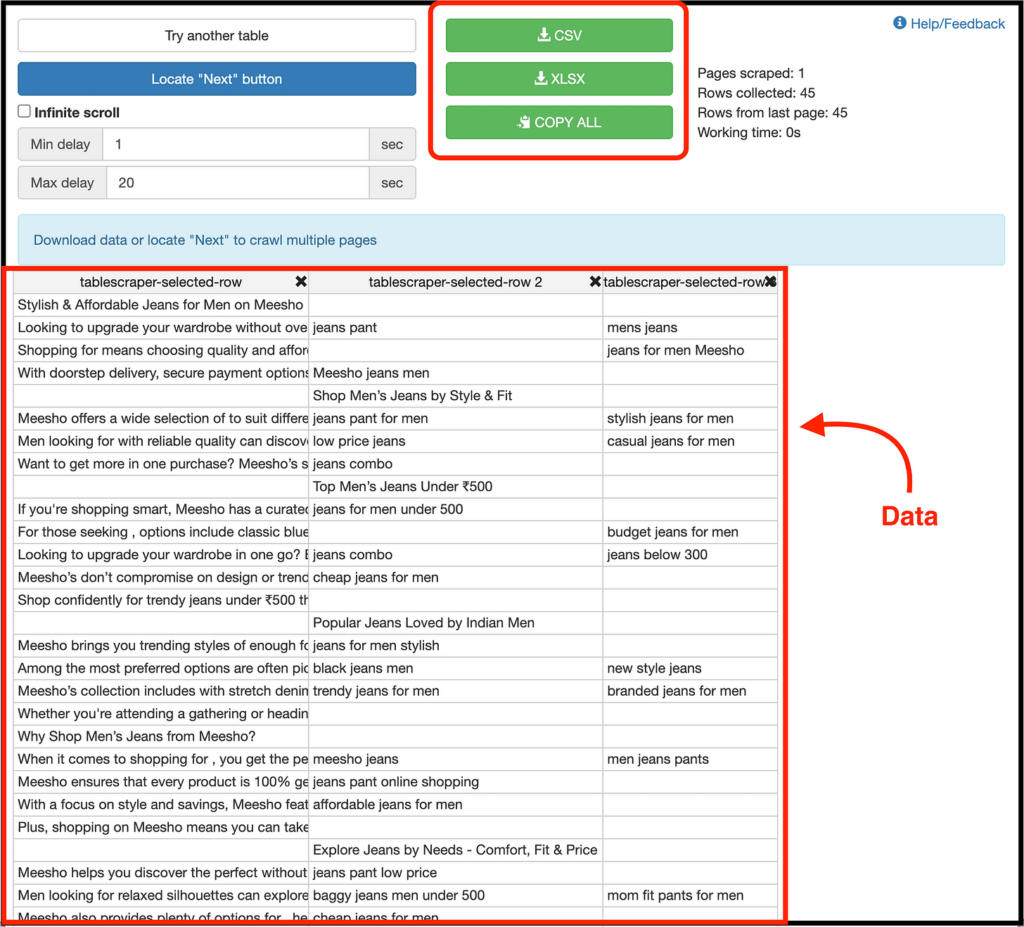
It uses AI to detect all the needed data and displays it as shown in the image above.
If you like the results, you can download the data in CSV or XLSX format, or copy it.
And yes, it supports pagination on websites, can automatically navigate to the next page, supports infinite scrolling, allows you to rename and filter columns, and more.
And the best part is that this scraper Chrome extension is completely free, so you don’t need to worry about pricing.
5. Listly
This is a scraper Chrome extension that most people don’t know about, but you should.
I’m talking about Listly, and the process to get started is actually the same as the above ones.
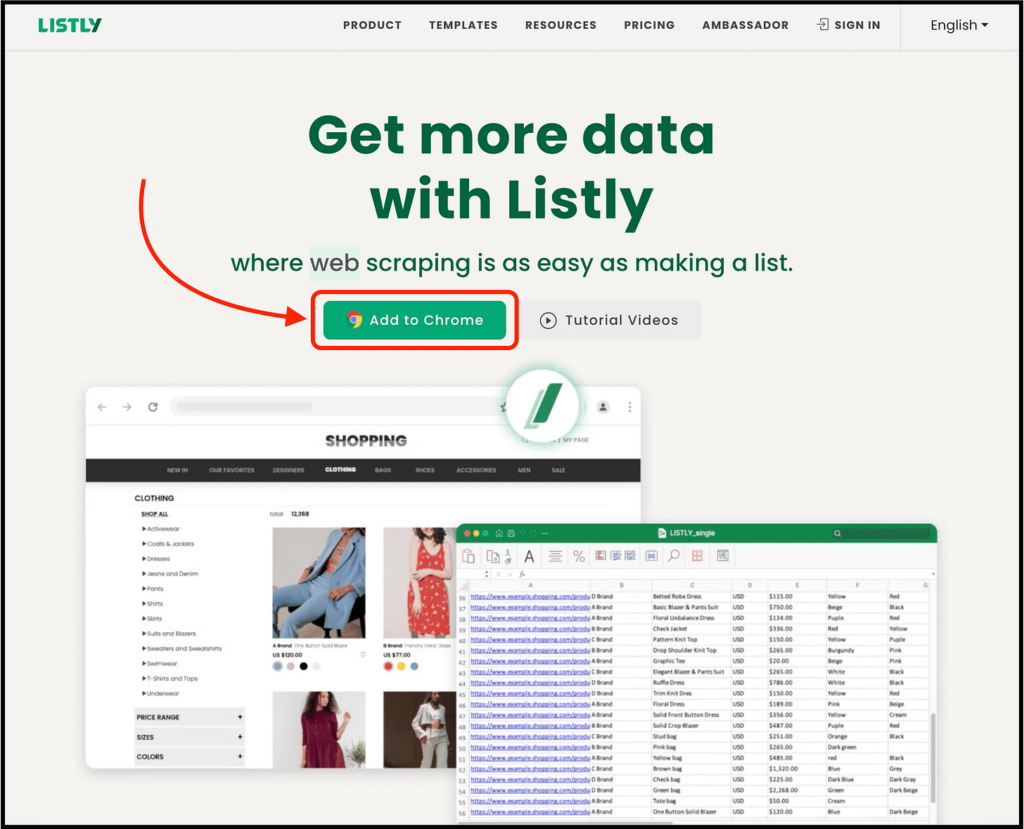
Simply visit their website, click the “Add to Chrome” button, and install the Chrome extension.
Then visit the website you want to scrape, open the Listly Chrome extension, and choose the “Listly Part” option to scrape specific data or “Listly Whole” to scrape all the data.
Here’s a simple tutorial to explain the complete process:
Talking about the features, you can use a proxy server to avoid getting blocked by websites, automate repetitive actions while scraping, automate scrolling to load more data, schedule your data extraction process, and more.
Now, for the pricing, it provides a free plan that lets you extract one page from ten different URLs along with other basic features.
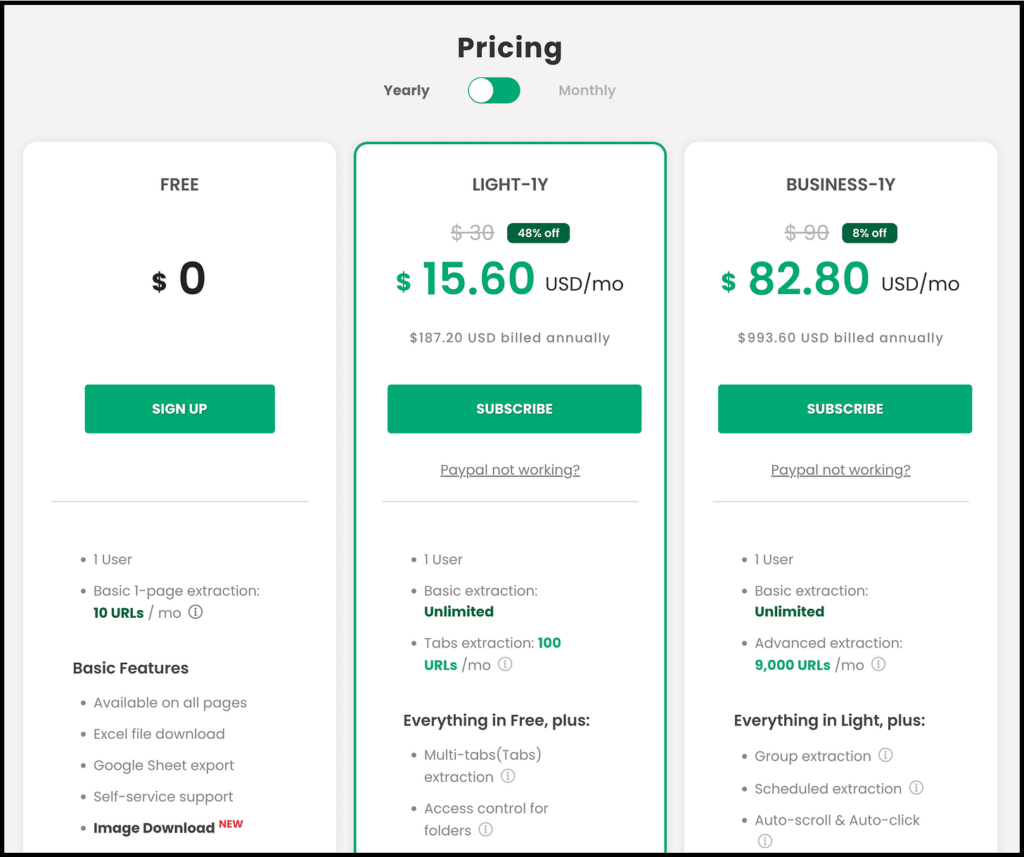
If you want to access more features or scrape more data, you will need to upgrade to one of their paid plans.
6. Thunderbit
This one was launched in 2024, and just like Chat4Data, it was also ranked as the #1 Product Hunt product of the day and the week.
I’m talking about Thunderbit, which lets you scrape any website in just two clicks.
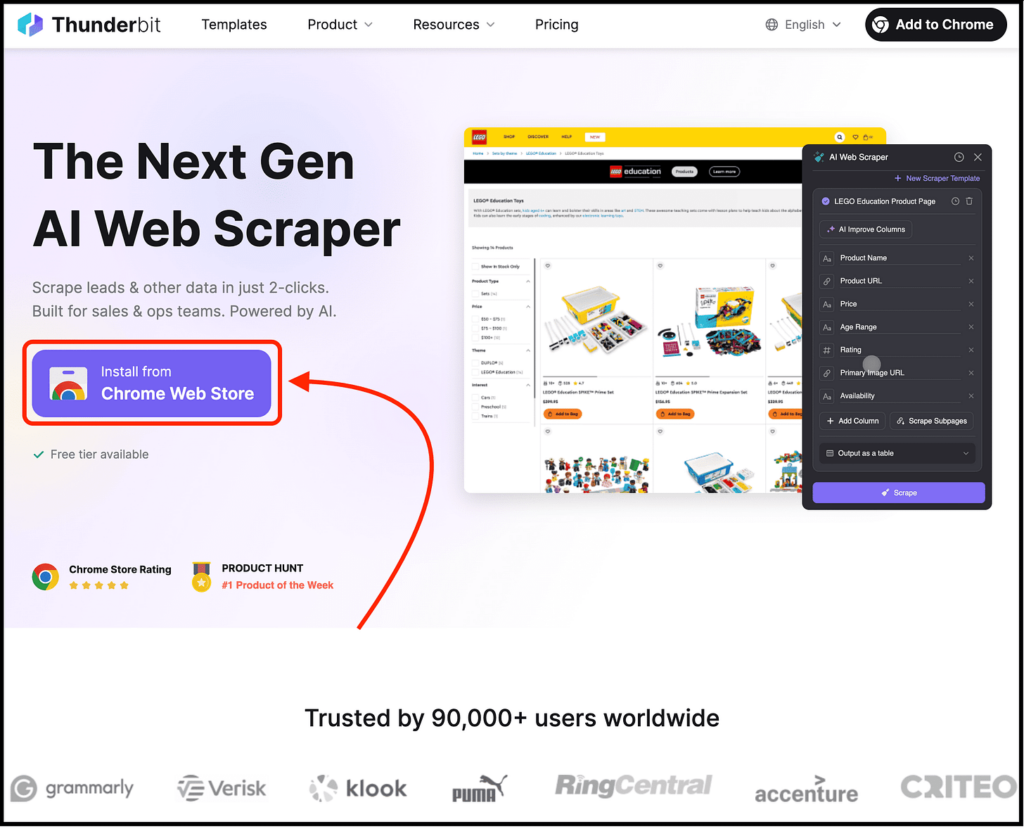
To get started, simply visit their website and click “Install from Chrome Web Store” to install the Thunderbit Chrome extension.
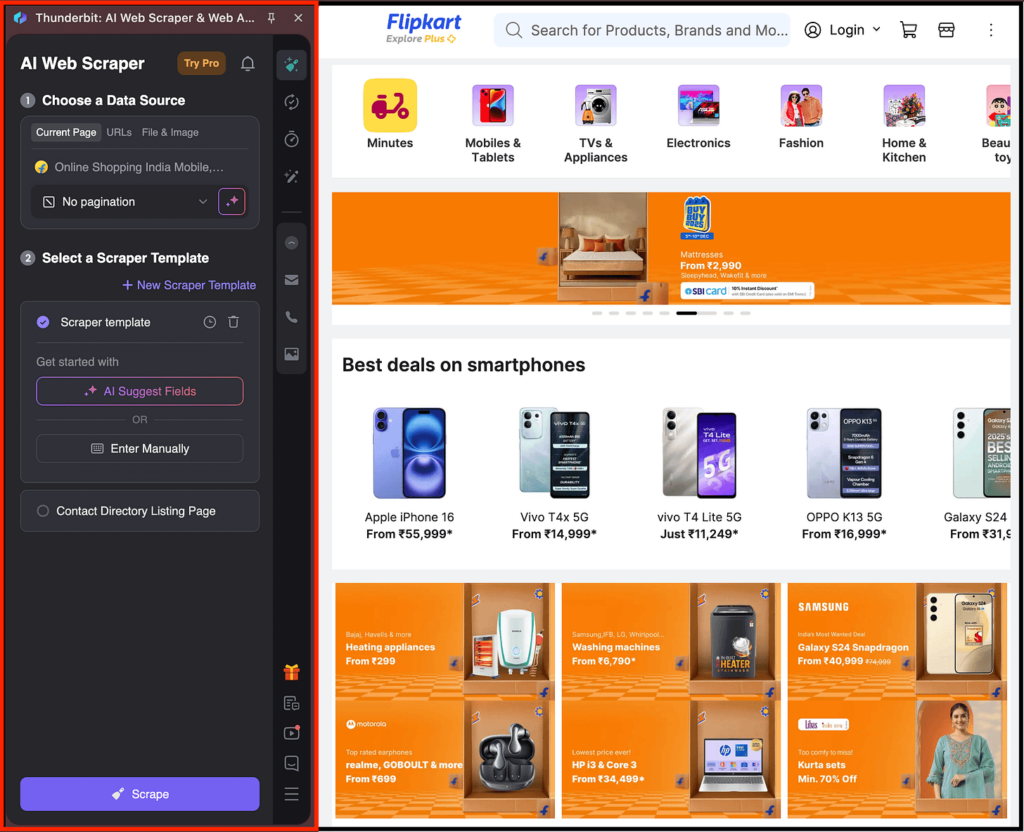
Then visit the website you want to scrape, open the Thunderbit extension, launch the scraper, click “AI Suggest Columns” or enter the fields manually, and then click the “Scrape” button.
Here’s a great tutorial video for you:
Talking about other features, you can use a number of pre-built templates for popular sites, summarize, categorize, or translate the output while scraping, and transfer data to Google Sheets, Notion, Airtable, and more.
As for pricing, you can get started for free and scrape data from up to six pages per month, and even export it in multiple formats.
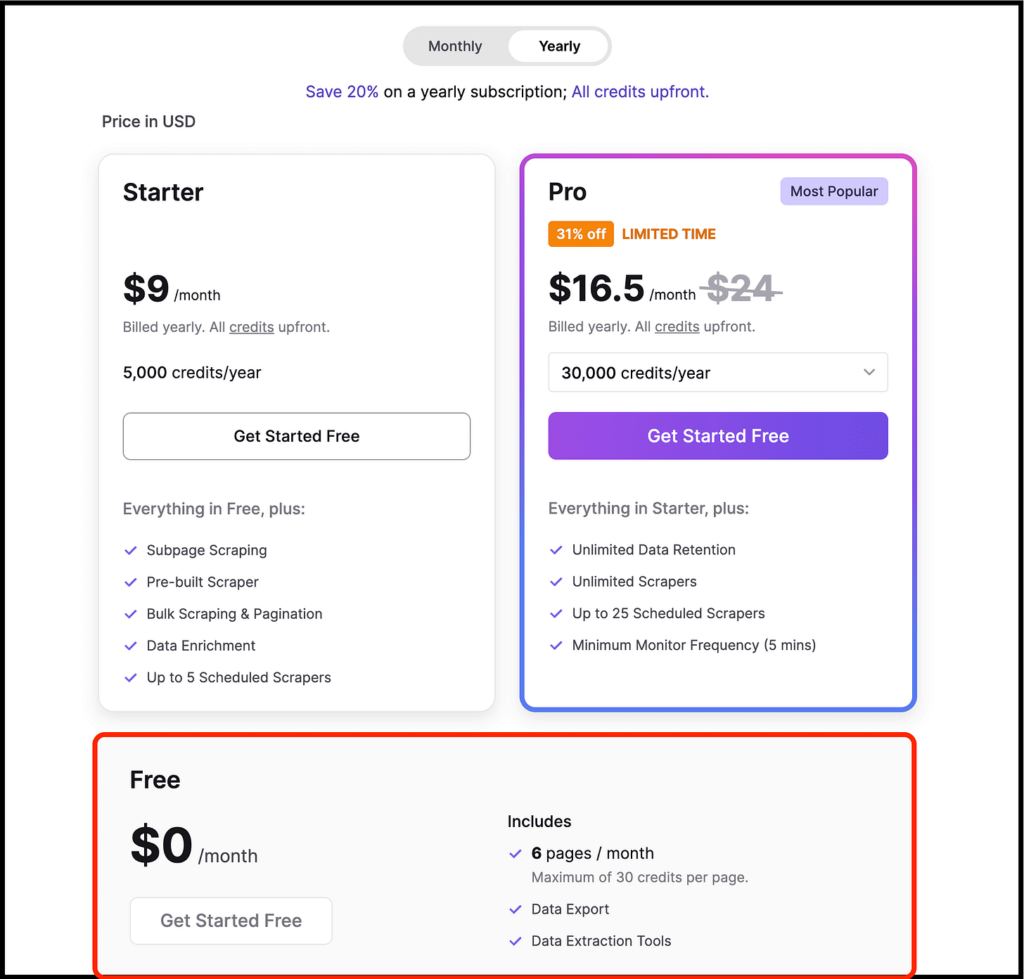
If you want more features or credits, you can choose one of their paid plans, which start at $9 per month (billed annually).
7. Simplescraper
True to its name, Simplescraper is another great scraper Chrome extension that is unbelievably clean and minimal.
And the best part is that you can extract data from any website in seconds.
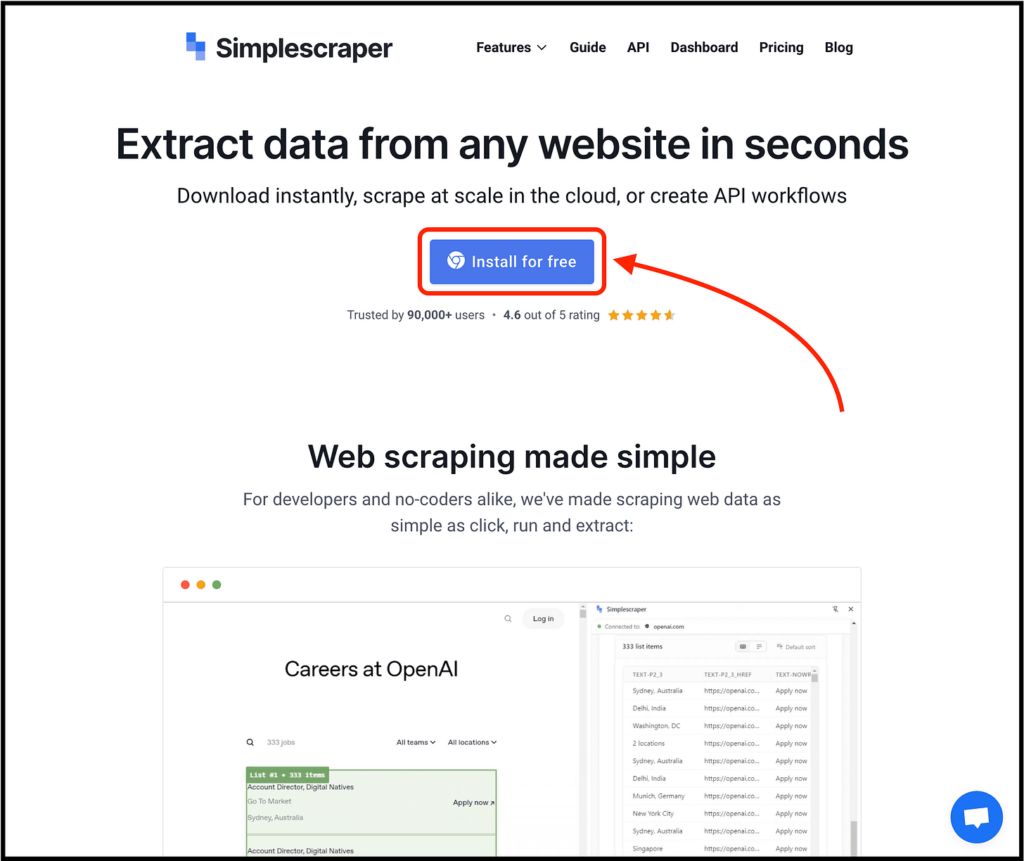
To get started, simply visit their website and click the “Install for free” button.
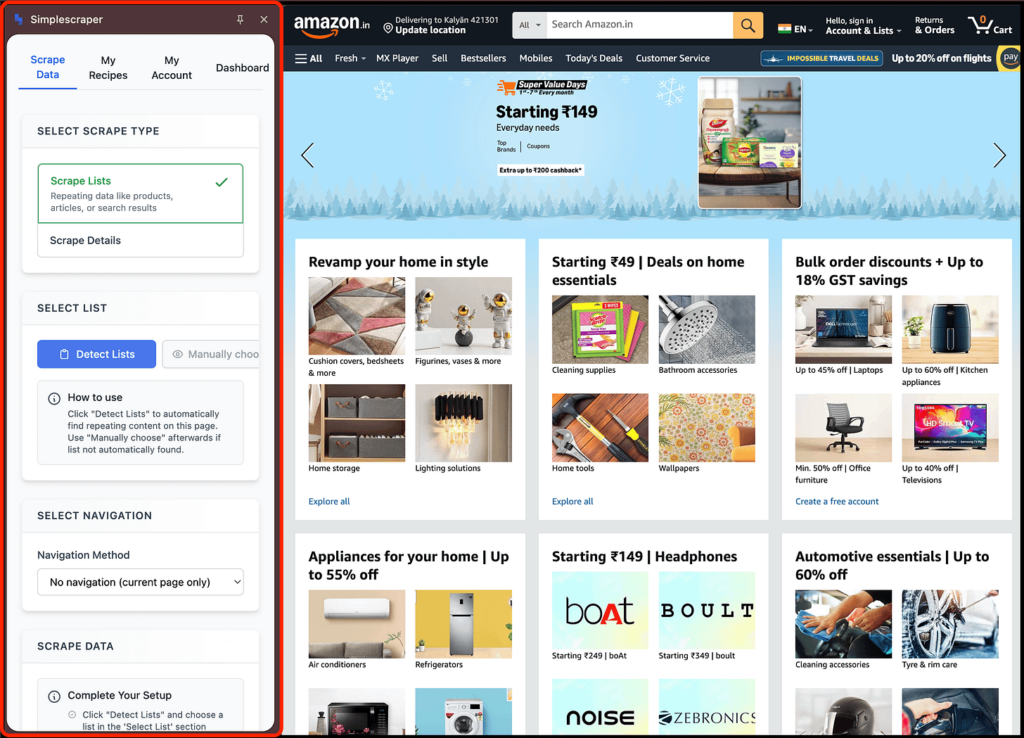
After installing, you can open the extension on any website and scrape details either by default or based on the data you need.
You can also automate the data extraction process through the dashboard, the API, or a custom schedule, and then push the data directly to your favorite web apps so it is available to work with instantly.
And as we know, Chat4Data lets you scrape data with natural language. The same feature is available here as well.
Talking about pricing, it is free to use in the browser and provides 100 free credits for automated scraping, as shown below.
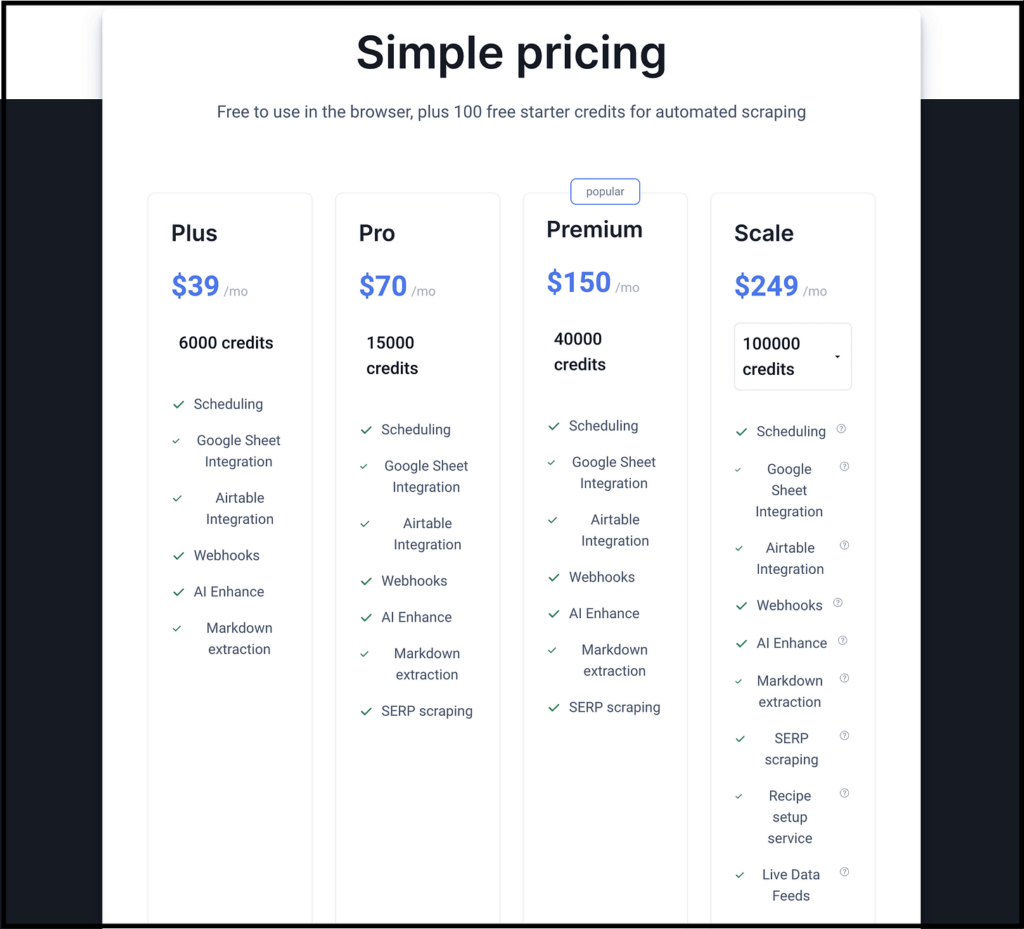
If you want more credits and features, you can upgrade to one of their paid plans as shown above.
Let’s Wrap Up
If there’s one thing I learned after testing 30+ scraper Chrome extensions, it’s this:
Scraping tools are not the same. They fall into clear categories, and once you understand these categories, choosing the right tool becomes surprisingly simple.
Here’s how to think about it:
- If you want to scrape without learning anything technical
→ Use Chat4Data or Thunderbit since they let you scrape data like you’re texting a friend with zero configuration, no sitemaps, no selectors, and just results. These are perfect if you hate tutorials, don’t want to waste time learning, and simply want outcomes.
- If you need complete control over what gets scraped
→ Go with Web Scraper or Simplescraper. These tools work well when the website structure is complex and you need precision like pagination, infinite scroll, or table-level detail.
- If you want one-click scraping for popular sites
→ Use Data Miner, since their pre-built “recipes” can become your cheat code. And if the website you’re targeting is already supported, you can finish your scraping work in seconds.
- If you need something lightweight, fast, and free
→ Instant Data Scraper and Listly are the no-nonsense options. They require no sign-up, no difficult onboarding, just click-and-go extraction. Perfect for small tasks you don’t want to overthink.
Once you understand this, you stop asking “What’s the best Chrome scraper?” because you already know that each one has specific use cases depending on what you need.
FAQs about Scraper Chrome Extension
1. Do scraper Chrome extensions work on all websites?
→ Well, it depends on how the website is built.
Static websites are easy enough to scrape but the moment you land on a site powered by JavaScript, infinite scroll, or dynamic content loaded through APIs, most scrapers panic and die.
That’s why many extensions crash or extract not so important data that’s as useful as a toaster without electricity. Tools like Web Scraper, Thunderbit, and Simplescraper handle these complex sites better, which is exactly why they made it to this list.
2. Can scraper Chrome extensions replace full-fledged web scraping tools like Puppeteer, BeautifulSoup, or Scrapy?
→ No, but they come surprisingly close for 80 percent of use cases.
If you’re scraping millions of pages, bypassing firewalls, simulating human behavior, rendering JavaScript-heavy content at scale, or orchestrating multiple crawling workflows, you still need real scraping frameworks.
But if your scraping needs include things like competitor pricing checks, extracting Amazon product details, pulling job listings, scraping LinkedIn leads, and more, then a scraper Chrome extension can get the job done.
3. Is web scraping legal, or will I get into trouble for using these tools?
→ Web scraping is something almost everyone online does, but nobody really talks about it. And the funny part is, it’s not illegal by default, it only becomes a problem when you cross certain lines.
Here’s how it actually works:
- Scraping public data is generally okay. If the information is openly available on the internet, you can usually collect it.
- Scraping pages that need login access is a grey area. Some companies allow it, some don’t. It depends on the terms of service.
- Automated scraping that puts heavy load on a website or bypasses security can get you into trouble. Websites don’t like it when bots behave like hackers.
Look at OpenAI, they are scraping huge parts of the internet, and nobody is stopping them. But if you scrape content that’s behind a paywall, copy someone’s private database, or ignore robots.txt, you’re asking for legal problems.
4. Why do most scraper Chrome extensions fail on big or dynamic websites?
→ Because they were built for a simpler web, and modern websites are not plain HTML anymore.
They use:
- Infinite scrolling
- Heavy JavaScript
- APIs instead of direct HTML
- Dynamic components
- Lazy-loaded sections
And most scraper Chrome extensions don’t understand any of this. They freeze, break, or return useless data the moment JavaScript shows up.
The tools I listed above actually handle pagination, infinite scroll, dynamic elements, and API data properly. That’s why they work, and most others don’t.
 Try AI Web Scraper