
Let’s be honest, everyone wants to scrape high-quality data from the internet.
But traditional web scraping methods are tedious, complex, generate raw data, and are mostly limited to developers.
Now, thanks to AI, you can build your own LLM-powered web scraper, try some of the best scraper Chrome extensions, and use powerful AI web crawlers that feed clean, structured data directly into LLMs, custom AI models, and more.
Yet most people still have no idea which tool to choose and keep asking, “What’s the best AI website crawler for LLMs?”
If you’re one of them, you probably want clean, structured data and want something that works on real-world websites without any tedious work.
That’s exactly what I focused on while writing this post, where I share the best website crawlers for LLMs after testing 20+ popular options.
But first, let’s understand the difference between a web crawler and a web scraper.
What’s the Difference Between a Web Crawler and a Web Scraper for LLMs?
Most people use “web crawler” and “web scraper” interchangeably but they’re two distinct tools that work together. Here’s why the difference matters for your LLM workflow.
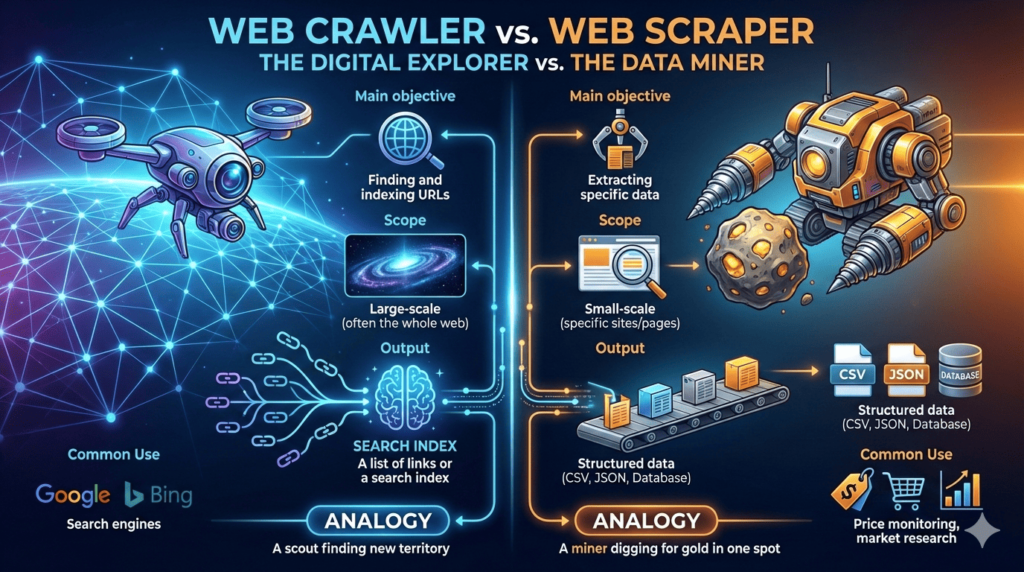
To keep it simple, a web crawler finds pages, and a web scraper extracts data from those pages.
Think of it like this: a web crawler finds the books in a library, while a web scraper reads the specific chapters you need and takes notes.
Here are the key differences at a glance:
If you want to go deeper, read this detailed guide on web crawling vs. web scraping.
Now let’s look at the best website crawlers for LLMs you can use to feed clean, structured data into your LLM pipelines today.
1. Chat4Data – Best No-Code AI Crawler for LLMs
If you want the fastest and easiest way to crawl and scrape data, start with this one.
I’m talking about Chat4Data. It’s built around one simple idea: extract structured, LLM-ready data from any website just by chatting with AI.
But how does it work?
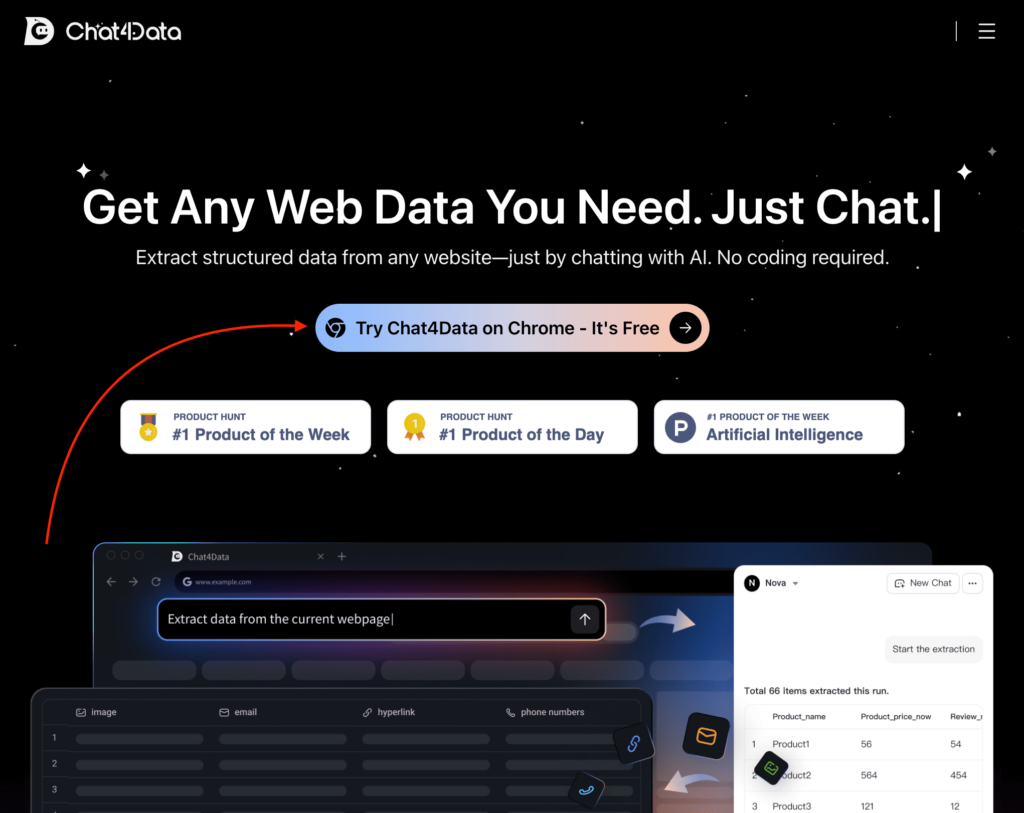
Simply visit their website and click the “Try Chat4Data on Chrome” button to install the Chrome extension.
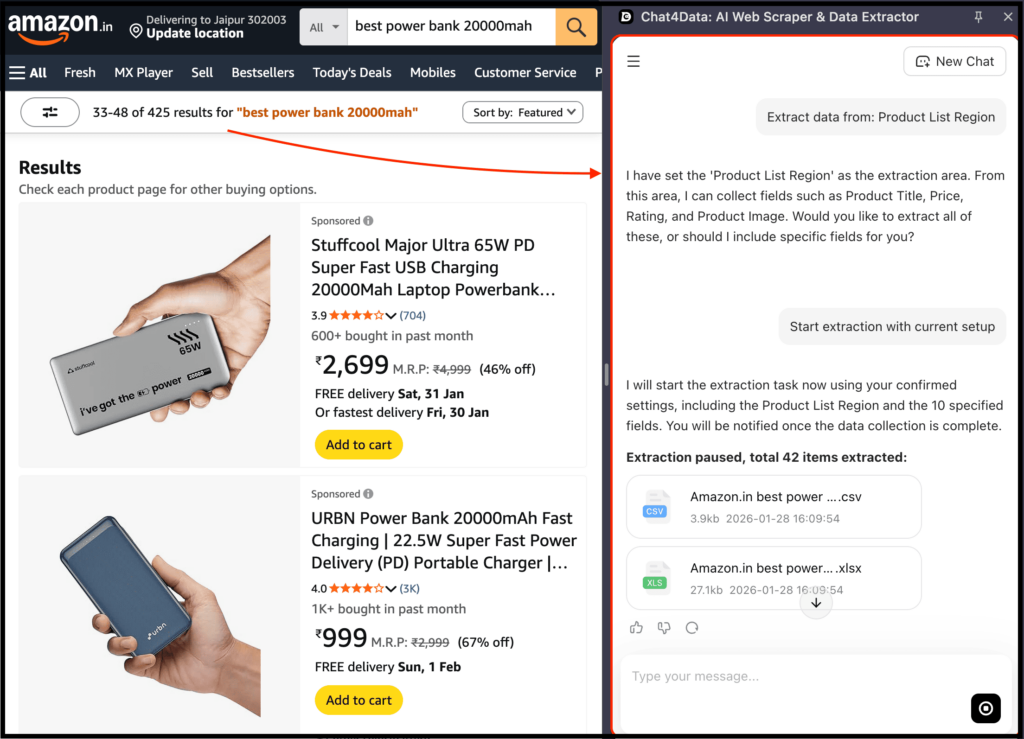
After that, go to the website you want to crawl, open the extension, and describe in plain English what you want to crawl and scrape.
The best part? Chat4Data automatically handles pagination and site navigation, crawling every page and subpage to extract complete datasets for you.
For LLM data and workflows, this is huge. It’s especially useful when:
- you’re exploring new data sources
- you don’t know upfront which fields matter
- you want results in minutes, not hours
Here, you can get started for free and try most of the features with 100 credits upon registration.
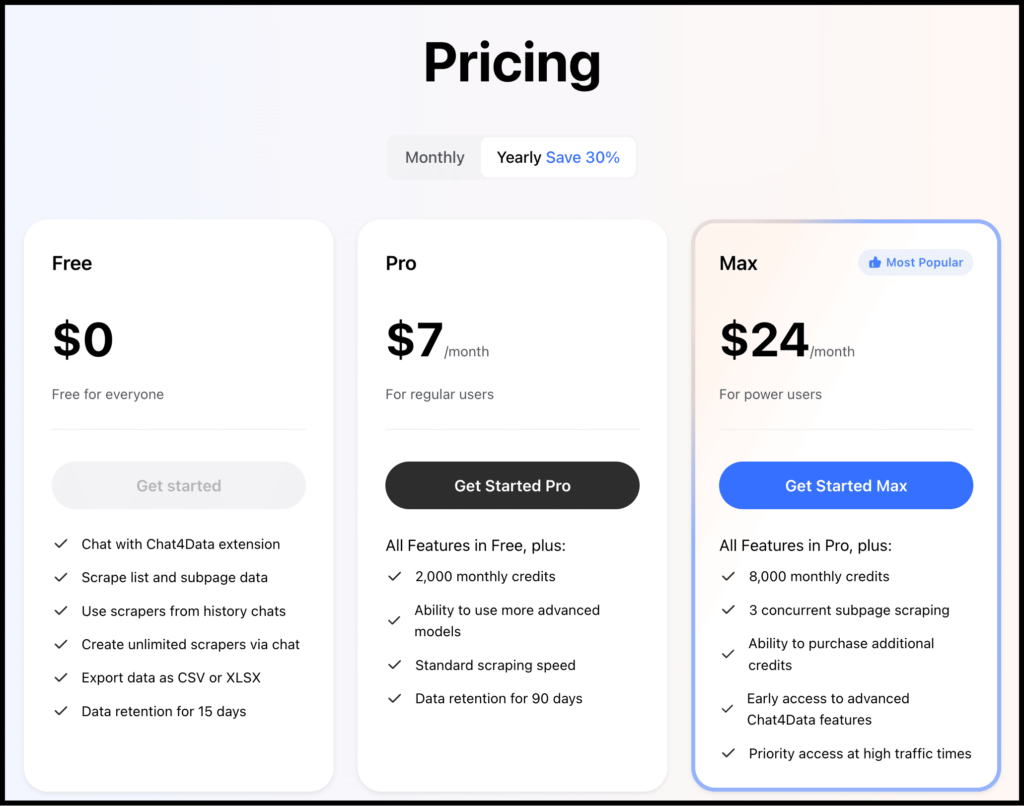
So when should you use it? Chat4Data is perfect if you want to:
- get clean, structured context from any website by simply chatting and feeding it into an LLM
- build LLM-powered search, chat, or analysis tools
- avoid manually preprocessing scraped content
P.S. If your LLM outputs feel vague and you need better data using the simplest possible process, this is usually the missing piece.
2. Firecrawl – Best Developer API for Production RAG Pipelines
This is the gold standard for crawling websites to get LLM-ready data, especially if you’re a developer.
I’m talking about Firecrawl. It crawls entire websites, handles JavaScript-heavy pages, and outputs data in LLM-friendly formats.
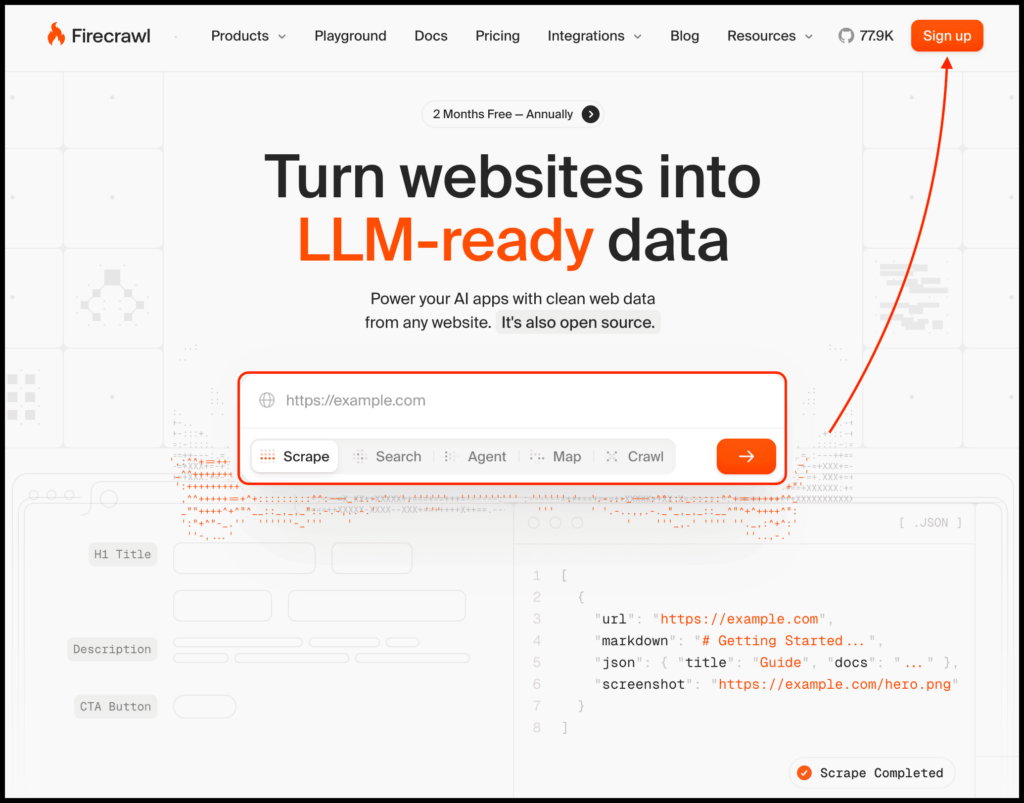
All you need to do is provide a specific URL to scrape data, or use its agent to describe what you want to extract, and it takes care of the rest.
It also offers multiple API endpoints to deliver clean, structured data directly to your LLM workflows.
At its core, Firecrawl is built for developers. So if you’re not a developer, this may not be the right tool for you.
You should use it when:
- you’re dealing with entire websites, not just single pages
- you need structured, LLM-ready data
- you’re plugging data directly into tools like LangChain or LlamaIndex
Because of this, Firecrawl has several practical applications, such as scraping data to build an AI chatbot trained on your company website, creating a custom GPT backed by live web content, and more.
This aligns with how RAG is evolving in practice: newer multi‑source RAG systems that combine structured evidence from several data stores report substantial drops in hallucination rates and higher answer precision compared to naive retrieval setups.
When it comes to pricing, you can get started for free with 500 credits, allowing you to scrape up to 500 pages and try out most of its features.
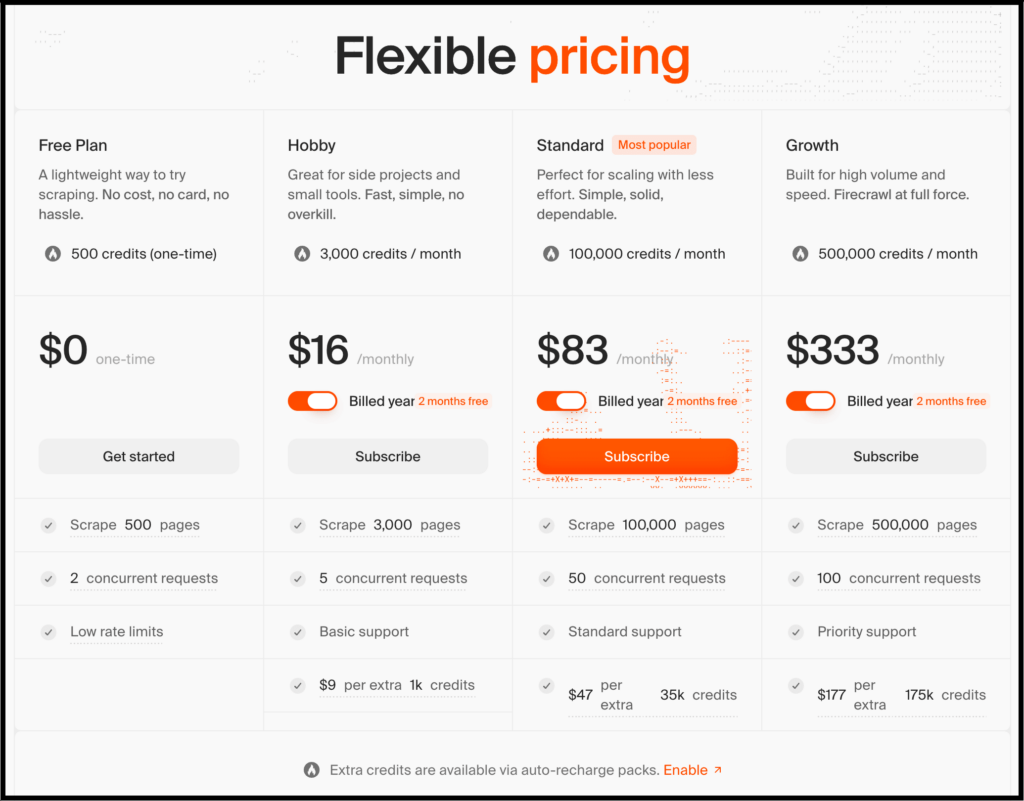
So when should you use it? Firecrawl is perfect if:
- you’re serious about production use
- you need repeatable and reliable crawling
- you don’t want to hack together scripts that break every week
To put it simply: if Chat4Data is about speed and simplicity, Firecrawl is infrastructure.
3. Crawl4AI – Best Open-Source Python Crawler for Custom AI Pipelines
With 51,000+ GitHub stars, Crawl4AI is the most-starred open-source web crawler on GitHub — and unlike most tools on this list, it costs nothing.
I’m talking about Crawl4AI, and this isn’t a tool you casually try on a Sunday afternoon.
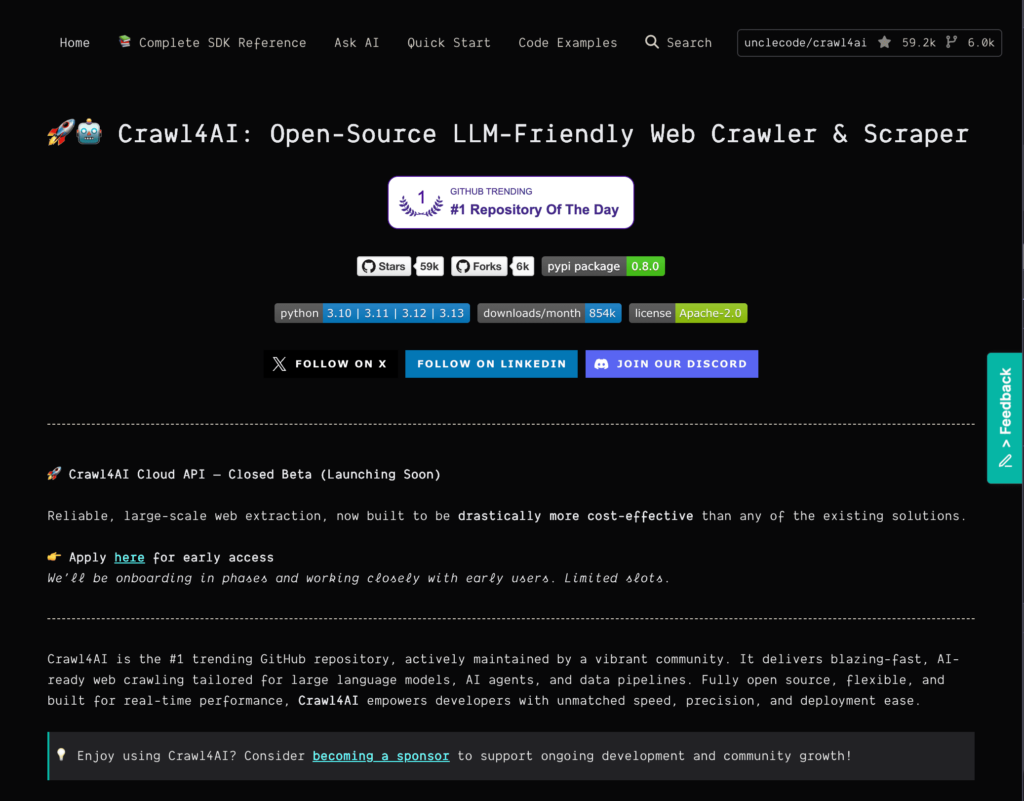
It’s mainly for developers who want full control and are ready to take full responsibility. It’s open-source, fast, and offers advanced browser control.
Here’s what it offers:
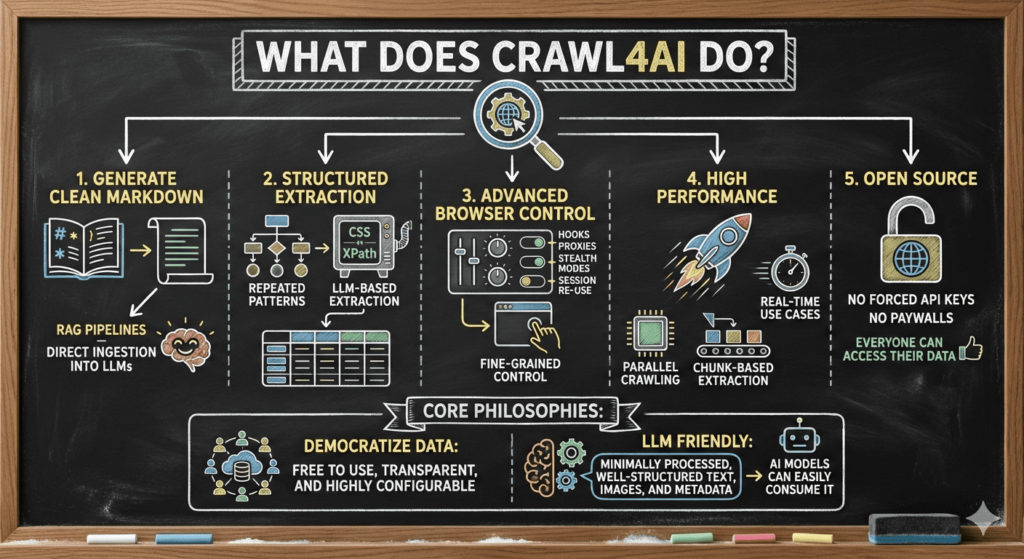
So if you’re a developer, Crawl4AI gives you fine-grained crawling control, speed-optimized pipelines, and data that’s easy to shape for AI workloads.
Because of that, it’s well suited for large-scale crawling projects, custom AI pipelines, and research or internal tooling where flexibility matters more than UX.
When it comes to pricing, Crawl4AI is simply a Python library hosted on GitHub, so it’s completely free to use.
When should you use it? Use Crawl4AI if:
- you’re comfortable with Python
- you want to customize everything
- you’re building something long-term, not just a demo
4. Browse AI – Best No-Code Robot Crawler for Recurring Data Feeds
Here, you can crawl and scrape data using a simple point-and-click interface with the help of a robot.
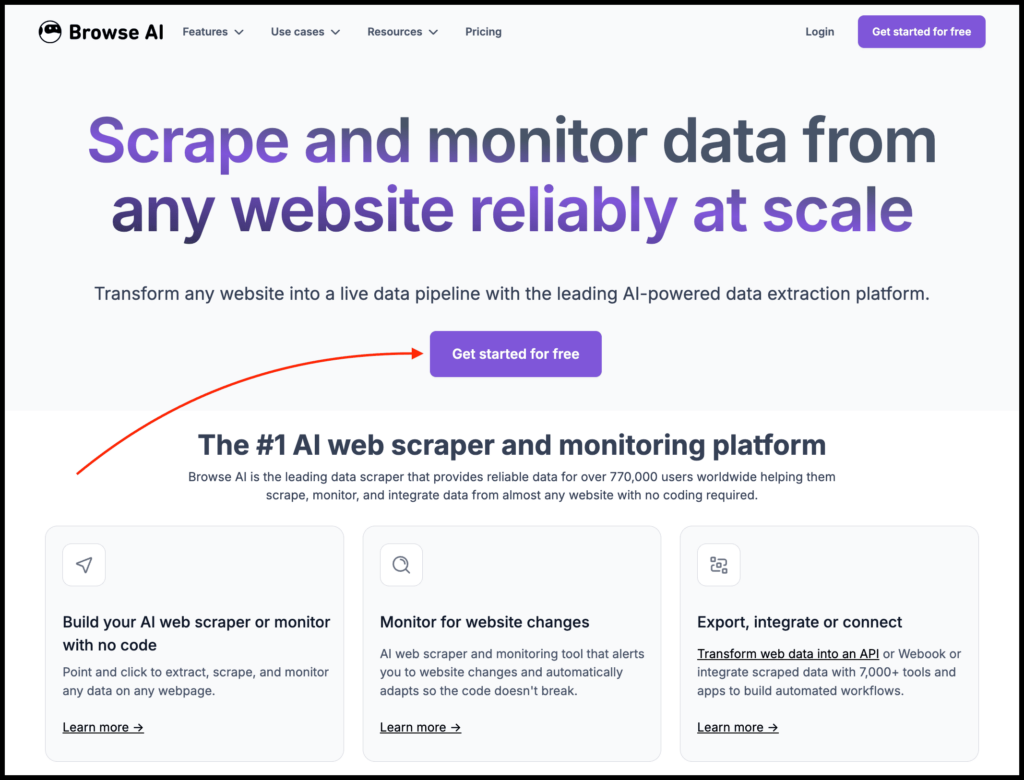
I’m talking about Browse AI, which claims to be the #1 web scraping and monitoring platform.
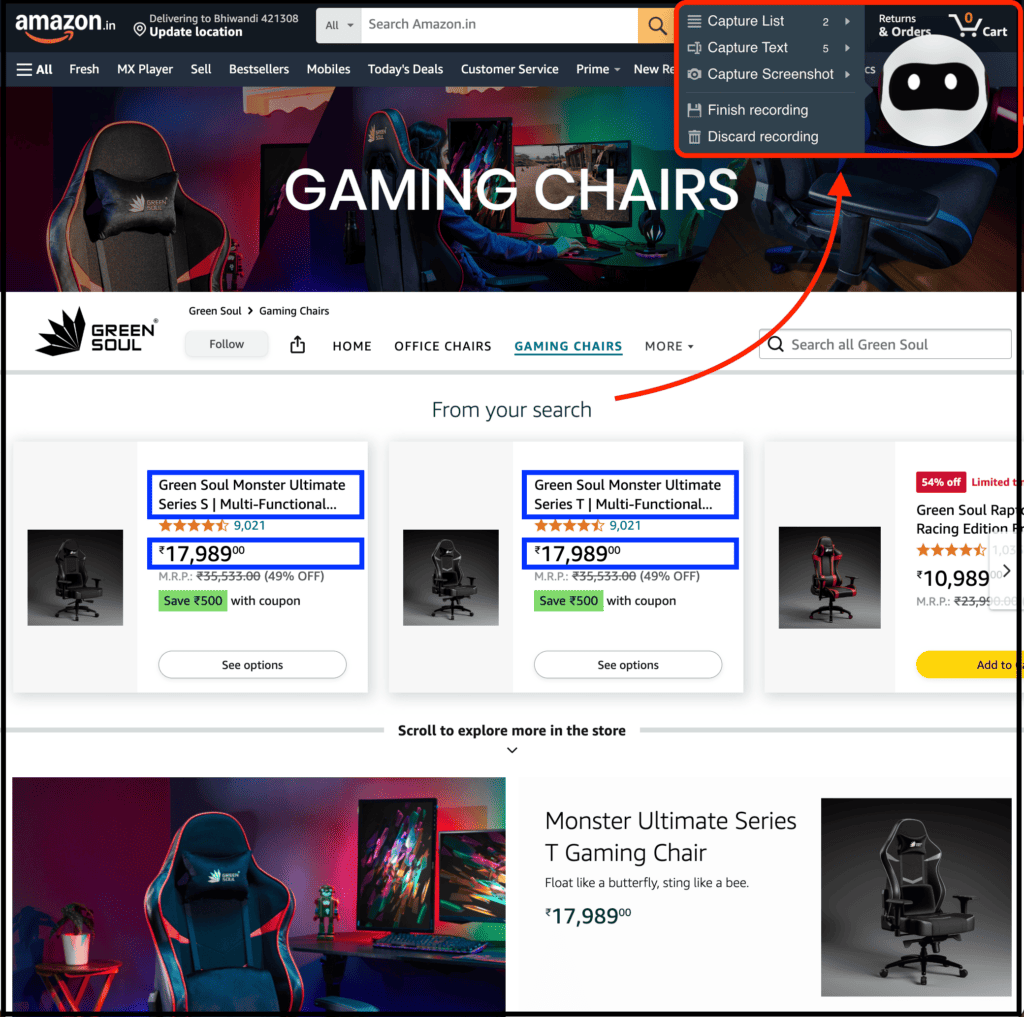
To try it out, you just need to open a website after installing their Chrome extension, select the elements you want, and train a robot by clicking on them once.
After that, it reliably repeats the extraction, handles pagination, infinite scroll, logins, and keeps the data structure consistent across runs.
If you work with LLMs, you already know that consistency matters more than most people realize.
That’s where Browse AI fits perfectly, especially if you want recurring, structured data, don’t want to build a crawler from scratch, and plan to feed results into an LLM on a regular basis.
When it comes to pricing, you can get started for free and receive 50 credits every month.
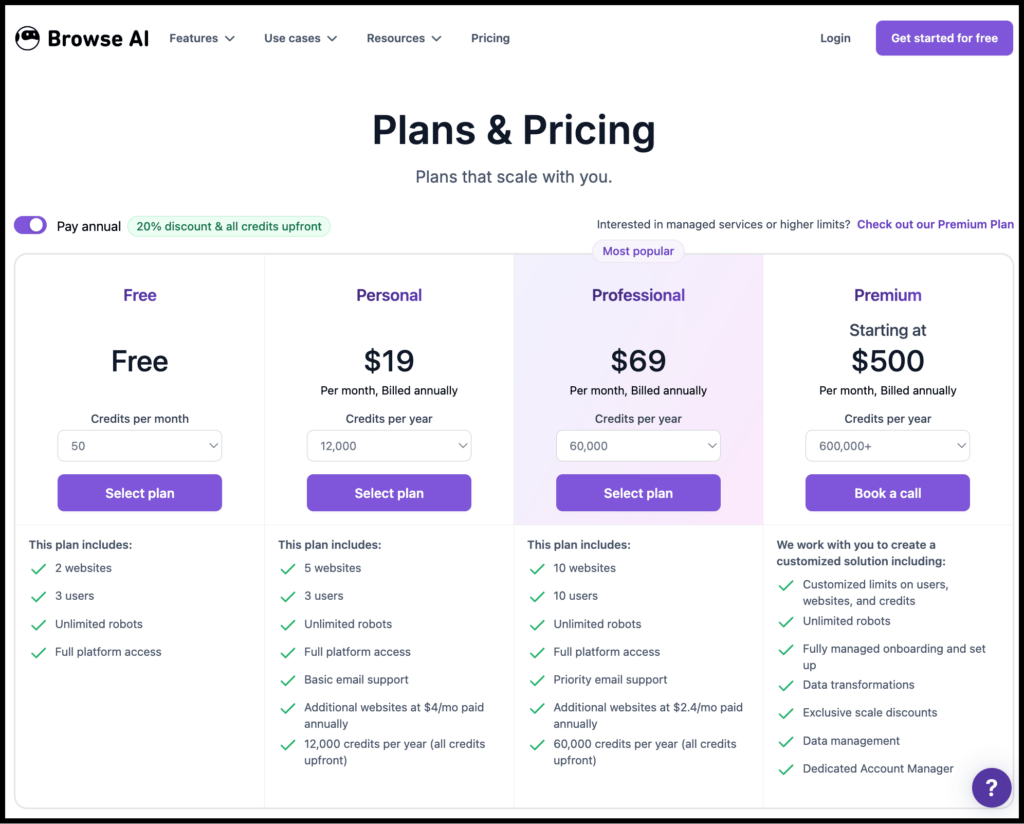
Use Browse AI if:
- you’re non-technical or semi-technical and want more integrations
- you value reliability over flexibility
- you’re okay trading deep customization for speed
5. Thunderbit – Best AI Chrome Extension for Conversational Web Scraping
Thunderbit is one of the most widely adopted AI scrapers in this list, with 100,000+ users and a 4.3 Chrome Web Store rating.
Like Chat4Data, it works through natural language — you describe what you want, and the AI identifies and extracts the relevant fields.
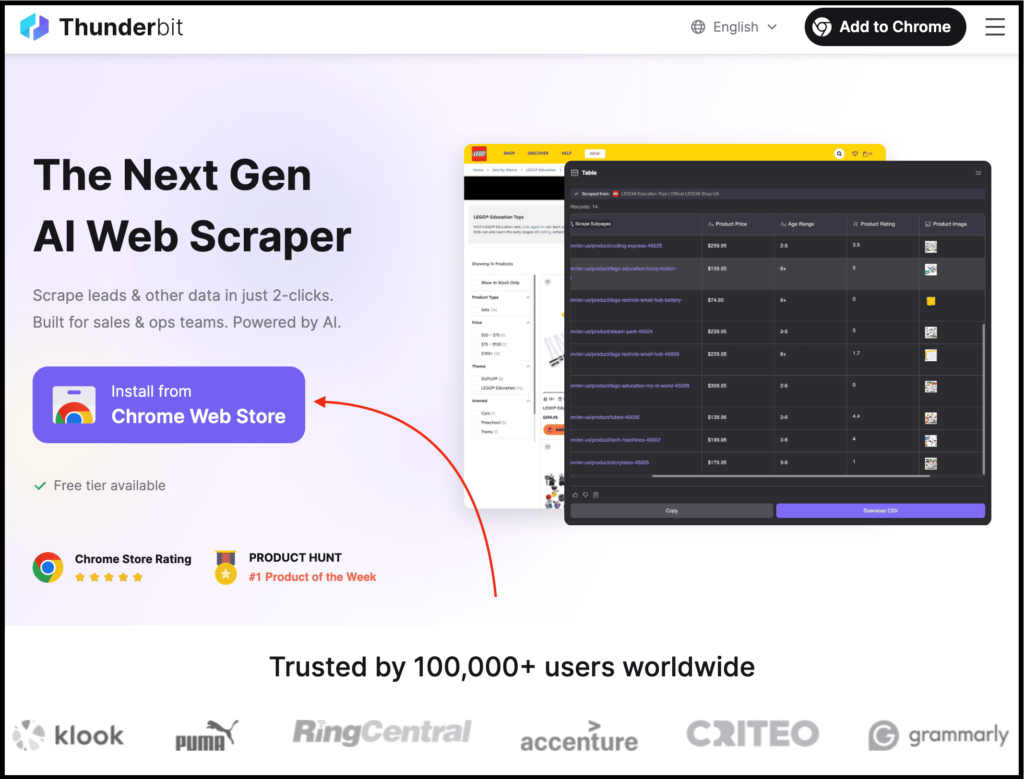
I’m talking about Thunderbit, and it feels less like a traditional crawler and more like an assistant.
Instead of thinking in terms of selectors, robots, or extraction rules, you just think, “I want this data from that page,” and Thunderbit figures out the rest.
In short, you describe what you want in plain English, and it identifies the relevant fields, extracts structured data, and then cleans and normalizes it automatically.
Because it’s similar to Chat4Data, it has many of the same practical use cases, such as scraping data in seconds for LLMs, extracting leads, and pulling content from blogs, PDFs, or images.
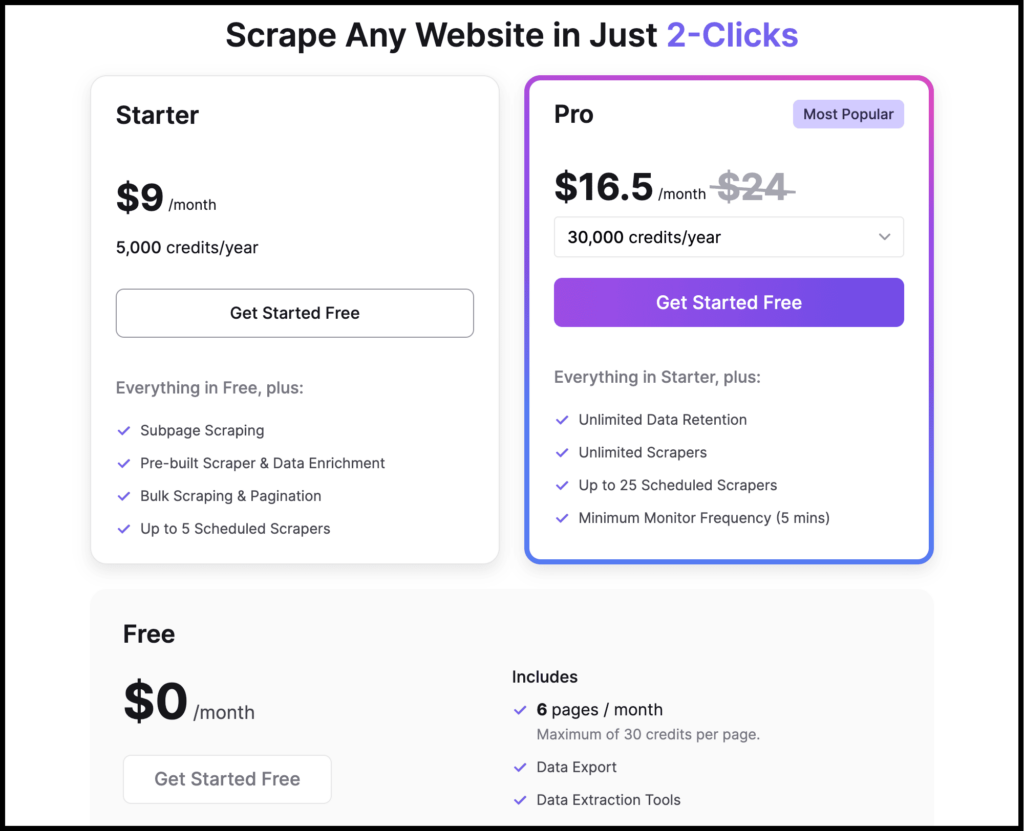
When it comes to pricing, Thunderbit offers a free plan that lets you scrape up to six pages per month. For more usage, you’ll need to upgrade.
When should you use it? Use Thunderbit if:
- you want the fastest path from idea to data
- you’re validating LLM use cases
- you don’t want to build or maintain crawling infrastructure
6. ScrapeGraphAI – Best LLM-Powered Graph Scraper for Agent Workflows
This is another #1 trending GitHub repository of the day, a web crawling and scraping Python library similar to Crawl4AI.
According to its GitHub page, ScrapeGraphAI is a web scraping Python library that uses LLMs and graph-based logic to create scraping pipelines for websites and local documents such as XML, HTML, JSON, Markdown, and more.
Yes, this one is also built for developers. You can use it with Python or Node.js and easily integrate it with LLM frameworks and even low-code platforms.
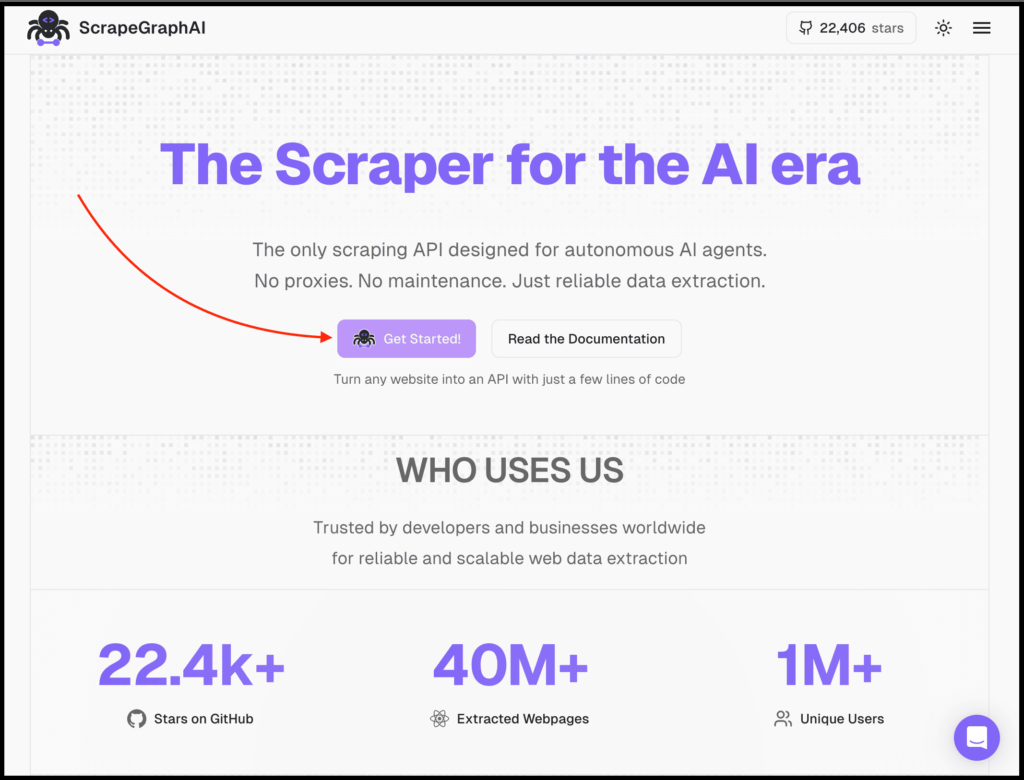
To get started, simply visit their website and click the “Get Started” button to create your account.
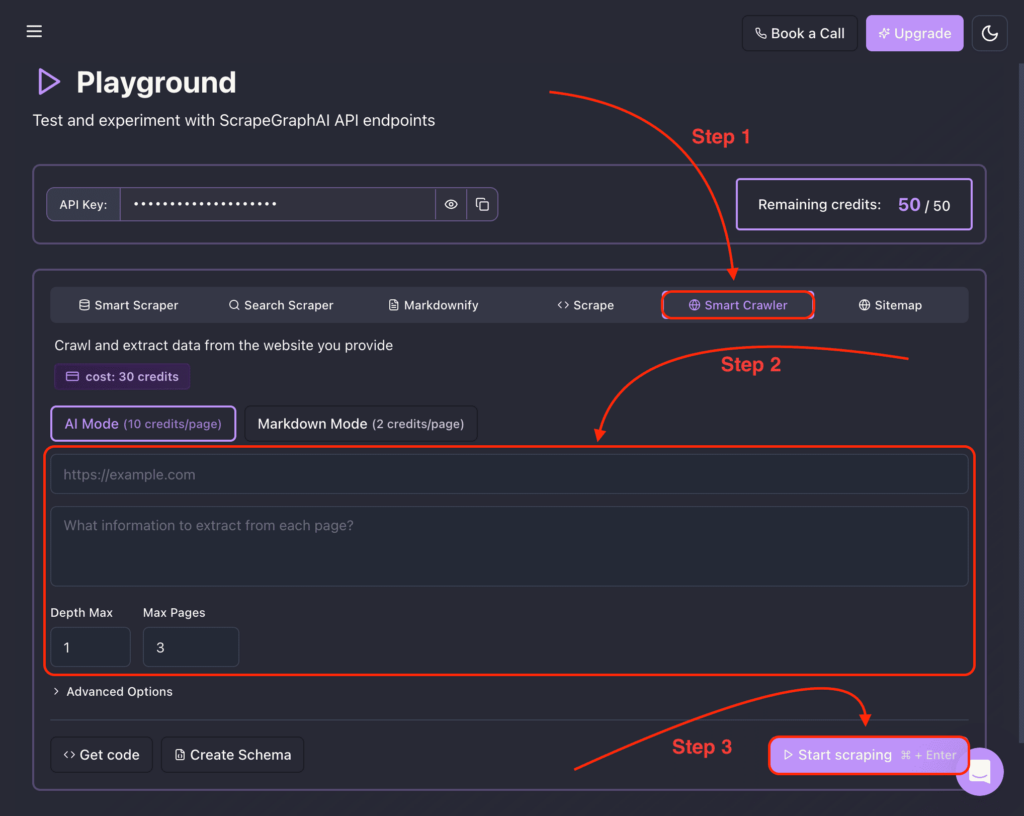
From there, you can select the Smart Crawler option to crawl and extract data from any website you provide.
You can also install the ScrapeGraphAI SDK directly into your Python or Node.js app. With a simple prompt, you can crawl and scrape data using key components like SmartScraper, SearchScraper, SmartCrawler, Markdownify, and more.
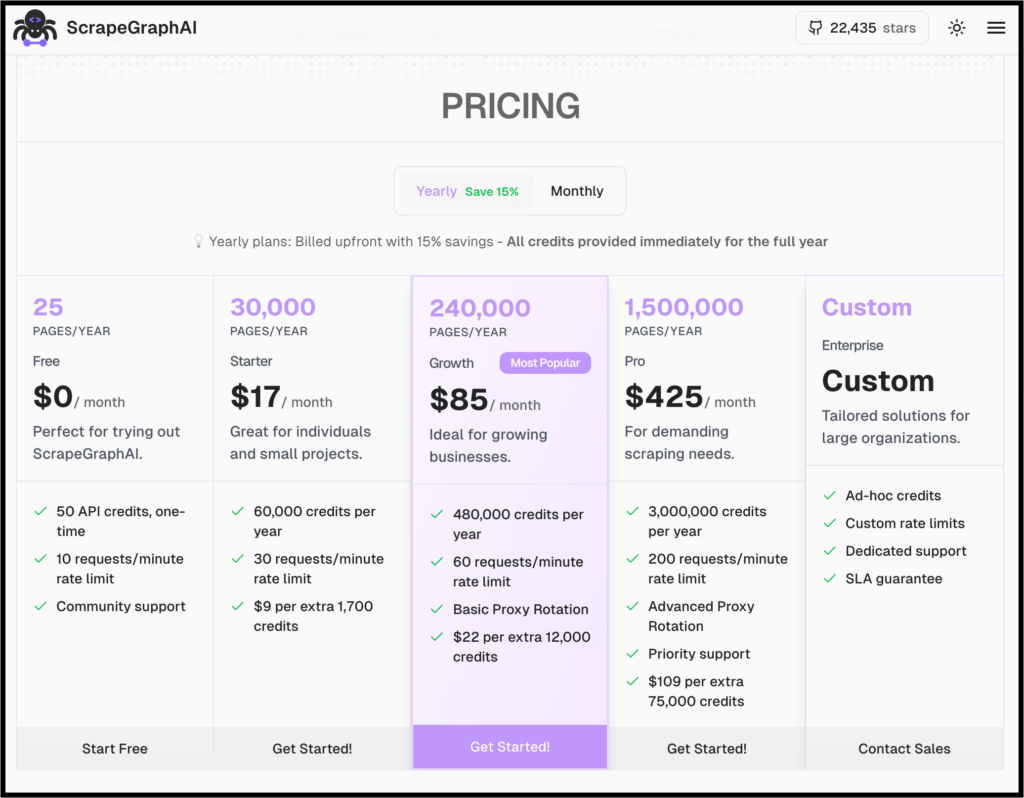
When it comes to pricing, the open-source library is free (you provide your own LLM API key). The cloud API offers a free tier (50 credits = ~5 pages), with paid plans from $19/month for 1,000 credits.
Use ScrapeGraphAI if:
- you’re building agent-like systems or custom data extraction workflows
- you want flexibility over predictability
- you’re comfortable with some trial and error
7. Apify – Best Cloud Platform for Scalable Crawling and Automation
Now, this one isn’t just a web crawler or a web scraper. You can also automate, integrate, schedule, and do much more with it.
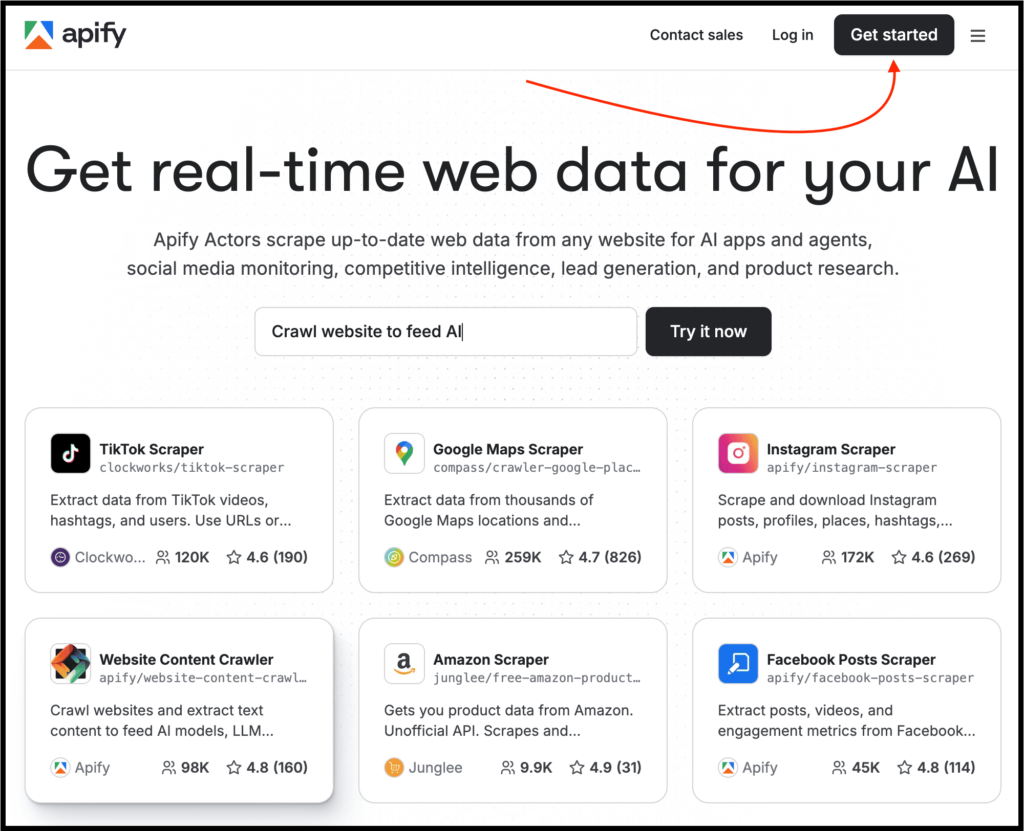
I’m talking about Apify, and to get started, simply visit their website and click the “Get Started” button to create your account.
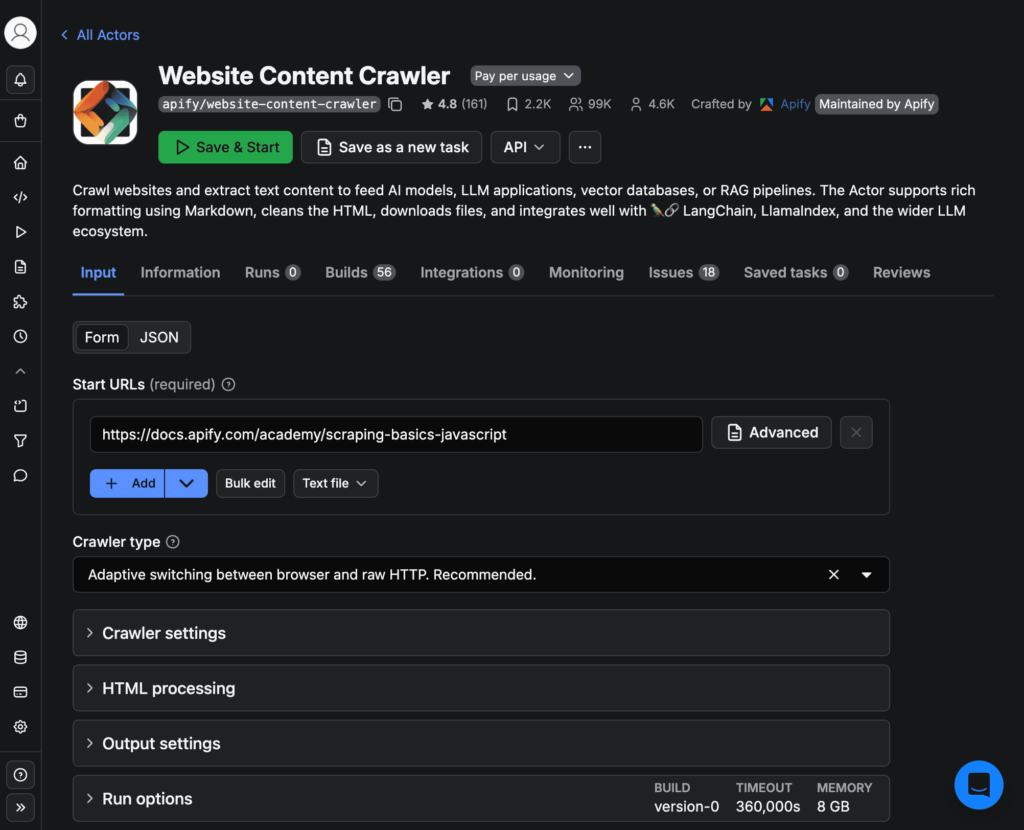
After that, you can select the “Website Content Crawler”, add the URL, and click “Save & Start” to begin crawling the website content.
It comes with a massive library of pre-built crawlers, strong API support, and easy integration into AI workflows. You can feed live data into LLM-based tools or run scheduled crawls at scale.
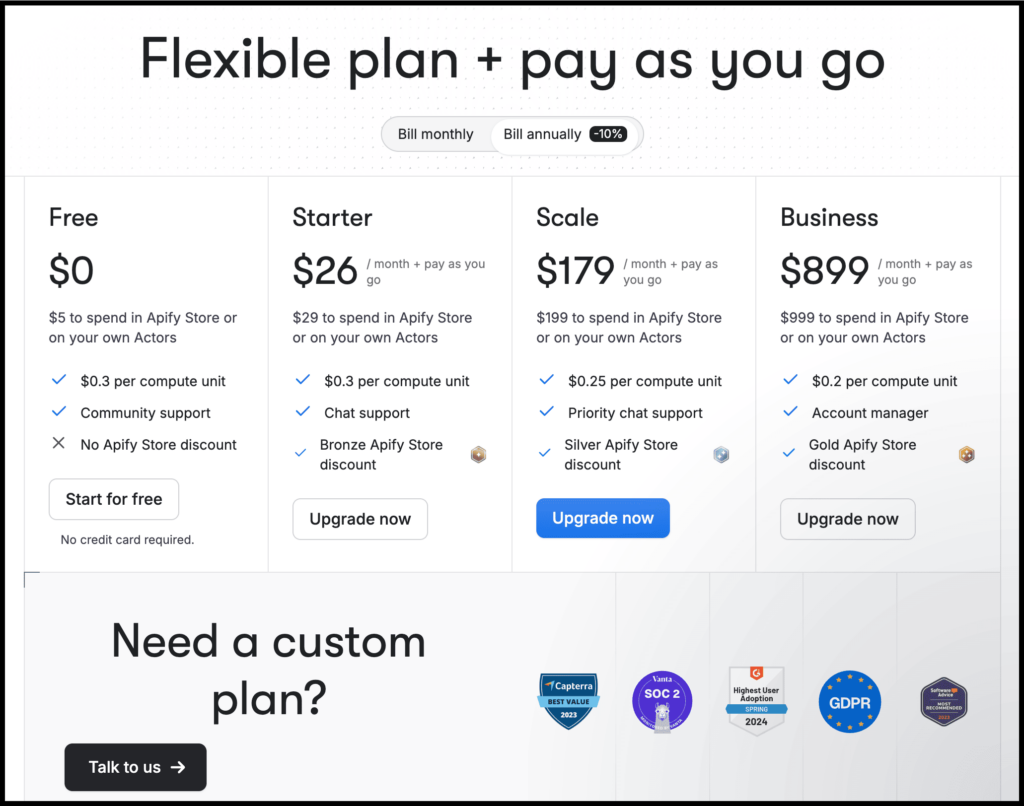
Apify’s free plan includes $5 in platform credits every month (no credit card required) — enough for light testing. Paid plans start at $29/month. Note: unused free credits don’t roll over.
So when should you use it? Use Apify if:
- you need reliability and scale
- you want crawling and automation in one place
- you don’t want to maintain infrastructure yourself
How to Actually Choose the Right Web Crawler
Choosing the wrong crawler wastes hours, and that can become a big mistake.
Here’s the one-question framework: Are you looking for data right now, or building a pipeline that needs to run reliably for months?
No doubt, Chat4Data, which I listed at the top, is great and one of the fastest ways to crawl and scrape data. It’s also suitable for almost everyone.
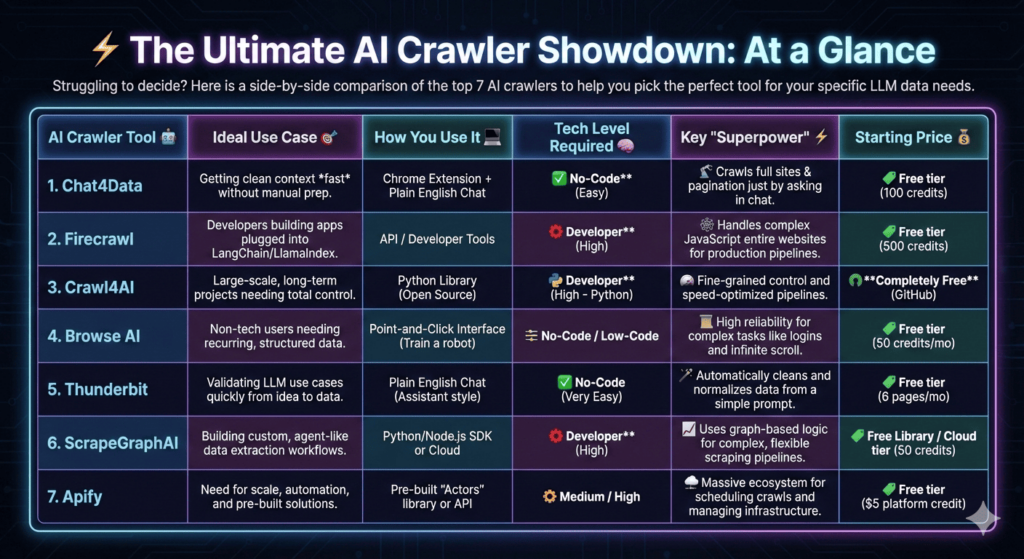
But you should choose a web crawler based on the features and functionality you actually need.
This isn’t just my personal preference, even experts working on real AI projects repeatedly point out that success depends far more on the quality, structure, and relevance of the data you feed into models than on sheer volume, and that is exactly what your crawler and pipeline configuration control.
So how do you do that? Here’s a simple way to decide:
- Need clean context fast and with ease? → Chat4Data or Thunderbit
- Crawling full websites for AI search or chat? → Firecrawl
- Building custom pipelines as a developer? → Crawl4AI
- Want to crawl using a robot and integrate with lots of tools? → Browse AI
- Experimenting with agent-style scraping as a developer? → ScrapeGraphAI
- Need scale and automation? → Apify
You see, each tool has its own strengths. That’s why there is no single “best” web crawler, only the one that fits your use case best.
FAQs:
1. Do I need to be a developer to use AI website crawlers for LLMs?
Not anymore, and that’s the biggest shift happening right now thanks to AI.
If you’re non-technical or semi-technical: Chat4Data, Thunderbit, and Browse AI are built specifically for you. You describe what you want in plain English and get structured data back.
And if you’re a developer, then Firecrawl, Crawl4AI, and ScrapeGraphAI give you far more control and scalability.
2. Which AI Website Crawler Is Best for RAG Pipelines?
If your primary goal is RAG, and not general web scraping, the shortlist becomes much smaller.
That’s where Firecrawl stands out as the best choice, since it is built mainly for production-grade RAG pipelines. It handles full-site crawling, JavaScript-rendered pages, and outputs clean, structured formats that plug directly into tools like LangChain or LlamaIndex.
Chat4Data and Thunderbit are better options when you want to explore data sources quickly or prototype RAG workflows without writing any code.
3. Can I use regular web scrapers for LLMs, or do I really need AI web crawlers?
You can use traditional web scrapers, but they usually return raw HTML, and LLMs are bad at interpreting raw HTML reliably.
What LLMs actually need is clean, structured, context‑aware data. That is exactly why AI‑native crawlers like Chat4Data, Firecrawl, or Thunderbit exist.
4. Should non-developers avoid developer-focused tools like Firecrawl or Crawl4AI?
In most cases, yes.
Firecrawl, Crawl4AI, and ScrapeGraphAI are powerful, but they assume you’re comfortable with APIs, Python, debugging, and edge cases. So if you’re a founder, marketer, or researcher who just wants clean data fast, then go with Chat4Data, Thunderbit, or Browse AI.
5. Is there a single “best” AI website crawler for all LLM use cases?
No, and anyone telling you otherwise likely hasn’t built real systems.
The “best” crawler depends on factors like scale, technical skill, consistency requirements, whether this is a one-time scrape or a long-term pipeline, and more.
That’s exactly why this post exists.
- Use simple tools when speed matters.
- Use infrastructure-focused tools when reliability matters.
- And use open-source tools when control matters more than convenience.
Once you understand this, choosing the right crawler becomes obvious instead of confusing.
 Try AI Web Scraper