
Webscraper.io is a web scraping tool that allows you to create sitemaps and fetch data from them. For all of its 800,000 users, it enables you to create and customize your own web scraping methods. But the question for today’s guide is: Is Webscraper.io really that good, and are there better Webscraper.io alternatives?
Not every tool will fit everyone’s needs, so, based on practical use, I want to find out who it is made for, how to use it effectively, and whether it delivers on the features it promises.
By the end of the article, you will get a good grasp of:
- Webscraper.io in-depth technical review
- Limitations of Webscraper.io
- Practical guide for Webscraper.io
- Webscraper.io alternative
Webscraper.io Review
Webscraper.io includes both its browser extension and its cloud web scraper platform. The browser extension lets you map any website’s underlying HTML structure and use it later as a template for cloud execution. Browser extension web scrapers are a promising approach because they have direct access to your data in the browser. Webscraper.io essentially lives in your browser’s Developer Tools. Open the specific website, launch the extension, and start clicking the elements you want to extract.
The benefit of such an approach is that it is free to start and relatively visual. You can see the data being highlighted as you select it. However, because it runs on your local browser, it consumes your computer’s resources. For heavy-duty tasks, users often switch to the Webscraper.io cloud, which moves the execution to their servers but introduces a credit-based pricing model.
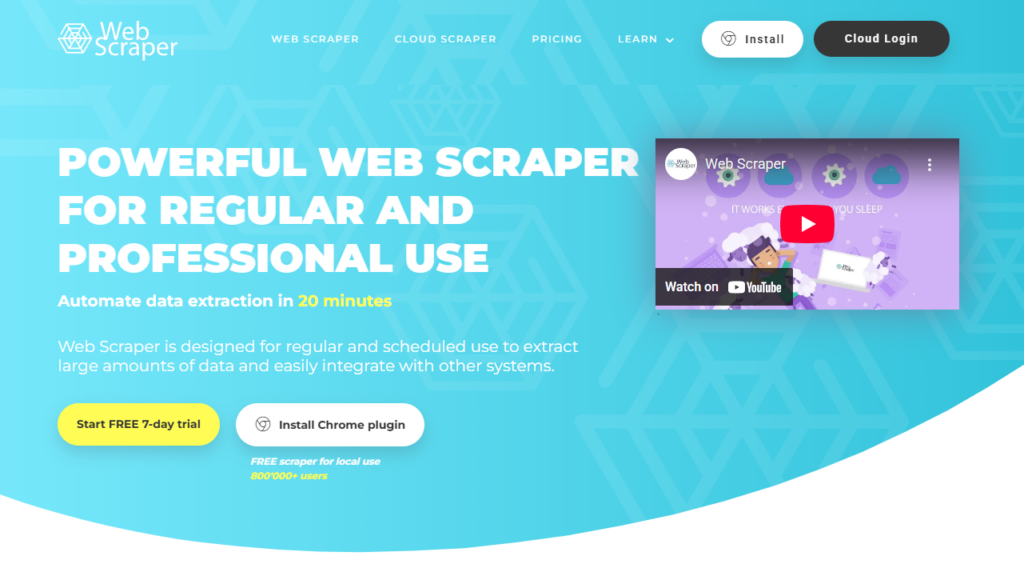
What Webscraper.io Can Do
Before we see how Webscraper.io works in practice, let’s see what Webscraper.io promises it can do and is known for:
- Sitemap builder: Allows users to visually create a blueprint (sitemap) for navigating a website and extracting data elements, and to define the entire scraping logic.
- AI field detection: Automatically identifies and suggests common data fields (e.g., names, prices, descriptions) on a page, speeding up sitemap creation.
- API access: Offers a programmatic way to trigger and manage scraping tasks and retrieve the results, integrating web scraping into other applications.
Here are further features of Webscraper.io that make it stand out:
- Cloud task processing: Allows heavy-duty scraping tasks to run on Webscraper.io’s servers rather than in your local browser, freeing up your computer’s resources.
- Task scheduling: Enables users to set tasks to run automatically at predetermined intervals (e.g., daily, weekly) for continuous data monitoring.
- Subpage scraping: Allows the creation of complex sitemaps that navigate through multiple layers of a website (e.g., going from a product listing page to individual product detail pages) to extract all necessary data.
- Data quality monitoring: Provides basic checks to ensure the data being extracted is consistent with the defined sitemap structure. It lets you check the total record count, record count per column, failed pages, empty pages, in-app, and e-mail alerts.
- Image download: Extracts image URLs and downloads the actual image files alongside other scraped data.
What Webscraper.io Cannot Do
Although Webscraper.io is a powerful web scraping tool, I noticed from experience of testing many tools in the market that it misses some essential features, especially in the AI field:
- Natural language prompting: Requires users to manually select elements and define the scraping flow through a visual interface (sitemaps). It cannot simply describe the desired data in plain English for extraction, as ChatGPT’s scraping interaction style does.
- Automatic pagination: Does not automatically detect or handle multi-page navigation. Users must manually create “Link selectors” to identify and click the “next page”” button or links, requiring custom setup for almost every new website.
- AI Column names: Webscraper.io provides generic column names like col1, col2, etc., and lets you name them rather than automatically recognizing column content and assigning names.
- Longer data retention: Data retention on the Webscraper.io cloud is limited (60 days in paid plans), and users are typically expected to download the data immediately upon task completion. It does not offer long-term storage on the platform.
- Intelligent adapting to Ajax structures: While it can handle some dynamic loading with “Element click” or “Delay” selectors, it does not intelligently adapt to complex or non-standard Ajax-loaded content, especially after building sitemaps. Maintenance of these sitemaps is required.
Further reading: Facebook Scraper Python
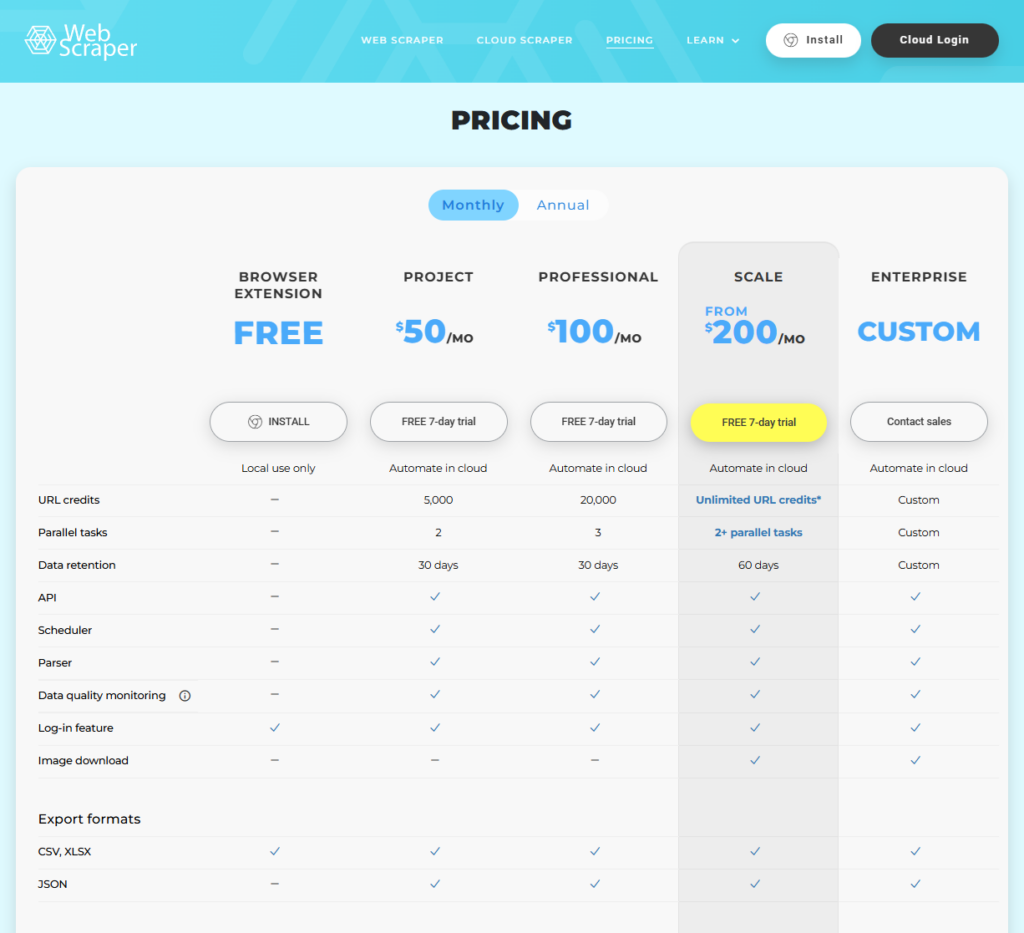
Webscraper.io Pricing
There are two pricing distinctions with Webscraper.io: the browser extension and the cloud platform service. The browser extension is free to use, and that is how they attract customers. Once you have your sitemap web scraping tasks running and fetching data, you are confined to your own hardware, IP address, and cloud scheduling.
In paid plans, you are using URL credits (which represent a single page loaded by the Web Scraper Cloud) to schedule scraping jobs in the cloud. Depending on the plan they bring:
- Project Plan: Starts at $50/month. You get 5,000 URL credits. It allows for cloud execution, basic scheduling, and 2 parallel tasks.
- Professional Plan: $100/month. Offers unlimited credits and 2+ parallel tasks.
- Scale Plan: $200/month. For larger-scale needs. In this plan, you unlock the image download feature.
- Enterprise plan: For businesses that have specific custom requirements.
The main downside is the credit system, which disappears fast. If you have a large project, you can burn through 5,000 credits in a single day. There is no rollover, so unused credits do not transfer to the next month. Compared to a Webscraper.io alternative that offers local scraping with AI assistance, this credit model can feel restrictive and costly for freelancers or startups.
Can Webscraper.io Extract Data Accurately?
Scraping data from a simple e-commerce website should be straightforward, but let’s see what that process looks like for webscraper.io:
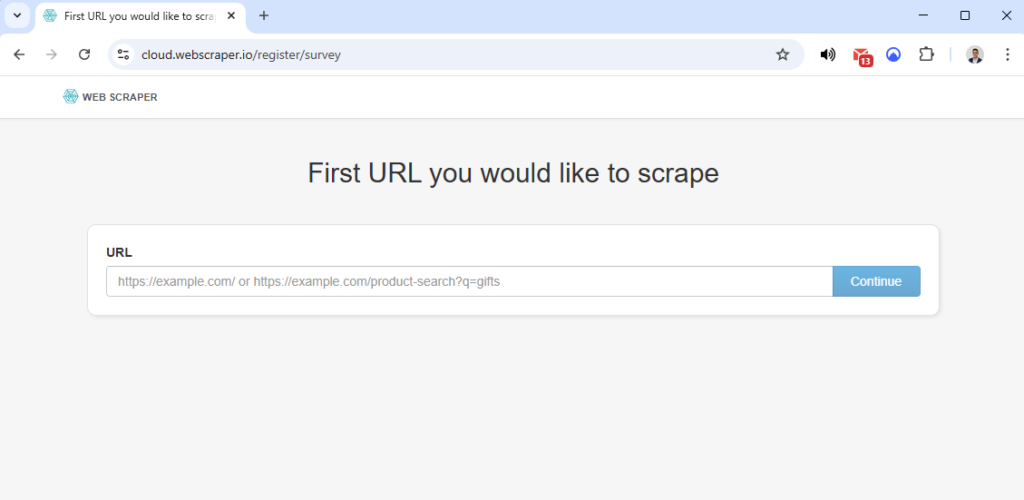
- The cloud platform will initially let you enter a link to check whether they already have the sitemaps. If not, you can use the browser extension to build a sitemap.
- With the sitemap, I can build one using AI for automatic recognition or more advanced selection, while most of the rest is manual selection. I will try their AI-enhanced builder to see how good it is.
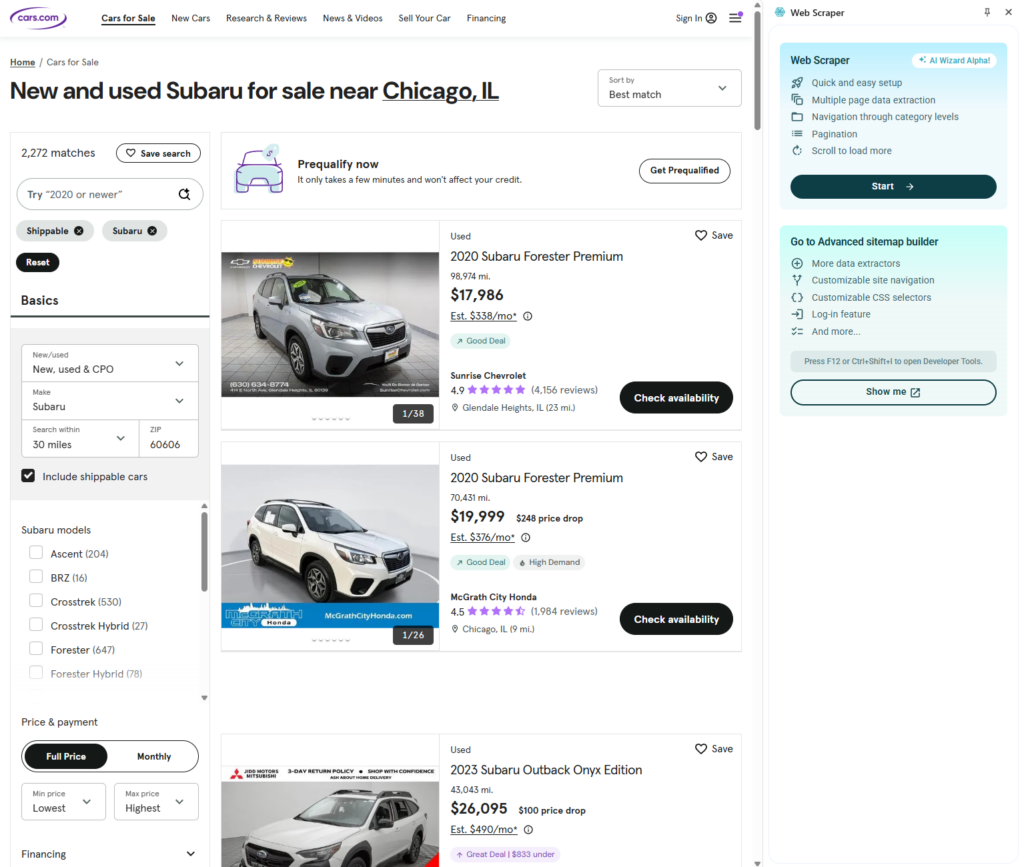
- You can select your navigation in filters to reach the Subaru page, but I chose to navigate there manually. If you plan on using the sitemaps in the cloud, build the navigation links.
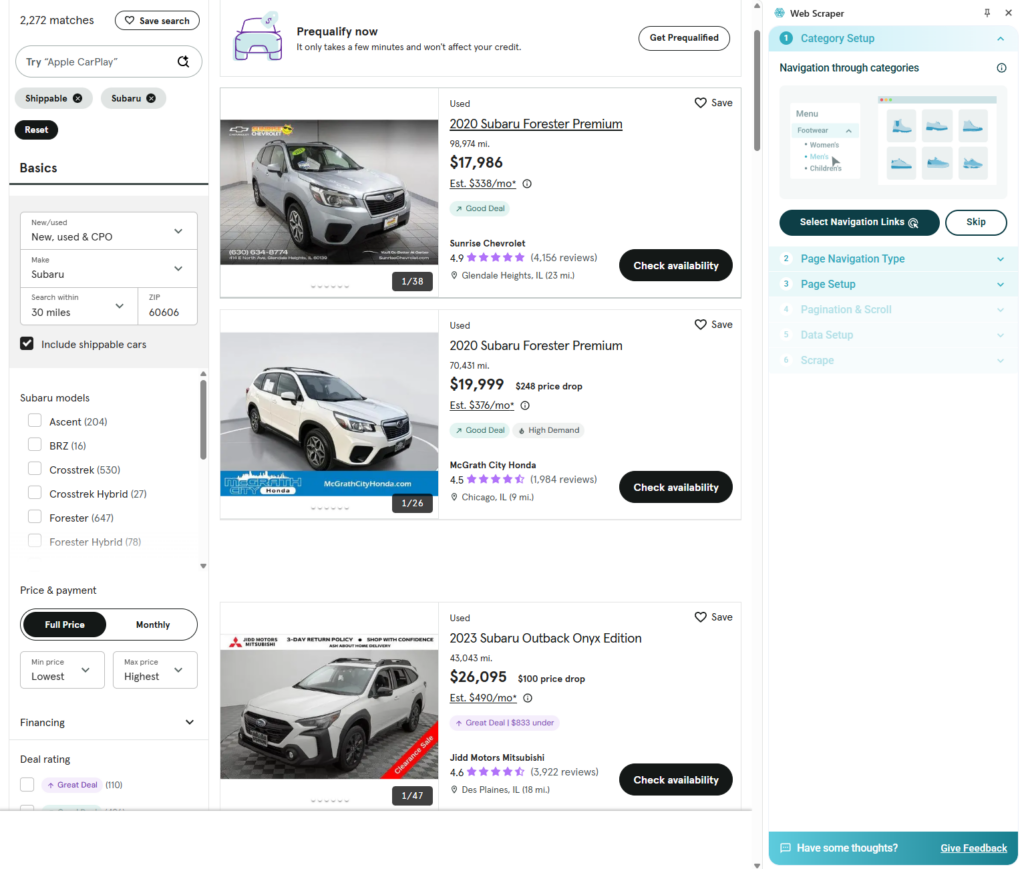
- In the next step, Webscraper.io lets you either scrape the listings directly or open each listing and get more information. This is a very advanced and great feature. For today’s example, I will keep it simple and scrape a simple list of data.
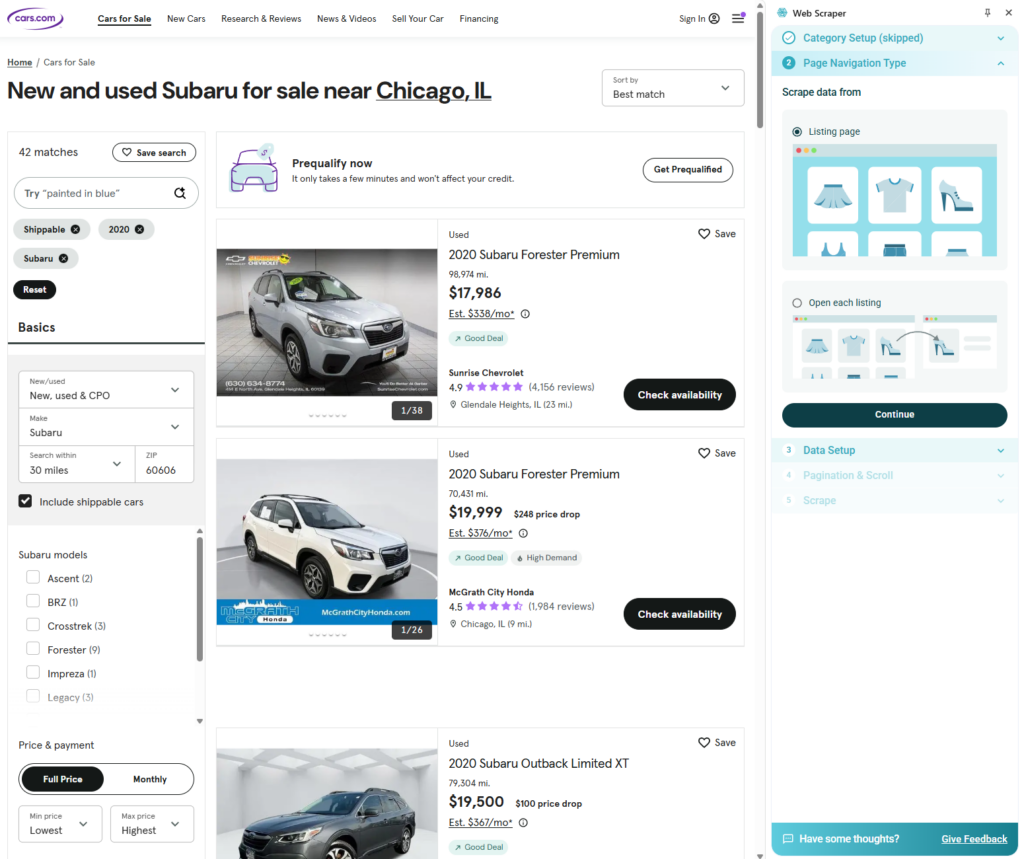
- With the power of AI, webscraper.io extracts and fetches information in real time so you can preview it.
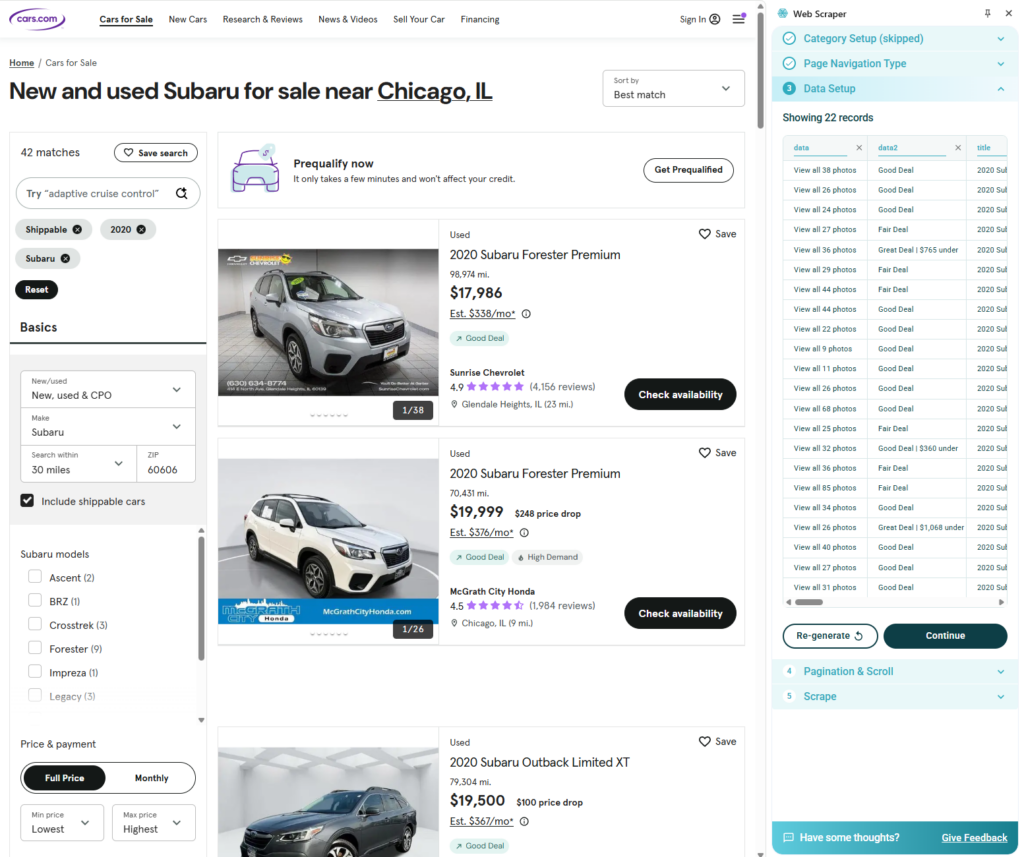
- For pagination, you have to select it because webscraper.io doesn’t do it automatically, and this is one of the features I miss the most.
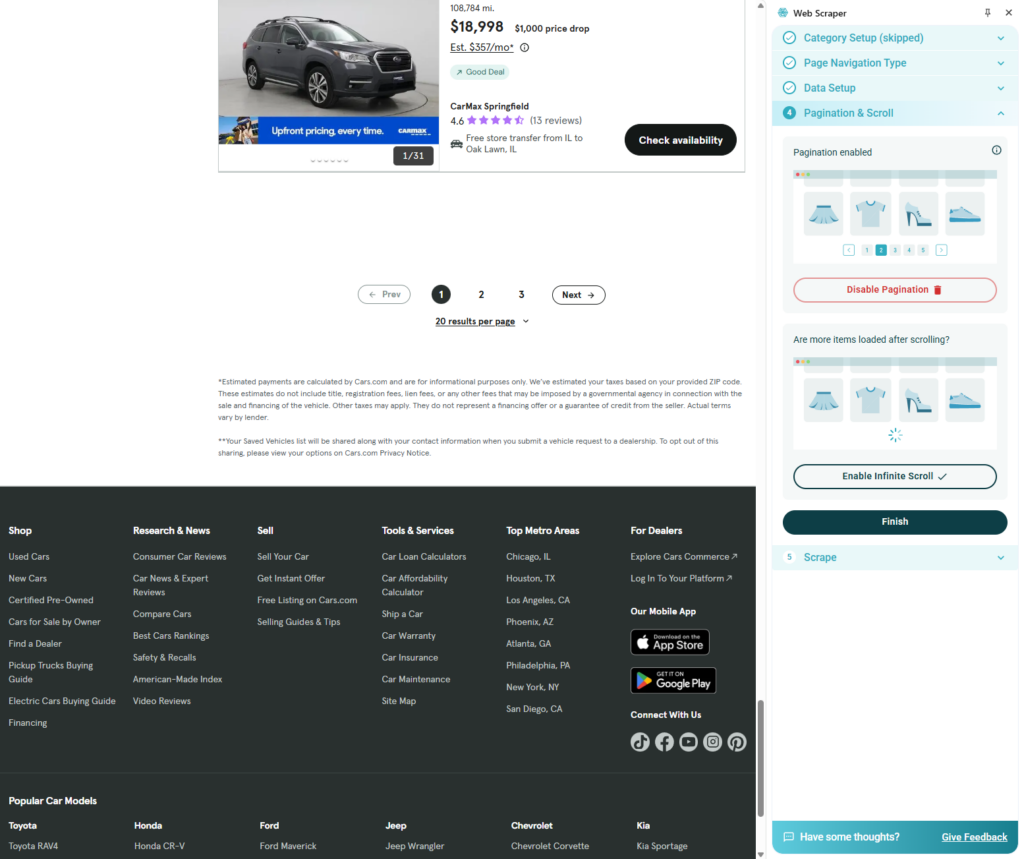
- After I confirm the final plan, the data is extracted, but I noticed it only extracts from the first page, not the full results. The column names are unclear, and I need to perform additional analysis and data cleaning to produce a better dataset.
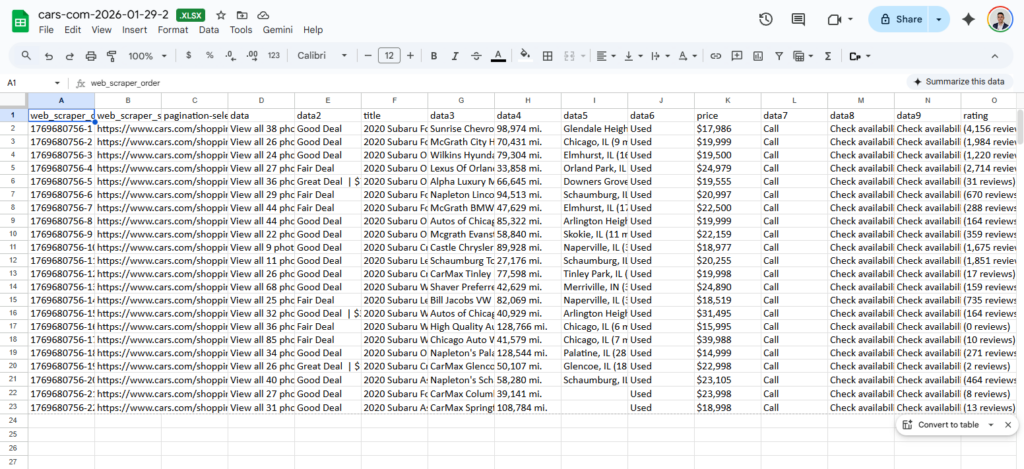
Although it is pretty simple to do everything manually, it would be much more convenient to put AI to work and have it handle everything for you. Let’s see what that looks like with a Webscraper.io alternative, Chat4data.
Webscraper.io alternative: Chat4Data Review
Chat4Data is a no-code, AI-powered web scraping browser extension that utilizes natural language to extract data from any website. Chat4Data is a webscraper.io alternative that performs web scraping tasks with significantly higher accuracy, especially in terms of data quality and ease of use.
For comparison, I will use the same website and filters.
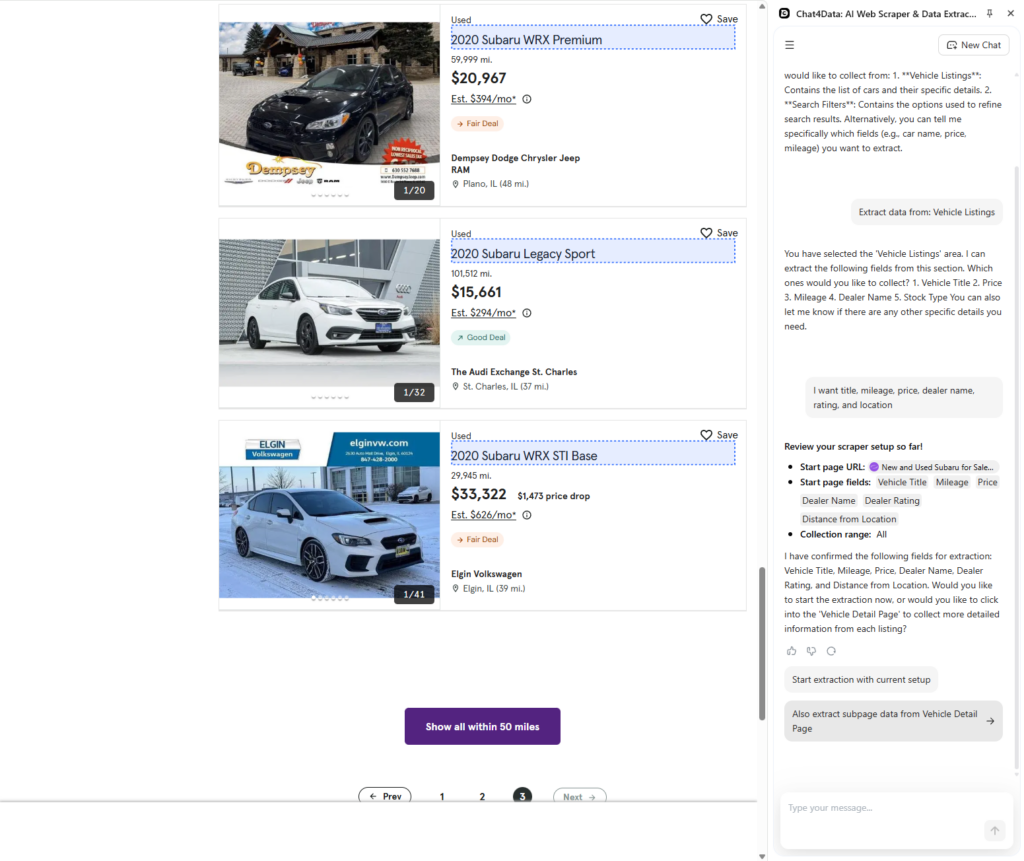
- Since Chat4data automatically recognizes data fields, I let it run and scan for potential data points just by typing a command in plain language.
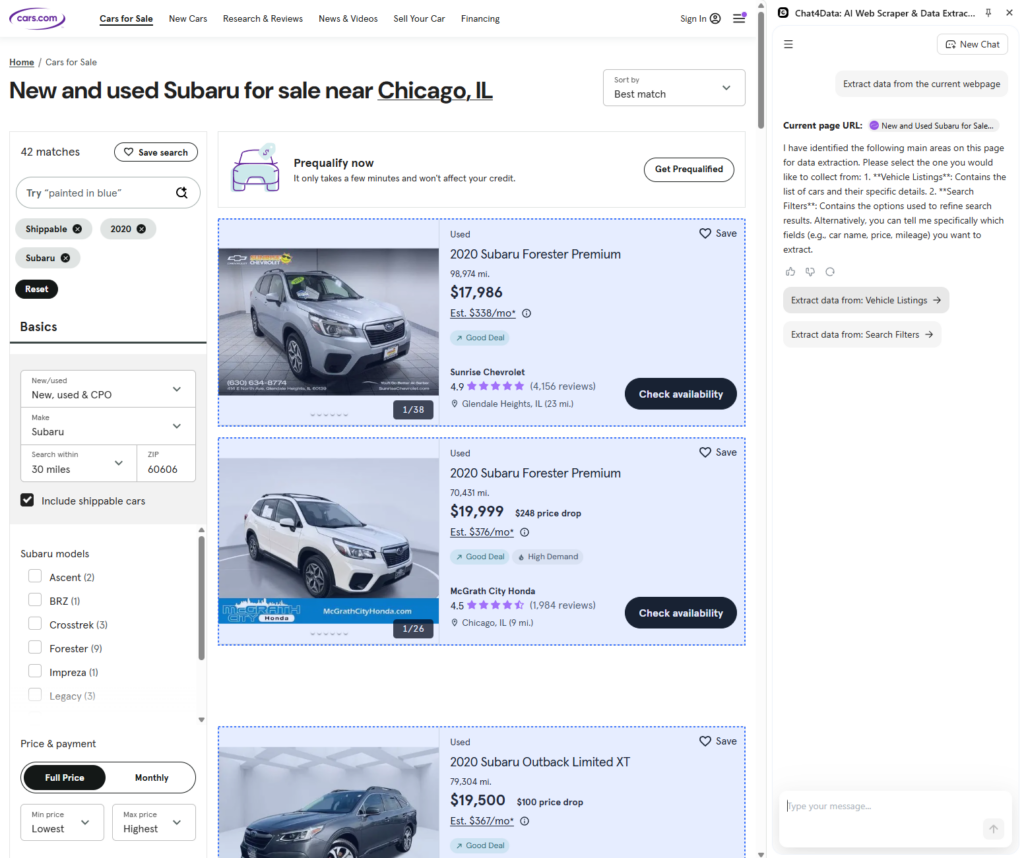
- Chat4data finds the most critical data fields, such as title, image, price, price drop, etc. All the data you need for further analysis.
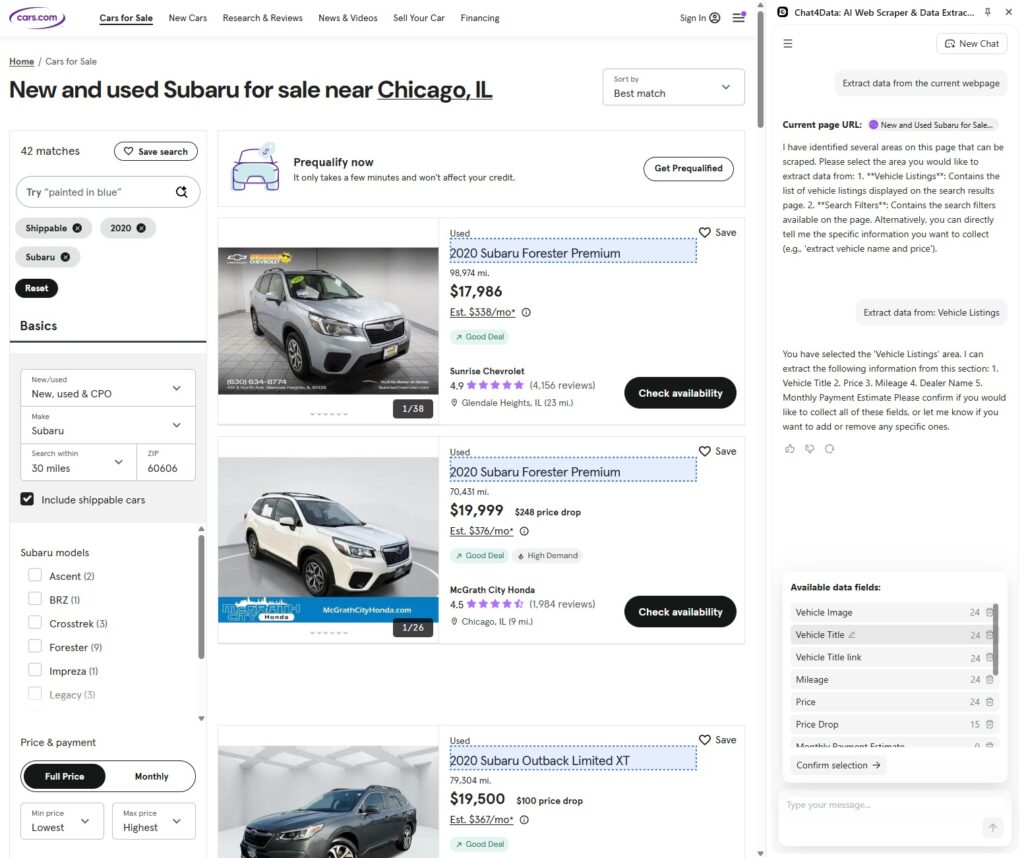
- With Chat4Data, you can also scrape subpage data for more details, as Chat4Data automatically recognizes underlying links. In this example, I will keep it simple and scrape only the list data.
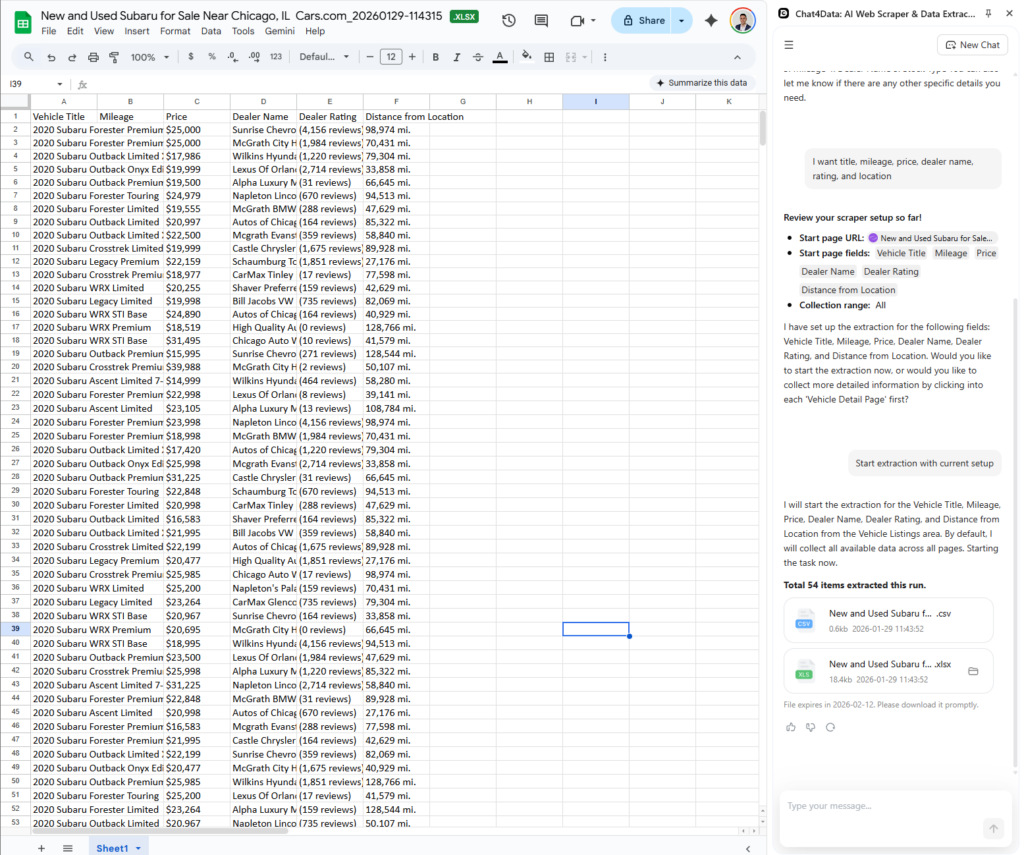
- Data is fetched, with clear column names, complete data from all pages, and even reduced prices, so that you can follow trends. Chat4Data makes this process easy by using natural language and all AI features.
Key Features and Advantages of Chat4Data over Webscraper.io
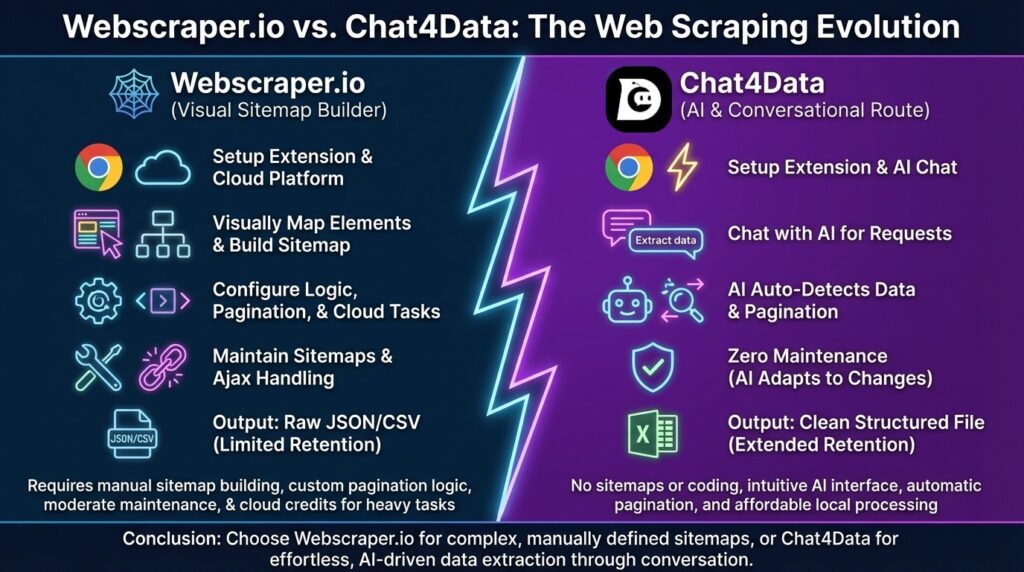
- Automatic pagination: Chat4Data handles multipage websites by automatically detecting pagination buttons and traversing them with ease. For Webscraper.io, you are required to build custom code for each website to perform this task.
- Automatic Field detection: The system can recognize target URLs and user-entered data fields, automatically creating the scraping task for faster setup.
- Data retention: Saves scraped data on the platform for 90 days (15 days for free users), providing temporary storage and management that Webscraper.io does not offer.
- AI Column names: Generates straightforward, user-friendly, and relevant names for extracted data columns using AI, making the final dataset immediately ready for analysis.
- Natural language prompting: Allows users to specify their scraping goals and desired data points in simple, conversational language, eliminating the need for coding.
- Data privacy: During the scraping process, no authentication credentials are stored, and all data is handled locally. This offers total anonymity, unlike Webscraper.io, which must pass all queries through its servers.
- Affordable cost: Offers a more cost-effective solution, especially for freelancers and small businesses, compared to Webscraper.io’s credit-based subscription model, which can quickly become expensive with high usage.
- Maintenance: Almost none is required, as there are no sitemaps to maintain. Chat4Data automatically adapts to dynamic Ajax-changing websites and scrapes data daily, just as it has before.
Conclusion: Choosing the Right Tool for Your Needs
Based on my experience with both WebScraper.io and Chat4Data, I would choose Chat4Data for its ease of use and high-quality data.
At first, Webscraper.io changed the game by providing a solution for people who were not proficient in Python scripting. However, there are currently difficulties due to the complexity of contemporary web technologies. Professionals are moving toward AI-powered scraping solutions since maintaining manual sitemaps and pickers has become too taxing.
Other features, such as automated pagination and anonymity, make Chat4Data a better option for most users, particularly newcomers. If you enjoy manually adjusting CSS selectors and creating intricate sitemap graphs, Webscraper.io may be of interest to you. But for the vast majority of users—data analysts, marketers, researchers, and business owners — the goal is the data, not the process of building a scraper. For this reason, Chat4Data is a better choice.
For this reason, Chat4Data is the best webscraper.io alternative. It makes data extraction more accessible. Anyone can transform the web into a database by combining the power of AI with an intuitive chat interface. Chat4Data simplifies data collection with features such as deep scraping (listing and detail), unlimited free local scraping, and automatic field detection.
FAQs about Webscraper.io and Its Alternative
- Can Webscraper.io bypass CAPTCHA?
Only in the paid versions of the application. If you are trying to do this in the free version of the browser extension and process data locally, Webscraper.io does not bypass CAPTCHA, gives you no bot protection bypass, and no automatic retries. The script will likely fail, or you’ll need to solve it manually. With Chat4Data, you get advanced human-like behavior algorithms for local execution to minimize CAPTCHA triggering in the first place, and to solve them for you if necessary.
- How does Chat4Data handle pagination compared to Webscraper.io?
With Chat4Data, all pagination concerns on any page are handled automatically, whereas with Webscraper.io you have to tell it where the next page is manually. This selection complicates the process as you have to do it for every new website you want to scrape.
- Is web scraping with Webscraper.io legal?
Yes, scraping publicly available data is generally acceptable in many jurisdictions, provided you respect the website’s Terms of Service and do not extract personal private data (GDPR/CCPA). However, Webscraper.io’s Cloud service can aggressively hit servers if not configured correctly. Chat4Data promotes ethical scraping by running locally at a human pace, ensuring you don’t inadvertently DDOS a site or get your IP banned.
- Can Webscraper.io scrape data behind a login?
Yes, with the navigation options, you can log in when creating sitemaps in the current browser session. However, maintaining the session can be tricky if the site logs you out. Chat4Data also excels here: since it is a browser extension, you simply log in to the webpage as you usually would, and then tell Chat4Data what to scrape. It securely leverages your existing authentication without requiring you to pass cookies or credentials to a third-party server.
- What is the best Webscraper.io alternative?
If you are looking for an easier-to-use tool for natural language processing, Chat4Data is the best Webscraper.io alternative. Chat4Data offers a different value proposition by leveraging your local machine’s power for the heavy lifting (at low or no cost) while using AI only for intelligent parsing, making it a much more affordable solution for high-volume data needs. If you still need cloud processing and task scheduling, consider Octoparse for a lower cost and many advanced features, including Chat4Data.
 Try AI Web Scraper