
Modern web scraping requires the use of modern techniques and tools, such as web scraping plugins. There are three different approaches to scraping in the current state. First is manual coding scraping, which offers complete control but has a slow ramp-up time due to technical requirements. In the second place, there are desktop scrapers that provide a lot of functionality but sometimes lack speed and can be resource-intensive. Last but not least are the web scraping plugins that are directly available in the browser with direct access to pages for fast and efficient web scraping.
In this article, I discuss the differences between these approaches and their applications in various scenarios.
By the end of the article, you will get a good grasp of:
- Plugin web scraper vs. Desktop Scraper vs. building your own online scraper for different use cases
- Features of a great online web scraper plugin
- Best seven online web scraper plugins and how to use each one
- Winner of this guide as the best online web plugin in the current market
Plugin Scraper vs. Desktop Scraper: Choosing Your Tool
Previously, all the apps we use in our daily tasks had to be desktop ones, and for that matter, they are heavy on the processing power. One notable example is the transition from Microsoft Office Desktop apps to Microsoft 365, all of which are now available in the browser. This transition happened as browsers became more accessible and powerful. Not only that, but portability and synchronizing accounts are also significant factors here. Using the same settings across different machines is super usable for all kinds of use cases.
The same reasoning applies to Plugin scrapers. They have more access to the code, no need for any credentials, and have better anti-bot detection avoidance. Those are some of the advantages they bring, but desktop scrapers can also have benefits. Complex scraping tasks with numerous configurations or cloud scraping in production may require a desktop application. Let’s discuss a complete comparison of the main aspects when using one app:
| Feature | Plugin Scraper | Desktop Scrapper |
| Setup difficulty | Install directly in the browser | Requires separate download and installation |
| Processing power | Lightweight | Separate process and can be heavy if not optimized |
| Scraping Speed | Fast – little configuration and direct browser access | Fast – some time spent on configuration, but can be good for repetitive tasks |
| Core use case | Simple to Medium complexity | Medium to very complex scraping tasks |
| Data quantity | Small to medium size | Medium to Large quantity |
| Automation | Possible to some extent | Monitoring and scheduling |
| Stability | Very stable | Very stable |
Desktop application scraping has its advantages, which are mostly evident in advanced scraping tasks, including monitoring websites for data and scheduling scraping tasks.
Finally, the manual approach of building your own scraper can be the most time-consuming, as the entire scraping industry is now highly advanced, and websites often detect any scraping activity performed by custom-built scrapers. Anti-bot detection and automatic pagination are basic features of a scraper; yet, building those yourself is incredibly difficult, even for advanced computer engineers.
What Makes a Great Web Scraper Plugin?
To effectively evaluate data scraper extensions, it is crucial to consider more than just basic functionality. The best tools distinguish themselves by incorporating these essential features:
- Multi-page and Pagination Support: A robust scraper must reliably handle data across multiple pages. Precision and completeness in data fetching are paramount, making this an indispensable feature.
- No-code Interface: This is a non-negotiable requirement for browser extensions, offering unparalleled ease of use, speed, and portability for data scraping tasks.
- Natural Language Prompting (AI-enabled): In the age of AI, the convenience of defining data requirements through natural language interaction is a significant advantage. Intelligent algorithms can manage the complexity of scraping, thereby eliminating the need for elaborate setup and saving considerable time and effort.
- Flexible Export Options: Crucial for data usability and post-processing, the tool must support standard, flexible formats. CSV and Excel are the essential formats needed for viewing and subsequent analysis of the fetched data.
- Data Privacy: A critical consideration is how the tool handles data. It is mandatory for the extension to process all data locally or, at a minimum, guarantee no data is stored on its servers after processing is complete.
Top 7 Web Scrapers Plugins Comparison
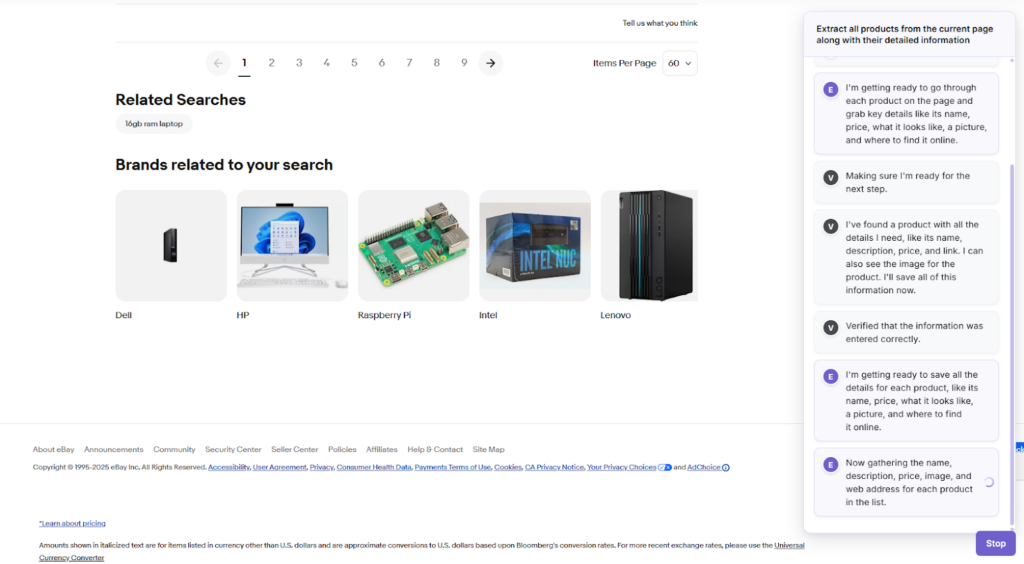
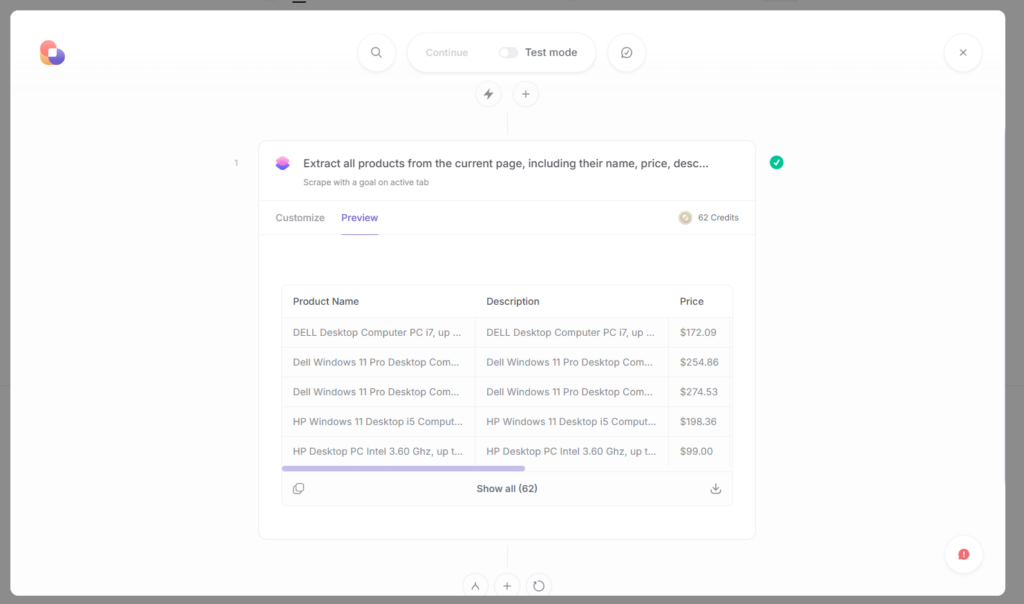
There are many online web scraper plugins out there, and I am here to test them. Ultimately, I aim to demonstrate the most effective use case for each scraper. I will still consider the pros, cons, key features, pricing, and ease of use of each web scraper plugin. For each tool, I will scrape eBay so that results can be comparable across the board.
Chat4Data
Chat4Data is an AI-first data web scraper plugin that operates based on natural language commands in a conversational style, similar to ChatGPT. Users provide only the description of the data they want, and Chat4Data handles everything in the back.
Key Features:
- Natural language prompting enables Chat4Data to understand users with simple commands in natural language, directing it to retrieve the data they want.
- Ability to scrape list and subpage data — extending the dataset with additional information is essential for post processing. Chat4Data provides more detailed product information and shipping details for you.
Pros:
- No-code and fully autonomous solution to scrape any data.
- Privacy-friendly is essential as the tool processes everything locally and can scrape data from websites that require a login.
Cons: The user must stay focused on the page being scraped.
Pricing: Freemium – Free starting credits are included, and premium packages start at $7 (2,000 credits) and $24 (8,000 credits) per month.
Ease of use: High – Chat4Data streamlines my data extraction process, even when my objectives are not fully defined. By providing auto-suggested prompts, it guides my scraping strategy, allowing me to quickly and precisely acquire the specific data I need.
How to use Chat4Data:
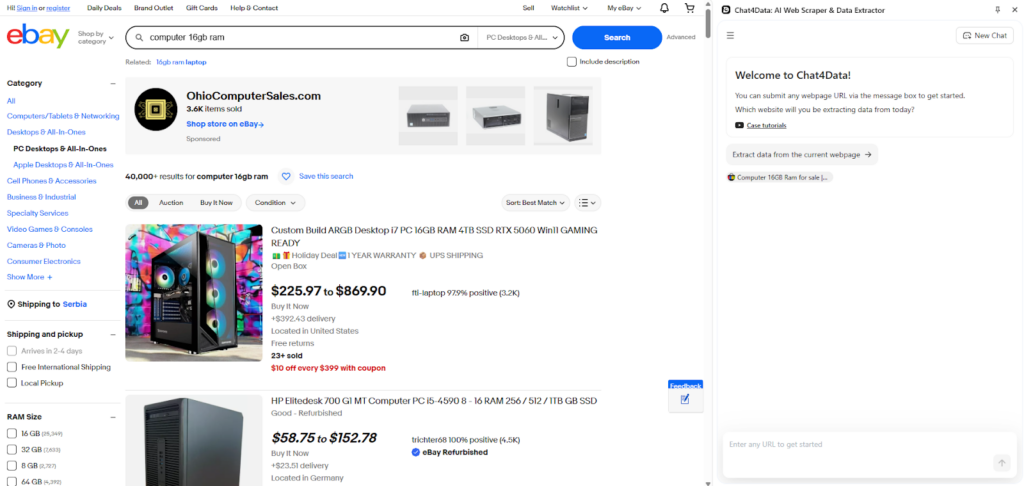
After installing the Chat4Data plugin from the Chrome extension store, we are immediately offered a prompt that is auto-suggested by Chat4Data. The first prompt helps users see what data is available if they are unsure of all the possible options. Alternatively, you can directly type the prompt in the chat.
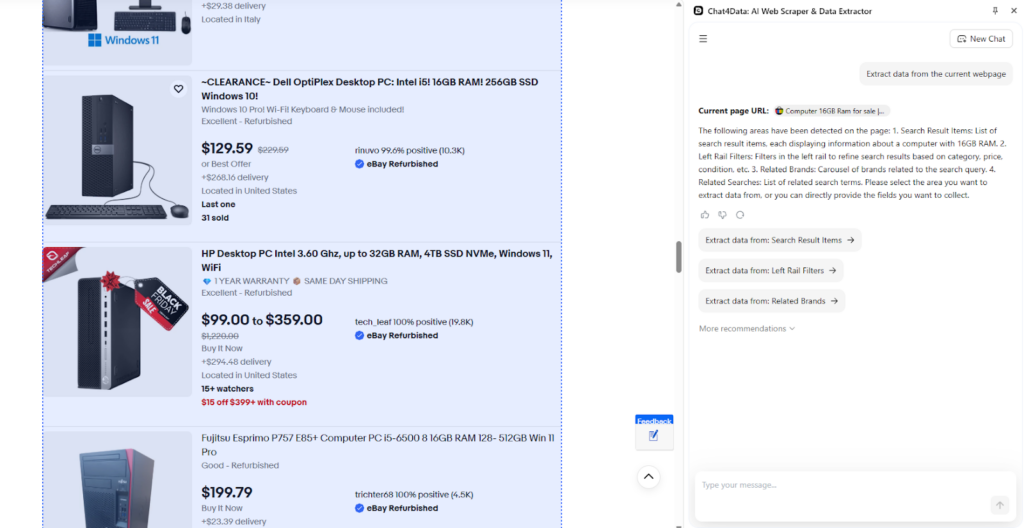
We would like to select all the products from the list, which is my preferred option. However, other data fields are also scanned by the AI field detection feature of Chat4Data.
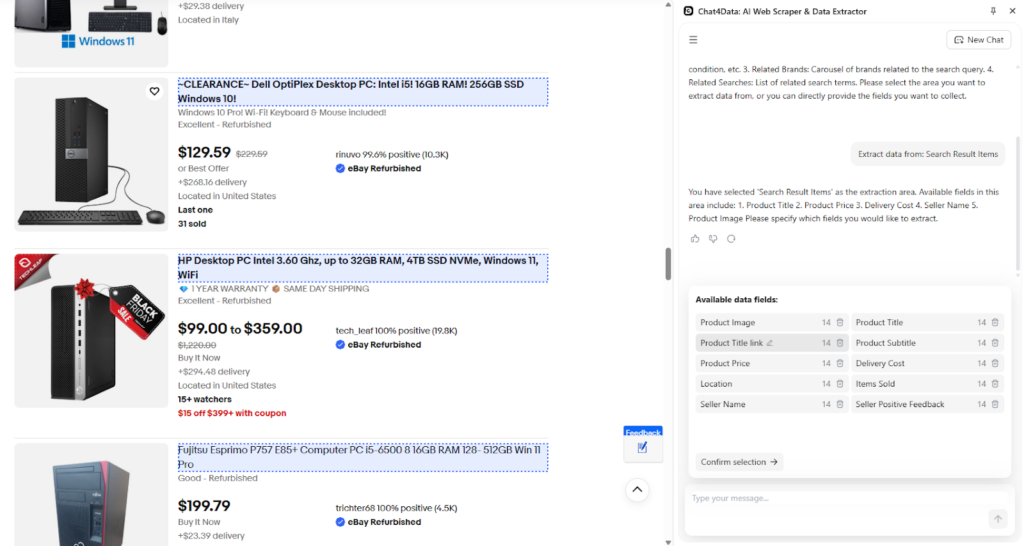
Chat4Data creates a detailed plan of what it will scrape and presents it to the user for review.
At this step, the primary data is already scanned and ready to go, but Chat4Data notices that there is subpage data for each product and that it can scan the page to fetch additional information.
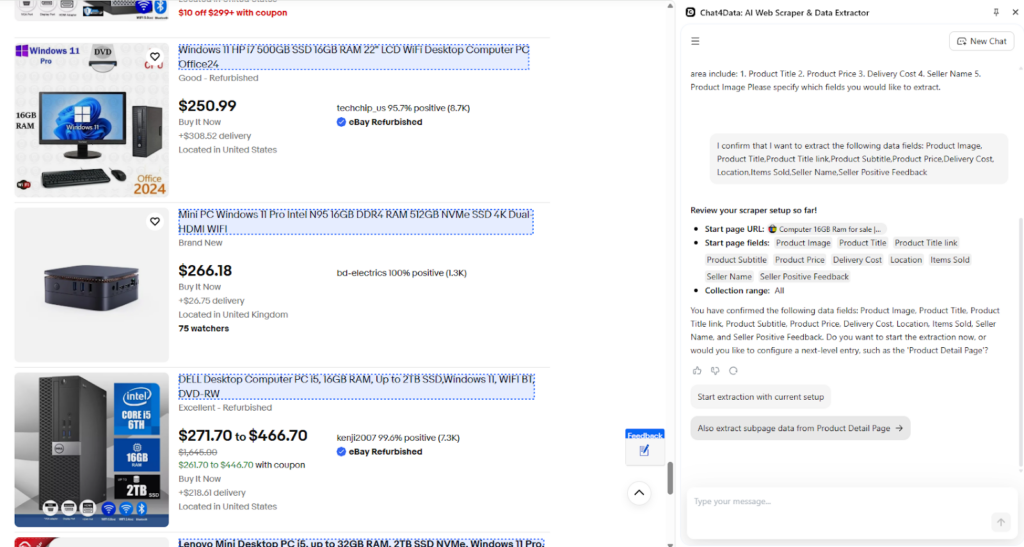
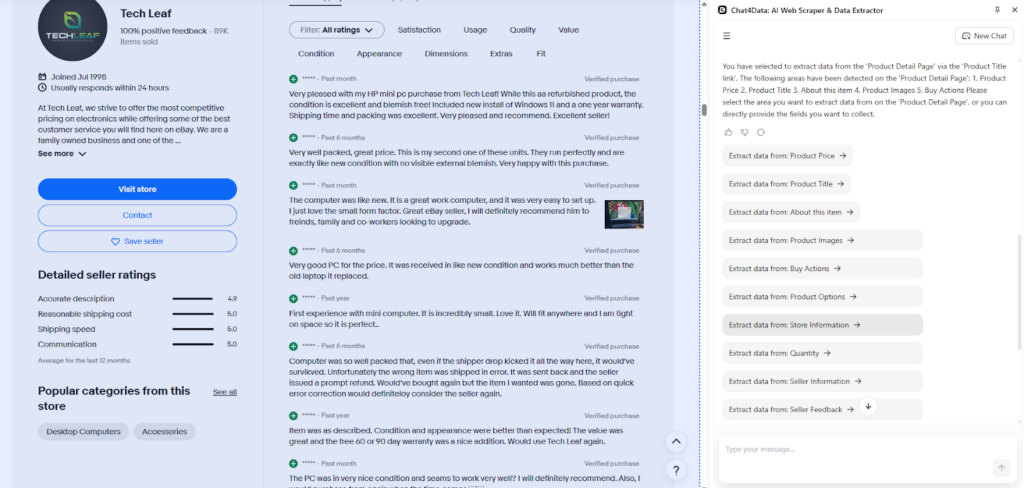
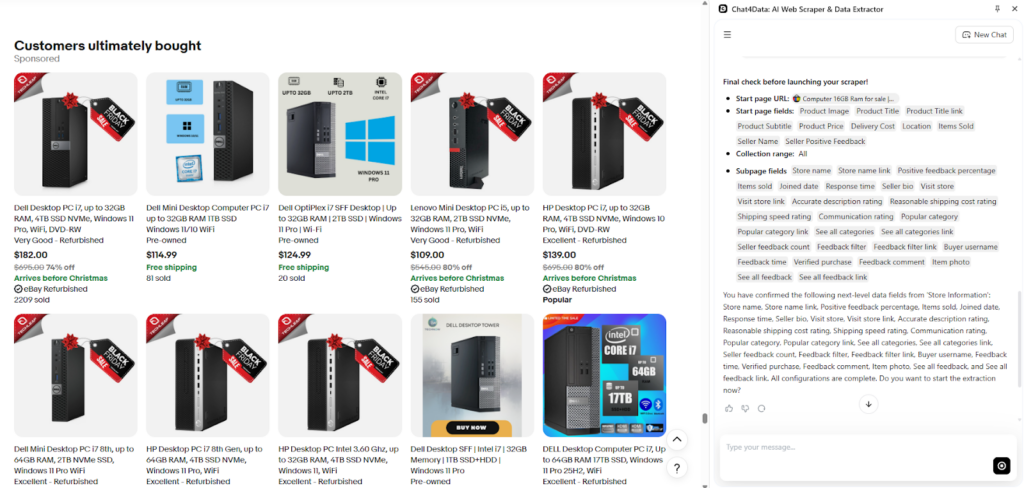
In this instance, I aim to analyze seller data to assess its reliability, which I will incorporate into the final plan for scraping for Chat4Data.
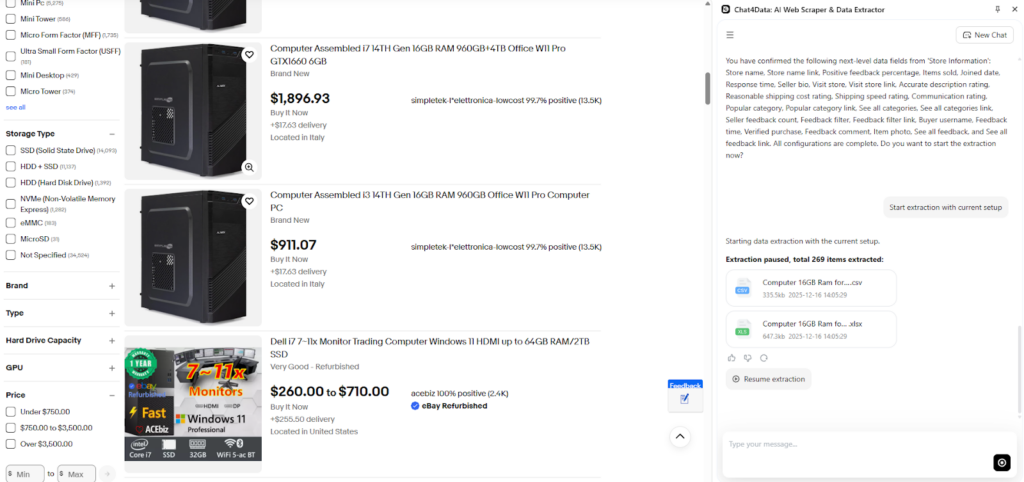
With the final plan in place, scraping can begin with the main page and the detail subpage.
Data is scraped, and here is what that looks like:
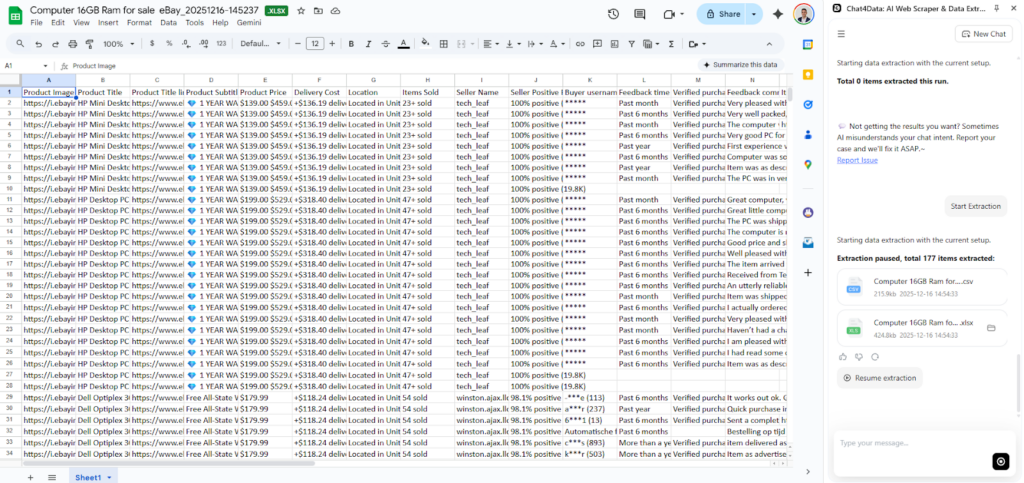
After analyzing the final data, Chat4Data provides high-quality data with clear column names. This is another AI feature Chat4Data utilizes to offer more insight and make it easier for users to process later.
Instant Data Scraper
Instant Data Scraper is the simplest extraction tool currently available on the market. Works based on the click-and-point principle and is best suited for scraping tabular data.
Key Features:
- AI field detection features and no-code extractions.
- Customized crawling speed to adjust to human-like behaviour.
Pros: Instant setup. Completely free and perfect for simple scraping tasks.
Cons: It can be more challenging to use for complex data and requires a timely setup for each scraping task, with limited customization possibilities.
Pricing: Free.
Ease of use: Medium to High. In most cases, it is straightforward to use, except for the more complex tasks, for which it takes time to set up.
How to use Instant Data Scraper:
After installation, Instant Data Scraper immediately begins searching for data to scrape and provides options to export the data directly.
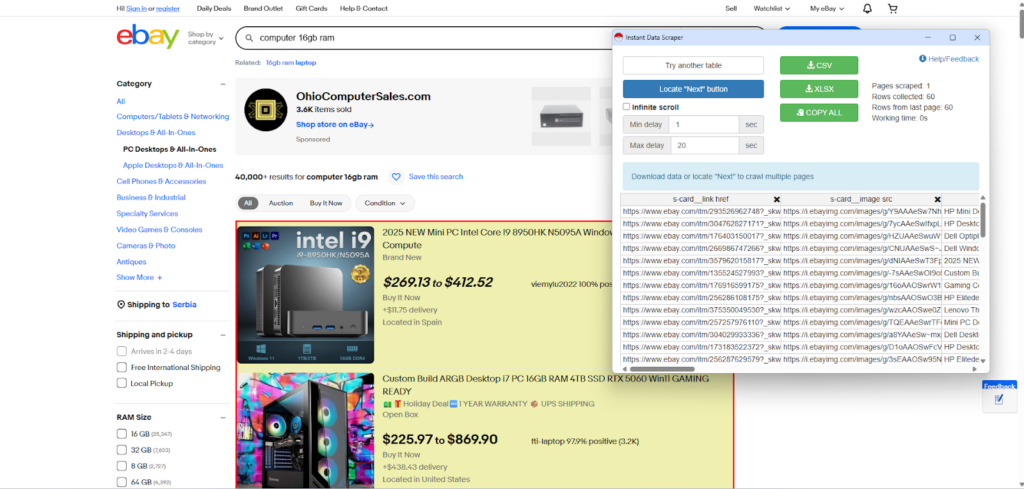
There is an option for infinite scrolling on such websites, or you can locate the “next page” button.
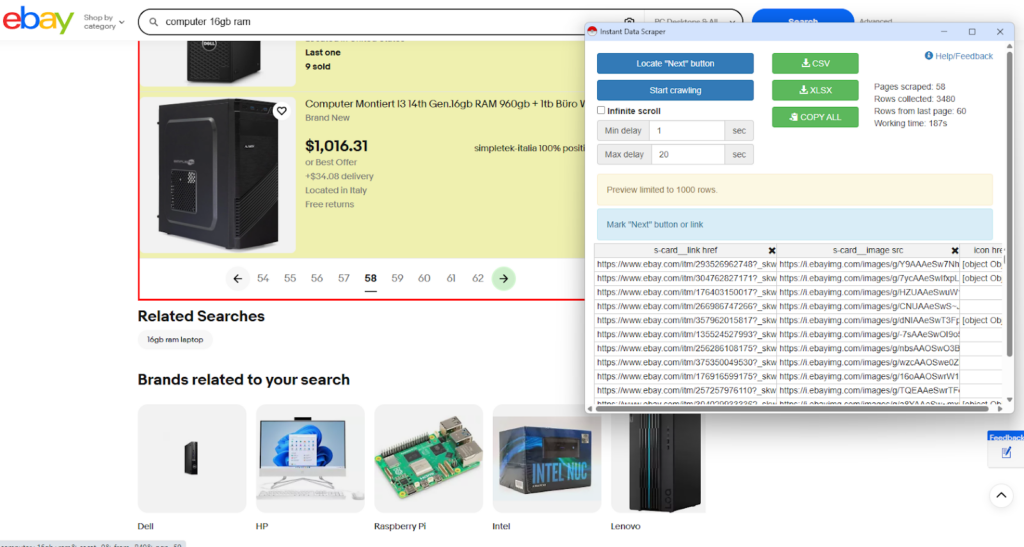
After that, I start crawling until all pages are exhausted.
Instant Data Scraper works quite fast but is limited to tabular and clean data. It has an issue with clear column names.
Panda Extract
Panda Extract, also known as Ultimate Web Scraper, is capable of multiple extraction styles, all of which are available within the plugin.
Key Features:
- List scraping, Page details, Image scraper.
Pros:
- Flexible with configuration and multiple styles of scraping available.
Cons: Missing natural language prompting feature, and column names are not clear.
Pricing: Premium. Starting at $60 per licence
Ease of use: High – Multiple options with clear configuration options.
How to use Panda Extract Ultimate Web Scraper:
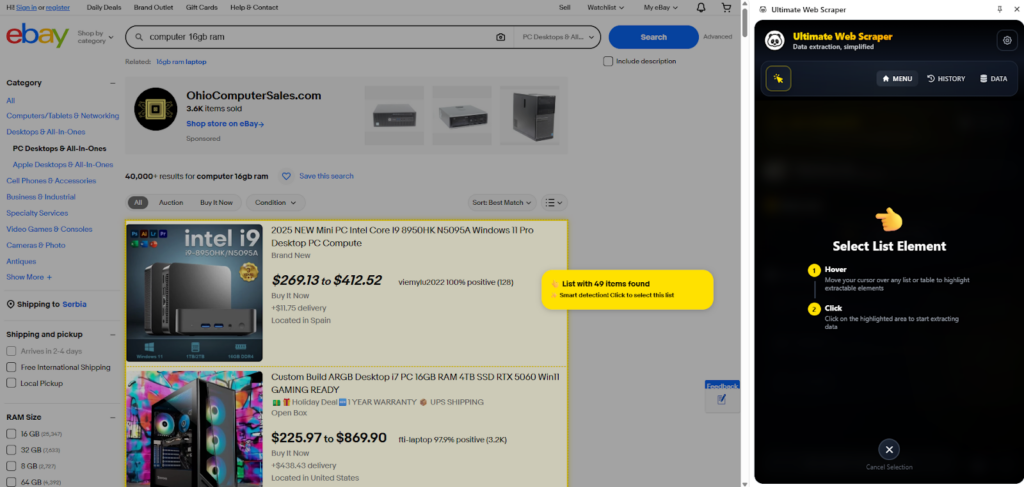
After installing the web scraper plugin, Panda Extract offers multiple scraping options, providing a quick way to recognize the type of data I want to scrape automatically.
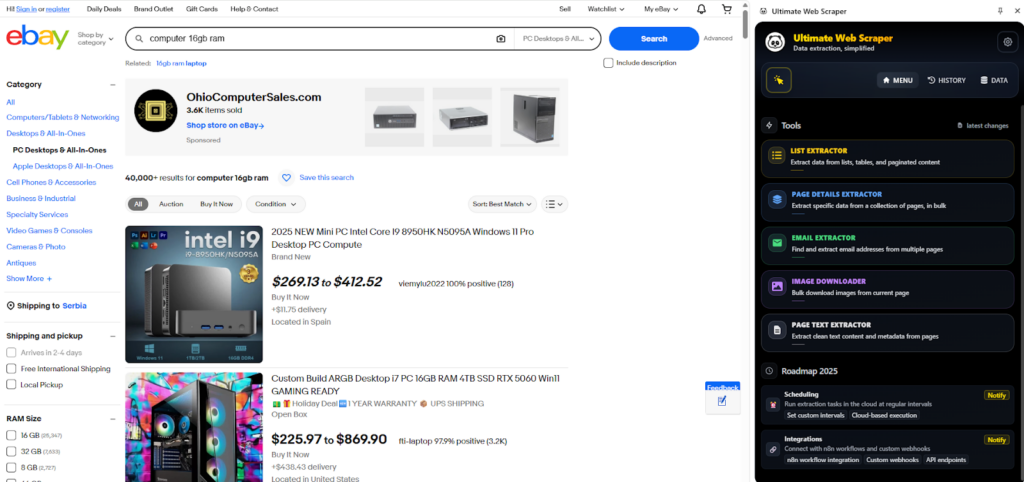
I am prompted to select the field where the data is to proceed.
Data is extracted into a list with values and column names.
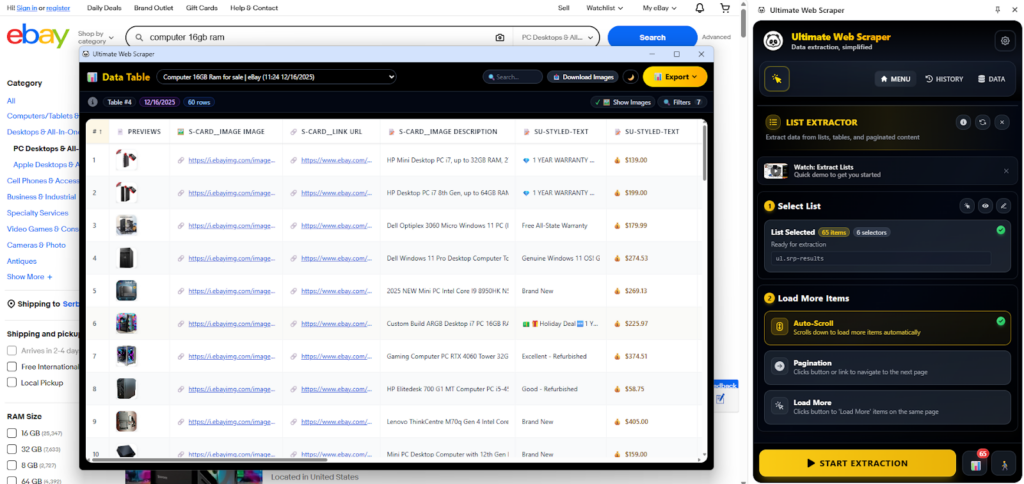
Overall, it’s a fast tool with multiple options and reliable output; however, it lacks natural language prompting capabilities and other advanced AI features. Additionally, it lacks automatic detection of the next page and detailed product scraping.
They plan to add advanced features, such as scheduling for cloud scraping and integration with various tools, including n8n workflows.
They support multiple export options, including Excel, CSV, Google Sheets, and JSON. An additional option is to copy to the clipboard, which is very convenient.
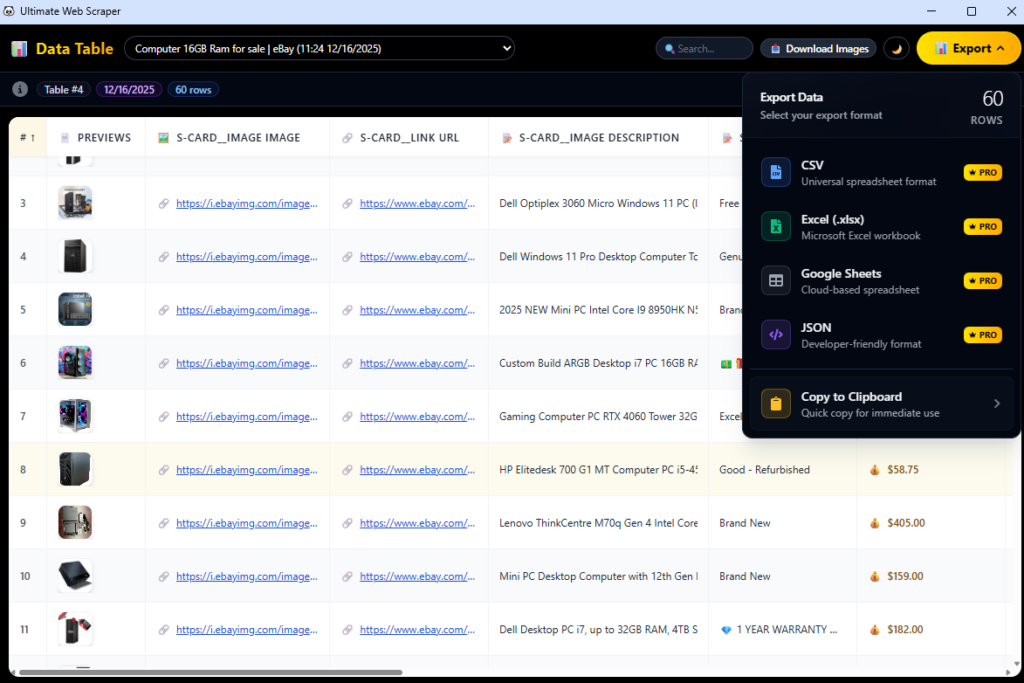
One thing I notice is that column names are not the clearest and can be an additional burden when using this data for further analytics.
BrowseAI
BrowseAI is a no-code web scraper plugin that offers both simple extraction and advanced cloud scraping capabilities, surpassing the capabilities of traditional web scraping plugins.
Key Features:
- Monitoring and Automation: Specializes in turning websites into APIs for monitoring changes and automating data extraction in the cloud.
- No-code Interface: Allows users to “train a robot” by simply interacting with the website to select the data they want to scrape.
Pros:
- Scalability: Excellent for large-scale, repetitive, and monitoring tasks due to its cloud-based architecture.
- Handling Complex Sites: Robust at handling login-required websites and complex JavaScript rendering.
Cons:
- High level of customization, but time-consuming: BrowseAI
- Not strictly a plugin: While it offers a browser recorder, the actual scraping runs on their servers, which may not suit users prioritizing local processing.
Pricing: A free plan is available with limited credits/tasks. Paid plans start at $19/month for the Starter package. The tiers increase up to $500/month for businesses and production-level usage.
Ease of use: Medium. Training the “robot” is visual and straightforward, but setting up complex monitoring and API integrations requires a slightly steeper learning curve than a simple click-to-scrape tool.
How to use:
After installation, BrowseAI enables you to extract data from the current page or set it up as a monitoring task to track any changes. In this case, I want to extract the current page.
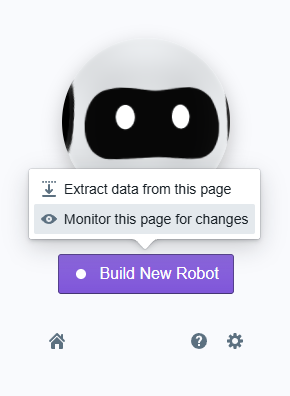
With a short introduction on how to use the tool, I proceed to fetch the item list.
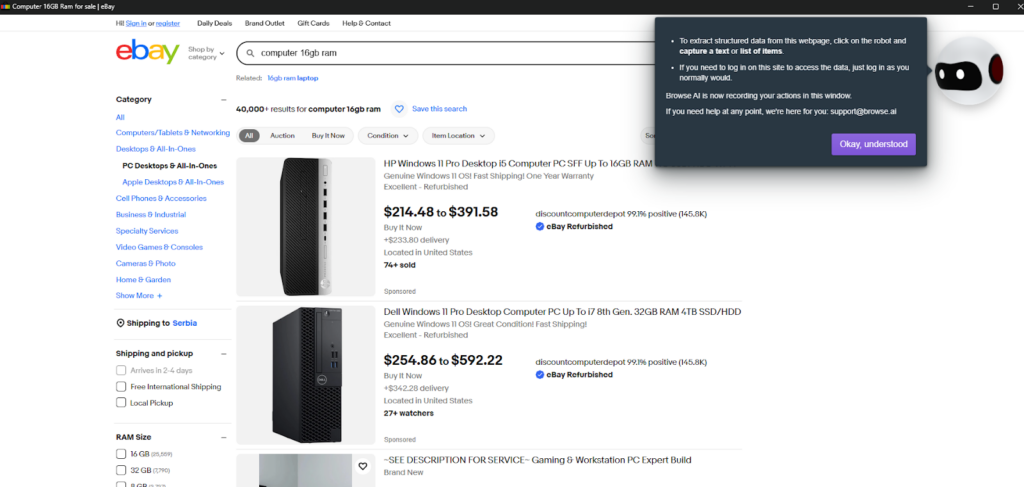
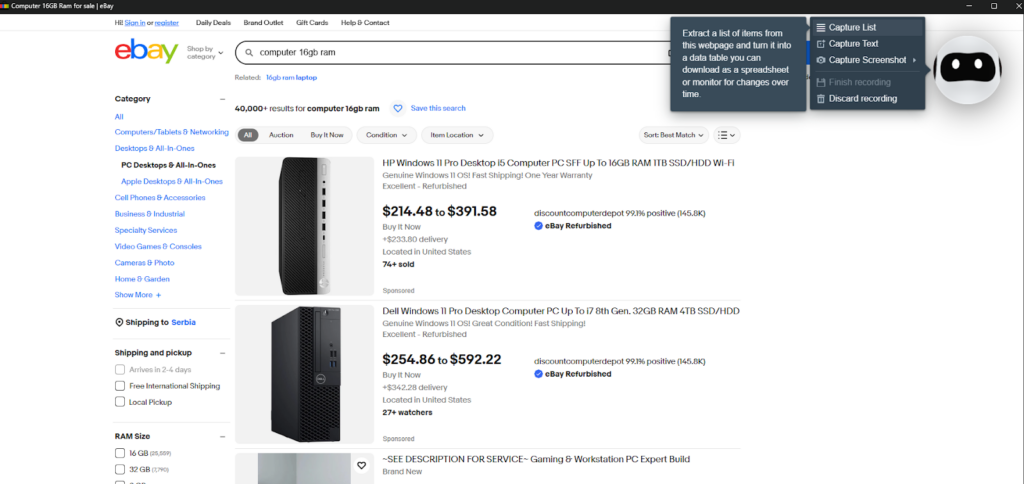
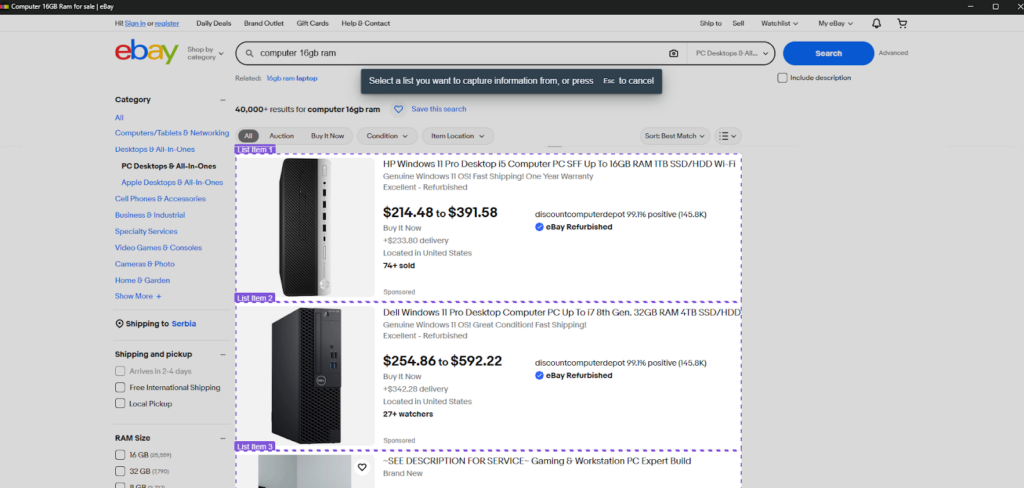
BrowseAI waits for the selection of items and each category inside them. This part I found quite time-consuming, unlike Chat4Data, which does this automatically.
The data scan is complete, but it still requires additional settings for pagination handling.
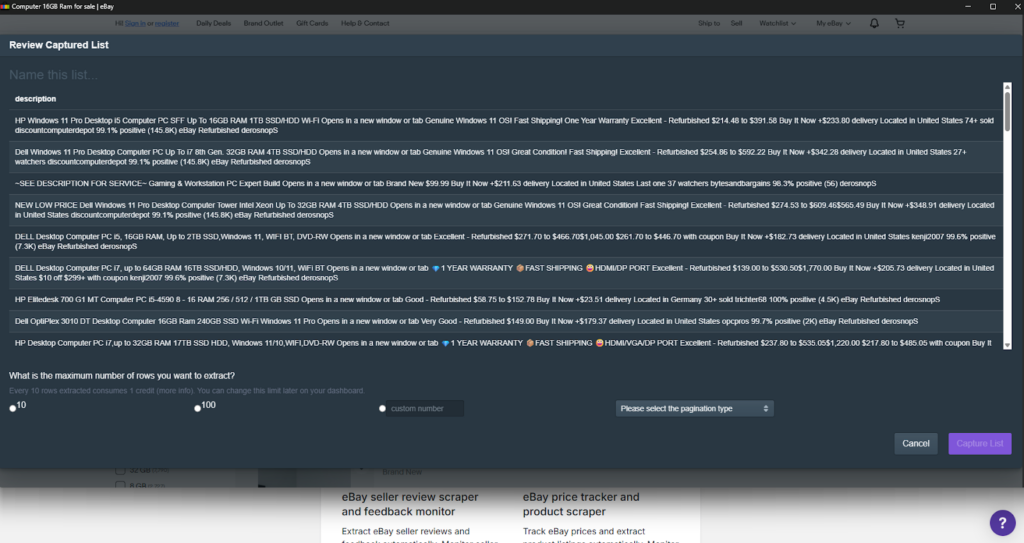
Overall, BrowseAI is a reliable and comprehensive tool that can handle the scale of scraping needs, offering monitoring and scheduled scraping capabilities.
WebScraper
Webscraper enhances extension data scraping by automating scraping tasks.
Key Highlights:
- Interface: Features a visual point-and-click setup.
- Automation: Offers scheduler-based scraping for recurring needs.
- Evasion: Includes IP rotation to circumvent anti-bot detection.
Pros: Highly scalable, suitable for both simple and intricate projects, with dependable performance.
Cons: Mastering complex “sitemaps” involves a significant learning investment.
Ease of Use: Medium. Learning the nuances can be time-consuming.
Pricing: Freemium. The local-use extension is free but feature-limited, necessitating an upgrade to premium plans, which cost between $50 and $200 monthly.
How to use:
After installation, WebScraper is ready to go, either with the AI Wizard option or the Advanced Sitemap Builder. I will try the AI option to see how the latest features work.
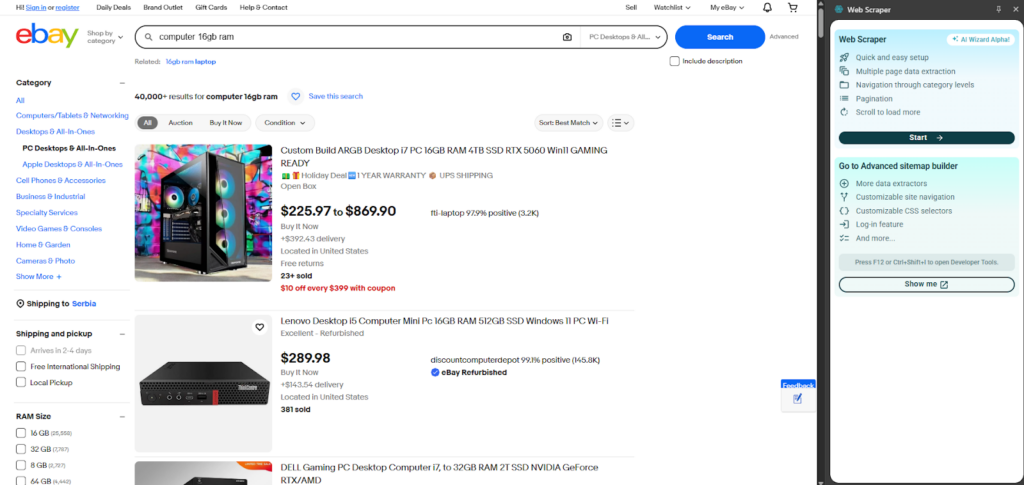
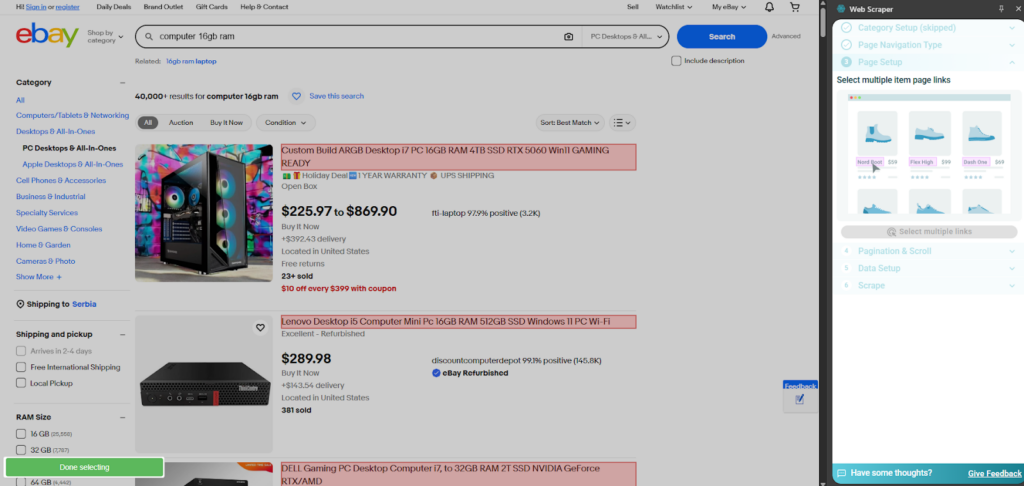
A list of items is possible, along with the additional option of scraping subpage data, which is ideal for a more detailed report.
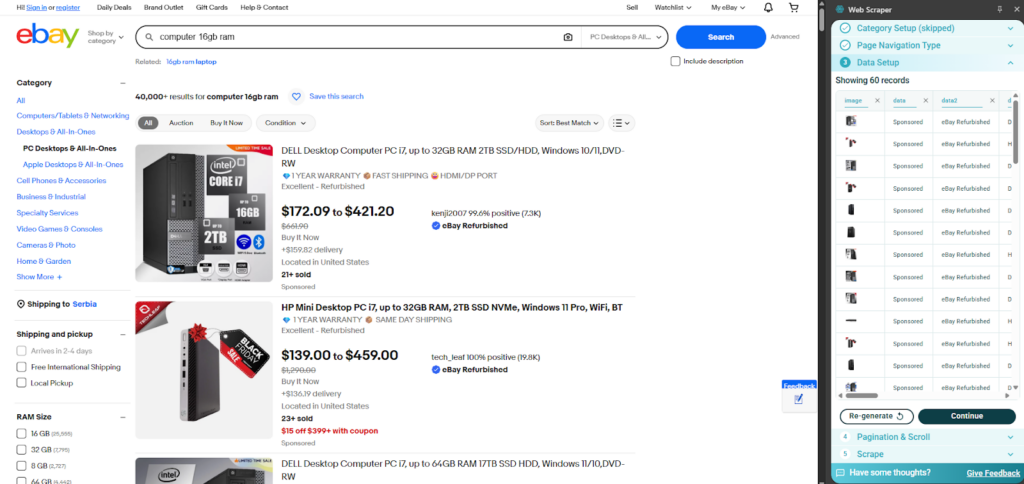
WebScraper provides an initial insight into potential data, which is great before a full scrape.
It still needs a selection of the following buttons. This can also be replaced by AI, making for a more comfortable user experience.
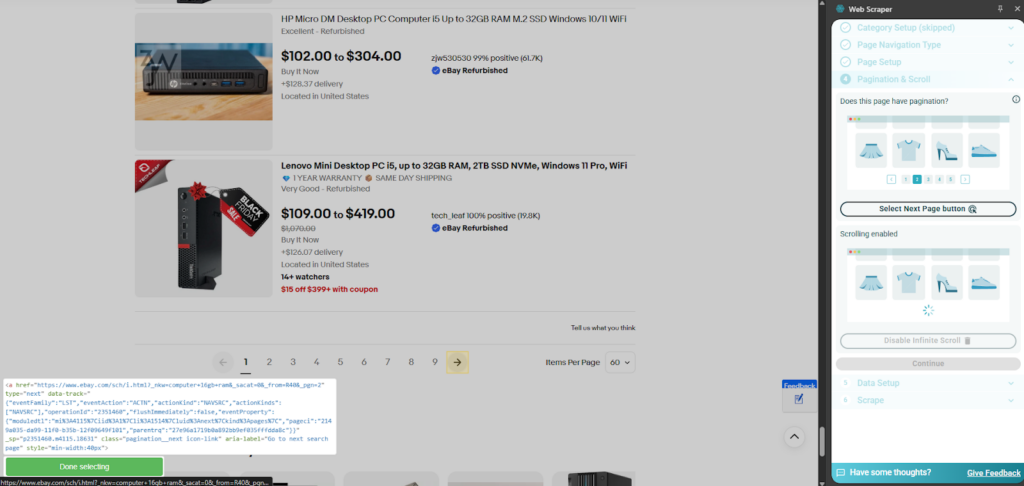
I like WebScraper as it gives you complete control and suggests a lot of good scraping fields itself. The only thing I am missing is the natural language prompting for easier use.
Thunderbit
Thunderbit is designed for business users who need fast, routine data extraction. Its key advantages are an intelligent, business-friendly feature set, including AI suggestions and a polished user interface.
Key Features:
- Intuitive User Interface
- AI Suggestions and Intelligent Field Detection
- Prebuilt Templates
- Natural Language Scraping
Pros: Excellent UI, intelligent data detection, and features tailored for business needs.
Cons: Costs can quickly escalate for more extensive projects.
Ease of Use: High. Setup is straightforward and non-complex.
Pricing: Freemium. Starting free with a limited six-page plan and pro plans from $15 (500 credits) to $38 (3k credits) per month.
How to use:
As soon as you install Thunderbit, you have to make an account to start scraping.
The first thing I notice is that there are offers for the template settings, with the AI suggesting fields. Let’s try that option.
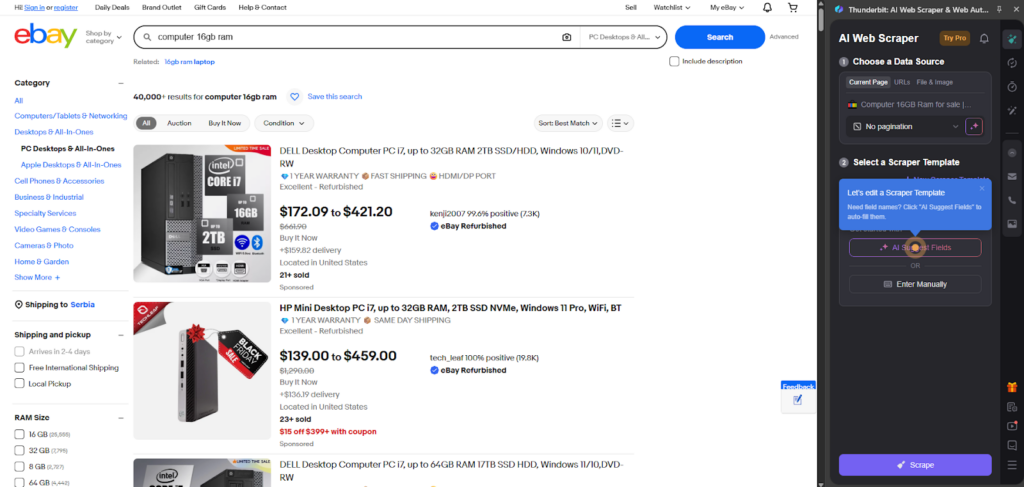
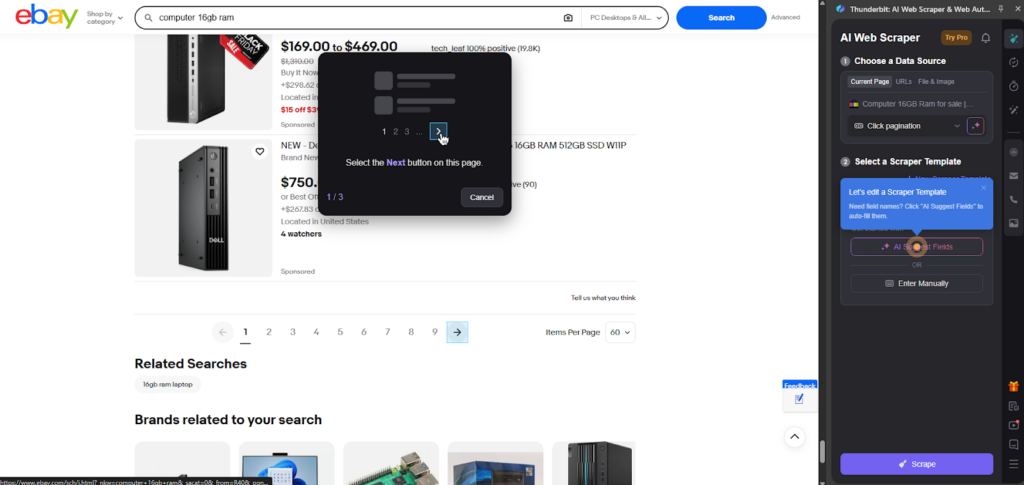
The ‘Next page’ button must be manually set, which can be pretty inconvenient for repetitive tasks.
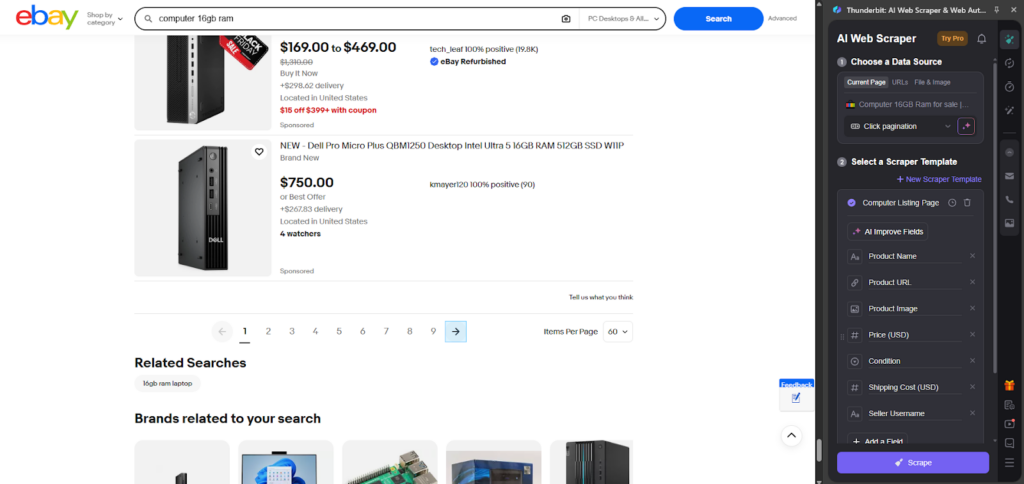
After the AI scans for the HTML elements, it identifies all the data fields that can be scraped.
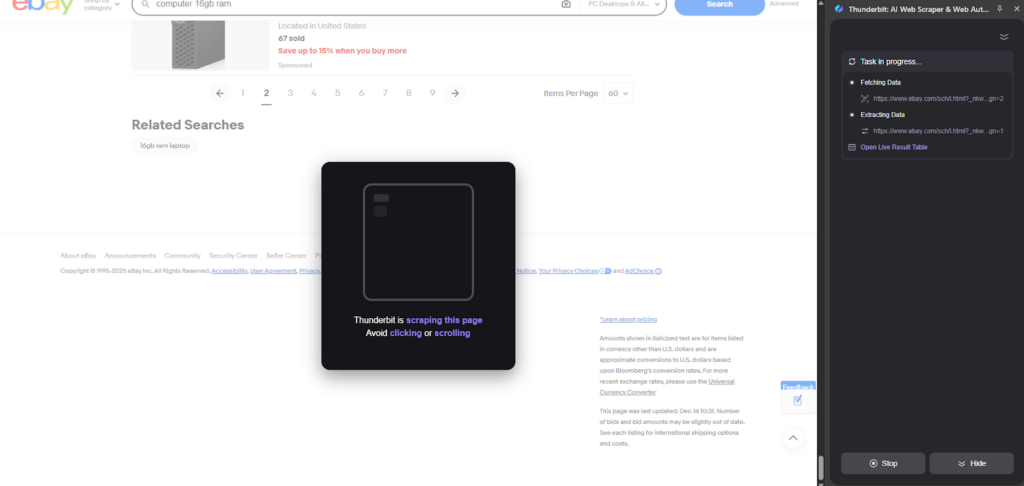
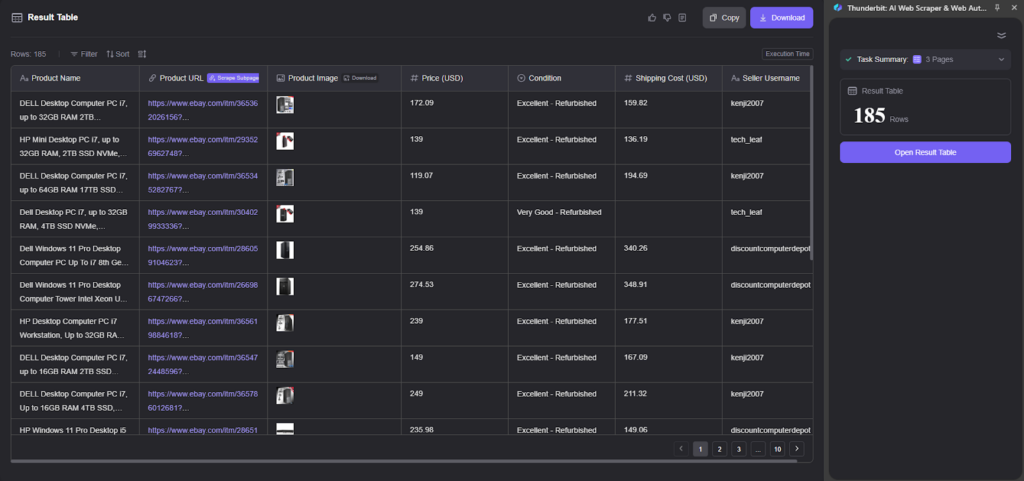
During the process, a live table is available to view the amount of data that has already been fetched.
The final table features excellent column names and high-quality data, including images, which is great.
Bardeen
This data scraper extension uniquely combines data extraction with workflow automation. It enables users to not only retrieve desired data but also to process it further using other services.
Key Features:
- Wide-spread integration (e.g., Notion, Airtable, Google Sheets)
- AI-powered prompting
Pros: The inclusion of advanced features, such as automated workflows, makes this tool suitable for more complex scenarios.
Cons: Users have noted performance issues and a perceived lack of AI functionalities.
Pricing: Premium, based on usage. Plans range from $10 for 100 credits to $50 for 1,000 credits monthly. An enterprise option is also available.
Ease of Use: Medium. There is a significant learning curve, especially when first setting up workflows.
How to use:
Bardeen is a web scraper plugin that operates using Playbooks as a workflow builder. With the AI and natural language prompting, let’s test if Bardeen allows me to make a scraper task.
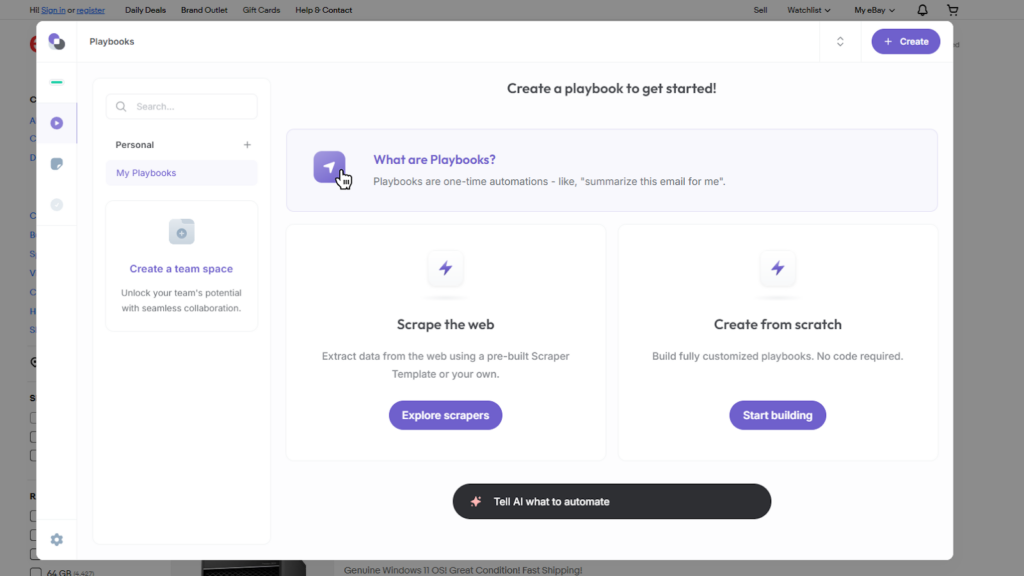
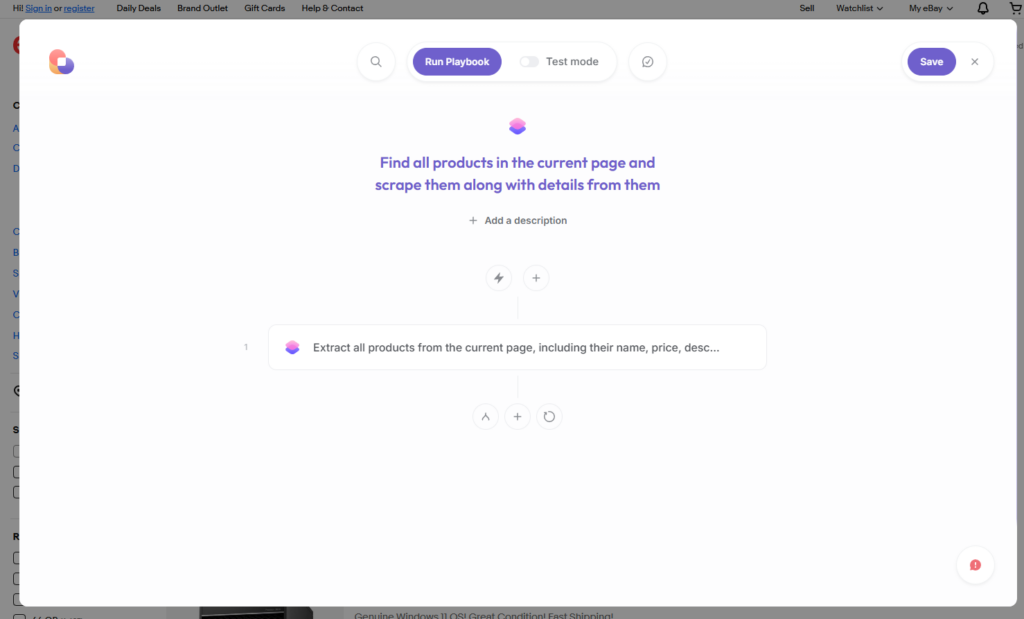
In here, we define the rules that need to be executed.
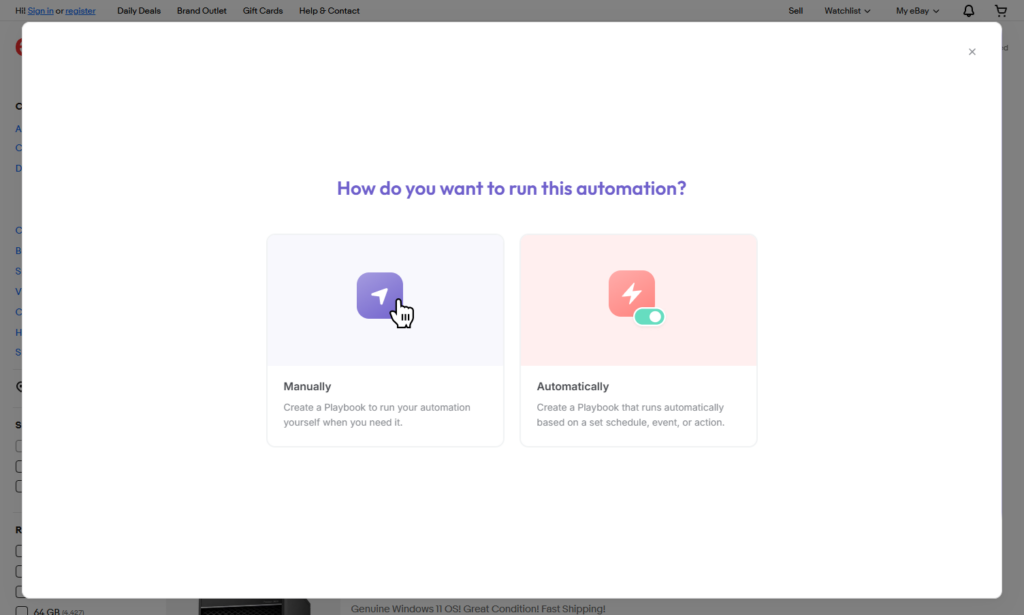
A great feature to have is the ability to define Playbooks for scheduled and automatic execution.
Bardeen gives insight into what is happening during the scraping steps.
The data is fetched, and we have complete insight into the data and the cost of executing this script in credits.
The data appears excellent, with clear column names.
My Winner of a Web Scraping Plugin Comparison: Chat4Data
The clear winner here is Chat4Data, as it has all the required features for a great web scraper plugin and more. Affordable tier prices and efficient credit utilization set this apart from the competition.
Here are the key features that distinguish Chat4Data from other tools:
Advanced AI-Powered Scraping Capabilities
- Natural Language Prompting: Users can define their desired data using conversational language, similar to prompting a tool like ChatGPT for scraping tasks.
- Advanced AI Field Detection: The tool uses the latest AI features for reliable and stable identification of data fields for scraping.
- Automatic Pagination: Chat4Data’s algorithm automatically detects and navigates “Next page” buttons and various pagination styles.
- Subpage Crawling: Chat4Data is capable of crawling the subpages associated with each element scraped on the main page. This allows for the collection of additional details, such as shipping information or delivery dates, that are not visible on the primary scraping view.
Data Accuracy and Performance
- Superior Data Precision: Chat4Data excels in data quality, utilizing AI to ensure clear column names and properly sorted data, resulting in highly efficient and accurate output.
Reliability, Maintenance, and Security
- Dedicated Maintenance and Upgrades: Chat4Data is a highly reliable tool supported by a large development and user community. This is a significant advantage, as users can comfortably get used to the tool without worrying that it will be archived.
- Guaranteed Privacy and Local Processing: When activated on an authenticated page, Chat4Data processes data locally and directly, ensuring complete privacy. It does not save user credentials on its servers, ensuring privacy and security.
Seamless Data Export
- Easy Data Export: Once a scraping task is executed, Chat4Data automatically generates data in standard Excel and CSV formats, ready for immediate further processing.
Want a deeper dive? Check out these articles:
- Top 7 Free Scraper Chrome Extensions
- Top 8 Data Scraper Extensions for 2025
- Top 7 Web Scraper Chrome Extensions of 2025
- 8 Best AI Web Scrapers in 2025
FAQs about Web Scraper Plugins
- Can these Web Scraper Chrome plugins, such as Chat4Data, handle dynamic content and infinite scroll?
Yes, handling dynamic content is a fundamental feature of web scraper plugins. This is essential, as many websites utilize JavaScript to load content, making it challenging to work with an ever-changing structure. AI is one of the solutions here, and it is used to recognize and adapt scraping algorithms. Chat4Data can also enable auto-infinite scrolling and wait for content to properly load before starting the scraping process.
- What are the legal and ethical considerations for web scraping?
It is crucial always to consider legality and ethics when scraping. As long as the website does not directly prevent any form of scraping, here are things to keep in mind:
- Check for robots.txt to comply with the rules of each website
- Avoid overloading servers: Each website must use a hosting provider for its services, so be respectful and refrain from sending too many requests that could overload the website and abuse its servers.
- Personal data is particularly sensitive when being scraped, as it cannot be republished without obtaining the necessary permits.
- How do I handle websites that try to block scrapers?
Web scraper plugins are usually not blocked by websites, as they often employ advanced AI anti-bot avoidance algorithms and mimic human behavior. By clicking and scrolling as a regular person would, they avoid being detected.
When a manually written and deployed script is used for scraping data, there is a high chance it will be recognized and blocked by most websites. In this case, consider switching to Chat4Data, a free online web scraper plugin.
- What are the limitations of web scraping plugins?
Most of the time and for most users, web scraper plugins are a superior choice, but these factors can be limiting for some users:
- Scale and complexity: Online web scraper plugins are limited in customization and can be hard to scale for large businesses. BrowseAI offers this to some extent even as a Chrome web scraper plugin.
- Browser-dependent: This can be an advantage, as it has full access to a browser, but it can also be a limiting factor if you need other resources.
- Customization: Desktop apps and self-developed online web scrapers offer more configuration options but are also more challenging to learn and use.
 AI Web Scraper by Chat