

- what Google search results data actually contains
- why SEO and research teams scrape it
- how to pull it into a spreadsheet without writing a single line of code
What Are Google Search Results?
Google search results, often called the SERP (Search Engine Results Page), are the ranked list of links Google returns for a query. Each result is one entry on that page, and each entry carries a few consistent fields. Think of the SERP as a ranked table that Google rebuilds for every query. A typical organic result includes:- Position (its rank on the page)
- Page title
- URL
- Meta description snippet
- Display path or breadcrumb
Where to Find the Data
Everything lives on the results page itself, but it is split across a few areas worth knowing before you scrape.- The main organic list: The core stack of blue links down the center of the page. This is where titles, URLs, descriptions, and ranking positions come from, and it is what most SEO work targets.
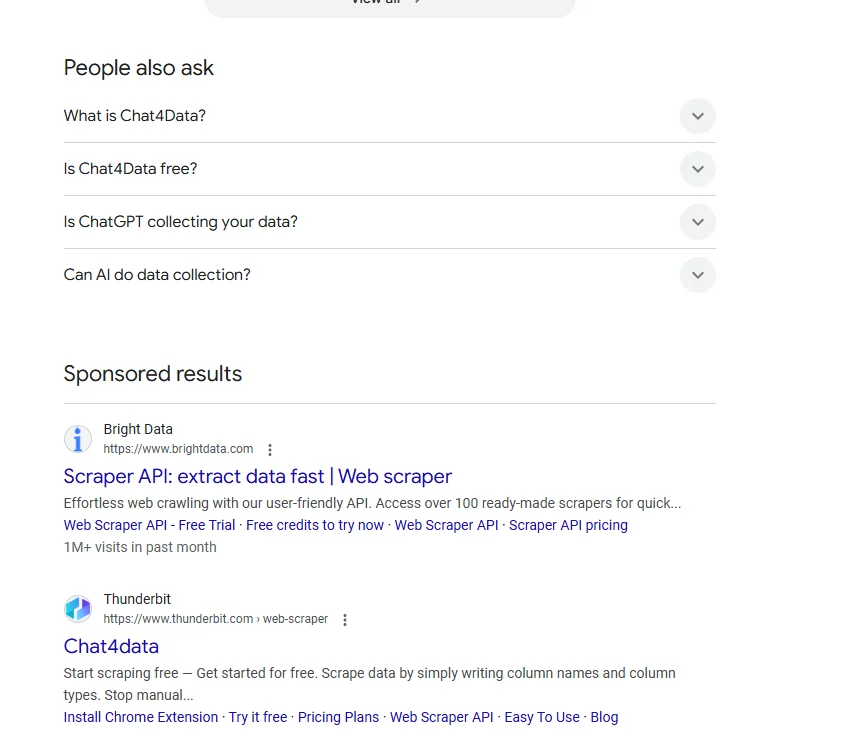
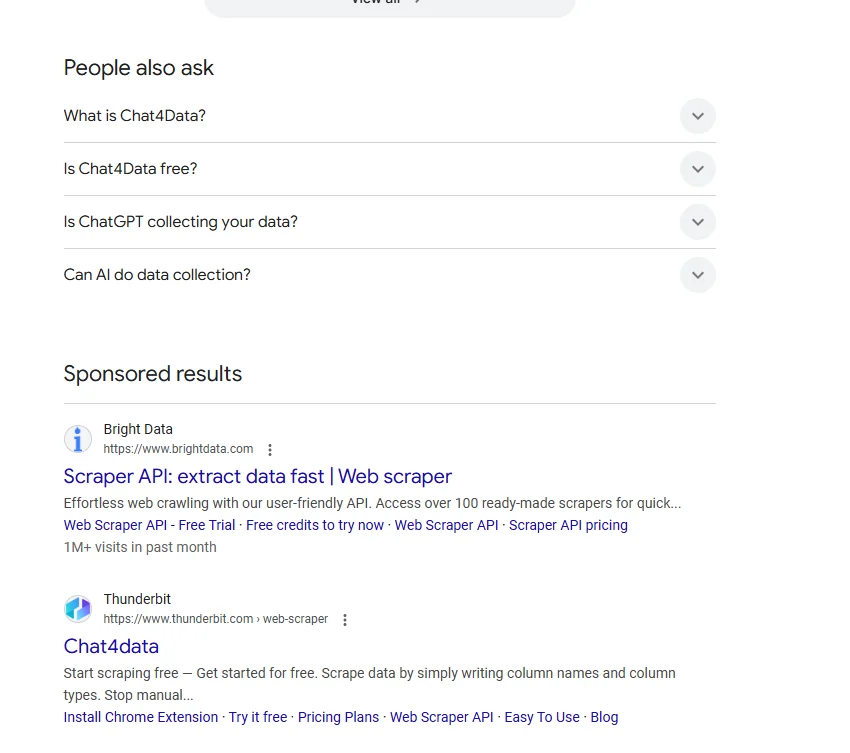
- The SERP feature blocks: Ads, “People also ask,” featured snippets, and related searches sit above, between, or below the organic results. These are useful if you want to study what else competes for attention on a query.
Why SEO and Research Teams Scrape Google Search Results
Once you can pull SERP data at scale, a lot of manual checking disappears. Here is what people actually use it for:- Rank tracking. Monitor where your pages land for a set of keywords over time, instead of eyeballing one query at a time.
- Competitor analysis. See which domains own the top spots for your target terms, and how that set shifts.For local competitors, scraping their Google reviews adds the customer-facing side of why they rank.
- Keyword and content research. Collect the titles and descriptions ranking for a topic to understand what Google rewards before you write.
- Link prospecting. Pull the URLs ranking for a query as a starting list for outreach or citation research.When those pages belong to local businesses, you can scrape Google Maps to pull their contact details too.
- SERP feature monitoring. Track when featured snippets, “People also ask,” or ads appear for your keywords, since they change how much traffic the organic links get.
How to Scrape Google Search Results Without Code
Here is what the workflow looks like with Chat4Data, an AI web scraper that runs as a Chrome extension. Step 1: Describe your task Open the extension and type what you want in plain English: “Go to Google, search for ‘best running shoes’, and scrape the position, title, URL, and description of each organic result from the first 3 pages.” Step 2: Review the execution plan Before running anything, Chat4Data shows you a step-by-step breakdown of what it plans to do. Which pages it visits, which fields it extracts, how it handles pagination. You can adjust the plan or approve it as-is. No credits are used until you hit start. Step 3: Run and export The scraper works through the results pages like a real user, moving from page to page and pulling each result. When it finishes, you export everything as Excel, CSV, or JSON. Step 4: Save and reuse Save the task once, and every future run skips the AI configuration step. If you track the same keywords on a schedule, that means one click per run. A few practical notes:- A results page mixes ads and feature blocks in with the organic links. Tell the scraper specifically to collect the organic results if you want a clean ranking list without the ad rows.
- If Google shows a verification prompt mid-scrape, Chat4Data pauses so you can clear it manually, then picks up where it left off. Running many queries back to back makes this more likely, so pace large jobs.
- Credits are only consumed during the initial AI configuration, not during extraction. A search results task typically costs around 25-40 credits to set up, and that setup is saved permanently for reuse.
Wrapping Up
Google search results hold the ranking and competitive data behind every SEO decision, and collecting it used to mean either tedious manual checking or wiring up a scraping script. That is no longer the case. With an AI web scraper like Chat4Data, you can scrape Google search results by simply describing what you want. If you want to try it, Chat4Data is available at chat4data.ai and on the Chrome Web Store.Frequently Asked Questions
1. Can you scrape Google search results?
Yes. The titles, URLs, descriptions, and ranking positions on a results page are publicly visible, and they can be collected at scale. You can do it with code, with a paid SERP API, or with a no-code Chrome extension like Chat4Data that handles the whole process through a plain English instruction.2. What data can I scrape from a Google search results page?
A well-configured scraper can pull:- Ranking position
- Page title
- URL
- Meta description snippet
- “People also ask” questions
- Featured snippet text
- Related searches
- Ad listings (if you ask for them)
3. How do I scrape just the URLs from search results?
Point the scraper at your query and ask only for the link field, for example: “Search ‘project management software’ on Google and scrape the URL of every organic result from the first 5 pages.” You get a clean list of ranking URLs, which is the usual starting point for link prospecting or citation research.4. How do I tell the scraper which queries to collect?
You point it at the searches you want, in one of two common ways:- A single query: “Search ‘[keyword]’ on Google and scrape the organic results from the first [X] pages.”
- A list of keywords: Run the saved task once per keyword, or feed it your keyword list, then combine the exports into one ranking sheet.
5. Why are my scraped results different from what I see in my own browser?
Google personalizes results, so differences are normal:- Location. Results change by region, so a scrape run from a different place returns a different order.
- Search history and login. Your own signed-in browser shows results tuned to your history. A clean scrape will not match it.
- Time. Google reorders results constantly, so two runs hours apart can differ.
6. Can the scraper collect ads and “People also ask” boxes too?
Yes. These blocks are part of the page, so you can ask the scraper to capture them alongside the organic results. It helps if you want to study what competes for attention on a query. If you only want the ranking list, tell the scraper to collect organic results so the ad rows do not mix in.7. Is there a free Google search results scraper?
Some tools offer free tiers, fine for a handful of one-off queries. For tracking many keywords across multiple pages on a schedule, paid tools are more practical. If you are starting out, Chat4Data begins at $10/month and you scrape just by typing what you want, with no setup to learn.8. Can I scrape Google search results with Python?
Yes. Common options include:- Libraries: Requests with BeautifulSoup is the usual starting point for parsing the results HTML
- Managed SERP APIs: services that handle proxies and anti-bot measures and return results as structured JSON
- No-code alternative: Chat4Data, if you would rather skip the code entirely