

- who your top-ranked competitors are right now, and which ASINs hold the top 10 slots
- how the category is shifting over time, which products are climbing and which are slipping
- and where your own product sits in the list and what it would take to move up
- What Amazon best sellers data is and why it matters
- Why sellers scrape best sellers data
- How to scrape Amazon best sellers without writing any code
What Is Amazon Best Sellers?
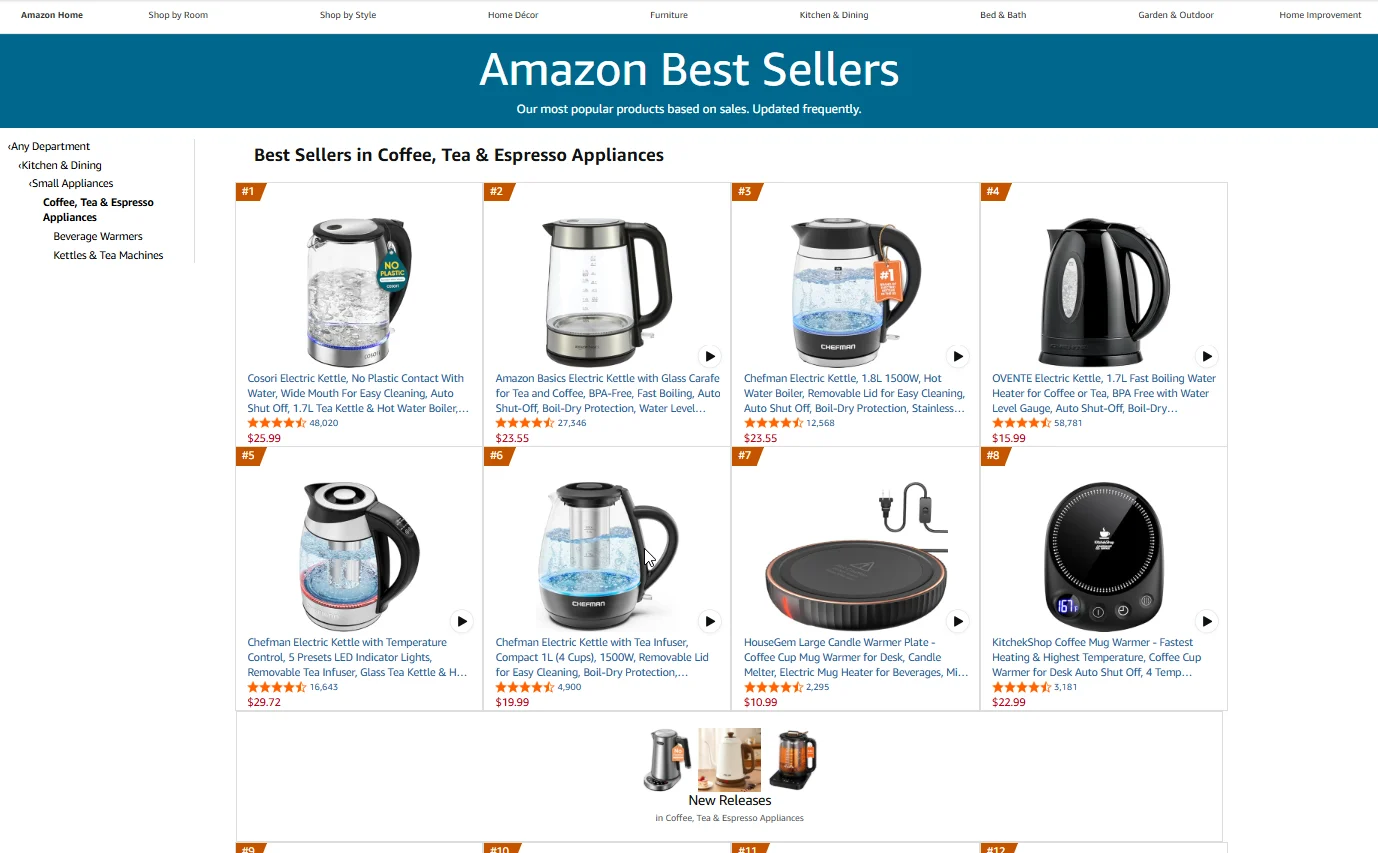
Amazon Best Sellers is the hourly-updated ranking of the top 100 products in each Amazon category and subcategory. Every category has its own list at a separate URL, all branching off amazon.com/Best-Sellers. Each Best Sellers list entry contains:- Rank (the product’s position in the list, #1 through #100)
- Product title (the listing headline as it appears in the ranked list)
- ASIN (Amazon’s unique product identifier)
- Price (the price shown on the Best Sellers list at the time of view)
- Star rating and review count (average customer rating and total reviews)
- Category path (the category and subcategory the rank applies to)
Why Amazon Sellers Scrape Best Sellers Data
Manually checking a Best Sellers list once a week catches the big moves but misses the early ones. Scraping turns it into a tracking system. Here is what sellers actually use best sellers data for. 1. Spot new entrants in your category. Watch which ASINs appear in the top 100 over time. A product climbing from #87 to #34 in two weeks is usually riding a launch surge or a viral moment, and catching it early gives you time to react. 2. Track ranking changes among incumbents. Scrape Best Sellers rank weekly for the top 20 in your category and map the movement. When a competitor slides 10 spots, cross-reference with their listing or pricing changes to understand what flipped. 3. Benchmark category leaders. Pull pricing, ratings, and review counts across the top 10. Compare your own numbers against the median to see exactly where you stand. 4. Spot seasonal patterns. Keep a year of weekly snapshots in the same category. Trends in average price, ranking volatility, and which subcategories surge tell you when to plan inventory, promotions, and listing refreshes.How to Scrape Amazon Best Sellers Without Code
Now you know what best sellers data is good for. Here is how to collect it.Step 1: Describe Your Task
Open the Chat4Data extension and type what you need in plain English:“Go to https://www.amazon.com/gp/bestsellers, navigate into the Kitchen & Dining category and then into the Coffee, Tea & Espresso subcategory. For all 100 products on that Best Sellers list, scrape the rank, product title, ASIN, price, star rating, review count, and full category path.”You don’t need URLs or ASINs in advance. Just describe the category path and the fields you want. Chat4Data handles the navigation and field detection from there.
Step 2: Review the Execution Plan
Chat4Data shows you the plan first: which pages it’ll visit, which best sellers fields it’ll extract, and how it handles pagination. It also previews the first page of data so you can verify the output before the full run. Approve or adjust before starting.Step 3: Run and Export
The scraper navigates Amazon like a real user, walking through each category page and reading the ranked list as it loads. When it finishes, export your data as Excel, CSV, or JSON. Need to run the same task again next week? Just open the menu in the top-left corner of the extension to find your conversation history. Click into any previous task and run it again. No need to re-describe what you want or redo the AI setup.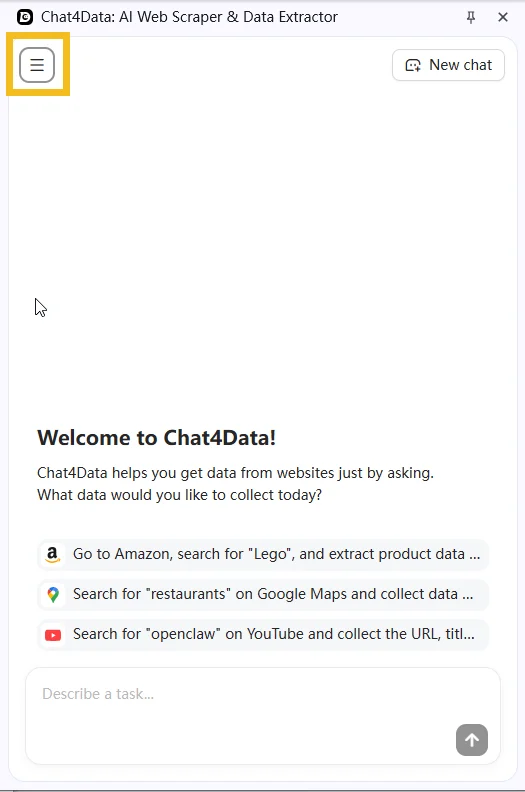
Practical Notes
- Best Sellers updates hourly. If you’re comparing week-over-week, schedule scrapes at the same time of day. A 9am snapshot can look meaningfully different from a 9pm snapshot, so pick one and stick with it.
- Best Sellers and Movers & Shakers are different lists. Movers & Shakers (amazon.com/movers-and-shakers) ranks 24-hour gainers, not absolute Best Sellers. If you want absolute rankings, make sure your category URL points to /Best-Sellers, not the Movers page.
- If a CAPTCHA appears mid-scrape, Chat4Data pauses so you can solve it manually, then picks up exactly where it left off.
Wrapping Up
Best Sellers is the most public ranking signal on Amazon, updated in real time and visible to every buyer in the category. AI web scrapers turn that signal from a thing you glance at into something you can track on a schedule. With Chat4Data, a single prompt builds you a weekly category snapshot that compounds into trend data over time. The same workflow works for scraping Amazon product data if you want to pair best sellers ranking signals with the listing-level details behind them. If you want to try it, Chat4Data is available at chat4data.ai and on the Chrome Web Store.Frequently Asked Questions
1. What is an Amazon best sellers scraper?
A tool that pulls the ranked list of top-100 products from any Amazon Best Sellers page, along with the per-product fields like ASIN, price, and rating. Options range from Python scripts using libraries like BeautifulSoup to no-code Chrome extensions like Chat4Data that work through a plain English interface.2. Can I scrape best sellers across multiple categories at once?
Yes. You can chain several category Best Sellers lists in a single task. For example, “scrape the top 100 in Kitchen, Sports & Outdoors, and Toys & Games.” You don’t need to gather individual ASINs beforehand. Chat4Data reads the product identifiers directly off each ranked list.3. What’s the difference between Best Sellers, Movers & Shakers, and New Releases?
They’re separate Amazon lists that answer different questions, so pick the one that matches your goal:- Best Sellers — the top 100 by current sales rank. Use it for absolute category standings.
- Movers & Shakers — the biggest 24-hour rank gainers. Use it to catch products surging right now.
- New Releases — recently launched products climbing the ranks. Use it to spot fresh competition early.
- Most Wished For — products most added to wish lists. Use it as a demand signal for upcoming interest.
4. Can I scrape past the top 100?
Not from the Best Sellers list itself, which only ever shows 100 products per category. If you need products ranked below the top 100, the Best Sellers page won’t have them. The workaround is to scrape the category through regular search or filtered browse pages instead, which go much deeper than 100 results.5. Is the Best Sellers rank the same as a product’s BSR on its detail page?
Not exactly, and the two can look contradictory if you don’t know the difference. The Best Sellers list shows a product’s position from #1 to #100 within that specific list. A product’s detail-page BSR is its absolute rank within a broader category and can run into the tens of thousands. Same product, two different numbers, because they’re measured against different sets. When you track ranking over time, decide which one you mean and stay consistent.6. Can I see how long a product has been a best seller, or its rank history?
Not directly, because Amazon only shows the list as it stands right now and doesn’t publish historical rankings. The way sellers build that history is by scraping the same list on a schedule and saving each run. After a few weeks of weekly or daily snapshots, you have your own trend data showing which products climbed, held, or dropped, which is exactly what the live list can’t tell you on its own.7. Can I scrape just the top 10 or top 20 instead of all 100?
Yes. Just say so in your prompt, for example “scrape the top 20 products in this Best Sellers list.” This is handy when you only want to benchmark category leaders against your own product rather than pull the full list every time.8. Why does the price or rating on the list differ from the product page?
The Best Sellers list shows price and rating as they appear at the moment and in your current session. Amazon personalizes some of this by login state, Prime status, and location, so a number on the list can differ slightly from what you see after opening the product page, or from what another user sees. For comparable data across runs, keep your session in the same state (same login, same region) each time.9. How often should I re-run my Best Sellers scrape?
It depends on what you’re tracking. For category leaderboard awareness, weekly is usually enough. For monitoring fast-moving launches or seasonal events, daily makes sense. During volatile windows like Prime Day or Q4, hourly is reasonable. Best Sellers updates hourly, so for week-over-week comparisons, run your scrape at the same time of day each time.10. Is scraping Amazon best sellers legal?
Amazon’s Terms of Service prohibit automated access, but collecting publicly visible ranking data is widely practiced for market research. Courts have generally held that scraping public data is not inherently unlawful. On the ethical side, most sellers use Best Sellers data for category research and competitive benchmarking, not to replicate someone else’s listings. Review Amazon’s ToS and consult a legal advisor for your specific situation.11. How do I scrape Amazon best sellers without getting blocked?
The simplest answer is to use a good AI web scraper. Chat4Data is built to navigate Amazon without tripping anti-bot defenses:- Real user behavior. Chat4Data clicks, scrolls, and waits the way a person would, which avoids most anti-bot triggers in the first place.
- Local browser execution. Scraping runs from your own browser and your own IP, not a shared cloud proxy pool that other users may have already burned.
- CAPTCHA pause. If one appears mid-scrape, Chat4Data stops so you can solve it manually, then picks up exactly where it left off.
12. Can I scrape Amazon best sellers with Python?
Yes. Common approaches:- Requests + BeautifulSoup for static page extraction
- Scrapy for larger-scale, scheduled tracking
- Managed APIs that handle proxy rotation and anti-bot measures