

- what your competitors are charging right now
- how the market shifts during promos, holidays, and stock changes
- and where your own price sits within the category range
- What Amazon price data is and why it matters
- Why sellers scrape price data
- How to scrape Amazon prices without writing any code
What Is Amazon Price Data?
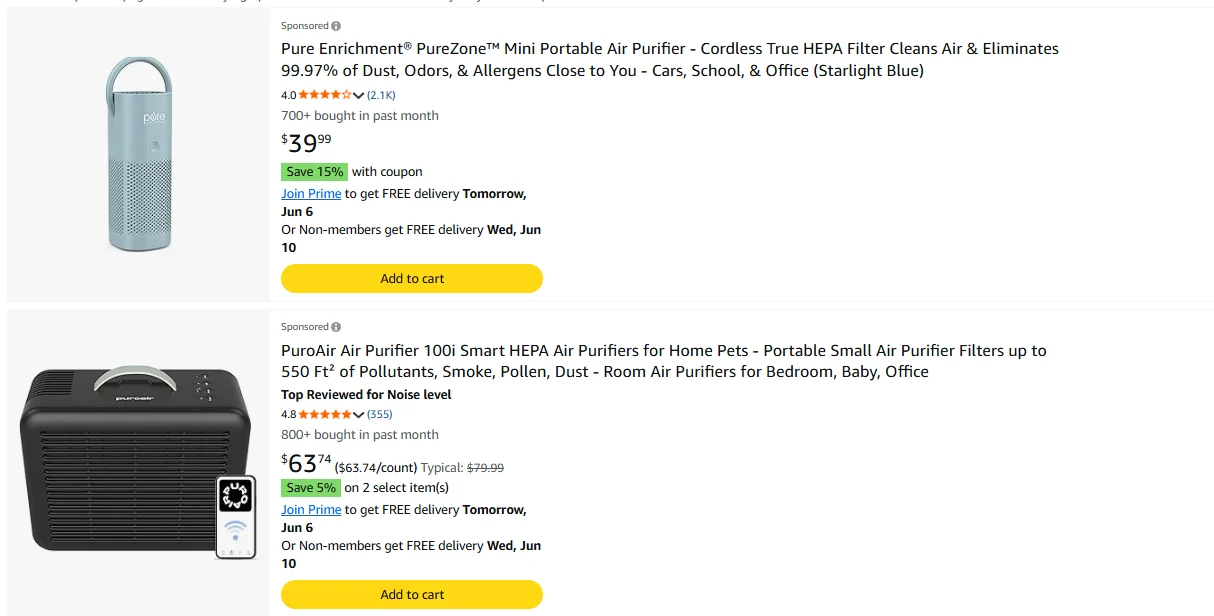
Amazon price data is every number attached to a product listing that affects what a buyer actually pays. It mainly shows up in the price block on each product listing, along with any deal badges or coupon callouts displayed alongside it. Each product listing contains:- Current price
- List price (the strikethrough MSRP, when the item is discounted)
- Discount percentage or deal badge (e.g. “Save 5%”, “Limited time deal”)
- Coupon callout (e.g. “Save 10% with coupon”, when applicable)
- Buy Box price (on listings with multiple sellers)
- Other seller prices (from the “other sellers” panel)
- Shipping cost (when shown separately)
Why Amazon Sellers Scrape Price Data
Spot-checking prices manually doesn’t scale past a handful of products. Scraping turns price tracking into a repeatable workflow. Here is what sellers actually use price data for. 1. Competitor monitoring and repricing. Catch competitor discounts, promos, and price drops as they happen, then feed that data into your own pricing decisions. A weekly or daily scrape across your top competitors gives you a live market range to reprice against, instead of guessing. 2. Buy Box tracking. Buy Box ownership can rotate hourly. Scraping the Buy Box price and seller name tells you who’s winning, at what price, and how often it flips, so you know when to adjust your own listing. 3. MAP violation detection. Brands and authorized resellers can scrape Amazon seller prices across shared listings to surface anyone pricing below the minimum advertised price. One scheduled scrape replaces hours of manual policing. 4. Promo and seasonality analysis. Track price patterns over weeks or months to map when categories typically discount, restock, or run promos. That history lets you time your own deals and inventory orders against real signals.How to Scrape Amazon Prices Without Code
Now you know what price data is good for. Here is how to collect it. For non-technical sellers, the realistic options are manual copy-paste or an AI web scraper. Manual works for a one-time pull across five products. It does not work for daily monitoring across fifty products. AI web scrapers handle the full workflow through a plain English interface. You describe what you want; the tool figures out the rest. The rest of this guide uses Chat4Data, an Amazon price scraper Chrome extension, as the example. Here is why it fits this use case:- Lightweight. Chat4Data is a Chrome web extension web scraper. Nothing to download or install beyond adding it to your browser.
- Conversation-based. No templates, no clicking on elements. Just type what you want, like explaining a task to a colleague.
- Privacy-first. All scraping runs locally in your browser. Your data never passes through a cloud server.
- Task reuse. Every scrape is stored in your conversation history. Click any previous task to re-run it without redoing the setup.
- Cost-efficient. Starts at $10/month. Credits are only consumed during initial AI configuration, not during extraction itself.
Step-by-Step: Scraping Amazon Prices with Chat4Data
Step 1: Describe Your Task
Open the Chat4Data extension and type what you need in plain English:“Go to amazon.com, search for ‘standing desk’, click into each product listing in the results, and scrape the product name, current price, list price, discount percentage, coupon callout, and Buy Box seller name from the first 3 pages of results.”You do not need to find product URLs in advance. Just tell Chat4Data which site to scrape and which data fields to pull. It handles the search, the navigation, and the field detection from there.
Step 2: Review the Execution Plan
Chat4Data shows you the plan first: which pages it’ll visit, which price fields it’ll extract, and how it handles pagination. It also previews the first page of data so you can verify the output before the full run. Approve or adjust before starting.Step 3: Run and Export
The scraper navigates Amazon like a real user, moving through search results and entering individual product pages to pull each price field. When it finishes, export your data as Excel, CSV, or JSON. Need to run the same task again next week? Just open the menu in the top-left corner of the extension to find your conversation history. Click into any previous task and run it again. No need to re-describe what you want or redo the AI setup.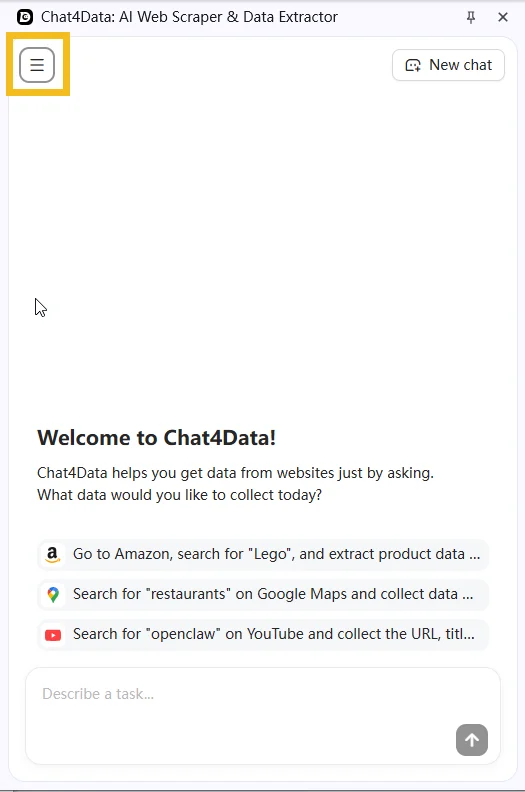
Practical Notes
- Prices change fast. A single snapshot tells you what one competitor charged at one moment. Real value comes from repeat runs on a schedule (daily or weekly), and conversation history makes that effectively one click after the first setup.
- Watch the currency and locale. A scrape on amazon.com returns USD; amazon.co.uk returns GBP; amazon.de returns EUR. If you compare across regions, normalize to one currency in your spreadsheet, and note that Amazon may also show different prices to logged-in vs logged-out users.
- If a CAPTCHA appears mid-scrape, Chat4Data pauses so you can solve it manually, then picks up exactly where it left off.
Wrapping Up
Price is the single most volatile field on an Amazon listing, which is exactly why it’s the highest-leverage thing to monitor. AI web scrapers turn price tracking from a manual chore into something you set up once and re-run with a click. With Chat4Data, you can build a competitor pricing dashboard by simply describing the data you want, then refresh it as often as you need. The same workflow works for scraping Amazon reviews if you want to pair pricing intelligence with product feedback signals. If you want to try it, Chat4Data is available at chat4data.ai and on the Chrome Web Store.Frequently Asked Questions
What is an Amazon price scraper?
A tool that automatically extracts price data from Amazon product listings. Options range from Python scripts (like BeautifulSoup) to no-code Chrome extensions like Chat4Data that work through a plain English interface.Can I track price history, and how often should I re-run a scrape?
Yes. Run the same scrape on a schedule and append each run’s output to a master spreadsheet. Frequency depends on the category:- Fast-moving categories (consumer electronics, seasonal goods): daily
- Buy Box monitoring: daily or more frequent, since ownership can rotate hourly
- Stable categories: weekly
Can I scrape prices from multiple products at once?
Yes. You can tell Chat4Data to search for a keyword on Amazon, visit each product listing in the results, and pull pricing fields from all of them in a single task. No need to look up individual URLs or ASINs beforehand.Is scraping Amazon prices legal?
Amazon’s Terms of Service prohibit automated access, but scraping publicly visible data is widely practiced for competitive research. Courts have generally held that collecting public data is not inherently unlawful. Review Amazon’s ToS and consult a legal advisor for your specific situation.How do I scrape Amazon prices without getting blocked?
A few practices help:- Mimic real user behavior. Chat4Data navigates pages like a human would, which avoids most anti-bot triggers.
- Pause on CAPTCHA. When one appears mid-scrape, Chat4Data stops so you can solve it manually, then resumes.
- Space out high-frequency runs. For daily or hourly tracking, avoid aggressive parallel scraping in the same session.
Can I scrape Amazon prices with Python?
Yes. Common approaches:- Requests + BeautifulSoup for basic extraction
- Scrapy for larger projects
- Managed APIs like ScraperAPI or Bright Data that handle proxy rotation and anti-bot measures