
Your competitor dropped their price by $3 last Tuesday. Their BSR climbed 600 spots by Friday. But you found out today, when you checked manually. They’d already taken the Buy Box on your main keyword.
Four days of sales, just gone.
You could have caught it the same day, if you’d been pulling amazon product data automatically with an Amazon scraper, instead of checking by hand when you remembered.
But scraping is just step one. The sellers pulling ahead right now are taking it further: scraping competitor prices, reviews, and rankings on a schedule, then feeding that data into ChatGPT or Claude to find the gaps worth acting on.
This guide covers both:
- The five best Amazon scrapers for no-code sellers
- The AI prompts to turn whatever you collect into decisions
Quick Answer
The best Amazon scraper for non-coders depends on what you’re doing:
- Chat4Data: a conversational AI agent for data collection. Just type what you want, and it will automatically navigates to amazon and scrape amazon data for you. Best overall for non-technical sellers,
- Browse AI: a monitoring tool that watches pages and alerts you to changes. Best for ongoing competitor price and stock tracking.
- Octoparse: a visual workflow builder with cloud scheduling. Best for repeatable, large-volume jobs.
- Thunderbit: an AI extension with flexible export options. Best for sending data straight to Sheets, Airtable, or Notion.
- Instant Data Scraper: a free one-click extension. Best for quick, one-off grabs.
For most sellers who want data into a spreadsheet without coding, Chat4Data is the easiest place to start. The full comparison is below.
What is Amazon Scraper
An Amazon review scraper is a tool that automatically pulls customer reviews from Amazon product pages at scale, turning thousands of scattered reviews into a clean spreadsheet. Pricing tells you what sold; reviews tell you why. And every review holds more than a star rating:
- Review text and title — to run sentiment analysis and surface what buyers love, or what makes them return a product
- Star rating and helpful votes — to weigh which feedback carries the most weight, not just what’s loudest
- Reviewer name and review date — to spot patterns and track how sentiment shifts over time
- Verified purchase and product variant (size, color) — to trust the source and tie a complaint to a specific version
- Review images — to see how the product actually holds up in buyers’ hands, beyond the listing photos
In my experience, these tools have quietly changed under the hood. The ones I started with leaned on hand-written CSS selectors that broke the moment Amazon nudged its layout, and I spent more time patching scrapers than using them. The AI-powered ones I rely on now read the page the way I would and work out each field on their own. The best I’ve tested behave like agents: I describe what I want in plain English, and a filled-in spreadsheet comes back, no babysitting required.
Why Not Just Use Amazon APIs or Manual Research?
Most Amazon sellers collect data one of three ways: manually, through APIs, or with scraping tools.
Here’s why AI-powered scrapers are winning.
- Faster than manual research. Copying data into spreadsheets works for ten products. It breaks down at a hundred. A scraper collects thousands of rows automatically, with fewer errors.
- Easier than APIs. APIs are built for developers. They require authentication, code, JSON parsing, and ongoing maintenance. AI scrapers remove most of that. You describe what you want; the tool figures out how to get it.
- More resilient to site changes. Traditional scrapers depend on fixed page structures. When a site redesigns a layout, they break. Modern AI scrapers rely on semantic understanding, so they adapt without requiring manual fixes.
The Real Goal Isn’t Scraping. It’s Better Decisions.
Most Amazon sellers don’t need more data. They need better answers.
- Should I raise my price?
- Which competitor is gaining share?
- What complaints keep showing up?
- Which products are ripe to compete against?
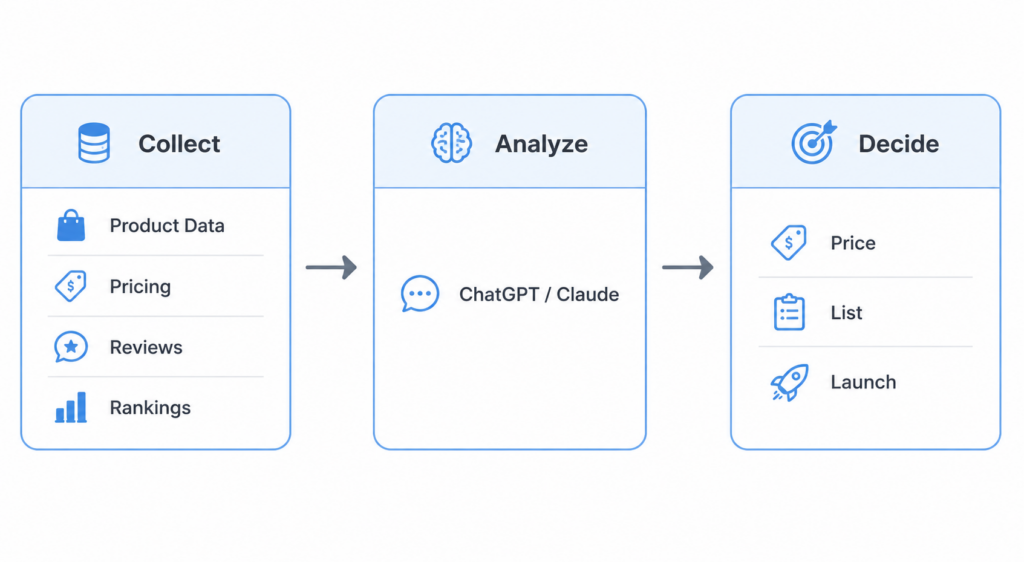
Scraping is step one. The real value comes from what you do with the data.
The workflow most sellers are moving toward:
- Collect product data, pricing, reviews, and rankings
- Upload the data into ChatGPT or Claude
- Generate insights, recommendations, and opportunities
The tools below handle step one. The AI prompts later in this guide handle the rest.



How We Evaluated These Amazon Scrapers
We didn’t rank these on feature count. For most Amazon sellers, the real question is: Which tool gets me reliable data with the least effort?
We evaluated each tool on six criteria:
- Ease of use. Can a non-technical user get useful data without reading docs?
- Speed. How fast can you go from idea to spreadsheet?
- Data completeness. Can it handle product listings, reviews, multi-page results, and pagination?
- Cost. What does it realistically cost over time, not just on the pricing page?
- Data security. Does data stay in your browser, or does it pass through a third-party cloud?
- Workflow reusability. This is the one most comparison articles skip. Many tools are easy the first time. Far fewer stay easy on the tenth or hundredth run. For sellers doing recurring research, the ability to save and rerun workflows often matters more than raw extraction power.
The 5 Best Amazon Scrapers at a Glance
Here’s how the five tools compare across the criteria that matter most to Amazon sellers:
| Tool | Best For | Reusability | Price | Data Completeness | Ease of Use |
| Chat4Data | Best overall for non-coders | Configure once, rerun forever | $10/mo ($7 annual) | Full (listings, reviews, pagination) | Very easy |
| Browse AI | Competitor monitoring | Automated after robot training | $39/mo ($19 annual) | Good (on monitored pages) | Easy |
| Octoparse | Repeatable workflows | Build once, reuse indefinitely | $119/mo ($69 annual) | Excellent | Moderate |
| Thunderbit | Flexible exports | Often requires re-selecting fields | $15/mo ($9 annual) | Good (per-row, scales with cost) | Easy |
| Instant Data Scraper | Free one-off extraction | Manual each time | Free | Limited (no pagination) | Easy |
1. Chat4Data: Best Overall for Non-Coders
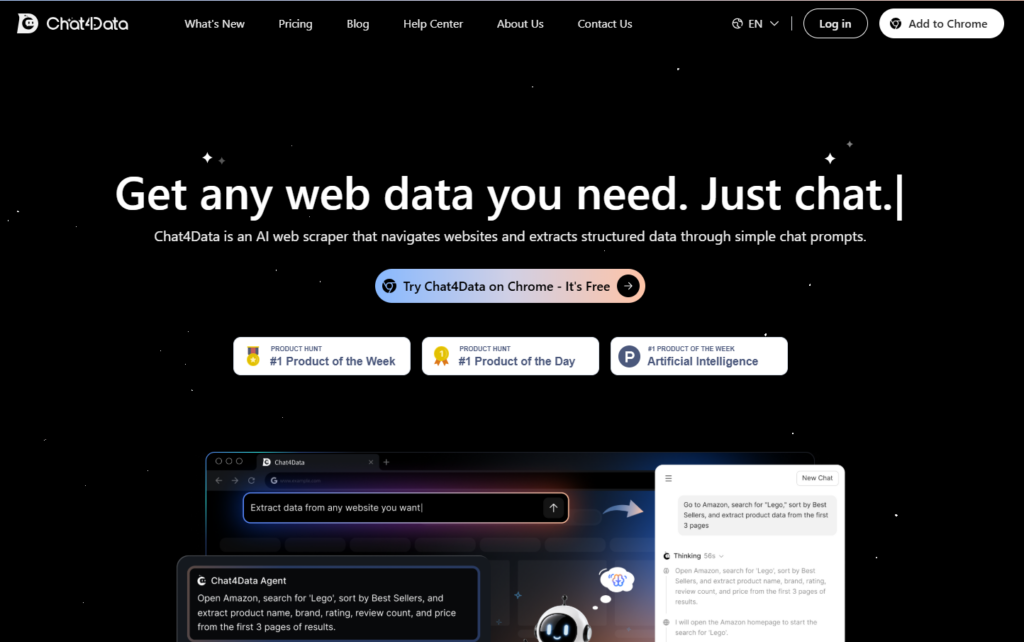
Chat4Data is a browser-based Amazon scraper that allows non-technical users to collect product, pricing, and review data using plain language. Most Amazon sellers don’t want to learn how to scrape. They just want the data.
That’s what makes Chat4Data different. Instead of selecting fields, training robots, or building workflows, you describe what you want in plain English:
“Search Amazon for wireless earbuds and collect the product name, price, rating, review count, and seller information from the first three pages.”
The AI navigates the site, identifies the right fields, handles pagination, and builds the extraction logic for you.
Why sellers like it. Most scraping tools still ask you to select fields, configure workflows, and maintain logic when layouts change. Chat4Data removes that overhead. You describe the result you want; the AI determines how to get there. Need to grab an extra data point mid-task? Just say so, no need to rebuild from scratch.
Pros
- Conversational interaction: no learning curve, the easiest Amazon scraper on this list for non-technical users
- Handles complex pages: pagination, infinite scroll, detail pages, and one-level-deeper extraction
- Adapts to dynamic pages: keeps extracting accurately even when Amazon changes its layout
- Supports mid-task adjustments without restarting
- All data processed locally: nothing is sent to external servers, so sensitive pricing or supplier data never leaves your browser
- Low cost to reuse: plans start at $10/month, credits are consumed mostly at setup, and saved scrapers rerun indefinitely at low cost
- Works across every Amazon data type:best sellers, search results, ASINs
Cons
- Initial configuration takes a few minutes
- Uses your active browser tab
- Not designed for enterprise-scale crawling
Best for: Amazon sellers who want the fastest, most cost-effective path to structured data.
2. Browse AI: Best for Monitoring Competitors
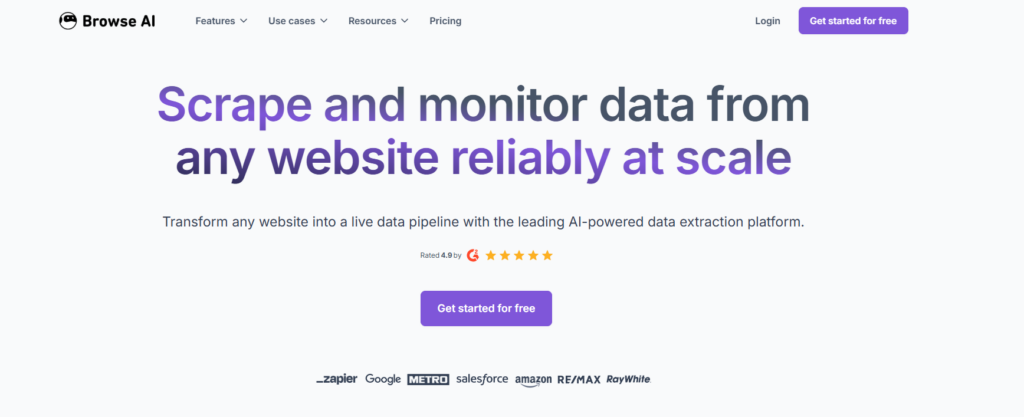
Browse AI is an Amazon scraping tool built for ongoing competitor monitoring. You train a robot to watch a page, and it alerts you when prices, inventory, or listings change.
For sellers tracking competitor pricing, inventory levels, ratings, or listing updates, that’s genuinely useful.
Why sellers like it. Most monitoring tools require constant manual checking. Browse AI automates that entirely. Set it up once, and it alerts you when prices drop, listings change, or new reviews appear. For competitive intelligence, that kind of passive surveillance is hard to replicate manually.
Pros
- Strong monitoring and change-alert capabilities
- Scheduled automated runs
- Google Sheets integration
- Clean, easy-to-understand interface
Cons
- Requires upfront robot training
- Cloud-based data processing
- May need retraining when layouts change
- Costs can climb on large monitoring projects
Best for: Competitive intelligence and ongoing monitoring workflows.
3. Octoparse: Best for Repeatable Workflows
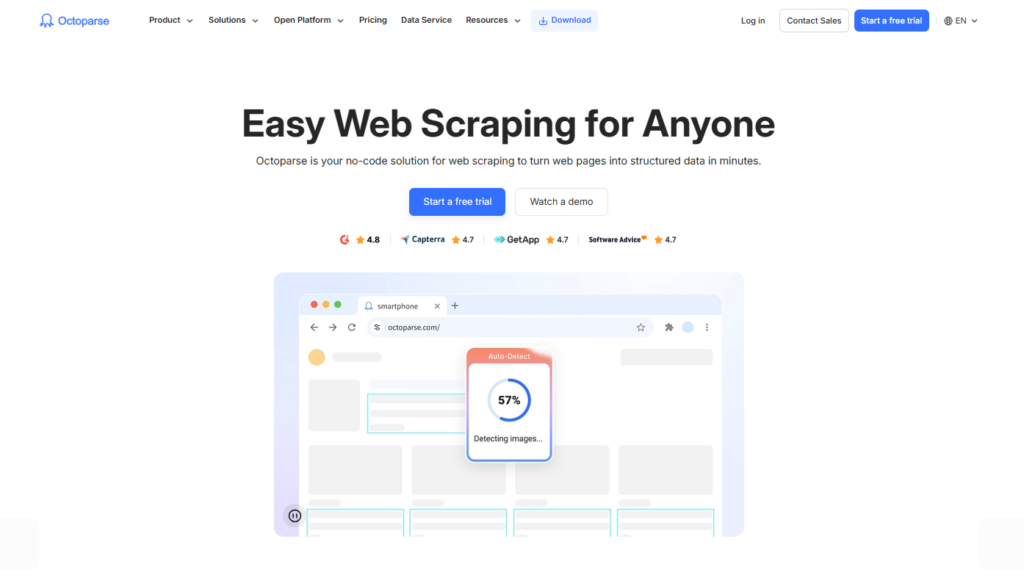
Octoparse is one of the most mature scraping platforms on the market. Rather than natural language or AI-first interactions, it uses a visual point-and-click workflow builder. The learning curve is steeper, but once a workflow is built, it runs indefinitely.
Why sellers like it. For recurring Amazon research, workflow reusability is the deciding factor. An Octoparse workflow built once can run weekly or monthly with minimal additional effort. That long-term efficiency adds up fast.
Pros
- Mature, visual workflow builder
- Large template library
- Strong scheduling capabilities
- Cloud execution options
- Excellent workflow reusability
Cons
- Higher learning curve than AI-driven tools
- More setup time upfront
- Occasional maintenance when layouts change
- More expensive than beginner-focused tools
Best for: Users willing to invest time upfront to build highly repeatable scraping systems.
4. Thunderbit: Best for Flexible Exports
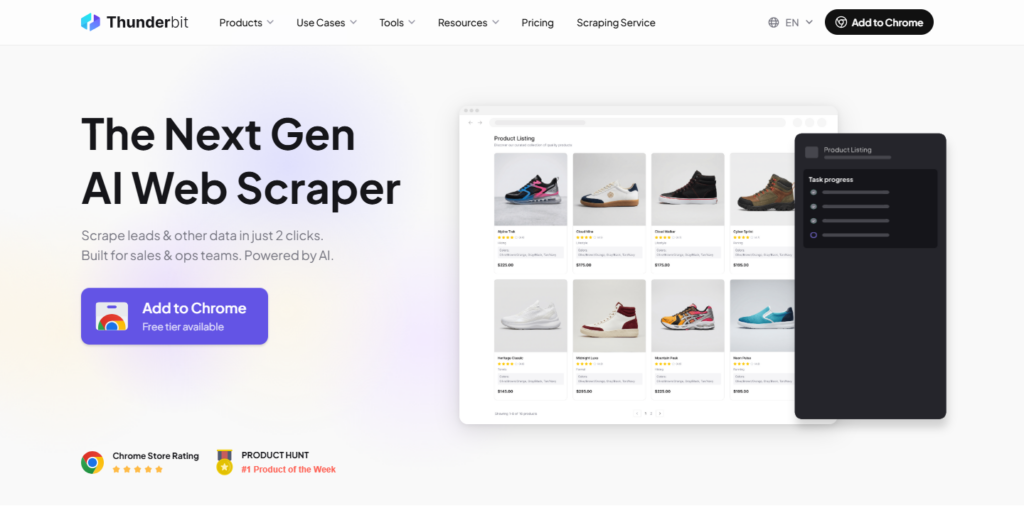
Thunderbit is an AI-assisted extension focused on quick extraction and flexible output destinations. Its strongest feature: direct exports to Google Sheets, Airtable, Notion, and Excel. For lightweight research, that’s convenient.
Why sellers like it. If your workflow ends in a spreadsheet or Airtable base, Thunderbit removes the export friction entirely. Data lands exactly where you need it, without extra steps or manual copying.
Recurring research becomes less efficient over time. Unlike Octoparse or Chat4Data, repeated projects often require re-selecting fields before each extraction. Thunderbit also charges by output volume, so large review pulls or category-wide research can get expensive fast. And since data processing runs through Thunderbit’s cloud, teams handling sensitive pricing intelligence may prefer browser-based tools.
Pros
- Strong AI field suggestions
- Excellent export flexibility (Sheets, Airtable, Notion, Excel)
- Useful AI-powered data transformations
Cons
- Costs scale with output volume
- Limited workflow reusability, repeated projects often need extra setup
- Cloud-based data processing
Best for: Users who prioritize export destinations over long-term automation efficiency.
5. Instant Data Scraper: Best Free Option
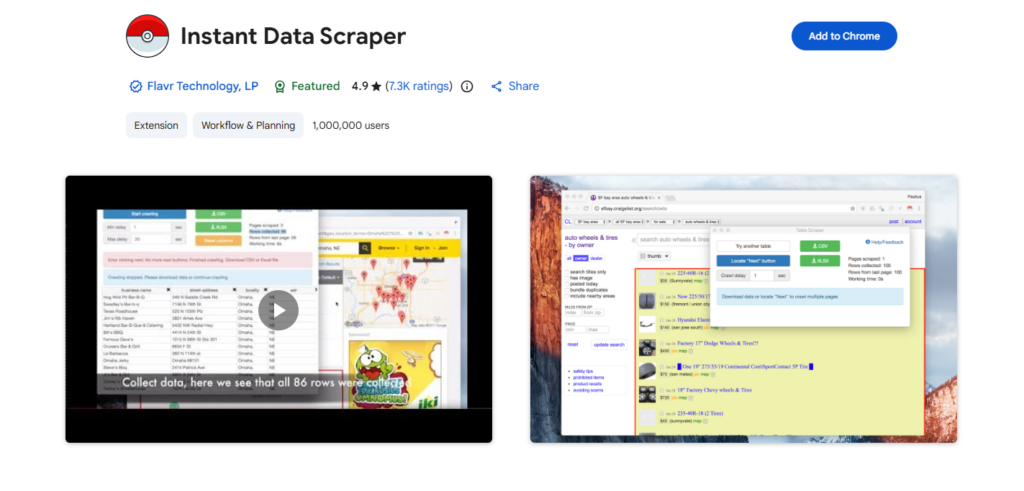
Instant Data Scraper has stayed popular for one reason: it’s free. Install it, click a button, and it tries to identify structured data on the page automatically. For simple extraction, that’s often enough.
Why sellers like it. No account, no setup, no credit card. For a quick one-off pull, a competitor’s product list or a category snapshot, it gets the job done in under a minute.
Pros
- Completely free
- Fast installation
- No account required
- Works well on simple pages
Cons
- Limited pagination support
- Minimal automation
- No workflow reuse
- Struggles with dynamic pages
- Not suitable for recurring Amazon research
Best for: One-off extraction tasks where cost matters more than scalability.
Which Tool Should You Pick?
No scraper is perfect for every scenario. Here’s a quick reference:
| Your Amazon task | Recommended tool |
| Scrape product, price, and review data without coding | Chat4Data |
| Track competitor prices and stock and get change alerts | Browse AI |
| Run the same category scrape on a weekly/monthly schedule | Octoparse |
| Pull data straight into Google Sheets, Airtable, or Notion | Thunderbit |
| Grab one competitor’s product list, one time, for free | Instant Data Scraper |
The honest takeaway: there’s no single winner for every Amazon job. If your main need is watching competitor prices and stock around the clock, Browse AI’s alerts are hard to beat. If you’ll rerun the exact same category scrape on a fixed schedule for months, Octoparse’s workflows pay off. And if you just want one competitor’s listing today, Instant Data Scraper does it free. But for the most common seller need, pulling product, price, and review data into a spreadsheet without coding, then rerunning it as prices and reviews change, Chat4Data is the easiest place to start, and its credit model keeps those repeat Amazon pulls cheap. Try it on one real listing or search and see if it fits before you commit.
How AI Web Scrapers Work in Practice
To see how simple modern web scraping has become, here’s what collecting Amazon product data with Chat4Data actually looks like.
All you need to do is chat.
Step 1: Ask in plain English. Open the extension on Amazon and type what you want, the way you’d brief an assistant:
“Search ‘wireless earbuds’ on Amazon, sort by best sellers, and grab the product name, brand, price, rating, and number of ratings from the first 3 pages.”
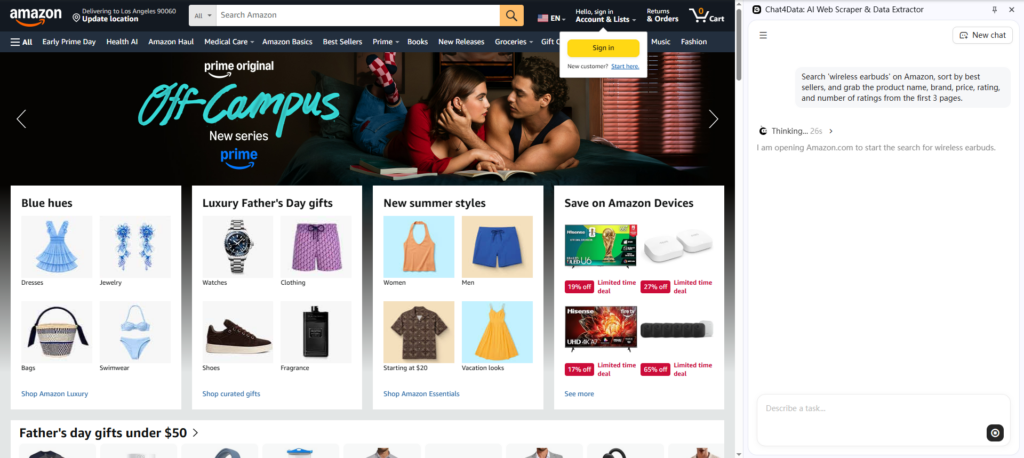
Step 2: Check the plan, and preview the data. Before anything runs, Chat4Data shows you two things.
One is the exact steps it will take: open Amazon, run the search, sort, collect those five fields, page through three pages. The other, a preview of the actual data those steps will pull, a sample of the rows and columns, so you can confirm it’s grabbing the right fields before committing to the full run. If either looks off, tweak it in plain English.
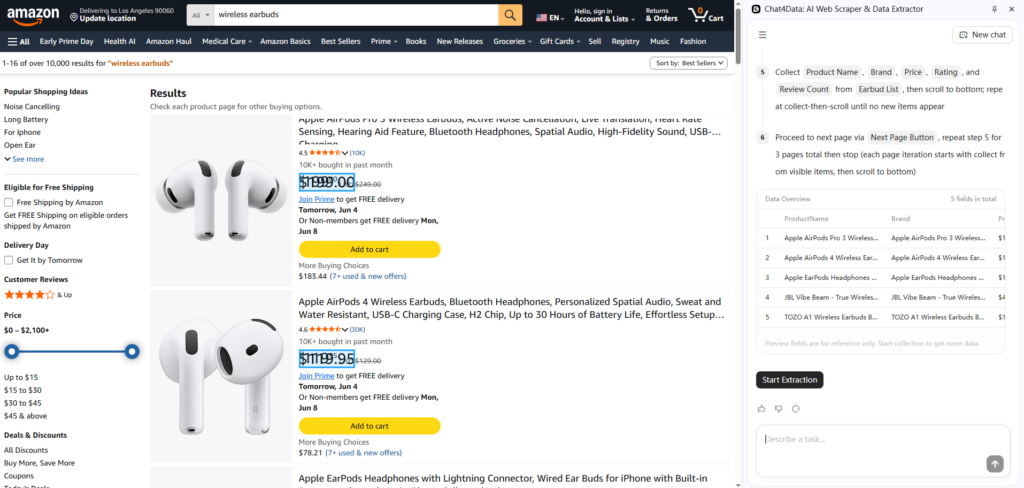
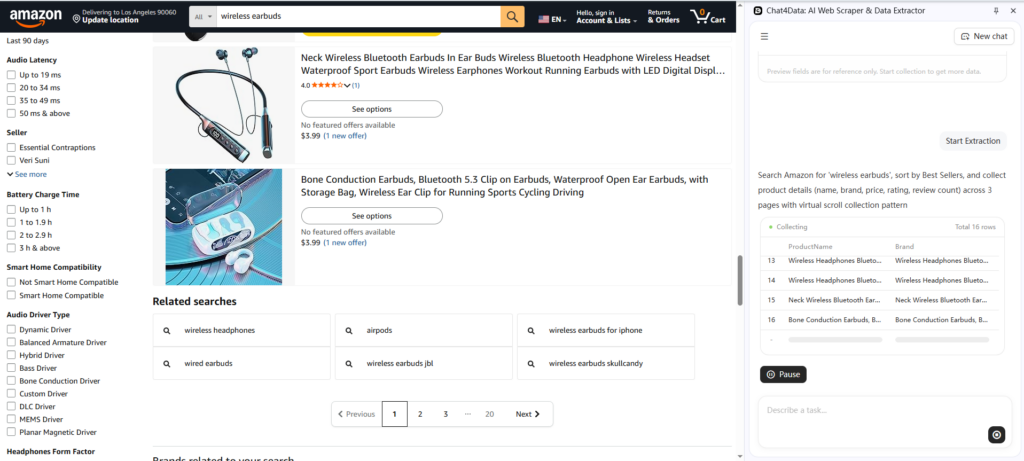
Step 3: Run it. Hit start extraction. It works through the pages in your own browser, handling pagination for you. If it hits a login or CAPTCHA, it pauses so you can clear it, then picks up where it left off.
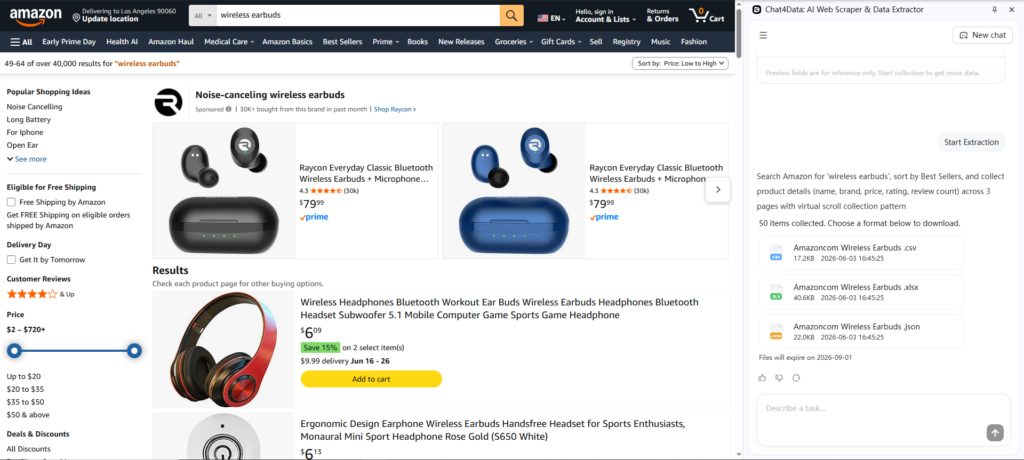
Step 4: Export. Out comes a clean table, ready as Excel, CSV, or JSON. Save the scraper and you can re-run the same pull next week in one click.
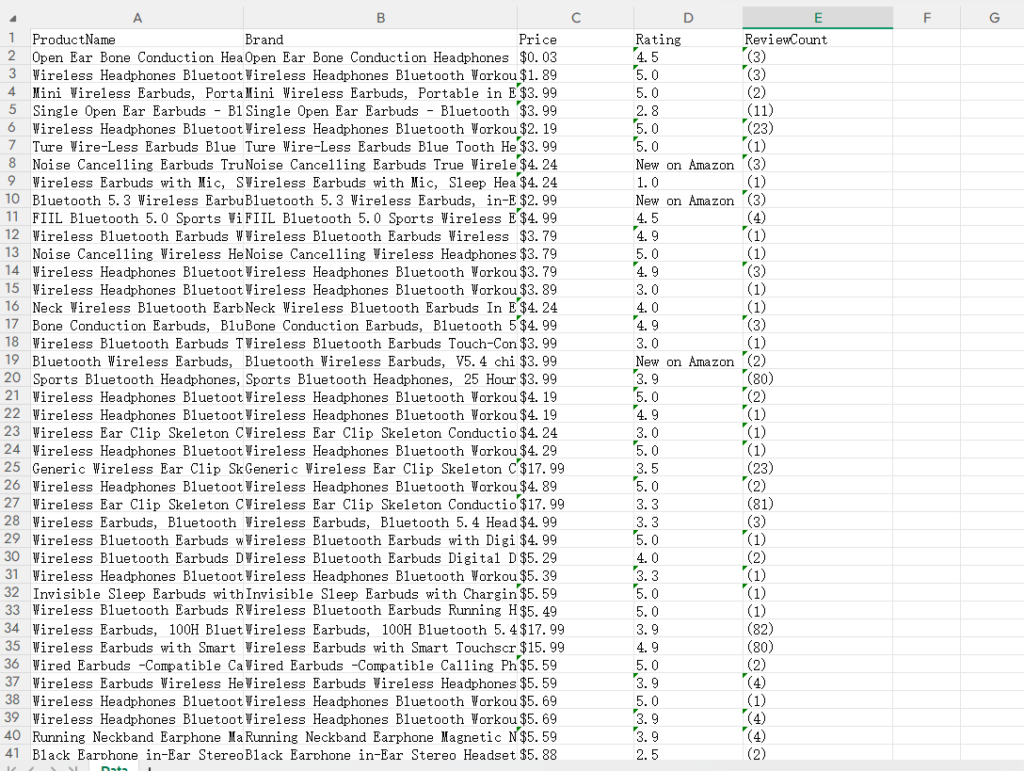
Then you can got clean, structured data like this:
How Amazon Sellers Use AI After Scraping
Most sellers stop at the spreadsheet. That’s a mistake.
The real value comes after data collection. Once you have structured data, tools like ChatGPT and Claude can turn it into decisions.
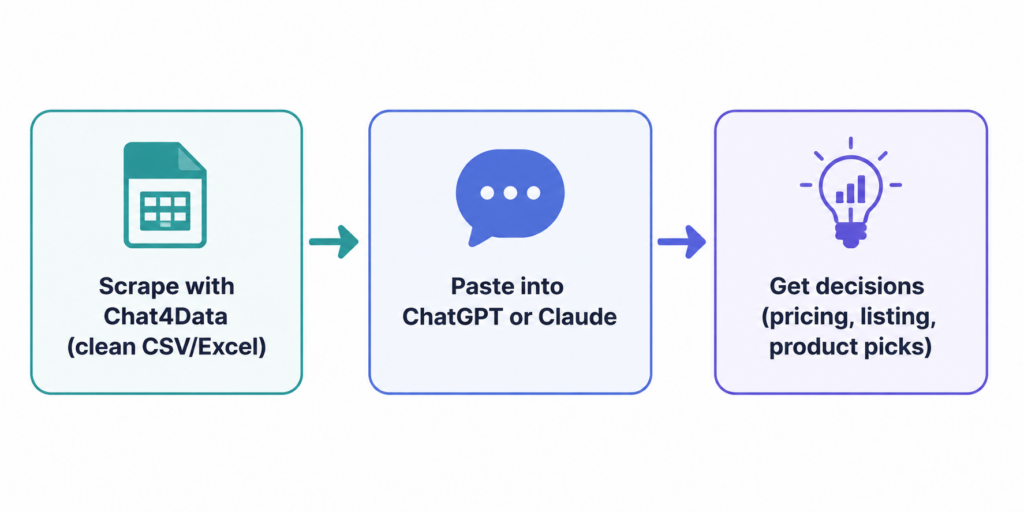
How to use these prompts: first export your data from Chat4Data (CSV or Excel), then paste it into ChatGPT or Claude along with the prompt. Fill in the bracketed parts so the AI knows what you sell and which data it’s looking at, the more context you give, the sharper the answer. The fastest way is to upload the exported file directly and copy a prompt below.
Review analysis Scrape competitors reviews and then surface the recurring complaints in a competitor’s reviews so you know what to fix or call out.
I sell [your product, e.g. “$25 wireless earbuds”] on Amazon. Here are [number] reviews I scraped from [a competitor’s listing / my own listing], with columns for review text, star rating, and date. Identify the five most common customer complaints, estimate how often each appears, and include a couple of representative quotes per theme.
Listing optimization Discover the exact language buyers use, then put it in your title and bullets.
I’m optimizing my Amazon listing for [your product]. Based on these [number] reviews from my category, list the most common phrases buyers use to describe what they love and what they need. Rank them by frequency and tell me which belong in the product title vs. the bullet points.
Pricing analysis Spot the competitor moves worth reacting to.
Here is [number] weeks of daily pricing data for my product [name/ASIN] and [number] competitors, with columns for product, date, and price. Flag every competitor stockout or price change over [10]%, and tell me which days my product had the lowest price in the set.
Product opportunity research Find the “lots of demand, few reviews” gaps in a category.
Here is a category export from Amazon with columns for product, price, rating, review count, and BSR. I’m looking for products to launch in the [your niche, e.g. “home office”] space. Find items with strong demand signals but under [50] reviews, and summarize what they have in common.
The Bottom Line
The sellers who win on Amazon aren’t the ones with the most data, they’re the ones who turn data into decisions fastest. The workflow is simple: scrape clean data, hand it to an AI, act on what it tells you.
The only hard part used to be that first step. Now it isn’t. With a no-code AI scraper, getting product, price, and review data into a spreadsheet takes minutes, no code, no developers, no API keys.
If you want the quickest way to start, Chat4Data is free to try, just describe what you want, watch it work, and export your first dataset today. Then point ChatGPT or Claude at it and see what your data has been trying to tell you.
FAQs
What is the easiest Amazon scraper for non-coders?
Chat4Data is the easiest Amazon scraper for non-technical users. It runs in your Chrome browser and requires no download or setup. Just describe what you want in plain language, and it will automatically scrape data you need.
Is it legal to scrape Amazon data? Amazon’s terms generally prohibit automated data collection. Legal risk depends on the type of data, how it’s collected, and your jurisdiction. Always review Amazon’s current policies and seek legal advice when needed.
What’s the difference between AI scrapers and traditional scrapers? Traditional scrapers rely on predefined selectors and workflows. AI scrapers rely on semantic understanding and natural-language instructions, reducing setup complexity and adapting better to layout changes.
Can I scrape Amazon without coding? Yes. Chat4Data, Thunderbit, Browse AI, and Octoparse all let you collect Amazon data without writing a single line of code.
How do I scrape all Amazon reviews? You need a tool that supports pagination and can automatically navigate multiple review pages. Verify this capability before choosing a tool, it’s one of the most commonly overlooked requirements.
What is the cheapest Amazon scraper? Instant Data Scraper is free. For recurring projects, total cost of ownership depends more on workflow reusability than subscription price. A tool that saves time on every run is often cheaper in the long run than the lowest-priced option.