
In the world of web scraping, where data is the most crucial resource, everyone is competing to have all the features and be the easiest-to-use tool. Is Axiom AI, the ultimate no-code web scraping tool, or an Axiom AI alternative, that wins that title?
Axiom AI has established itself as a significant player in the web scraping and browser automation industry. The promise Axiom AI is making is to save time by quickly building bots without writing any code and automating tasks. The question I will investigate today is whether it can handle all the necessary features for web scraping.
Although Axiom has many building blocks for web scraping workflows, many other tools are evolving with natural language processing capabilities that are much easier to use. Users are now looking for ways to talk to the browser rather than just repeating steps. Today’s honest review will question Axiom’s features, limitations, and pricing, and also offer an Axiom AI alternative when it falls short.
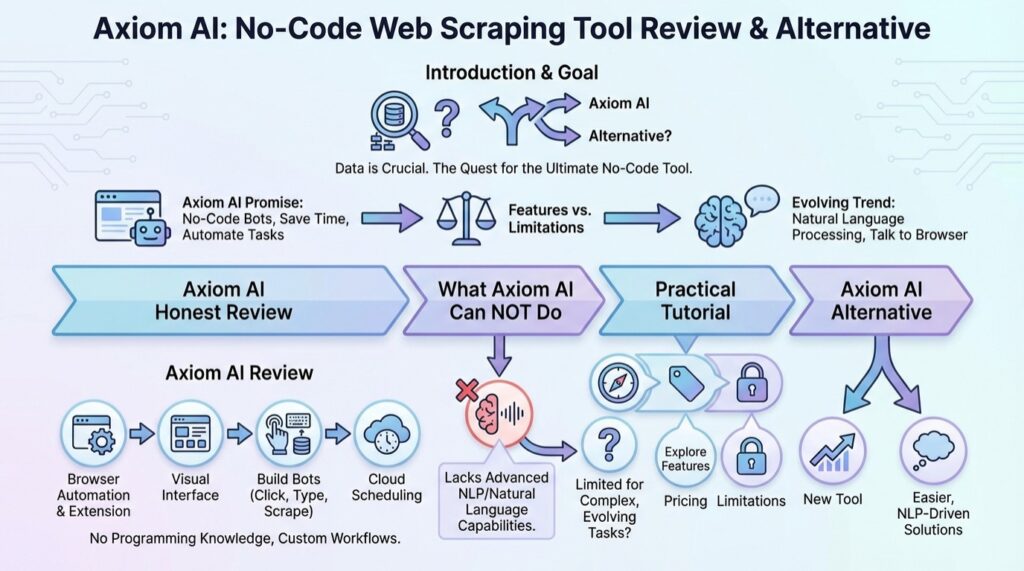
By the end of the article, you will get a great understanding of:
- Axiom AI web scraper honest review
- What Axiom AI can not do
- Practical tutorial on Axiom AI
- Axiom AI alternative
Axiom AI Review
Axiom AI is a browser automation tool and a web scraping browser extension. The primary concept is to build “bots” that automate actions in the web browser, such as clicking, typing text, and eventually scraping data, without prior programming knowledge. The way you usually interact with the website, axiom AI can do it automatically with preset steps. Those steps are just repeated in a single, large workflow.
Since it has a visual interface, it is easy to interact with and customize to your liking. This approach is their core idea for web scraping and browser automation. The way you do some recurring task in your daily life, they can automate it in the browser and let you watch how it works, even. Running functions in the cloud makes it super easy to schedule and run them even when you are asleep.
What Axiom AI Can Do
Axiom is a versatile tool that spans browser automation to web scraping, and it can do a lot. Here is the breakdown of primary categories:
- Browser automation: Automating daily tasks is possible through their visual interface with highly customizable steps.
- Visual Web scraping: You can easily select elements on a website to scrape data, making it accessible to users with no coding background.
- Data entry automation: Axiom AI also works in the other direction. Instead of gathering the data, it can insert it into sheets, tables, or other forms. If paired with different workflows, it can be a complete system.
- Scheduling: You can set your automation workflows (bots) to run at specific times, daily, weekly, or monthly, ensuring continuous data collection or task execution without manual intervention.
- Handling Auth: Since it runs in your browser instance, it can easily handle websites where you are already logged in, bypassing complex cookie management often required in code-based scraping.
- Excellent documentation for problem-solving: Although this is not a direct feature, Axiom AI’s documentation covers many use cases and discusses features in great detail. If you are stuck, you will likely browse the documentation.
What Axiom AI Cannot Do
Although Axiom AI is mighty and feature-rich, it still lacks significant ease of use. Mainly AI features that can auto-learn and perform natural language processing. In the practical example later in the guide, I will explore some missing features and why Axiom AI is more challenging to use than its alternative. Here are the top missing features:
- AI features: Many web scraping tools are now integrating AI to benefit from the AI revolution. Inability to intelligently find data fields and automatic pagination are really making Axiom AI harder to use.
- Fragility of selectors: When you select a button in your script, Ajax (dynamic website changes) can cause a bug the next time you run it.
- Steep learning curve: You need at least some level of web programming knowledge to get started because all the elements you have to select and preprogram are complicated to understand without previous know-how.
- Anti-bot evasion: Because Axiom AI operates similarly to a real browser, it can often be detected by sophisticated anti-bot systems. You should implement custom steps to avoid detection, which adds complexity and time.
- Visual overlapping: The visual selector interface, while helpful, can struggle with visually complex websites or elements that overlap, leading to inaccurate data selection and scraping failures. This requires manual adjustments that defeat the purpose of a no-code tool.
Axiom AI Pricing
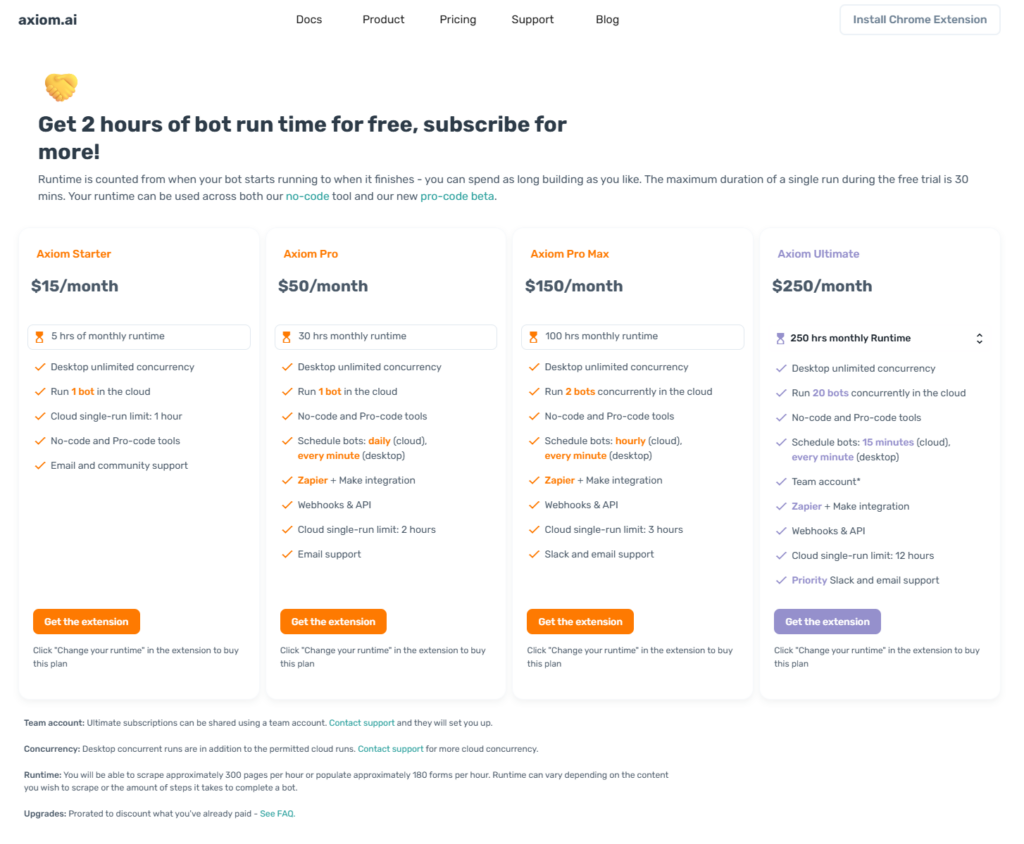
Axiom AI offers many packages depending on the monthly runtime your project requires. At first, you can try Axiom for 2 hours in their free package. The first package is $15 per month for only 5 hours of monthly runtime, so for one task, that is only 10 minutes per day, which is very low. You would need a $50 or $150 package to have any real value, but that would be very costly.
In the more expansive packages, you also get more features, like parallel bots running in the cloud, running them more often, and many tool integrations (Make + Zapier).
In the Axiom Ultimate package, you enter the enterprise realm with a Team account.
Practical Use Case of Axiom AI
After installing the browser extension, I start the Axiom AI directly on the page I want to scrape. At first, it offers me a couple of simple premade templates, and I go with web scraping and exporting to Google Sheets. Although there are many options for customizing your task, I encountered many errors before it ran.
For today’s example, I will use the e-commerce website Zalando, which focuses on clothing and has a clear structure and extensive data.
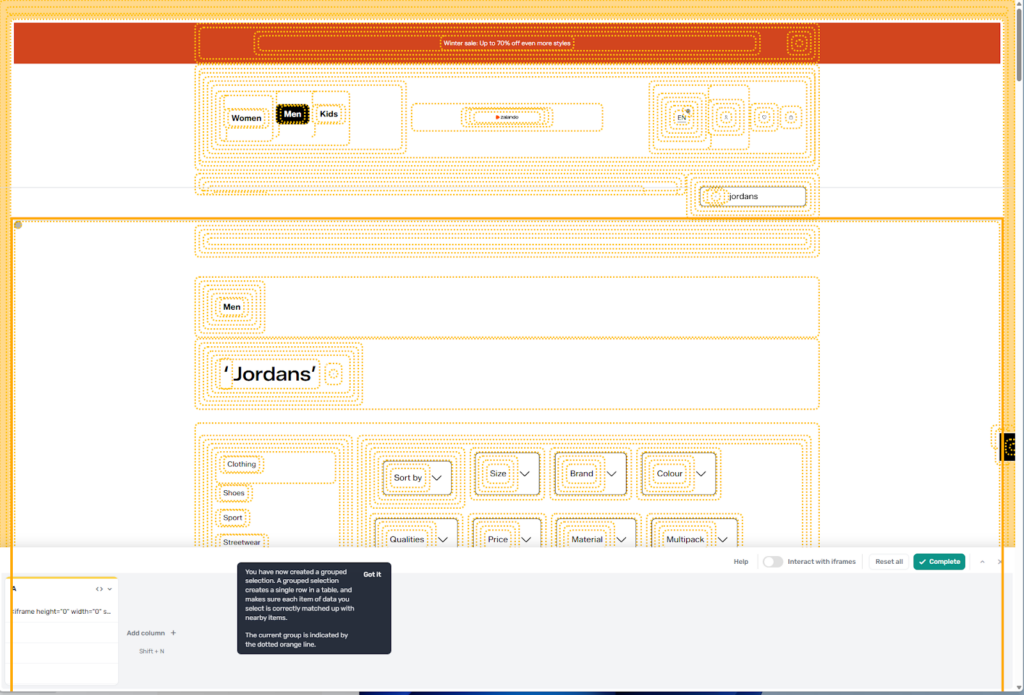
Axiom AI automatically pulls the website’s link. Other fields must be manually filled out, such as selecting the data you want and the number of results. Another thing I found quite bothersome is being unable to see the website under Axiom’s extension, even after expanding the width enough.
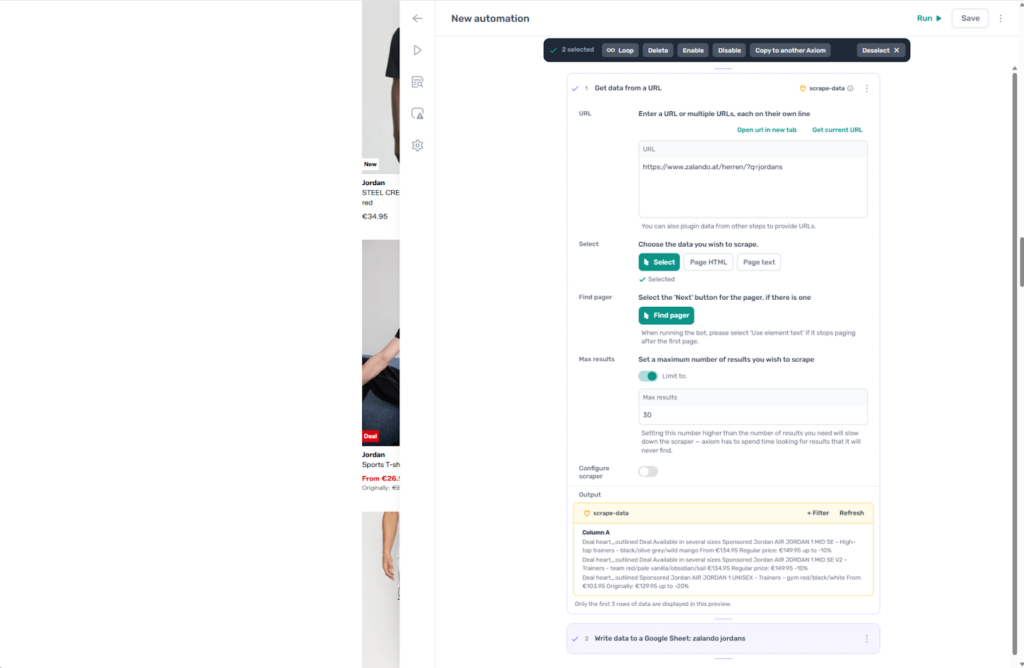
As you can see, Axiom’s layout for selecting elements on the website is quite complicated and must be carefully chosen to avoid missing any data you want.
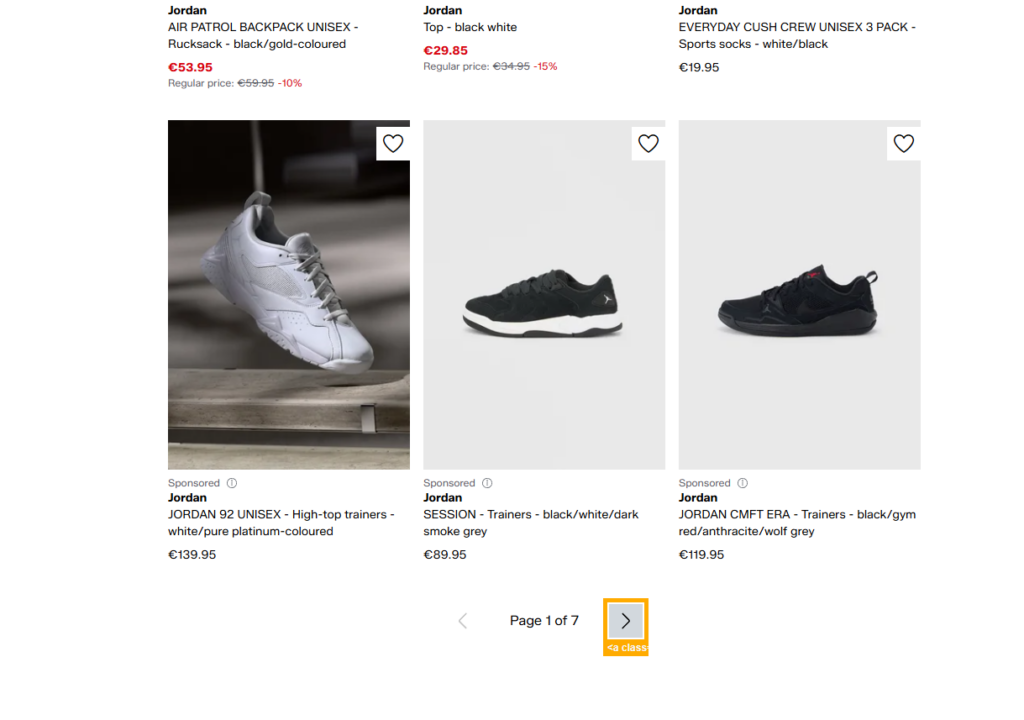
Another feature Axiom is missing is automatic pagination recognition. I have to select a next page button for every script. This is not an issue since we do it once, but the website may change its structure, and we may run into bugs and problems.
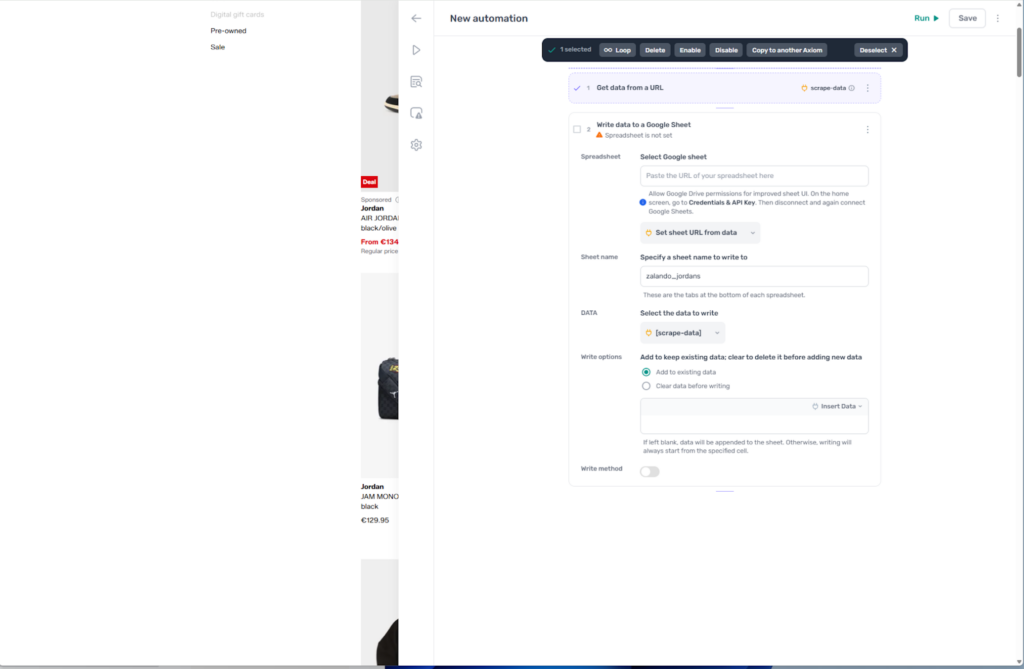
For the second part of the setup, I had to create a new Google Sheet and select it as the output in the Axiom task. Many customization features are here for the output, which I like.
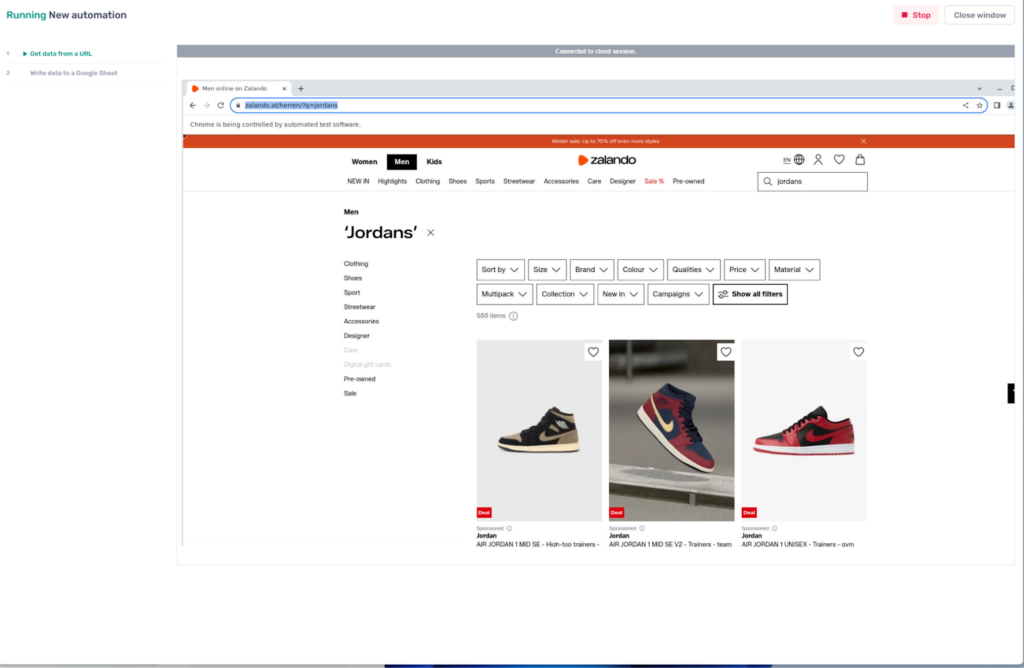
Axiom starts the task after quite a while of configuration, and we can see their browser and infrastructure, as it gives me a preview.
The final output is here, with merged data and unclear column names. Some formatting issues should be handled by Axiom directly, since Excel or Google Sheets are among the primary output methods.
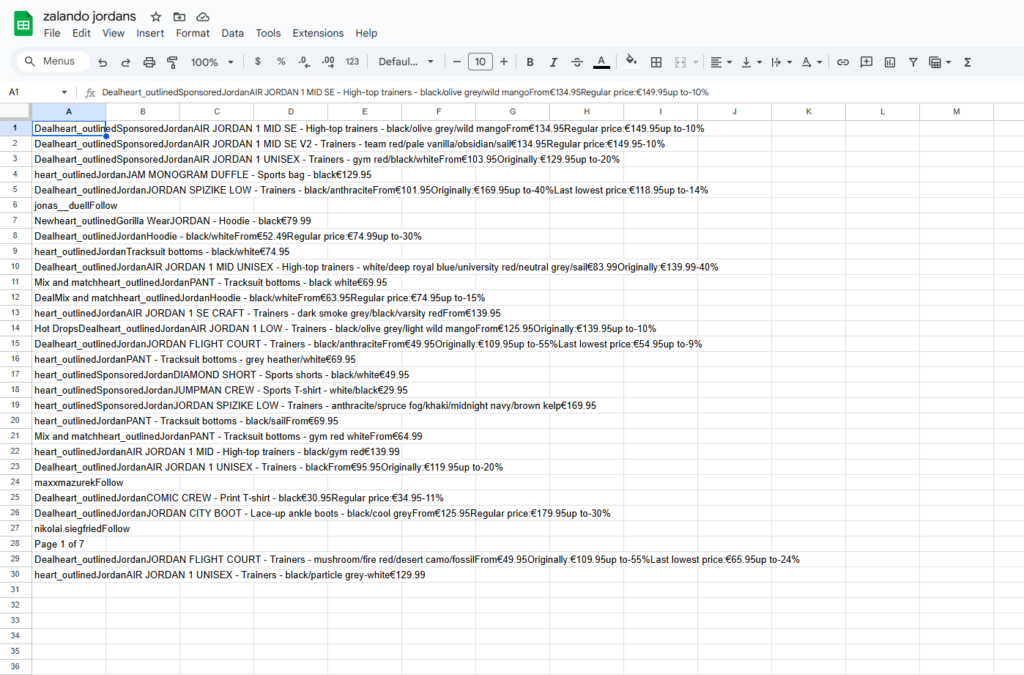
Overall, quite a few bugs along the way are happening, but with their good documentation, everyone will find a way. The thing that I am mainly looking for in such scraping jobs is ease of use, as many average users are just looking to fetch data and be done with it. Let’s see how easy it is to get the same data as with the Axiom AI alternative.
Axiom AI’s Intelligent Alternative: Chat4Data Review
As an Axiom AI alternative, I will use Chat4Data to scrape the same Zalando website as soon as I open the browser extension.
Chat4Data represents the next generation of web scraping tools. It is an AI-powered scraping assistant that uses Natural Language Processing (NLP) to understand what you want, eliminating the need to build step-by-step logic manually. The core logic is like using ChatGPT for scraping.
Immediately, Chat4Data scans for data fields to extract and adapts with intelligent AI parsing to the website’s structure. All I have to do is talk to Chat4Data like I would with a regular person in plain language.
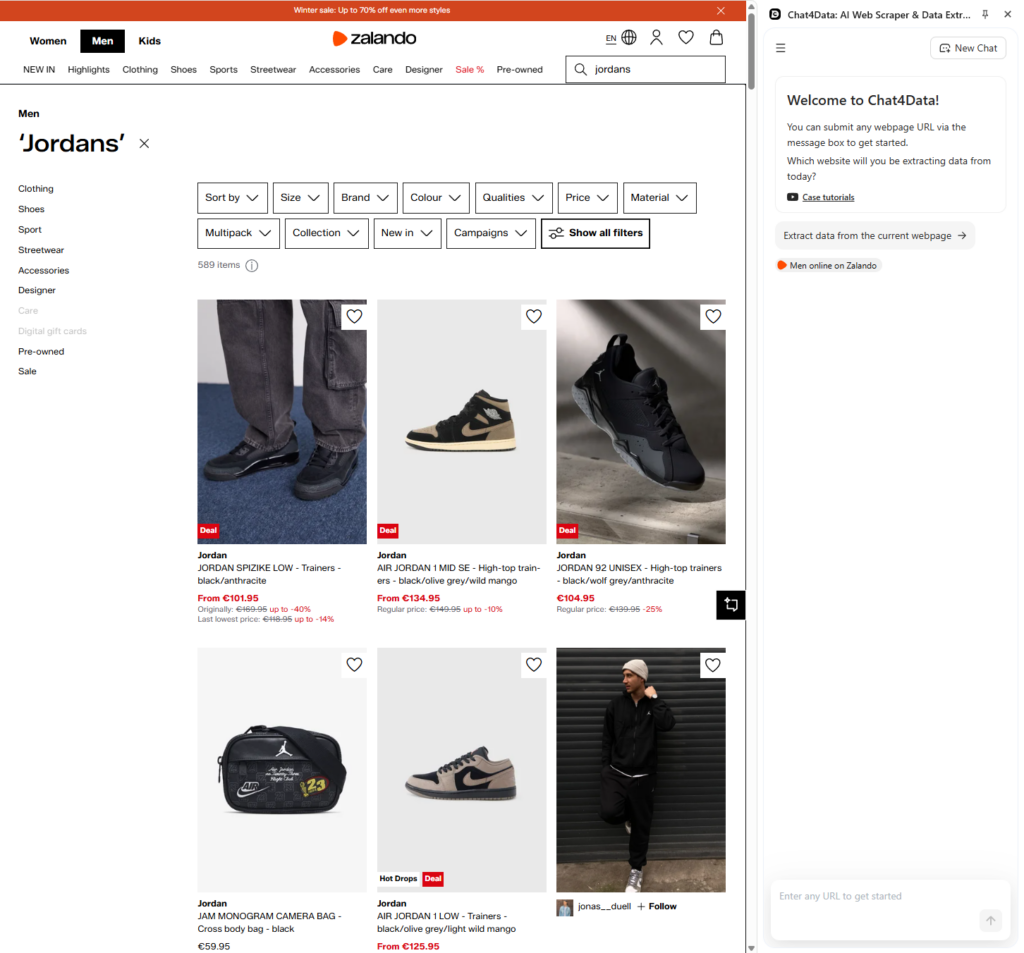
Chat4Data already starts suggesting multiple options for data fields, including the Product list and filter options. My goal is to extract listings, so I go with the product list. It marks the lists and provides immediate visual feedback, making them easier to process.
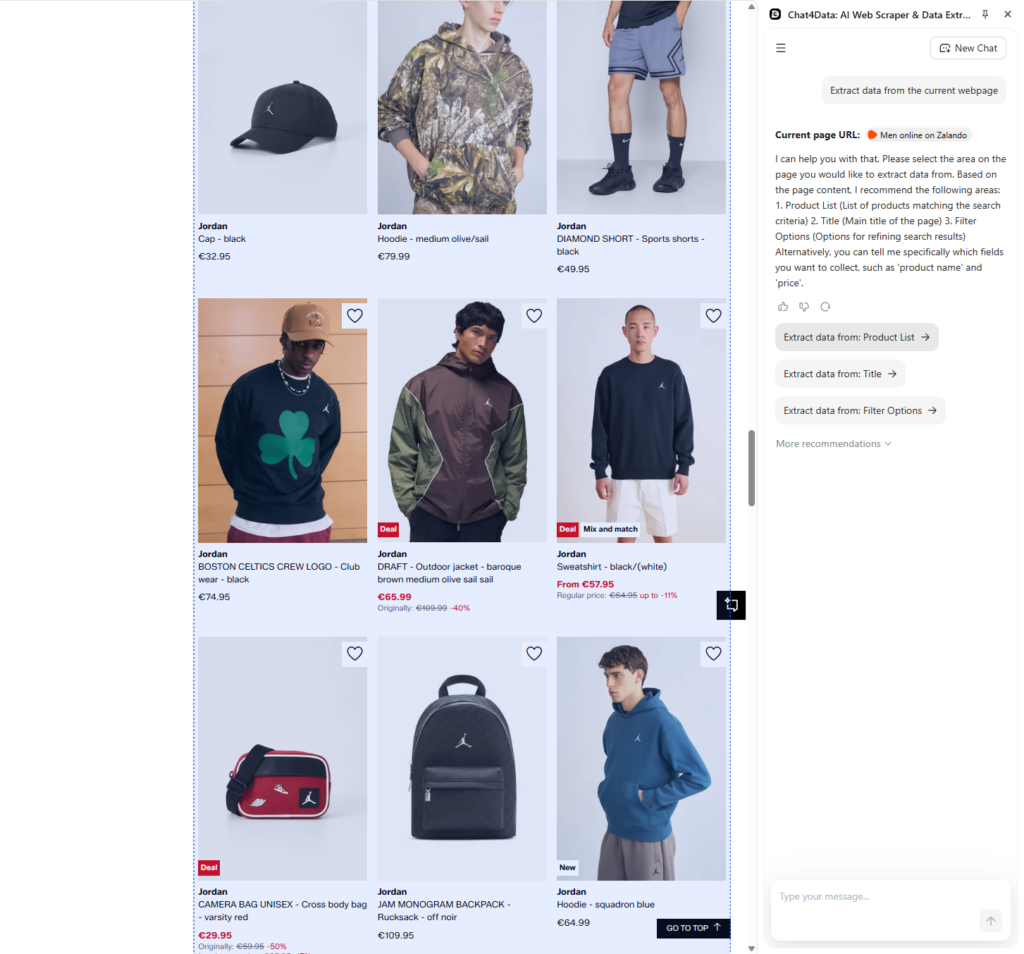
Chat4Data provides an overview of all fields detected within the region you selected previously. Chat4Data goes into deep detail, even knowing the original price and the discounted one, all thanks to AI.
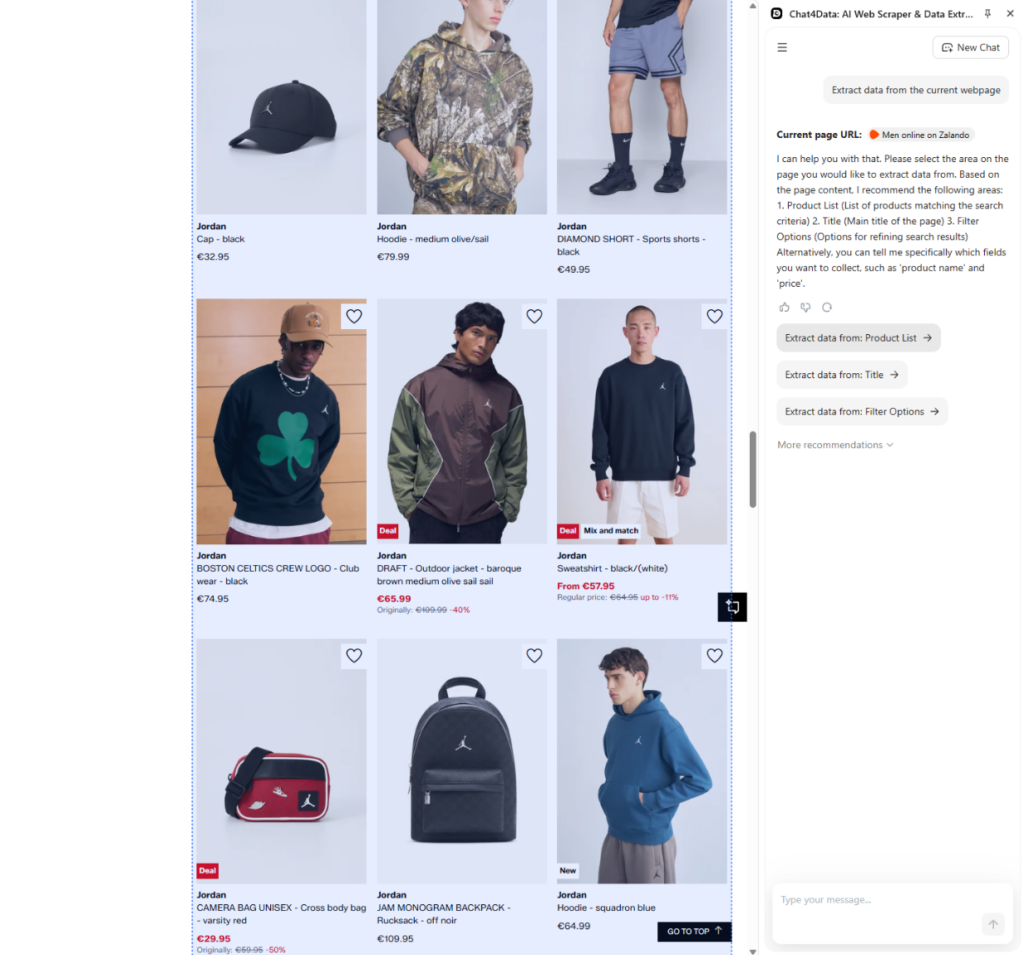
The next step is optional because Chat4Data can scrape the subpage, meaning each item in the list includes extra information that will benefit your analysis later. As an alternative, you can go ahead with the current plan.
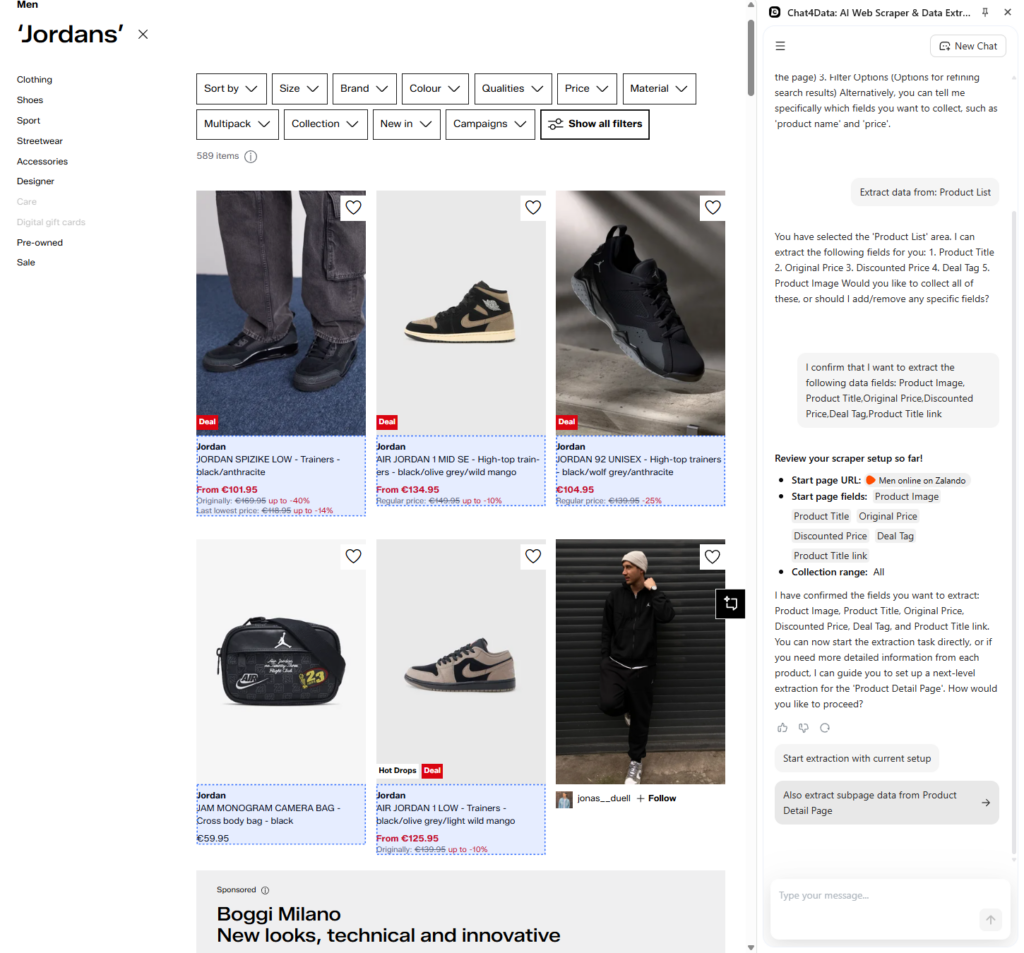
On the subpage, I found amazing shipping data, additional images, item descriptions, and more. Chat4Data is really detailed, but I go with the shipping information to help me decide in the analysis later.
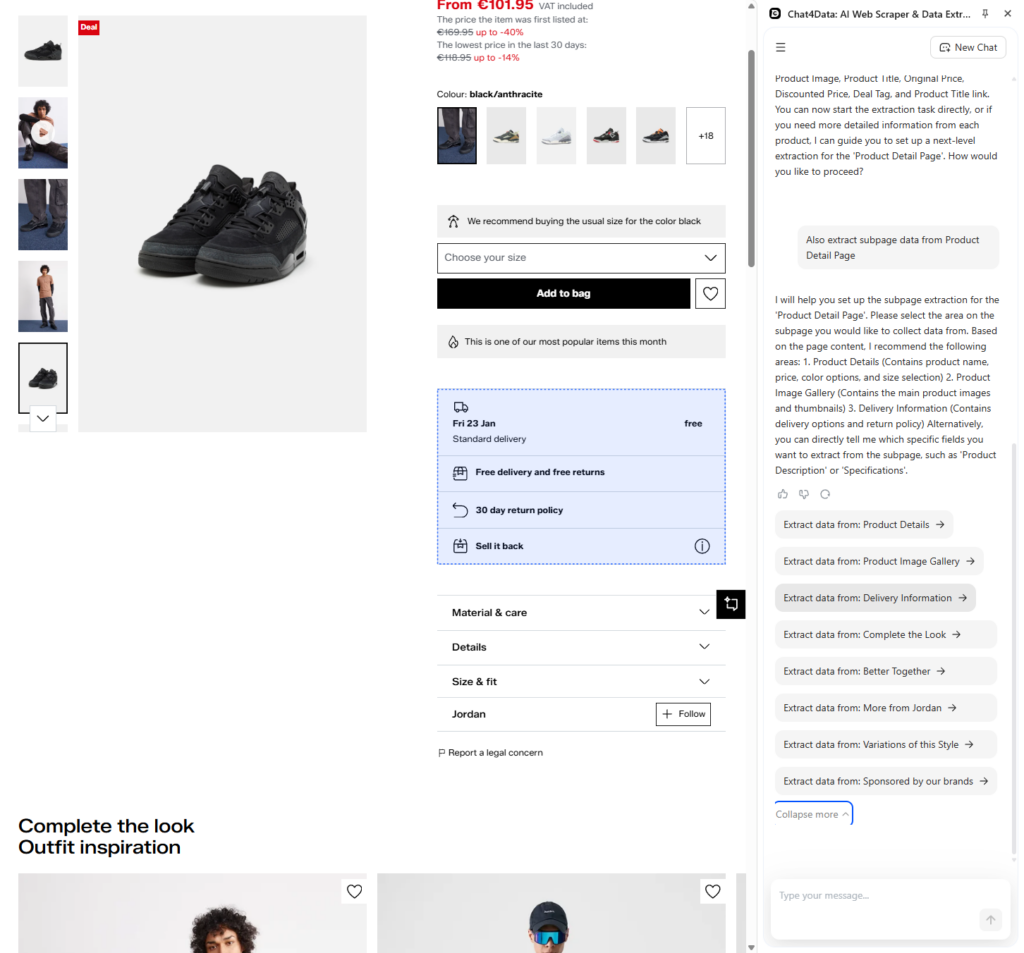
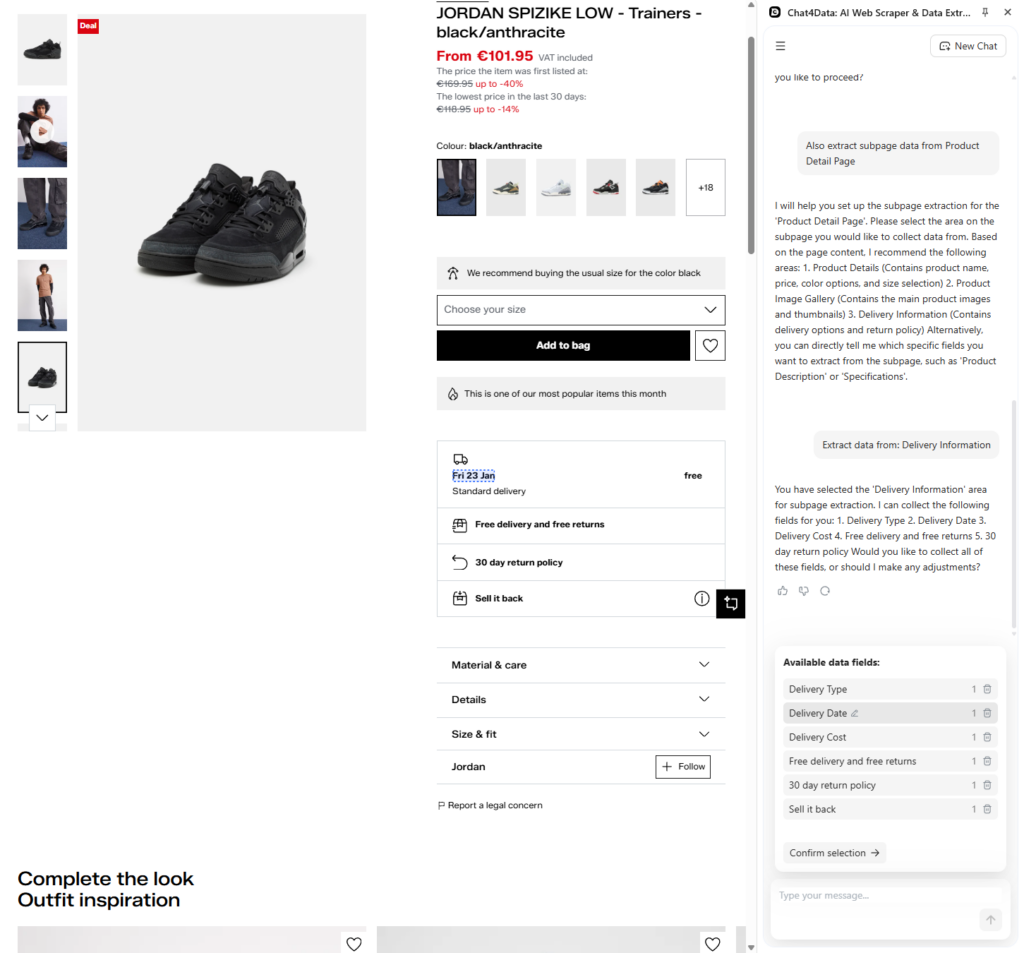
A detailed breakdown of all shipping information fields is here:
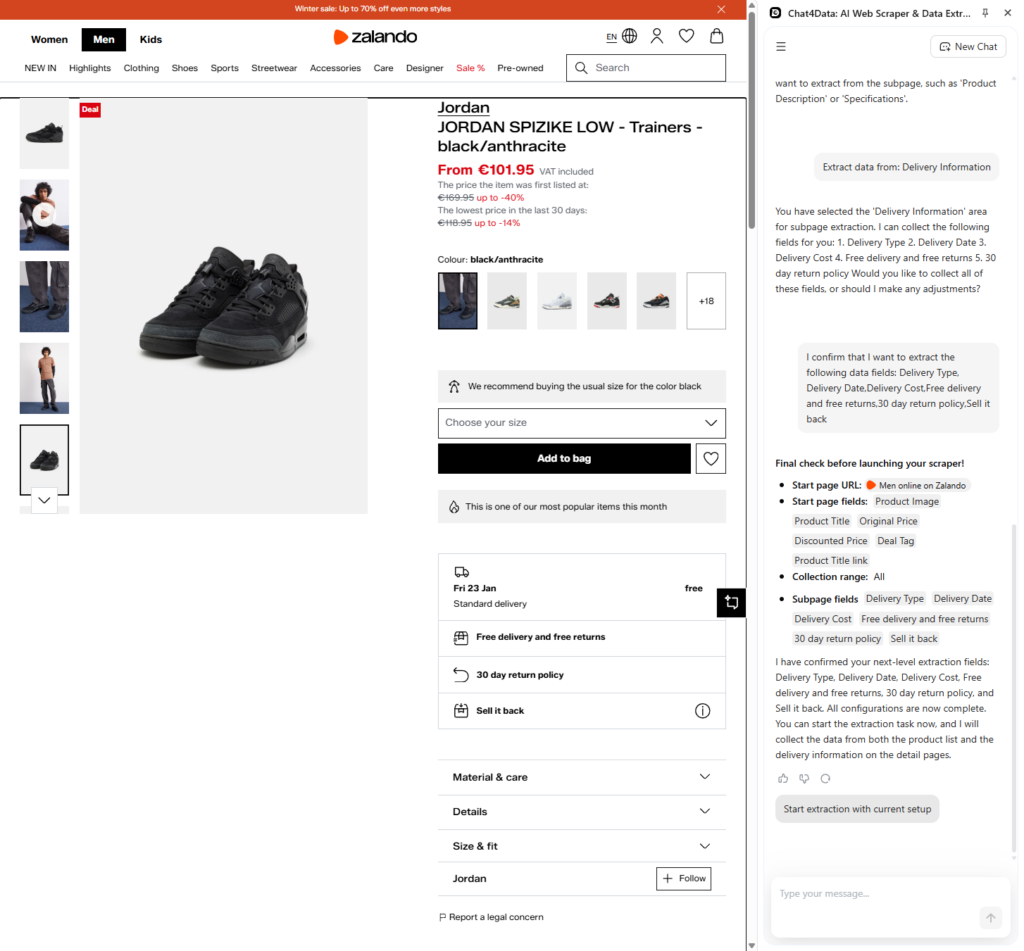
The final plan is complete, and we can start scraping.
Final data from Chat4Data and Zalando’s website have clear column names, good separation, and no missing data.
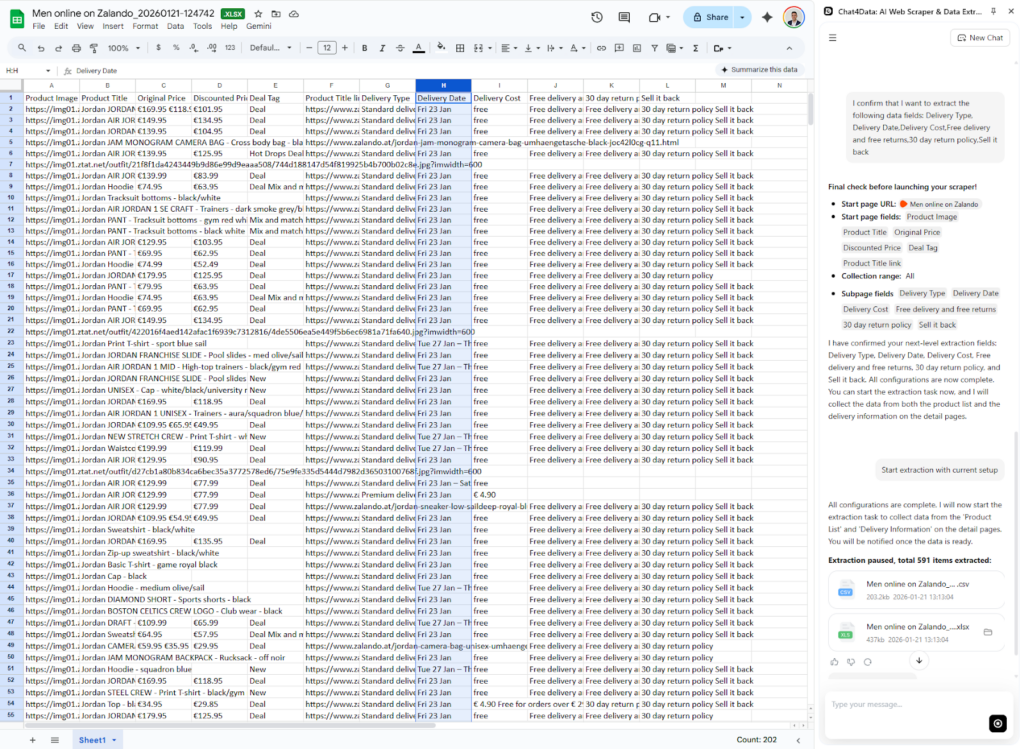
This is the approach you want in your workflow: simple yet smart and straightforward to use. Same as with Axiom, once you perform a scraping task, Chat4Data will remember the pattern and retrieve the data again for you, but there is a catch. Chat4Data uses AI to do it intelligently and adapt to a new website structure, but Axiom does not.
Key Features and Advantages of Chat4Data over Axiom AI
- Natural language prompting: Allows users to specify their scraping goals and desired data points in simple, conversational language, eliminating the need for coding.
- Automatic Field detection: The system can recognize target websites and user-entered data fields, automatically creating the scraping task for faster setup and easier use.
- Automatic pagination: Chat4Data handles multipage websites by automatically detecting pagination buttons and traversing them with ease. For Axiom AI, you are required to build custom web scraping selectors for each website to perform such a task.
- AI Column names: Generates straightforward, user-friendly, and relevant names for extracted data columns using AI, making the final dataset immediately ready for analysis.
- Data retention: Saves scraped data on the platform for 90 days (15 days for the free package), providing temporary storage and management that Axiom AI does not offer.
- Data privacy: All data is processed locally, and no credentials are stored during the scraping process. Unlike Axiom AI, which must process all requests through its infrastructure, this ensures complete privacy.
- Maintenance: Almost none is required, as there are no scripts to maintain. Chat4Data automatically adapts to changing websites and scrapes data daily, just as it has before. Axiom AI might require an update when the website changes dynamically.
- Affordable pricing: Offers a more cost-effective solution, especially for freelancers and small businesses, compared to Axiom AI’s credit-based API subscription model, which can quickly become expensive with high usage.
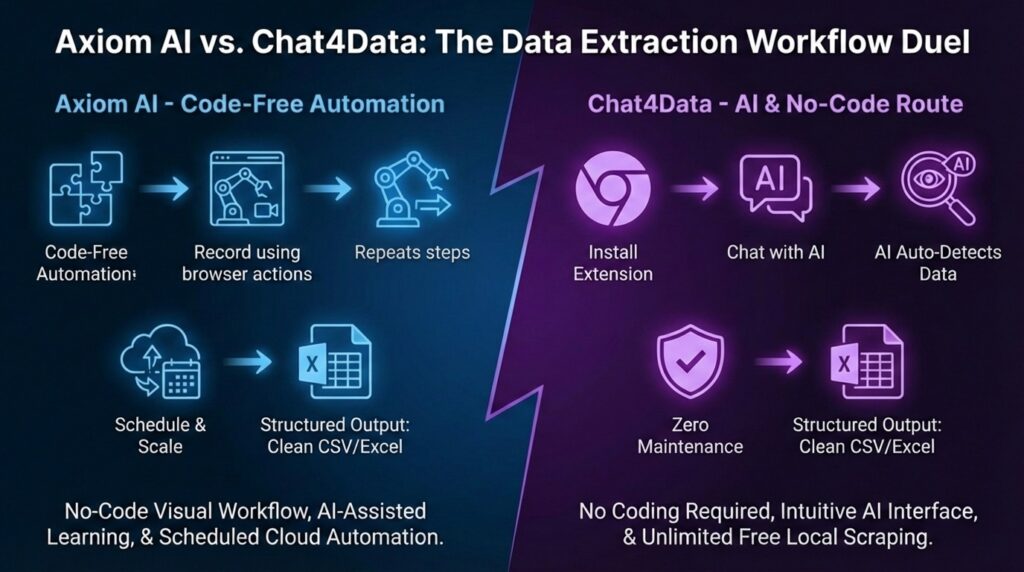
Conclusion: Which Tool is the Ultimate Web Scraping Tool?
If you need to connect three distinct web programs, Gmail, and a spreadsheet, Axiom AI is a powerful automation solution. It connects multiple workflows at once and produces a well-executed, step-by-step task. The biggest issue is that it does not go beyond simple repetition and misses essential intelligent AI features.
However, if your primary aim is web scraping (extracting data from a website and converting it into a usable format), Chat4Data is substantially faster, easier, and less expensive. It eliminates the friction from “building” the scraper. You don’t have to be a builder; just be a user.
Want a deeper dive? Check out these articles:
- Firecrawl and Its Best Alternative
- Thunderbit or Chat4Data — Which One Should You Choose?
- ScrapingBee Alternative
- Is Instant Data Scraper Falling Short?
- Browse AI and Its Best Alternative
FAQs about Axiom AI
- Is Axiom AI free to use?
Axiom AI offers 2 hours of free usage, but anything beyond that gets quite expensive. The first package at $15 per month gives only 5 hours of processing time, which is 10 minutes per day for one task, so you are likely to hit the limit pretty fast. In contrast, Chat4Data offers a first paid plan at $10 per month, can scrape much more data, and is more flexible.
- What is the best Axiom AI alternative?
For web scraping tasks, Chat4Data is the best alternative with more intelligent features powered by AI. If you are looking for full browser automation, Octoparse is a great option that offers the same flexibility as Axiom AI, with the same intelligent features and adaptability as Chat4Data.
- Can Axiom AI scrape behind a login?
Yes, Axiom AI can scrape data behind a login page if you are already logged in to the webpage you are trying to scrape. After logging in, start the extension in your browser, and then you can further configure the scraper. Chat4Data shares the same advantage as a browser extension.
- Is web scraping legal?
Scraping publicly available data is generally legal, as long as you do not infringe on copyright, violate the terms of service for crawling (robots.txt), or steal personal data (GDPR/CCPA compliance). Both Axiom AI and Chat4Data are tools; the user is legally responsible for ensuring their individual use case complies.
- Does Chat4Data require coding?
No, Chat4Data does not require any coding, just natural language commands that will get you to the data you want directly and quickly.
 Try AI Web Scraper